Chatbot Templates: 26 Free, Ready-to-Use Flows (2026)

The fastest way to put a working chatbot on your website is to skip the blank canvas. A chatbot template is a pre-built conversation flow: the questions, branches, and actions are already wired together, and you swap in your own words, services, and calendar. This guide covers 26 free chatbot templates organized by goal and by industry, what a good template actually contains, and the five edits that turn a ready-made flow into a bot that sounds like your business.
One rule before the list, because everything below comes back to it: a template is a head start, not a finished bot. The flow is built. The voice, the facts, and the human handoff still have to be yours.
What a chatbot template is, and what it is not
A chatbot template is a complete conversation, saved as a starting point: an opener, a set of questions with branching logic, and an ending that does something useful, like saving a lead or booking a slot. That makes it a different animal from a canned response, which is a single saved reply a human sends, and from a chatbot built from scratch, where you design every block yourself. It is also not the same thing as an AI assistant: most templates are rule-based flows, which is a strength for predictable conversations (bookings, intake, lead capture) because the bot never improvises your business policies. Where open-ended questions matter, the two approaches combine, and the last section covers when to make that jump.
The anatomy of a template worth using
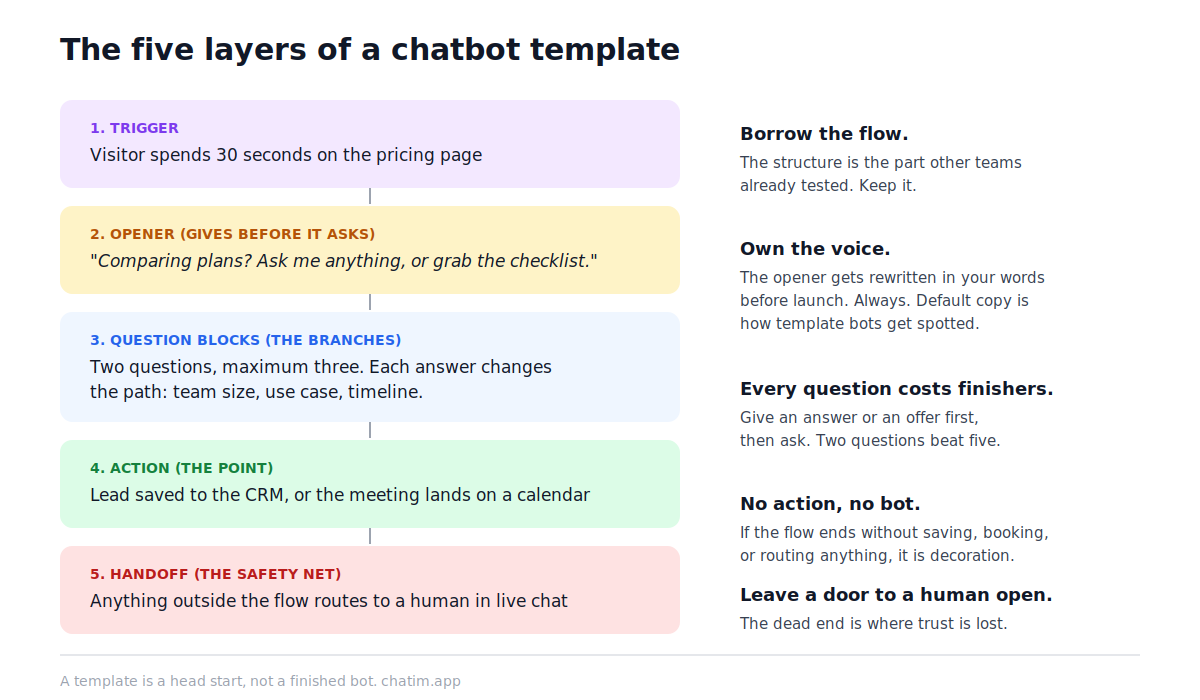
Open any decent chatbot template and you will find the same five layers. The trigger decides when the conversation starts: on a pricing page visit, after thirty seconds of scrolling, or when a visitor clicks the launcher. The opener gives before it asks, leading with an answer or an offer instead of a form. The question blocks carry the branching: two or three questions, each one changing what happens next. The action is the point of the whole exercise, the moment the flow writes a lead into your CRM, books the appointment, or sends the discount code. And the handoff is the safety net that routes the conversation to a person in live chat the moment the visitor steps outside the flow.
Templates by goal: capture, answer, book, recover
If you know what you want the bot to do, start here. For growing a pipeline, the lead generation flow qualifies visitors with a few smart questions and routes hot leads to your CRM, while collect emails trades a lead magnet for a subscription and syncs the address to your email tool. For answering repeat questions, the FAQ chatbot handles the questions your inbox sees every week, and the customer service flow adds routing so the hard cases reach a human with context attached. For scheduling, appointment booking puts a calendar inside the chat. For commerce, abandoned cart recovery catches the visitor on the way out, and product recommendation plays shop assistant with three questions and a shortlist. For feedback, there is a flow for collecting reviews from happy customers and another for customer feedback you actually act on. Rounding out the set: event registration, recruitment screening, SaaS onboarding, and a WhatsApp flow for businesses that live where their customers message.
Templates by industry, from clinics to car lots
The industry set bakes in the questions your visitors already ask. Real estate qualifies buyers and books property tours; the law firm flow runs client intake against your practice areas; medical and dental books patients and routes clinical questions to a clinician rather than answering them itself. Restaurants take reservations, hotels handle stay questions and booking, travel agencies quote and plan trips, and beauty salons turn DMs into confirmed appointments. There are dedicated flows for car dealerships, construction companies, insurance agencies, universities, gyms, and online stores. The full gallery lives at chatbot templates, and every card there opens a preview you can test before committing to anything.
How to choose: start with the conversation you already repeat
The best way to choose a chatbot template has nothing to do with the gallery and everything to do with your inbox. Look at the last twenty conversations your business had and find the one that repeats: if it is "do you have availability on Friday," you want the booking flow; if it is "how much does X cost," you want FAQ; if visitors browse and leave silently, you want lead capture or cart recovery. Pick one goal for one bot. A flow that tries to qualify leads, answer questions, and book meetings in a single conversation does all three badly, and you can always run different flows on different pages. Then decide where it runs: the pricing page and the homepage rarely need the same conversation.
Five edits that make a template yours
First, rewrite the opener in your own voice; it is the one message every visitor sees, and default template copy is the fastest way to sound like everyone else. Second, cut the questions down: two before the visitor gets something of value, three at the absolute maximum, because every extra field costs you finishers. Third, swap every placeholder fact for a real one (hours, service areas, policies), then delete any branch that does not apply to you; an honest small flow beats an impressive broken one. Fourth, wire the actions to the tools you actually use, so leads land in the CRM and bookings land on the calendar instead of in a dashboard nobody checks. Fifth, set the handoff rules and test the whole flow on your own phone before it meets a customer. The template documentation walks through each step, and the builder guide covers the editor itself; no code is involved at any point.
The mistakes that make template bots feel like template bots
The same handful of mistakes shows up in almost every bad deployment. Interrogation before value: asking for a name, email, and phone number before saying anything useful. No human path: trapping visitors in a loop when their question falls outside the flow, which is precisely when they most need a person. Shipped defaults: demo copy and someone else's tone surviving into production because nobody rewrote the opener. Form-with-a-face syndrome: a bot that collects answers but never gives one, which converts worse than the form it replaced because it wastes more of the visitor's time. And launch-and-forget: the transcripts from the first two weeks are a list of everything your flow is missing, and most teams never read them. Skim them once a week and promote what visitors keep asking into the flow itself.
From template to AI: when the flow is not enough
A rule-based flow wins whenever the conversation is predictable, and it stays the right tool for bookings, intake, and lead capture even as your traffic grows. The ceiling appears when visitors ask open-ended questions in their own words: no branch tree covers "does this work with the plugin I installed last year." That is the moment to add an AI chatbot trained on your own help content, keep the structured flows for the jobs they are good at, and let each hand off to the other, an approach covered in how to build an AI chatbot without writing code. Either way, the through-line of this whole guide holds: borrow the flow, own the voice, and always leave a door to a human open.
More on this from our team: live chat vs chatbot, AI chatbot for your website, and FAQ page examples.
Frequently Asked Questions
What is a chatbot template?
A pre-built conversation flow you copy and customize: the opener, the questions with their branching logic, and the ending action (saving a lead, booking a slot, sending a code) are already wired together. You edit the words and connect your tools instead of designing every block from scratch.
Are chatbot templates free to use?
Widely, yes. Most chat platforms, Chatim included, ship their template gallery on the free tier, so you can build and launch a working bot without paying. Costs typically appear later with volume or advanced features, not at the template stage.
How do I install a chatbot template on my website?
Pick a template in your chat platform's gallery, customize the messages and actions, then add the platform's widget snippet to your site once. After that, every flow you publish goes live through the same widget, with no extra installation per bot.
Can I customize a chatbot template?
That is the entire point. Everything is editable: the wording, the questions, the branches, the trigger, and the actions at the end. The five edits that matter most are rewriting the opener in your own voice, cutting questions down, replacing placeholder facts, wiring your real tools, and setting the human handoff.
Is a template better than building a chatbot from scratch?
For a first bot, almost always. A good starting flow encodes decisions other teams already tested, so you skip the cold-start design work and launch in an afternoon. Building from scratch makes sense once you have transcript data showing you need a conversation no ready-made flow covers.
Do chatbot templates work with AI?
They complement each other. Rule-based flows handle predictable jobs like booking and lead capture, while an AI assistant trained on your help content answers open-ended questions in the visitor's own words. Modern setups run both and let each hand the conversation to the other.
Which template should I use for lead generation?
Start with the dedicated lead generation flow: it qualifies visitors with a few questions and routes hot leads into your CRM. If your goal is a mailing list rather than sales conversations, the collect-emails flow with a lead magnet is the better fit.
Which template works best for an online store?
Three candidates, depending on the leak you want to fix: abandoned cart recovery catches visitors leaving mid-purchase, product recommendation guides the undecided to a shortlist, and the FAQ flow absorbs shipping and returns questions before they reach your inbox.
How many questions should a chatbot ask?
Two before the visitor gets something of value, three at the absolute maximum. Every extra required answer costs completions, and the flows that convert best give an answer or an offer first, then ask.
Do I need to know how to code to use a chatbot template?
No. Selecting, customizing, and publishing a flow happens in a visual builder, and the only technical step is pasting the widget snippet into your site once, which platforms like WordPress, Shopify, and Wix handle through a plugin or settings field.
What is the difference between a chatbot template and a canned response?
Scope. A canned response is a single saved reply a human agent chooses to send during a conversation. A template is the whole conversation: an automated flow with questions, branches, and an action at the end, running without an agent present.
How long does it take to launch a bot from a template?
An afternoon is realistic for a first launch: an hour to customize the messages and wire the calendar or CRM, plus time to test the flow on your own phone. The ongoing work is weekly, not daily: skim transcripts and fold in what visitors keep asking.
What happens when the chatbot cannot answer a question?
A well-built flow hands off to a human, either routing to live chat when the team is online or collecting contact details with a promised reply time when it is not. If a template has no handoff path at all, add one before launch; the dead end is where trust is lost.
Related articles
More in Chatbots & AI → Facebook Messenger Chatbot: The 2026 Guide + 5 Platforms
How Messenger chatbots work now: comment-to-DM automation, click-to-Messenger ads, 5 platforms compared, and when a contact button is enough.
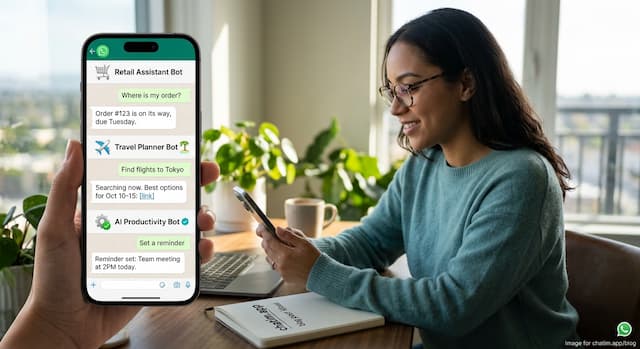 Best WhatsApp Chatbots in 2026: 7 Platforms Compared
7 WhatsApp chatbot platforms compared, with both bills modeled: subscriptions and Meta fees. Plus the free path if you only need a WhatsApp button.
 Best Chatbot Platforms in 2026: 10 Builders Compared
10 chatbot platforms compared by what their pricing actually meters, with free plans, AI features, and a pick for each use case
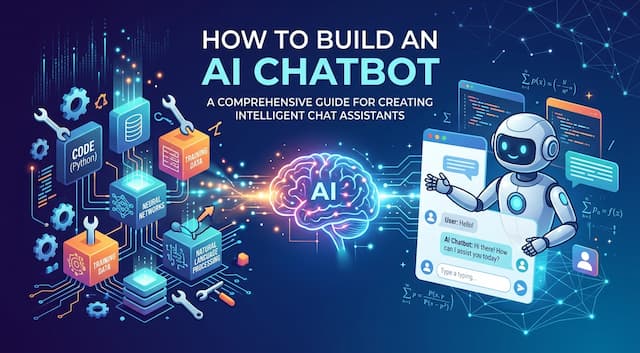 How to Build an AI Chatbot Without Writing Code (2026)
How to build an AI chatbot step by step: pick an approach, prepare your content, train the bot, set guardrails, test it, and launch it in a day.