What is a free QR code generator?
A free QR code generator is an online tool that converts a URL, plain text, vCard, Wi-Fi credentials, or other information into a scannable QR code image. The free QR code generator above takes any content and produces a downloadable image - no signup, no free trial, no watermark.
QR codes have become standard across mobile marketing, product packaging, business cards, restaurants, retail, events, and customer support. Every modern smartphone reads QR codes from the camera app - that's what makes them so easy for customers and powerful for any business that wants a frictionless link from physical-world content to digital data.
The QR code generator above produces static QR codes - the link is encoded directly into the image and never changes. For trackable QR codes with analytics, scan count tracking, and the ability to swap the destination URL after printing, you'll want dynamic QR codes (covered later on this page).
QR code types: what to encode
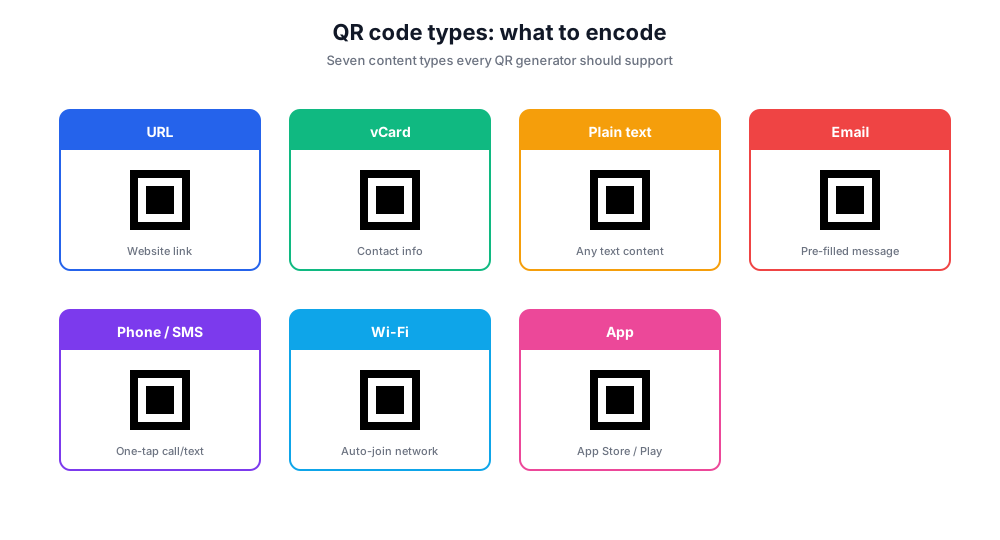
QR codes can encode many qr code types beyond plain URLs. Pick the right type and the QR experience is faster and more useful.
URL / Website QR
Most common. Encodes a link that opens in the smartphone browser. Use it on landing pages, business cards, or any printed content where you want to drive traffic to a website.
vCard QR code
Encodes contact information - name, phone numbers, email, company, website. Scanning a vCard QR adds the contact directly to the user's phonebook. Standard for business cards.
Plain text QR
Encodes any plain text - a coupon code, a wifi password, a short message. The text appears on screen after the scan; no internet connection required.
Email QR
Pre-fills an email - recipient address, subject line, body. Tap and the smartphone email app opens with the message ready to send.
Phone / SMS QR
Tapping the QR triggers a call to a specific number or opens an SMS draft. Useful for support stickers and printed materials where you want one-tap contact.
Wi-Fi QR
Encodes Wi-Fi network name, password, and encryption type. Guests scan, the phone joins the network - common at hotels, cafes, and offices.
App download QR
Routes to the App Store on iOS or Google Play on Android. Useful for app campaigns where you don't want to make people type a long URL.
How a QR code works
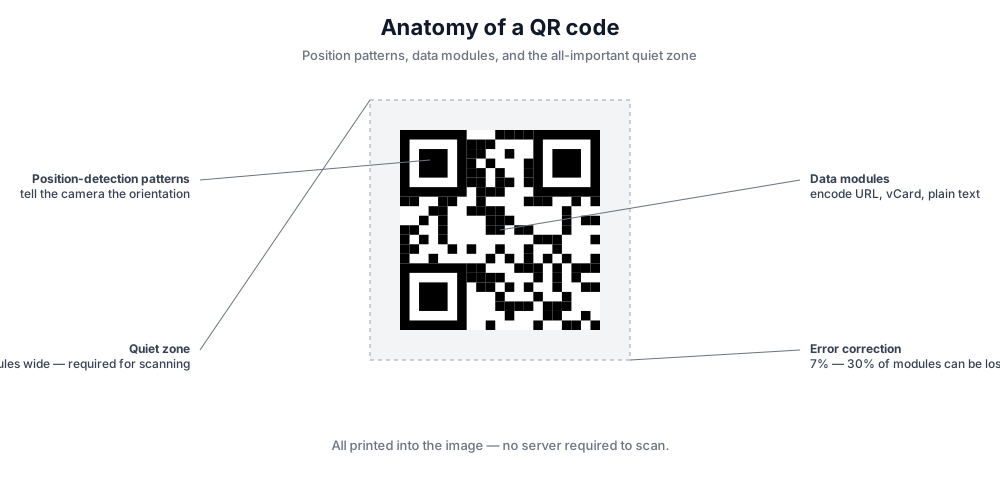
Every QR code is a 2D matrix of black-and-white modules that encodes data using error-correction algorithms. The three large squares in the corners are position-detection patterns - they tell a smartphone camera how the code is oriented. The smaller squares throughout the body store the actual content (URL, vCard, plain text).
Error correction is the magic that lets a QR code work even when partially damaged or covered. The four levels - Low (7%), Medium (15%), Quartile (25%), High (30%) - define how much of the code can be obscured before scanning fails. Higher levels make the QR larger but more resilient. If you plan to overlay a logo in the center, use the High level so the QR remains scannable.
The QR code itself doesn't store the data on a server - it's printed into the image. That means a static QR works forever, even if our service goes away, as long as the encoded link still resolves. For trackable QR codes that survive a destination URL change, see the dynamic QR codes section below.
How to create a QR code in simple steps
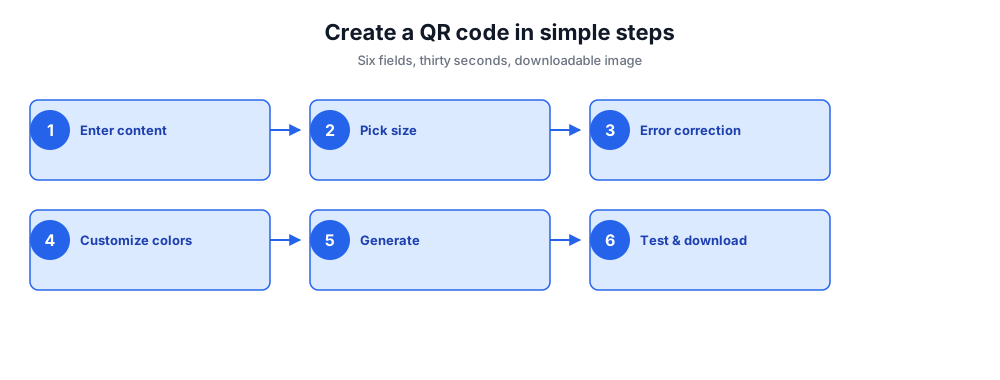
Build a custom QR code in under thirty seconds. No login, no email, no app - paste content, customize, download.
- Enter the URL, plain text, or content you want to encode (works for any link, vCard, Wi-Fi, email, or phone number).
- Pick the QR code size - small for business cards, large for product packaging or print.
- Choose the error correction level - Higher = more reliable when the QR is damaged or partially covered by a logo.
- Customize colors - keep contrast strong (dark on light) so smartphone cameras read the code reliably.
- Click Generate QR Code and download the image as a high-resolution PNG ready for any use.
- Test the QR code with your phone before printing - every QR should be scanned at least once before going to a real audience.
Dynamic QR codes vs static QR codes
Static QR codes encode the destination directly into the image - once printed, the destination cannot change. The QR code generator above produces static QR codes. They're free, work forever, and need no account.
Dynamic QR codes route through a short URL that you can re-point to a new destination at any time. Print a dynamic QR on a poster in March, then swap the destination URL to a different landing page in April without reprinting. Dynamic QR codes also enable QR code tracking: scan count, location, device type, and timestamp data flow into an analytics dashboard.
Trade-offs: dynamic QR codes require a paid service (the redirect host has to keep running for the QR to keep working), and the short URL adds a half-second of latency at scan time. For one-off uses, business cards, packaging with stable destinations - static QR codes are perfect. For marketing campaigns, A/B testing, and any case where the URL might change, dynamic QR codes earn their cost.
Where QR codes earn their keep
QR codes are everywhere now - but a few use cases consistently outperform. Each of the patterns below is a high-conversion setup with a smartphone camera as the only required customer device.
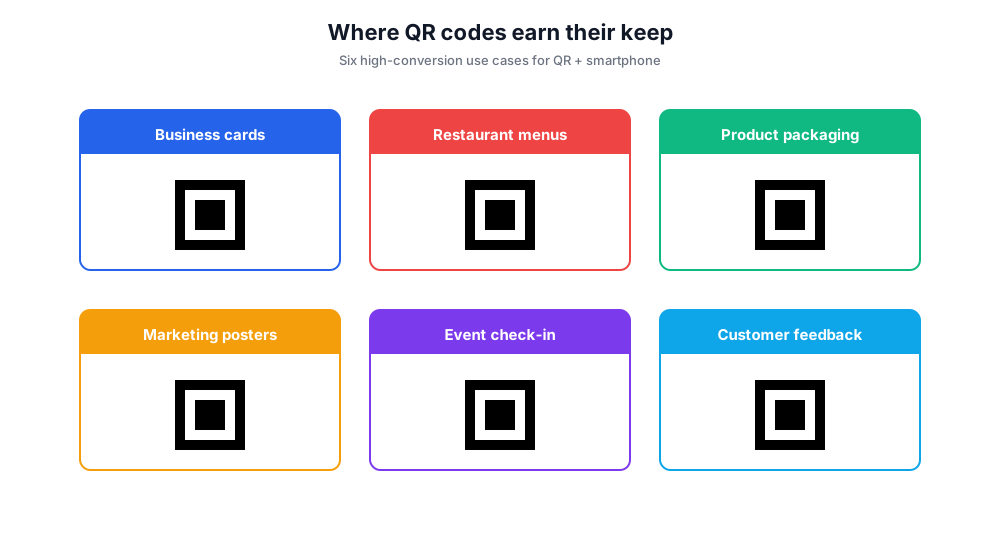
Business cards. A vCard QR turns paper into an instant phonebook entry. The recipient scans, taps Save, and your contact info - name, phone numbers, email, website - lands in their phone's contacts. Compresses what used to be a manual data-entry chore into one tap.
Restaurant menus and tabletop signage. A QR code linking to digital menus or online ordering. Restaurants started this during the pandemic and many never went back - it's faster, the menu is always current, and updates don't need a reprint.
Product packaging. A QR on product packaging routing to instructions, warranty registration, or a feedback form. The smartphone replaces the old paper insert and the brand collects scan analytics.
Marketing posters and print ads. QR codes turn print into a mobile marketing tool. The smartphone bridges the offline-to-online gap with a single scan - landing pages, signups, registrations, app downloads.
Event check-in. Each registration generates a unique QR; the scan at the door checks the attendee in. Faster than tickets, harder to forge.
Customer feedback forms. A QR on a receipt or table tent links to a feedback form. The whole flow - scan, fill, submit - takes thirty seconds and feedback rates double versus emailing a link.
Custom QR codes: logo, color, templates
Plain black-on-white QR codes scan reliably but they look generic. A custom QR code with brand colors and a logo in the center turns the QR into part of the visual identity - and well-designed QR codes have higher scan rates because they look intentional rather than placeholder.
When customizing, follow three rules. First, keep contrast strong: a dark QR on a light background scans best - most smartphone cameras struggle with low-contrast or inverted designs. Second, if you add a logo in the center, increase error correction to High (30%) so enough of the matrix is preserved. Third, keep the quiet zone - the white margin around the QR - at least four modules wide; this is where many home-rolled QR designs fail.
Free templates exist for common QR uses (business cards, menus, posters), and most QR generators including the one above let you save settings for reuse. For brand-locked templates with team controls and asset libraries, paid services like QRCode Monkey, Adobe Express, or Canva offer template galleries beyond what a free QR code maker provides.
QR code tracking and analytics
QR code tracking - the ability to see scan counts, locations, devices, and timestamps - only works with dynamic QR codes. The static QR code generator above doesn't provide analytics because there's no redirect to log; the QR encodes the destination directly.
If you need scan analytics, use a UTM-tagged URL inside the QR. Tag the destination URL with utm_source=qr, utm_medium=print, and utm_campaign=campaign-name. Every scan shows up in Google Analytics under that source/medium/campaign combination. Pair the QR code with the UTM builder to keep tracking consistent across all your campaigns.
For full QR analytics - scan-level data without UTMs, geographic heatmaps, A/B testing of destinations - graduate to a dynamic QR service. Most paid QR platforms cost $5-30/month and add scan analytics on top of the same QR code generation experience.
Free QR code generator vs paid QR services
Many tools generate QR codes. Here's where this free QR code maker fits.
Chatim Free QR Code Generator (this tool)
Pros: No signup. Static QR codes for any URL, vCard, plain text, email, Wi-Fi. Custom colors. High-resolution download. Mobile-friendly.
Cons: No dynamic QR (yet). No scan analytics. No saved templates.
QRCode Monkey
Pros: Wide template library, logo support, vector format download.
Cons: Static-only on the free tier; dynamic QR requires their paid plan.
Canva QR Code Generator
Pros: Integrated with Canva design library - drag the QR onto any design canvas.
Cons: Requires Canva account; QR is part of the Canva canvas, not a standalone vector format file.
QR Code Generator (qr-code-generator.com)
Pros: Full dynamic QR support, scan analytics, GPS data, vector format export, team workspace.
Cons: Paid; free trial only. Most expensive in the category for the full feature set.
Adobe Express
Pros: Deep integration with Adobe Express design tools, vector format export.
Cons: Requires Adobe account.
If you need a static QR code for a URL, business card, or restaurant menu, this free QR code generator gets you there in seconds. If you need dynamic QR codes with scan analytics for ongoing mobile marketing campaigns, a paid service makes sense.
Common QR code mistakes
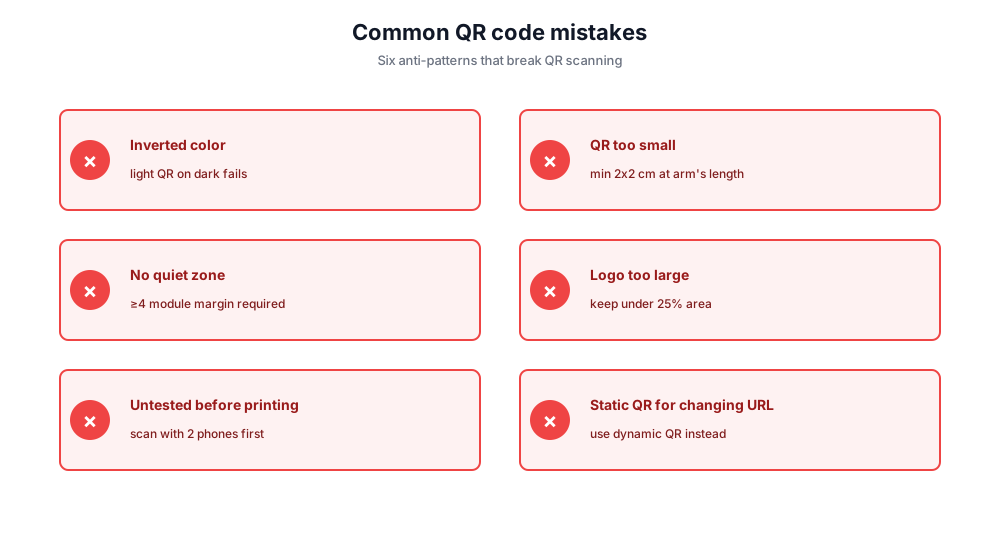
Inverted color (light QR on dark). Most smartphone cameras struggle with light QR on dark backgrounds. Always use dark-on-light unless you've tested with multiple phones.
QR too small to scan. Minimum size 2x2 cm (0.8 inch) for a scan from arm's length. Larger for posters scanned at a distance.
No quiet zone. The white margin around the QR is required - at least four modules wide. Skipping it breaks scanning.
Logo too large. Logos in the center are fine if you set Error Correction to High and keep the logo under 25% of the QR area.
Untested before printing. Always scan with at least two different phones before going to print. A broken QR on 5,000 printed flyers is a $5,000 mistake.
Static QR for a URL that will change. If the destination might change after printing, use a dynamic QR. Static QRs cannot be redirected after the fact.
Privacy: built in your browser, not on our servers
All QR code generation happens entirely in your browser. The URL, plain text, vCard data, or any other content you enter is never sent to Chatim's servers, never logged, and never shared. Close the tab and the data is gone.