What is a free word counter?
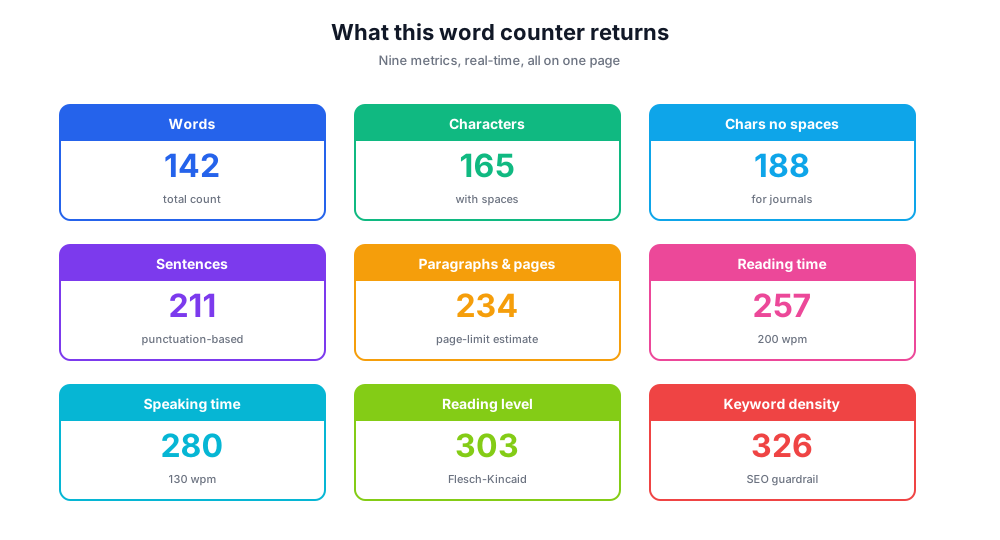
A free word counter is an online tool that counts words and characters in any block of writing. The free word counter above tracks total word count, character count (with and without spaces), sentences, paragraphs, lines, average word length, reading time, and speaking time - all in real time as you type or paste content.
Where most other word counters stop at the basics, this online word counter tool also surfaces a reading level estimate and an editable speaking time so the same writing can be checked for both reading and presentation. The result is a single page that handles essays, blog posts, social posts, scripts, and any other writing where word count requirements matter.
Beyond the raw count, the free word counter tool helps you spot when content drifts long or short of target - a useful guardrail when many words are needed for SEO content or when many pages need to fit a page limit for an essay or report.
Who uses an online word counter?
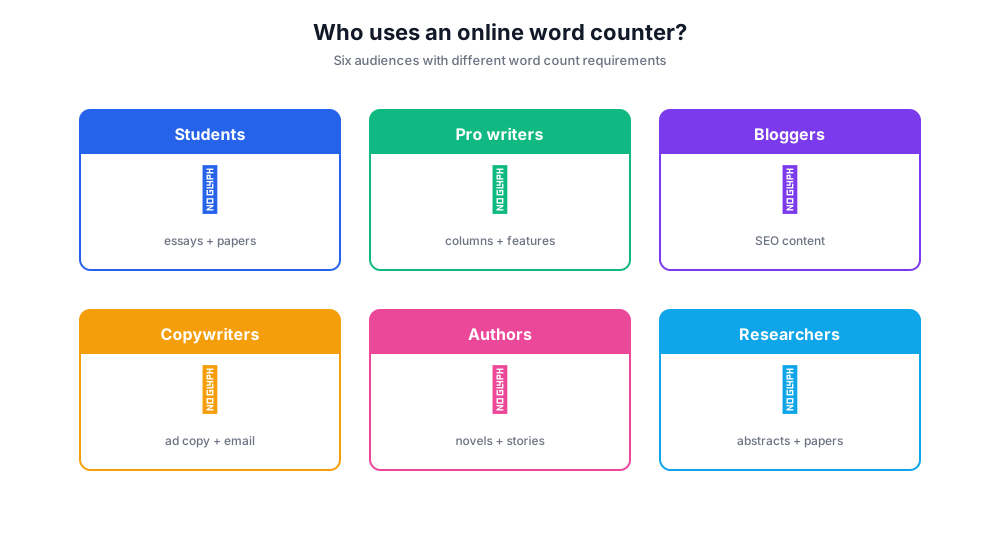
A word counter is one of the most-used writing tools on the web because almost every type of writing has a word count limit baked in. Below are the most common audiences and what they're checking for.
Students and essay writers
Essays, papers, and admissions submissions all have strict word count requirements - usually a minimum and a maximum. The tool shows total word count and the equivalent paragraphs and pages so essays land within the limit on first draft.
Professional writers and journalists
Editors assign specific word counts: 800 for a column, 2,500 for a feature, 6,000 for a deep investigation. The tool makes hitting the target trivial and surfaces when copy needs trimming before submission.
Bloggers and content marketers
Long-form blog posts targeting SEO usually run 1,500-3,000 words. A reliable counting tool plus a separate keyword density check is the minimum tooling for serious content production.
Copywriters and marketers
Ad copy, email subject lines, social posts, and landing page hero copy all have tight character limits. The character counter alongside word and character counts helps copy fit each platform's rules.
Authors and creative writers
NaNoWriMo runs on a 50,000-word target. Short stories run 1,000-7,500. A word counter keeps an honest running total throughout drafting.
Researchers and academics
Journal abstracts cap at 250 words; full papers cap at 8,000-10,000. The reading level metric is also useful for tuning a piece for a target audience.
What every metric means
The word counter above returns more than just the number of words. Here's what each metric actually measures and when to look at it.
Total word count. Counts every word separated by whitespace. The single most-used metric - directly maps to most word count requirements.
Words and characters with spaces. Includes every character including spaces and punctuation. This is what platforms like Twitter/X, Bluesky, and SMS use when enforcing limits.
Characters without spaces. Some publishers, journals, and forms count characters this way. Always check which definition the destination uses.
Sentences. Counts based on standard sentence-ending punctuation. Useful for quick readability checks - long sentences indicate dense writing.
Paragraphs and pages. Paragraph count plus an estimated page count (assuming 250 words per page) so you can map content to a page limit.
Reading time. Calculated at 200 words per minute - the average adult reading speed for general comprehension.
Speaking time. Calculated at 130 words per minute - the average rate for clear public speaking. Useful for podcast scripts, presentations, and YouTube videos.
Reading level. An approximation of the Flesch-Kincaid grade level. Lower scores read easier; higher scores indicate denser, more academic writing.
Keyword density. An optional view that surfaces the most repeated keywords. Useful for SEO content where keyword density matters but where stuffing must be avoided.
How to use this online word counter tool
Type or paste content into the box and the word counter updates in real time - total word count, character counter, sentences, paragraphs and pages estimate, reading level, and reading time all appear instantly.
- Type your content or paste from Microsoft Word, Google Docs, or any source.
- The tool counts words and characters as you type - total word count, words and characters, sentences, paragraphs.
- Review additional metrics - reading time, speaking time, average word length, reading level.
- Use Copy Text to grab your content, or Download Statistics for the full report.
- Click Clear to start over with fresh content for the next document or essay.
Word count targets by content type
Most writing follows established word count conventions. These targets are the going-rate ranges for major content types - useful as a quick reference when no specific brief is provided.
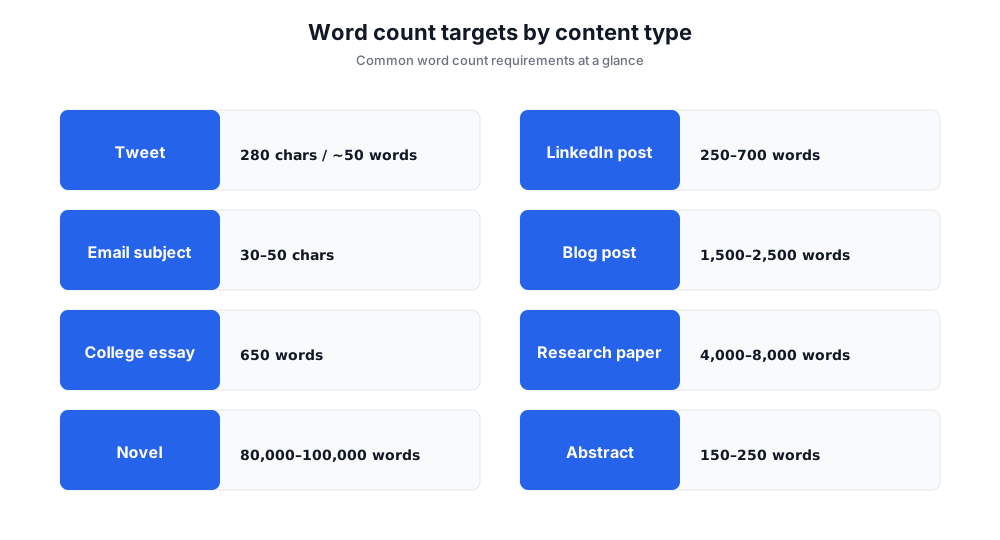
Tweet / X post. Up to 280 characters (about 50 words). Bluesky and Mastodon use similar limits.
LinkedIn post. 1,300 characters before the 'See more' truncation. Best-performing posts hit 250-700 words.
Facebook post. Up to 63,206 characters but engagement peaks around 40-80 characters.
Email subject line. 30-50 characters for desktop preview, fewer for mobile.
Blog post (informational). 1,500-2,500 words for SEO ranking. Long-form pillar pages run 3,000-5,000 words.
College essay (admissions). Common App caps at 650 words. Supplemental essays vary 100-500 words.
Research paper. Abstracts 150-250 words, full papers 4,000-8,000 words depending on the journal.
Novel manuscript. Genre fiction typically 80,000-100,000 words. Literary novels can run shorter; epic fantasy longer.
Writing better with a word counter beside you
A counting tool is a feedback loop, not a verdict. Used during a drafting session, the running total quietly nudges you toward the target without forcing you to think about it - useful for any writer who tends to overshoot or undershoot. The free word counter above runs in the background while you focus on the actual writing.
Paired with a grammar checker and a plagiarism checker, a word counter rounds out the basic toolkit for any serious writing project. The grammar checker handles correctness; this tool handles fit; the plagiarism checker handles originality. Three tools, one workflow.
For SEO content specifically, a counting tool combined with keyword density tracking is essential. The counter tells you whether the content has reached the ~1,500-2,500 word range Google's pages tend to reward; the keyword density check ensures your target keywords appear enough times without crossing into stuffing territory.
Free word counter vs Microsoft Word and other word counters
Many word count tools exist. Here's where this free word counter fits relative to the alternatives.
Chatim Free Word Counter (this tool)
Pros: No signup. Real-time word counter updates. Comprehensive metrics: words, characters, sentences, paragraphs, reading time, speaking time, reading level. Mobile-friendly.
Cons: No grammar checker built in. No plagiarism checker (use a dedicated tool for those).
Microsoft Word
Pros: Built into the editor; full document workflow.
Cons: Requires paid Microsoft 365 license. Doesn't show reading time or reading level by default.
Google Docs word count
Pros: Built into Google Docs; free with Google account.
Cons: Basic metrics only. No reading time, speaking time, or reading level. Requires the document to live in Google Docs.
Grammarly
Pros: Combines a word counter, grammar checker, and reading level scoring in one app.
Cons: Requires signup and account. Free tier limited; full features are paid.
WordCounter.net
Pros: Long-running standalone word counter. Keyword density built in.
Cons: Older interface, ad-heavy. No reading level or speaking time.
If you need a fast, private word counter with reading-time and speaking-time on the same page, this tool covers the workflow without a signup. If you also need a grammar checker and plagiarism checker bundled in, a paid editing platform makes sense.
Why we built this online word counter to run in your browser
Most online word counters send your text to a server to count it - fine for a tweet, less fine for an unpublished manuscript or a confidential client document. The free word counter above runs entirely in your browser. Your writing never leaves your device.
Browser-only updates also mean it works offline once the page loads. Throw it in a tab during a writing session and the tool keeps running even if your wi-fi drops.