What is a text compare tool?
A text compare tool - also called a diff checker, text diff tool, or difference checker - lets you compare text online and find the difference between text versions instantly. It highlights every change at the character, word, or line level, so you can spot edits, typos, and structural changes without manually scanning two documents.
Free online text comparison tools like this one make it easy to compare text documents in seconds. There is nothing to install, no signup, and no paid tier. Unlike most online diff checkers, the comparison runs entirely in your browser using the same Myers diff algorithm Git uses - which means even confidential text files never leave your device.
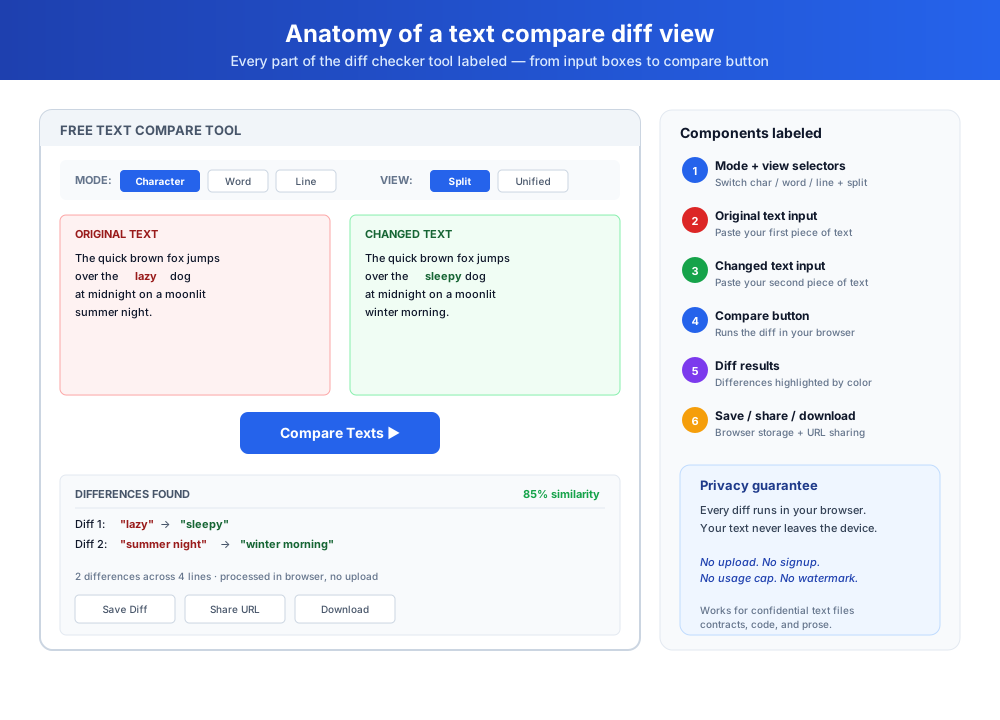
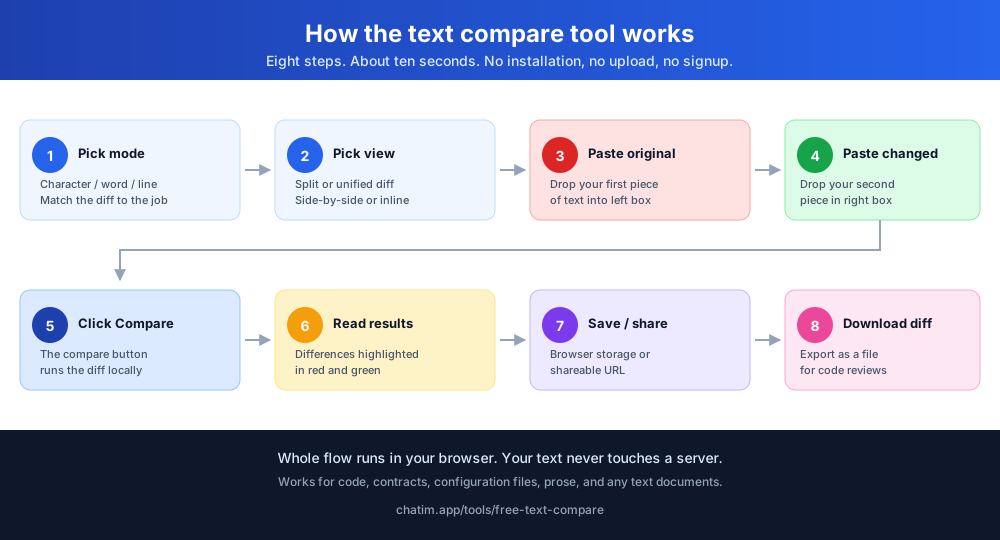
How to use the text compare tool
Comparing two pieces of text takes seconds with our free online tool. The diff updates live as you type, and everything runs in your browser.
- Paste or drop your original text in the left box
- Paste or drop your changed text in the right box
- The diff updates as you type, or press Ctrl + Enter to compare
- Pick character, word, or line mode to change how differences are highlighted
- Switch between split view and unified view
- Turn on Ignore case or Ignore whitespace to filter out noise you do not care about
- Use the up and down arrows to jump between changes
- Save the comparison, copy a shareable link, or download a .diff file
Three diff modes explained
Pick the diff mode that fits the job. The comparison re-runs the moment you switch modes, no re-paste needed.
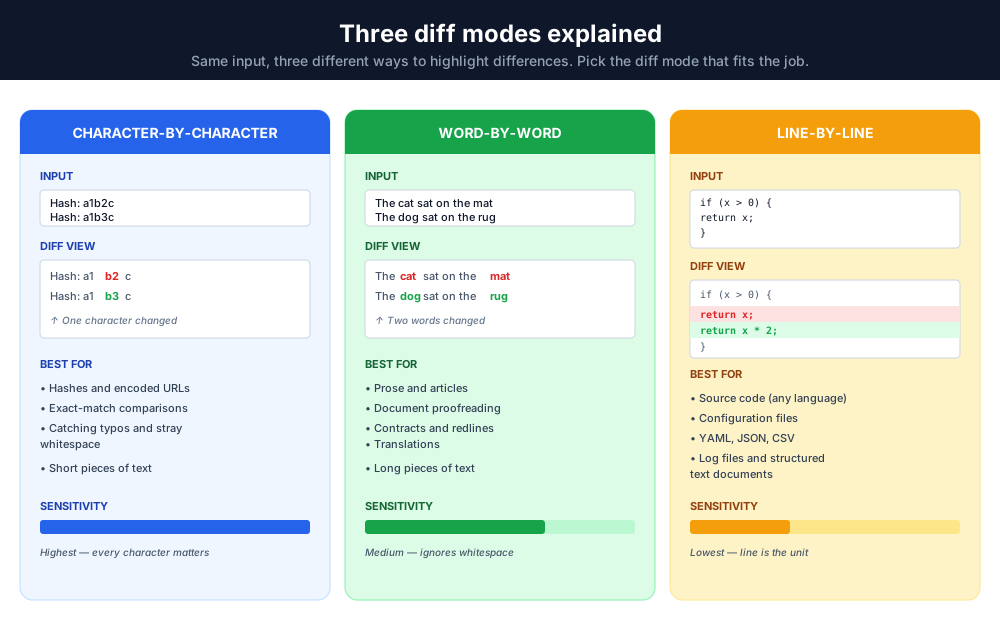
Character-by-character
Highlights the exact characters that changed inside each line - including a typo, a stray space, or a one-character difference. Best for hashes, encoded strings, config values, and proofreading short text.
Word-by-word
Highlights the individual words that changed inside each line. The right choice for prose, articles, and longer documents where you care about wording rather than characters.
Line-by-line
Built for code, structured data, configuration files, and CSVs where each line is its own unit. The default for most developer use cases.
Use cases for online text comparison
Paste the text to compare into either box and the free text compare tool works for a wide range of jobs across many industries.
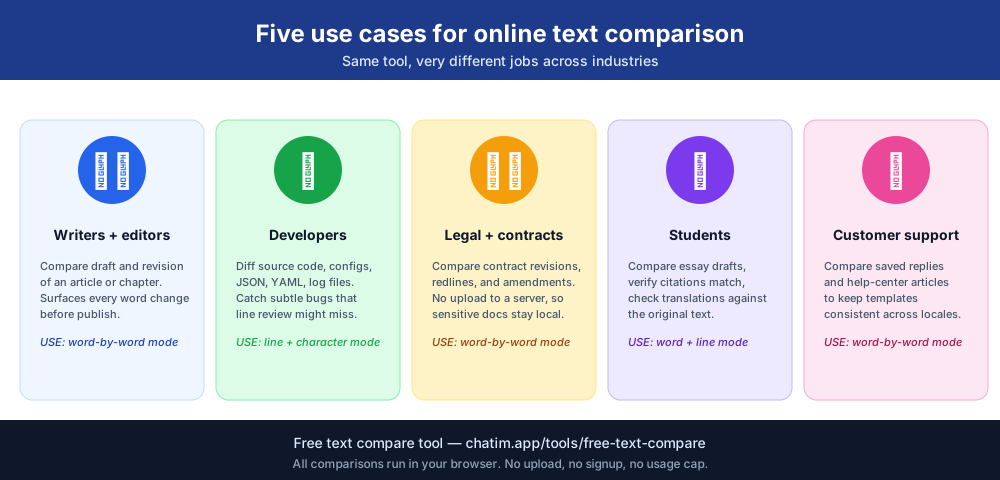
Writers and editors
Compare draft and revision of an article, blog post, or book chapter. The text diff tool surfaces every word and punctuation change so you can verify the final copy matches the approved version.
Developers and engineers
Run a diff checker on source code, configuration files, JSON payloads, or log files. The character-by-character text diff catches subtle bugs that line-by-line review might miss.
Legal and contract teams
Compare contract revisions, redlines, and amendments. The online text comparison tool tracks every change between versions, with no risk of uploading sensitive text documents to a third-party server.
Students and academics
Compare your paper to a previous draft, verify citations match the source, or check translations against the original text.
Customer support and ops
Compare two pieces of text in saved replies or help-center articles to make sure they stay consistent across templates and locales.
Text compare tool features
Six features built into the free text diff tool that make it faster than installing dedicated software.
Real-time diff checks
The diff updates live as you type - no compare button needed, no upload, no wait, no signup. Press Ctrl + Enter any time to re-run it manually.
Character-by-character comparison
Character mode highlights the exact characters that changed inside each line - perfect for spotting subtle edits in hashes, encoded URLs, and config values. Word mode does the same at word level for prose.
Flexible context lines
Unchanged sections collapse automatically so you only see the lines around each change. Expand any collapsed section with one click, or show the whole document.
Split view and unified diff modes
Split view puts the two versions side by side with aligned line numbers. Unified view stacks removals and additions in a single column, like a git diff.
Save diffs in browser
Save up to 10 diffs directly in your browser's local storage. Revisit previous comparisons without re-pasting the original pieces of text.
Shareable URLs
Need to share the diff view with a colleague? Generate a unique URL containing the compressed text - the data lives in the link itself, not on a server.
Why use an online tool instead of Notepad++ or Word?
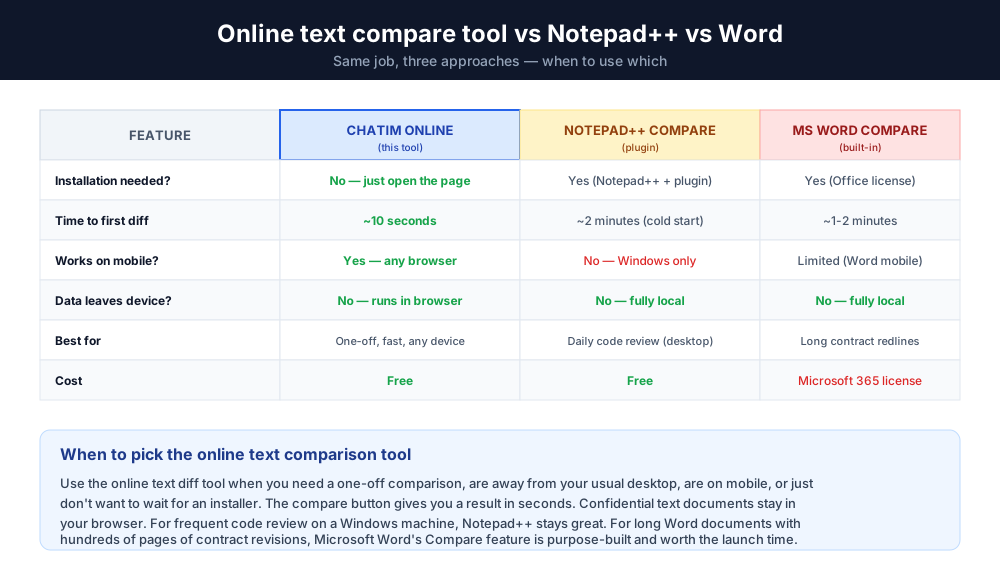
Compared to local software - Notepad++ with its compare plugin, Microsoft Word's built-in compare feature, or a paid desktop diff tool - a text compare online tool has three practical advantages.
First, there is nothing to install. Open the page, paste your two pieces of text, and the diff appears as you type. The whole flow takes about ten seconds. For one-off comparisons, that is far faster than opening a desktop tool.
Second, the online text comparison tool works on any device with a browser, including mobile and ChromeOS where Notepad++ isn't available. You can run a diff on a phone in seconds.
Third, the comparison runs in your browser only. Confidential text documents never leave your device - they're not uploaded, not logged, not analyzed. This makes the free text comparison tool safer for sensitive content than online services that send text to a server.
For ongoing developer work, save up to 10 diffs in browser storage and revisit them later. For one-off jobs, the workflow is paste → compare → done.
Data privacy and safety
All text comparisons happen entirely within your browser. No text files, text documents, or pieces of text are transferred to a server. Your content stays private - even Chatim has no access to the text you compare. The difference checker runs locally so confidential documents stay on your device.