What is a UTM builder?
A UTM builder is a tool that adds UTM tracking codes to a destination URL so you can see where your traffic actually came from inside Google Analytics, GA4, Adobe Analytics, or any campaign reports view. The free UTM builder above lets you build campaign URLs without hand-editing query strings - fill the fields, hit Generate, copy the result.
Without UTM parameters, every visitor from a paid ad, social post, partner site, or email blast lands in your analytics tools as either "direct" or "referral" traffic. You can see total website traffic but you can't tell which specific campaign drove it. Adding utm_source, utm_medium and utm_campaign tags fixes that - every click is attributable to the exact ad campaigns or email campaign that produced it.
UTM stands for Urchin Tracking Module, a naming convention inherited from Urchin Software (the analytics company Google bought in 2005 to launch Google Analytics). The same five parameters work across every modern analytics platform, which is why the format has become the universal standard for digital marketing campaigns.
The 5 UTM parameters explained
There are five required UTM parameters and optional UTM parameters defined in the standard. The first three are required for proper attribution; the last two are optional but useful for ad copy testing and paid search reporting.
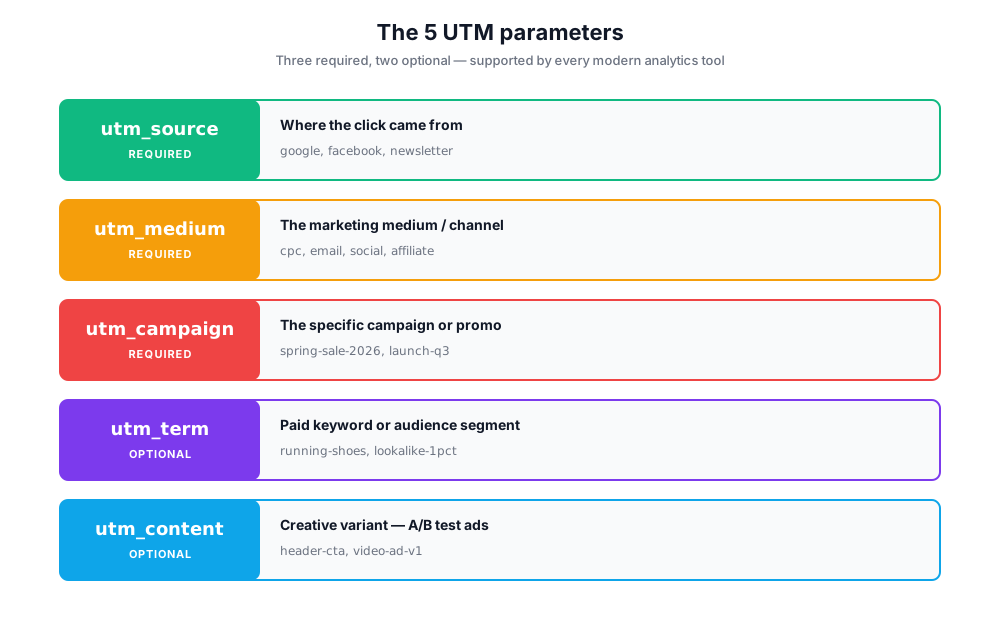
utm_sourcerequired
Identifies where the click came from - the platform or website referrer.
Examples: google, facebook, linkedin, twitter, newsletter, partner-site
Traffic acquisition → Source / medium reports.
utm_mediumrequired
Identifies the marketing medium - the channel category.
Examples: cpc (paid search), email, social, display, affiliate, organic-social
Same Source / medium report - pairs with utm_source.
utm_campaignrequired
Identifies the specific campaign - promo, launch, or initiative name.
Examples: spring-sale-2026, product-launch-v2, black-friday, q3-webinar
Campaigns report - also called the campaign name parameter.
utm_termoptional
Identifies paid search keywords or audience segments.
Examples: running+shoes, lookalike-1pct, retargeting-cart-abandoners
Used for paid keyword reporting in Google Ads imports.
utm_contentoptional
Differentiates ads or links pointing to the same destination URL.
Examples: header-cta, footer-link, video-ad-v1, image-ad-v2
Useful for A/B testing creative variants in ad campaigns.
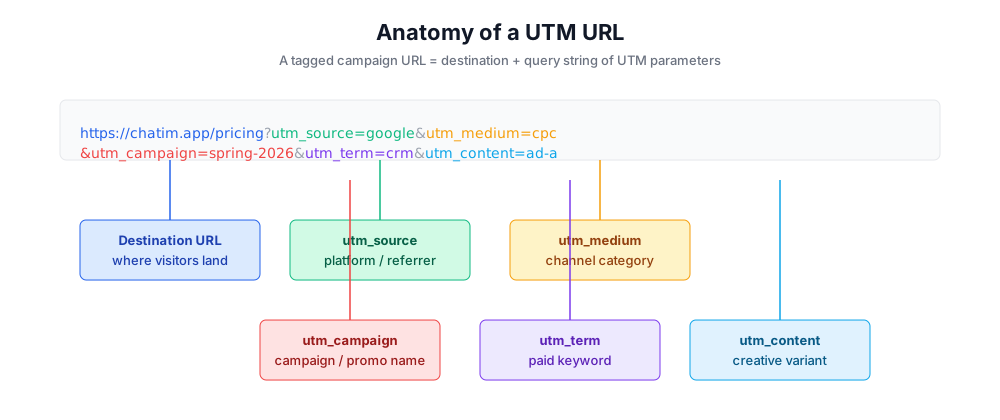
Anatomy of a UTM URL
A tagged campaign URL is just your normal landing page URL plus a query string of UTM parameters. Everything before the question mark is the destination; everything after is metadata for your analytics tools.
Example: https://chatim.app/pricing?utm_source=google&utm_medium=cpc&utm_campaign=spring-sale-2026&utm_term=crm-software&utm_content=ad-variant-a
The browser ignores the query string for navigation - visitors still land on /pricing - but Google Analytics reads the parameters and writes them into the campaign data fields of every session that arrived through the link.
How to use this free UTM builder
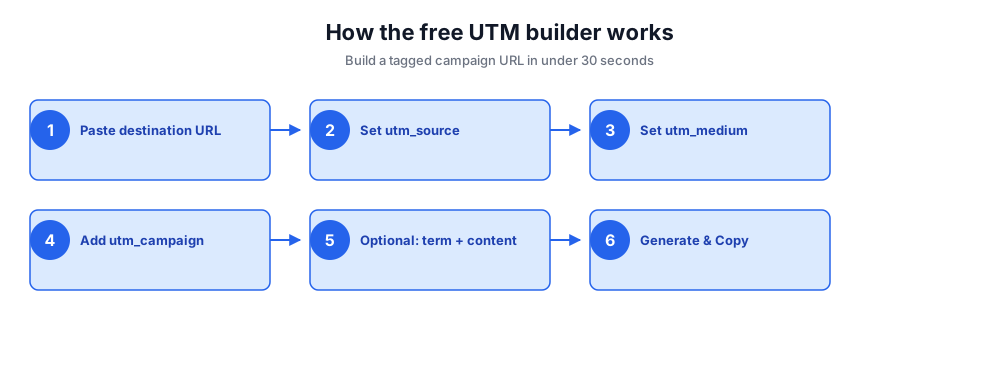
Build a tagged campaign URL in under thirty seconds. No login, no API key, no spreadsheet - paste your destination, fill the parameters, copy the link.
- Paste your destination URL (the page you want visitors to land on).
- Set utm_source - the platform or website referrer (google, facebook, newsletter).
- Set utm_medium - the marketing medium (cpc, email, social, banner, affiliate).
- Add utm_campaign - the campaign name, promo code, or product launch identifier.
- Optional: add utm_term for paid keywords and utm_content to differentiate ads pointing to the same URL.
- Click Generate UTM Link, then copy the tagged campaign URL to your ad, email, or post.
UTM examples for every channel
Copy these patterns into your campaign builder. Each example shows the same destination URL tagged for a different traffic source.
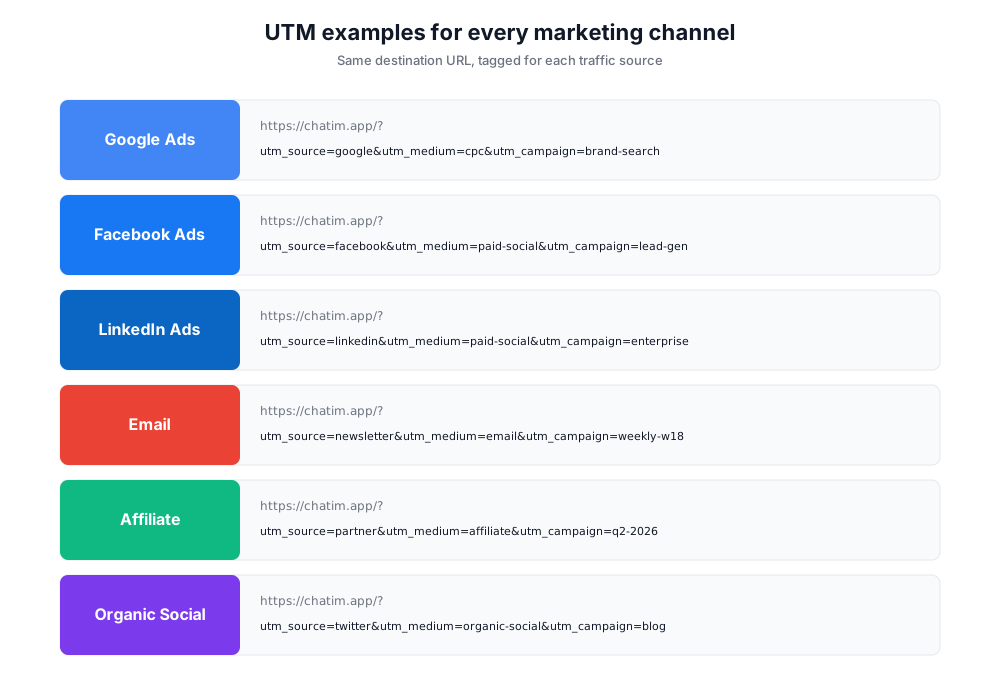
Google Ads (paid search)
https://chatim.app/?utm_source=google&utm_medium=cpc&utm_campaign=brand-search-2026&utm_term=chatim&utm_content=headline-v1Google Ads can auto-tag with gclid; UTMs let you keep manual control of source/medium/campaign naming.
Facebook & Instagram ads
https://chatim.app/?utm_source=facebook&utm_medium=paid-social&utm_campaign=lead-gen-april&utm_content=carousel-1Use paid-social as the medium so paid Facebook traffic doesn't blend with organic posts.
LinkedIn ads
https://chatim.app/?utm_source=linkedin&utm_medium=paid-social&utm_campaign=enterprise-launch&utm_content=sponsored-contentDifferentiate Sponsored Content vs Message Ads vs Conversation Ads via utm_content.
Email campaign (newsletter)
https://chatim.app/blog/?utm_source=newsletter&utm_medium=email&utm_campaign=weekly-digest-2026-w18&utm_content=hero-buttonMost ESPs (Klaviyo, Mailchimp, Customer.io) can append these automatically per campaign.
Affiliate or partner link
https://chatim.app/signup/?utm_source=partner-site&utm_medium=affiliate&utm_campaign=q2-2026&utm_content=sidebar-bannerPair UTMs with your affiliate tracker so partners get credit AND analytics gets attribution.
Organic social post
https://chatim.app/blog/?utm_source=twitter&utm_medium=organic-social&utm_campaign=content-promotionSome teams skip UTMs on organic - but tagging them separates branded social referrals from random shares.
UTM naming conventions and best practices
A naming convention is the difference between clean campaign reports and a mess of "Facebook", "facebook", "FB", "FaceBook" splitting your data across four rows in Google Analytics. Pick a convention, write it down, and enforce it across the team.
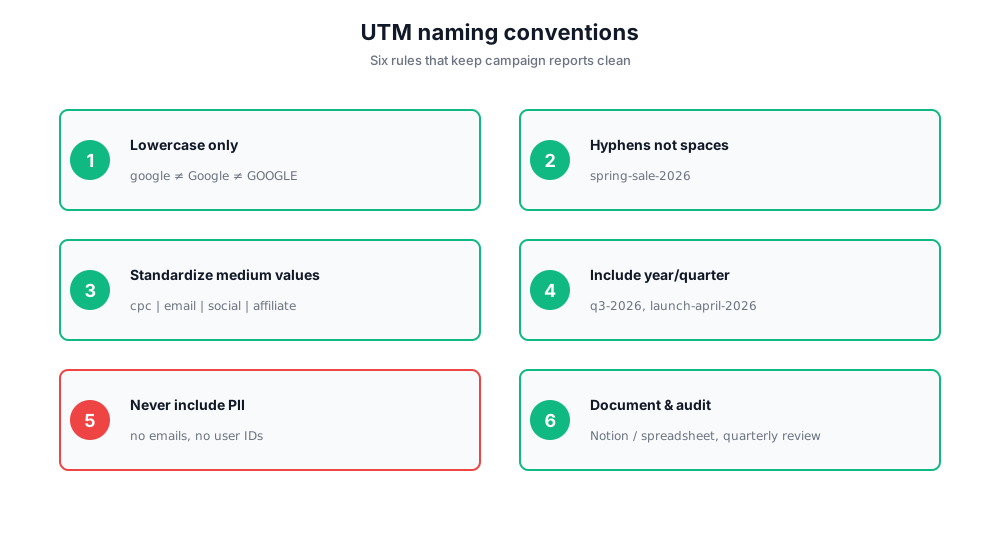
- Lowercase everything. Google Analytics treats "Facebook" and "facebook" as different sources.
- Use hyphens, not spaces or underscores, in multi-word values: spring-sale-2026, not spring sale 2026.
- Standardize utm_medium values to a fixed list: cpc, email, social, paid-social, display, affiliate, referral.
- Include the year/quarter in utm_campaign so reports are unambiguous twelve months later.
- Never put PII or tracking IDs in UTM parameters - they're stored in plaintext in analytics and could be shared.
- Document the convention in a spreadsheet or Notion doc so freelancers and agencies follow it.
- Audit quarterly: pull your top 50 UTM-tagged campaign links and check for naming drift.
Common UTM mistakes to avoid
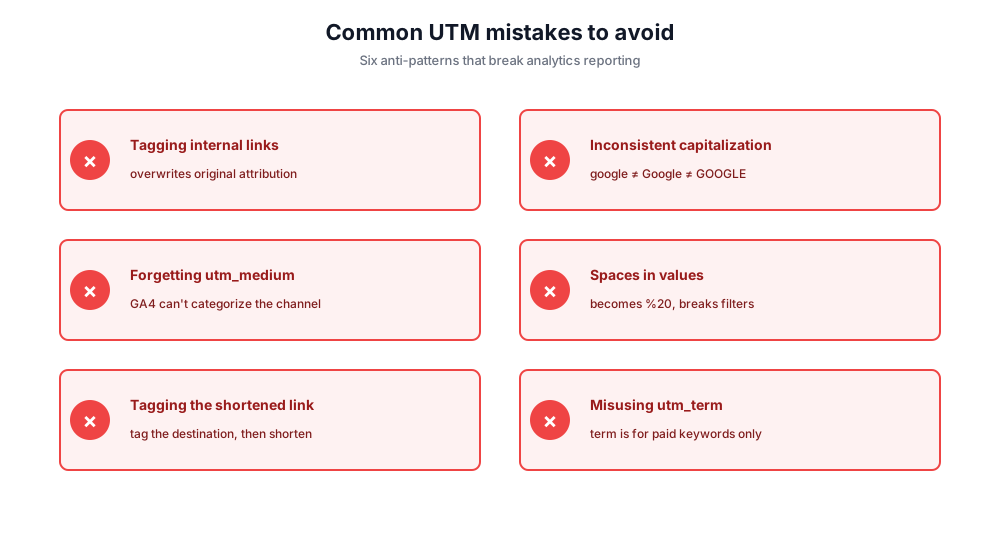
Tagging internal links
Never put UTMs on links between pages of your own site. They overwrite the original campaign attribution and credit the wrong source for the conversion.
Inconsistent capitalization
google vs Google vs GOOGLE create three rows in your reports. Always lowercase.
Forgetting utm_medium
Without medium, GA4 can't categorize the channel. Always include all three required UTM parameters: source, medium, campaign.
Spaces in parameter values
Spaces become %20 in the URL and break some analytics filters. Use hyphens.
Putting UTMs on shortened links incorrectly
If you shorten a tagged URL via bit.ly, the UTMs survive - good. But don't tag the bit.ly link itself; tag the destination, then shorten.
Using utm_term for non-paid traffic
utm_term is for paid keywords. Putting random text there clutters paid search reports.
How UTM tracking codes appear in Google Analytics
Once a visitor clicks a tagged campaign URL, GA4 captures the parameters and writes them into the session's traffic source dimensions. You'll see the values in Acquisition → Traffic acquisition (or in custom reports filtered by Source / medium / Campaign).
In Universal Analytics (now sunset), the same data appeared under Acquisition → Campaigns. In GA4, look for: Session source, Session medium, Session campaign, Session manual term, Session manual ad content. These map 1:1 to your utm_source, utm_medium, utm_campaign, utm_term, utm_content values.
Most marketing analytics platforms - HubSpot, Mixpanel, Amplitude, Segment, Adobe Analytics, Heap - read the same UTM parameters and store them as first-touch and last-touch attributes on the contact or user record. This makes UTMs portable across the whole marketing stack, not just Google Analytics.
Free UTM builder vs Google Campaign URL Builder vs other builders
There are several free UTM campaign builder options out there. Here's how this free UTM code generator stacks up against the Google standard, the TerminusApp URL Builder, and the RavenTools URL Builder for campaign tracking.
Chatim Free UTM Builder (this tool)
Pros: No signup. Instant copy-to-clipboard. Built-in field hints. Mobile-friendly. Generates the same URL format as the Google standard.
Cons: No bulk batch generation, no saved templates (yet).
Google Campaign URL Builder
Pros: Made by Google - guaranteed compatibility with GA4. Same five parameters.
Cons: Plain UI, no examples, no naming convention guidance, no mobile optimization.
TerminusApp URL Builder
Pros: Bulk URL generation, saved presets, team workspace.
Cons: Requires signup. Heavier UI for what is fundamentally a string-builder.
RavenTools URL Builder
Pros: Integrates with the full Raven SEO suite, batch CSV upload.
Cons: Requires a paid Raven account.
If you just need to tag a single link right now, this free UTM builder is faster than Google's. If you build hundreds of campaign links per month with strict governance, a paid tool like TerminusApp or RavenTools makes sense.
UTM resources for marketing teams
Beyond the builder itself, three documents make UTM tagging stick across a marketing team. First, a one-page naming convention cheat sheet that lists allowed utm_medium values, the casing rule, and the campaign-name format. Second, a free template spreadsheet where every planned campaign link gets a row before launch - paste-ready URLs, sortable, version-controlled. Third, a quarterly UTM resources audit that pulls the top campaign links from analytics and flags inconsistencies.
These three artifacts turn UTM tags from a per-marketer habit into a team-level system that makes campaign tracking auditable. Without them, you'll see naming drift inside a quarter and campaign reports that don't add up to your ad spend.
Privacy: built in your browser, not on our servers
This free UTM builder runs entirely in your browser. Your destination URL, campaign data, and any utm_term values you enter are never sent to Chatim's servers, never logged, and never shared. Close the tab and the data is gone.