What is a free case converter?
A free case converter is an online tool that switches text between different letter cases - uppercase, lowercase, sentence case, Title Case, and the programming-style cases like camel case and snake_case. The free case converter tool above is the easy way to handle case conversion for any document, code snippet, or block of normal text.
Where Microsoft Word and Google Docs offer basic Change Case via a menu, a dedicated case converter tool covers more case formats and works without opening a desktop editor. The result: paste in, pick the format, copy out - all from a browser tab on any device.
Whether you accidentally typed in caps lock, need to format upper case letters into a proper case heading, or want to convert text from a copied PDF into a clean lowercase paragraph, a case converter saves the manual retyping. There are different ways to change case across different letter cases - this online tool handles all of them in one panel.
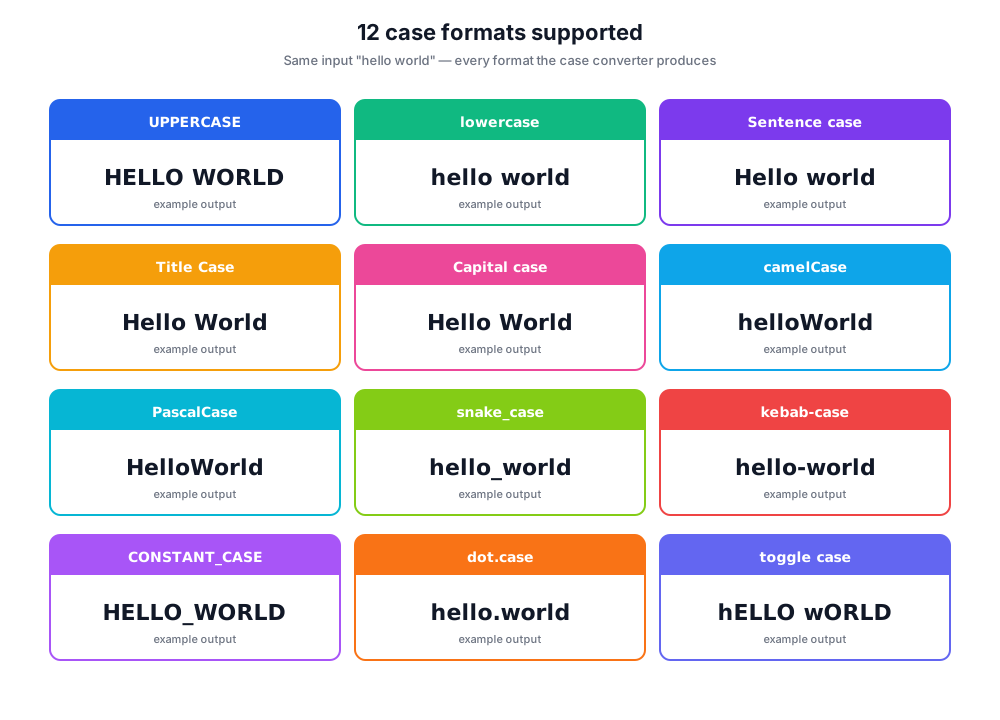
All the case formats - text case explained
Every text case has a name and a use. Below are the case formats this case converter tool supports, with the situation each one fits.
UPPERCASE
Every letter is a capital letter. Used for emphasis, acronyms, headlines, and ALL-CAPS warnings. Switching to upper case for an entire paragraph reads as shouting - use sparingly.
lowercase
Every letter is a small letter. Useful for fixing accidental caps lock, normalizing input data, and lowercase-and-vice-versa flips when you need everything in small letters.
Sentence case
Capital letter at the start of each sentence; the rest is lowercase. The most natural format for body copy, paragraphs, and any normal text writing.
Title Case
Each significant word starts with a capital letter. Used for article titles, book titles, song titles, and product names.
Capital case
Similar to Title Case - every word capitalized, including short articles. Sometimes called proper case in word-processor documentation.
camelCase
First word lowercase, every later word capitalized, no spaces. Standard for JavaScript variable names: 'firstName', 'totalAmount'.
PascalCase
Every word starts with a capital letter, no spaces. Used for class names in many languages: 'UserProfile', 'OrderHistory'.
snake_case
Words joined by underscores, all lowercase. Standard in Python, Ruby, and SQL column names: 'user_id', 'order_date'.
kebab-case
Words joined by hyphens, all lowercase. Common in URLs, CSS class names, and HTML attributes: 'hero-image', 'cta-button'.
CONSTANT_CASE
All upper case letters joined by underscores. Used for constants and environment variables: 'MAX_RETRIES', 'API_KEY'.
dot.case
Words separated by dots, lowercase. Used in package names and some config files: 'app.config.production'.
Toggle case (iNVERSE cASE)
Flips every letter - capital letters become small letters and vice versa. Useful for fixing text that came in with caps lock accidentally on.
Where a case converter saves time - by audience
Different ways to change case fit different audiences. Below are the most common roles using a free case converter and what they're converting.
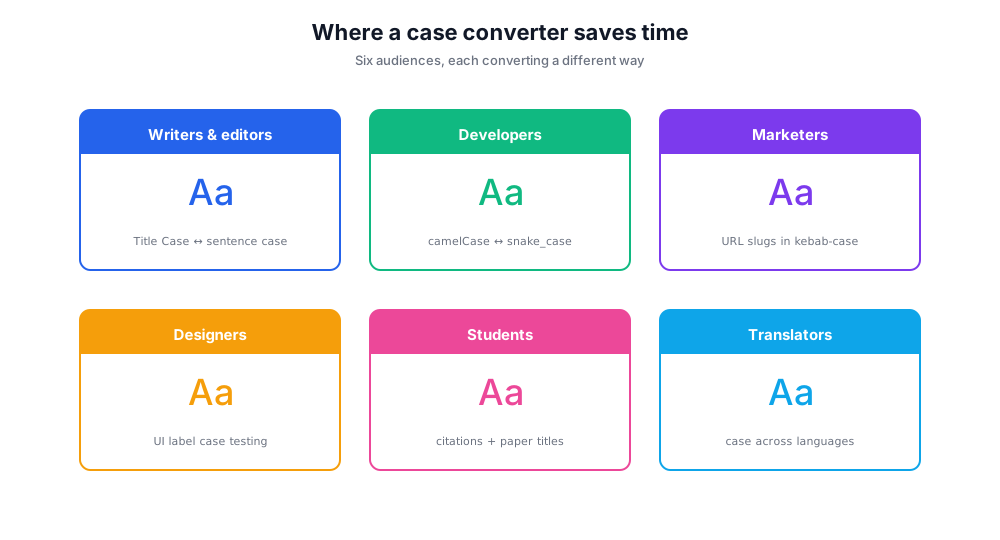
Writers and editors
Convert headlines from Title Case to sentence case (or back), normalize quoted material from a document, fix accidental caps lock, and prepare clean copy for layout.
Developers
Convert variable names between camel case, PascalCase, snake_case, kebab-case, and CONSTANT_CASE when refactoring or moving code between languages with different conventions.
Marketers and SEO specialists
Convert URL slugs to kebab-case, prepare title-tag copy in Title Case, and normalize ad copy that came in with mixed-case formatting.
Designers
Test buttons and form labels with different case formats - UPPERCASE feels louder, sentence case feels approachable. Quick conversion in the case converter beats hand-typing each variant.
Students and researchers
Format citations, paper titles, and bibliography entries that need consistent capital case across a document. Faster than retyping or relying on word-processor menus.
Translators and content localizers
Adjust capitalization conventions across languages - title-case English headings often need sentence case in French or German. The case converter tool handles the whole document at once.
How to use this online tool - the easy way to change case
Paste any normal text into the text area, pick a case format, and the converted text appears instantly. No login, no document upload, no fee.
- Paste your normal text into the input text area on the left.
- Pick a case format from the case-types panel - UPPERCASE, lowercase, sentence case, camel case, capital case, kebab-case, and more.
- The converted text appears in the output area instantly - no button click needed.
- Click Copy to send the converted text to your clipboard or Download to save as a .txt document.
- Click Clear to wipe the text area and start fresh.
Case conversion examples
Here's the same input across the most common case formats - useful as a quick reference.
| Original | Hello World, this is some normal text |
| UPPERCASE | HELLO WORLD, THIS IS SOME NORMAL TEXT |
| lowercase | hello world, this is some normal text |
| Sentence case | Hello world, this is some normal text |
| Title Case | Hello World, This Is Some Normal Text |
| camelCase | helloWorldThisIsSomeNormalText |
| PascalCase | HelloWorldThisIsSomeNormalText |
| snake_case | hello_world_this_is_some_normal_text |
| kebab-case | hello-world-this-is-some-normal-text |
| CONSTANT_CASE | HELLO_WORLD_THIS_IS_SOME_NORMAL_TEXT |
Tips and best practices
Pick a case format consistent with the destination. URLs prefer kebab-case (Google explicitly recommends hyphens over underscores). JavaScript variables use camel case. Python, Ruby, and SQL prefer snake_case. CSS classes typically run kebab-case. Constants in any language are CONSTANT_CASE. Matching local convention reduces friction for the next reader.
For headings, pick Title Case or sentence case and stick with it document-wide. Mixing creates a subtle inconsistency that readers notice even if they can't articulate it. AP Style and most newsroom guides use sentence case for headlines today; older book-style guides still favor Title Case for chapter headings.
When converting case for a document with proper names - people, brands, places - re-check after the conversion. Most case converters lowercase or title-case mechanically and won't preserve a brand's exact capitalization (e.g., 'iPhone', 'eBay', 'TikTok'). A quick scan after pasting the converted text catches these.
Free case converter vs Word, Google Docs, and other tools
Several tools offer case conversion. Here's where this free case converter tool fits.
Chatim Free Case Converter (this tool)
Pros: No signup. 12 case formats including programming cases (camel case, snake_case, kebab-case, CONSTANT_CASE). Real-time preview. Mobile-friendly. Works on any document length.
Microsoft Word - Format → Change Case
Pros: Built into Word; covers Sentence case, lowercase, UPPERCASE, Capitalize Each Word, and tOGGLE cASE.
Cons: No camelCase, snake_case, kebab-case, or CONSTANT_CASE. Requires opening Word; not a quick browser tool.
Google Docs - Format → Text → Capitalization
Pros: Free with Google account; covers UPPERCASE, lowercase, and Title Case.
Cons: Only three case formats. No programming-style cases. Document must live in Google Docs.
convertcase.net
Pros: Long-running case converter with a wide format library.
Cons: Older interface, ad-heavy, missing some programming case styles.
caseconverter.com
Pros: Clean interface, fast.
Cons: Smaller format set than this case converter tool.
If you need a quick browser-based way to convert text case across more case formats than Microsoft Word offers - including programming styles like camel case and snake_case - this free case converter tool is the easy way. For occasional Word-document conversion that stays inside Word, the built-in Change Case menu is fine.
Privacy: case conversion runs in your browser
All text conversion in this case converter happens entirely in your browser. The text you paste - whether it's a confidential document, an unpublished paragraph, or just normal text from a memo - never leaves your device.
Browser-only conversion also means the case converter tool keeps working even if your wi-fi drops mid-session. Once the page is loaded, every conversion runs locally in JavaScript, instantly, without a network request.