Add Live Chat to Your WordPress Site in Minutes
Install the Chatim WordPress live chat plugin and start chatting with visitors instantly. The free WordPress chatbot plugin works with any theme, WooCommerce, Elementor and every major page builder - no coding needed.
No credit card required
Boost Sales
Live chat converts visitors into customers
24/7 Automation
Chatbot captures leads outside business hours
Better Support
Instant responses improve customer satisfaction
Easy Setup
Get started in minutes without coding
WordPress live chat plugin built for any site
One-click install from the WordPress plugin directory. Chatim live chat for WordPress works seamlessly with your theme, plugins, and WooCommerce store.
WordPress Live Chat Plugin - One-Click Install
Search for Chatim in Plugins → Add New, click Install and Activate, then open Settings → Chatim, sign in (or paste your Project ID) and pick your site. The live chat widget goes live on every page - no code snippets, no theme editing, no developer needed. Works with WordPress 5.0+ and PHP 7.4+.
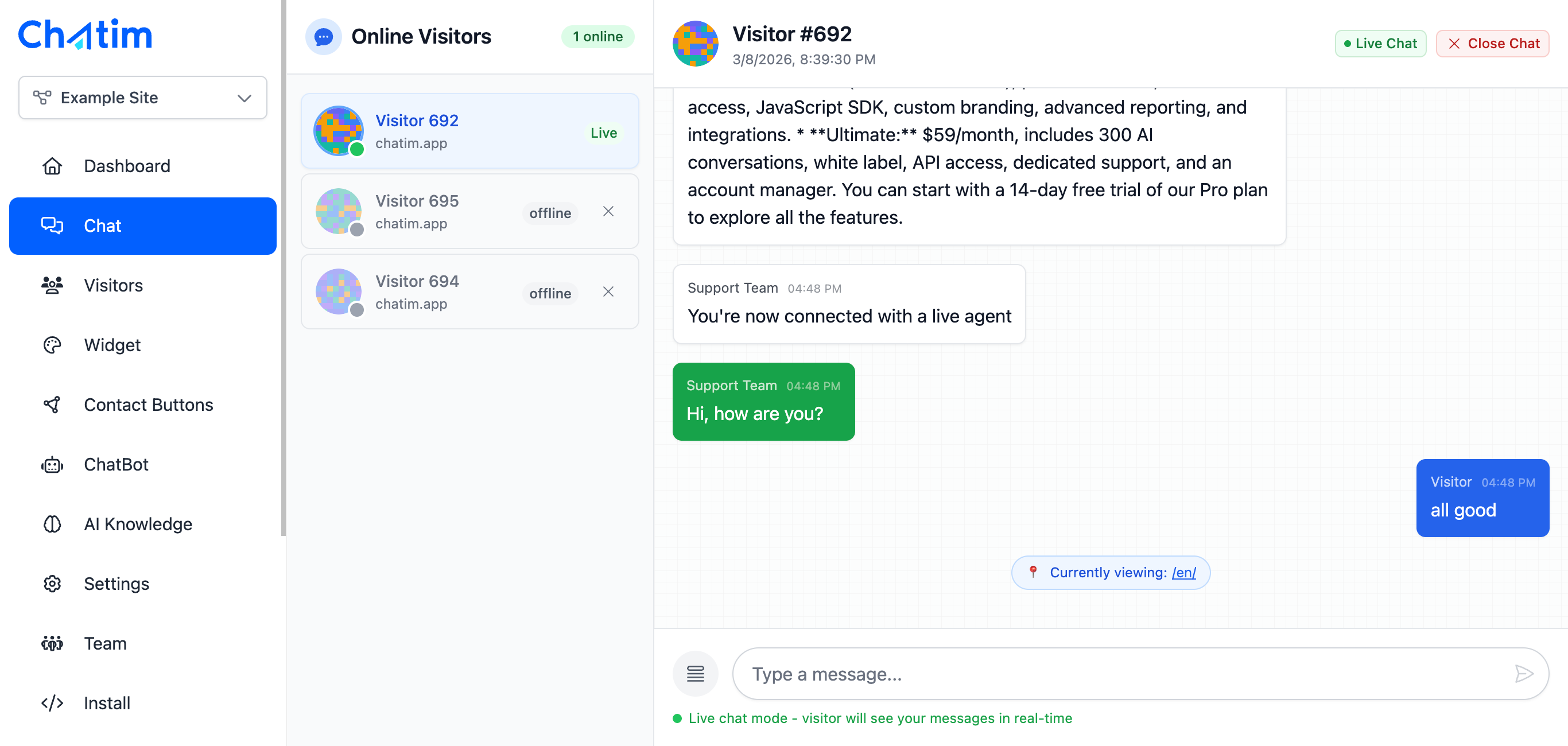
WooCommerce Live Chat & Cart Recovery
Engage shoppers browsing your WooCommerce store in real-time with the Chatim chat plugin for WordPress. Answer product questions, help with checkout issues, and recover abandoned carts with automated chatbot messages. Turn more WooCommerce visitors into paying customers.

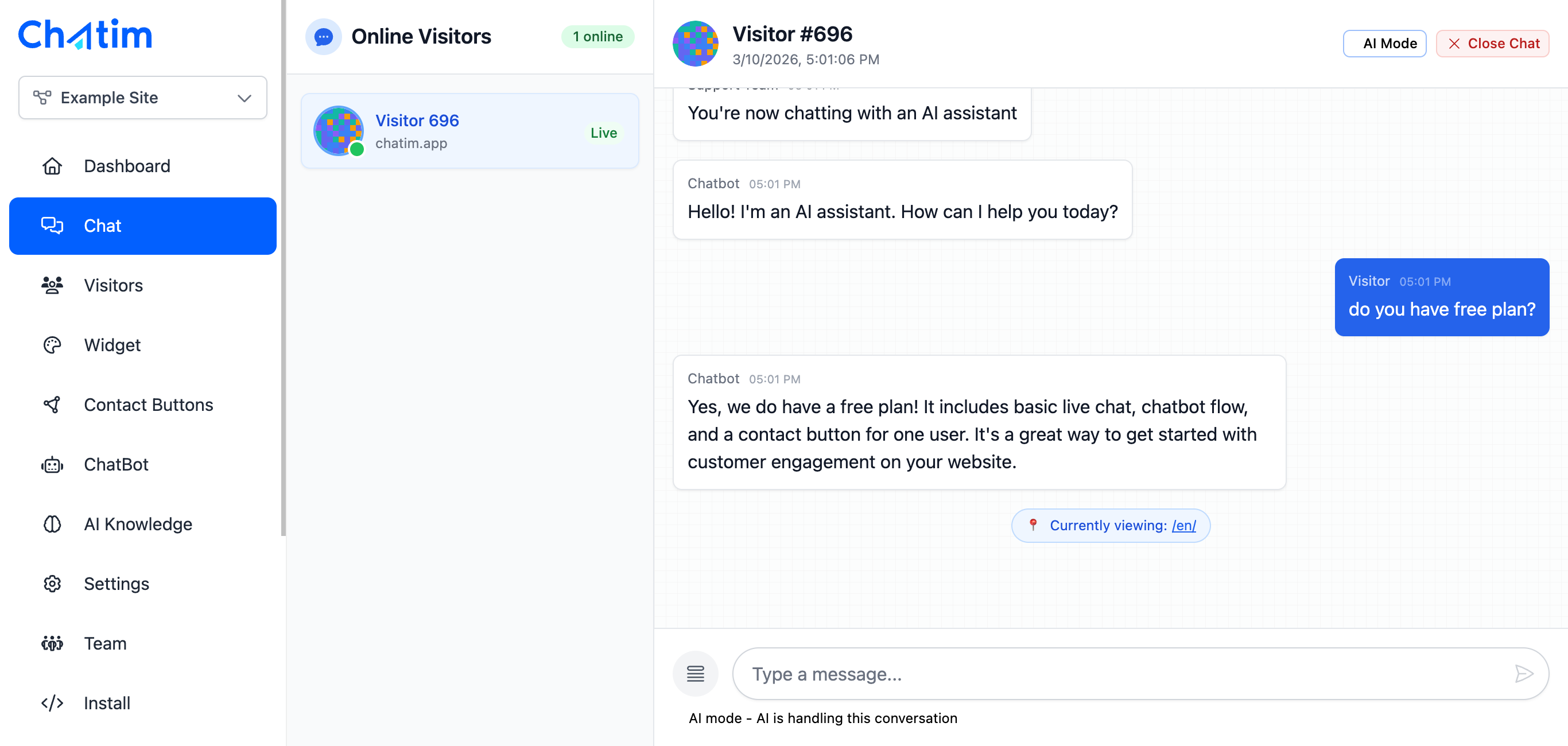
WordPress Chatbot Plugin with AI
Set up an AI-powered WordPress chatbot that learns from your WordPress pages, blog posts, and WooCommerce products. The AI chatbot answers visitor questions 24/7, qualifies leads, and hands off complex conversations to your team. One of the smartest WordPress chatbot plugins available.
Works with your favorite tools
Install Chatim live chat on WordPress and connect with your existing plugins and tools.
Reply to chats directly from Slack threads
Read more →One-click plugin install for WordPress sites
Read more →Add live chat to your Shopify store
Read more →Embed the widget on any Wix website
Read more →Drop-in chat for Squarespace pages
Read more →Add chat to Webflow with a code snippet
Read more →Live chat support for Magento stores
Read more →Script or SDK install for Next.js apps
Read more →Deploy via GTM without touching code
Read more →Full control with our JavaScript API
Real-time event notifications to your server
Read more →Quick setup for Site123 websites
Read more →Sync chat leads to your Pipedrive CRM
Read more →Get chat notifications in Telegram
Read more →Chat with visitors via WhatsApp Business
Read more →Reply via Facebook Messenger & Instagram DM
Read more →Connect with 5,000+ apps through Zapier
Read more →Sync contacts and chats with HubSpot CRM
Read more →Why WordPress site owners choose Chatim
Your WordPress site gets traffic. Chatim turns that traffic into conversations, leads, and sales - with the best free live chat plugin for WordPress.
- Works With Any WordPress Theme
- Chatim adapts to your site's design automatically. Whether you use Astra, GeneratePress, Divi, or a custom theme - the WordPress chat widget matches your brand colors and style. Fully compatible with Elementor, Gutenberg, WPBakery, and all major page builders.
- Lightweight - Won't Slow Down Your Site
- Chatim loads asynchronously and won't affect your WordPress page speed or Core Web Vitals. The widget script is under 50KB gzipped. Your PageSpeed Insights score stays intact while you gain a powerful WordPress live chat tool.
- Capture Leads From Every WordPress Page
- Chatbot automation engages visitors on blog posts, landing pages, product pages, and your homepage. Collect emails, phone numbers, and qualify leads automatically. Every contact flows into the built-in CRM for easy follow-up.
- WordPress Customer Service Chat in One Plugin
- Chatim doubles as a WordPress customer service chat solution - live chat, AI chatbot, shared inbox and CRM all in a single plugin. Reply to support questions, recover carts, and qualify leads from one dashboard without juggling multiple WordPress chat plugins.

Individual results vary. Testimonials reflect the experience of these customers and are not a guarantee of results.
Frequently asked questions
Everything you need to know about Chatim
How do I install the Chatim live chat plugin for WordPress?
Does the Chatim WordPress chat plugin slow down my site?
Is there a free live chat plugin for WordPress?
Does Chatim work with WooCommerce?
What is the best live chat plugin for WordPress?
Are there WordPress chatbot plugins included?
How do I set up the WordPress chat widget?
Does Chatim work with WordPress multisite?
Can Chatim be used as WordPress customer service chat?
Is Chatim a free online chat WordPress plugin?
Start talking to your visitors today
Install the widget in five minutes, train the AI on your site, and never miss a lead again. Free plan included.
No credit card required