Live Chat for Site123 Websites
Add Chatim live chat to your Site123 site with a simple code embed. Start chatting with visitors, capture leads with chatbot automation, and provide support - all without coding skills or a developer.
Boost Sales
Live chat converts visitors into customers
24/7 Automation
Chatbot captures leads outside business hours
Better Support
Instant responses improve customer satisfaction
Easy Setup
Get started in minutes without coding
Simple live chat for simple website building
Site123 makes website building easy. Chatim makes adding live chat just as easy.
Quick Site123 Setup
Add Chatim to your Site123 website through the Custom Code plugin: in the editor open Settings > Plugins > Add New > Add New Custom Code, choose "Before closing the body tag", paste the snippet and save. The widget then shows on every page of your site. Custom code is available on paid Site123 plans.
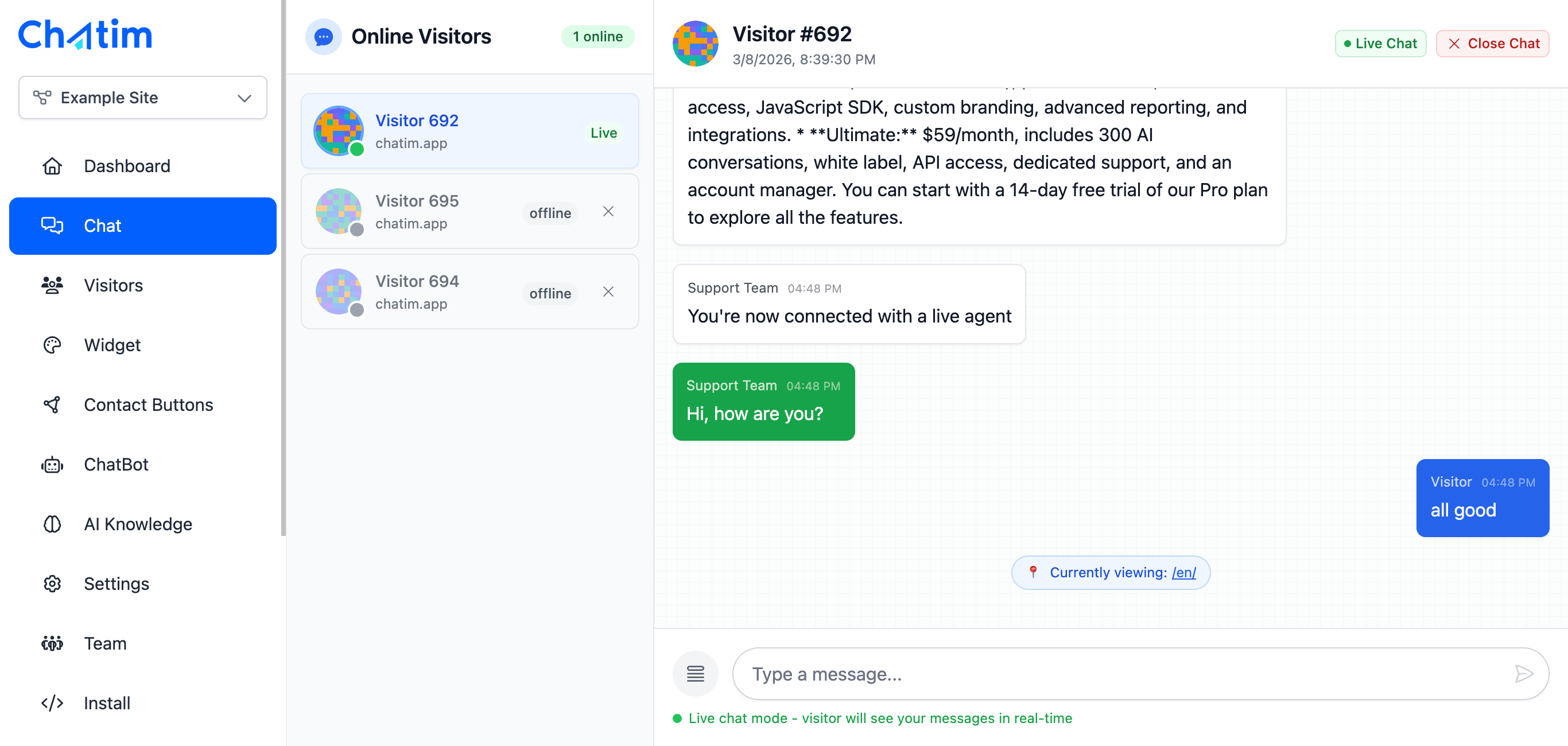
Beginner-Friendly Chatbot Builder
Create chatbot flows with a visual drag-and-drop builder. No coding, no technical knowledge needed. Set up welcome messages, collect visitor emails, answer common questions, and schedule appointments - all automatically.

AI Chat for Small Business Sites
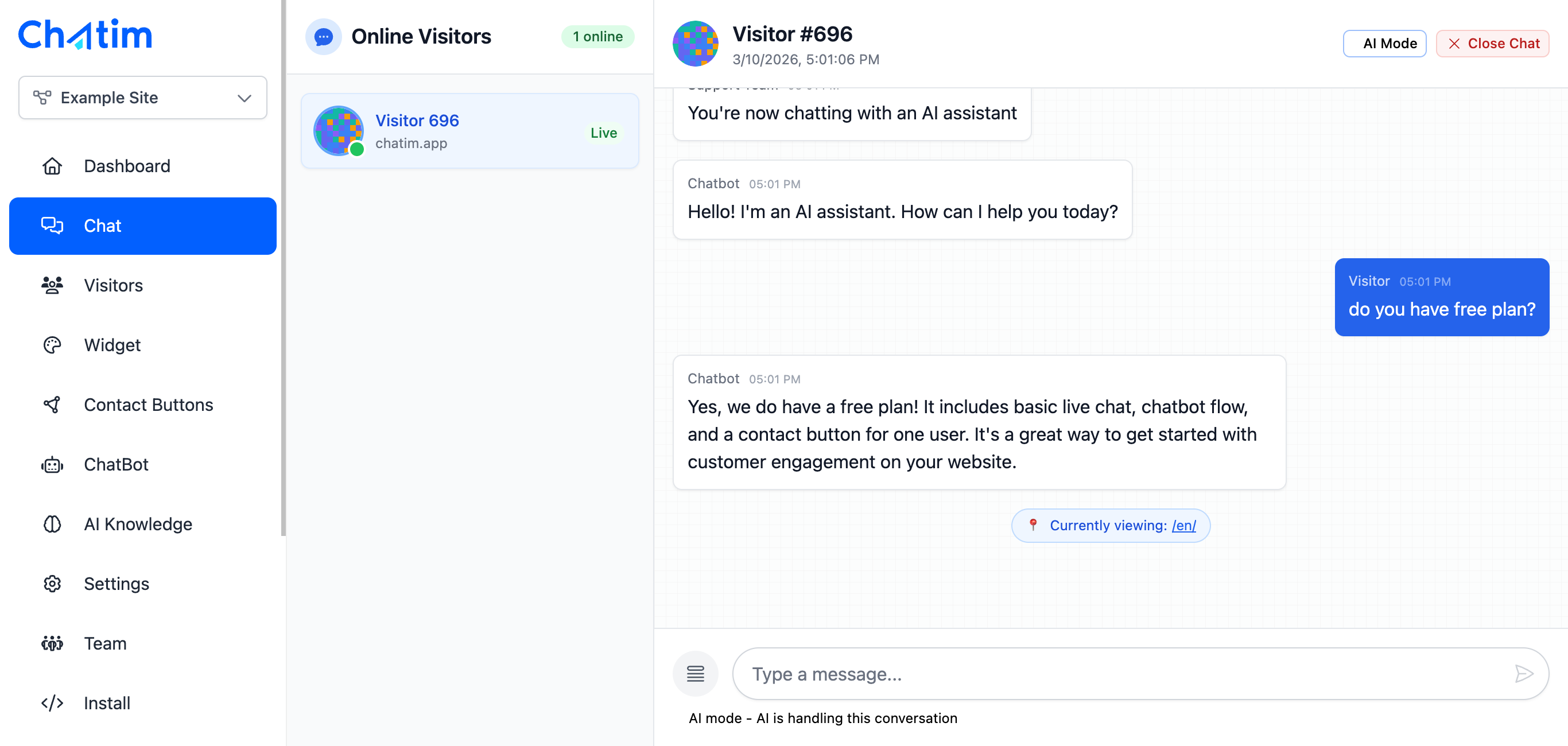
Train the AI on your Site123 website content and let it answer visitor questions about your business, services, or products around the clock. Perfect for small businesses that can't staff a chat team but still want to engage every visitor.
Works with your favorite tools
Chatim integrates with Site123 and the tools you use to grow your business.
Reply to chats directly from Slack threads
Read more →One-click plugin install for WordPress sites
Read more →Add live chat to your Shopify store
Read more →Embed the widget on any Wix website
Read more →Drop-in chat for Squarespace pages
Read more →Add chat to Webflow with a code snippet
Read more →Live chat support for Magento stores
Read more →Script or SDK install for Next.js apps
Read more →Deploy via GTM without touching code
Read more →Full control with our JavaScript API
Real-time event notifications to your server
Read more →Quick setup for Site123 websites
Read more →Sync chat leads to your Pipedrive CRM
Read more →Get chat notifications in Telegram
Read more →Chat with visitors via WhatsApp Business
Read more →Reply via Facebook Messenger & Instagram DM
Read more →Connect with 5,000+ apps through Zapier
Read more →Sync contacts and chats with HubSpot CRM
Read more →Why Site123 users choose Chatim
You built your website to get customers. Chatim helps you actually talk to them.
- Built for Small Business Owners
- Site123 users are typically small business owners, freelancers, and entrepreneurs who want things simple. Chatim follows the same philosophy - easy setup, intuitive dashboard, and a free plan that covers everything you need to get started.
- Turn Website Visitors Into Contacts
- Most Site123 visitors browse your site and leave without reaching out. Chatim's chatbot proactively greets them, asks how it can help, and collects their name and email. Those contacts go straight into the built-in CRM for follow-up.
- Available 24/7 Even When You're Not
- Small businesses can't be online all the time. Chatim's chatbot handles visitor questions, collects messages, and captures leads even when you're away. You check your inbox when it's convenient and follow up at your own pace.

Frequently asked questions
Everything you need to know about Chatim