WhatsApp Integration - Coming Soon to Chatim
WhatsApp integration is coming soon to Chatim. Visitors will be able to reach you through WhatsApp - the messaging app they already use daily. Your chatbot will qualify leads, answer FAQs, and hand off to your team, with one inbox planned for website chat and WhatsApp conversations. Sign up free to be notified at launch.
Boost Sales
Live chat converts visitors into customers
24/7 Automation
Chatbot captures leads outside business hours
Better Support
Instant responses improve customer satisfaction
Easy Setup
Get started in minutes without coding
WhatsApp will meet website live chat
Coming soon - your chatbot will run the same flow on WhatsApp as it does on your website, so visitors get instant responses on their favorite messaging app.
Same Bot, New Channel
When the integration launches, your chatbot flow will run automatically on WhatsApp. When someone messages your WhatsApp Business number, they'll get the same greeting, qualification questions, and smart routing as website visitors. No separate bot to build or maintain.

Unified Inbox
Website chat and WhatsApp conversations will appear in the same Chatim dashboard. Your team will reply from one place, see full conversation history, and manage all channels without switching between apps.
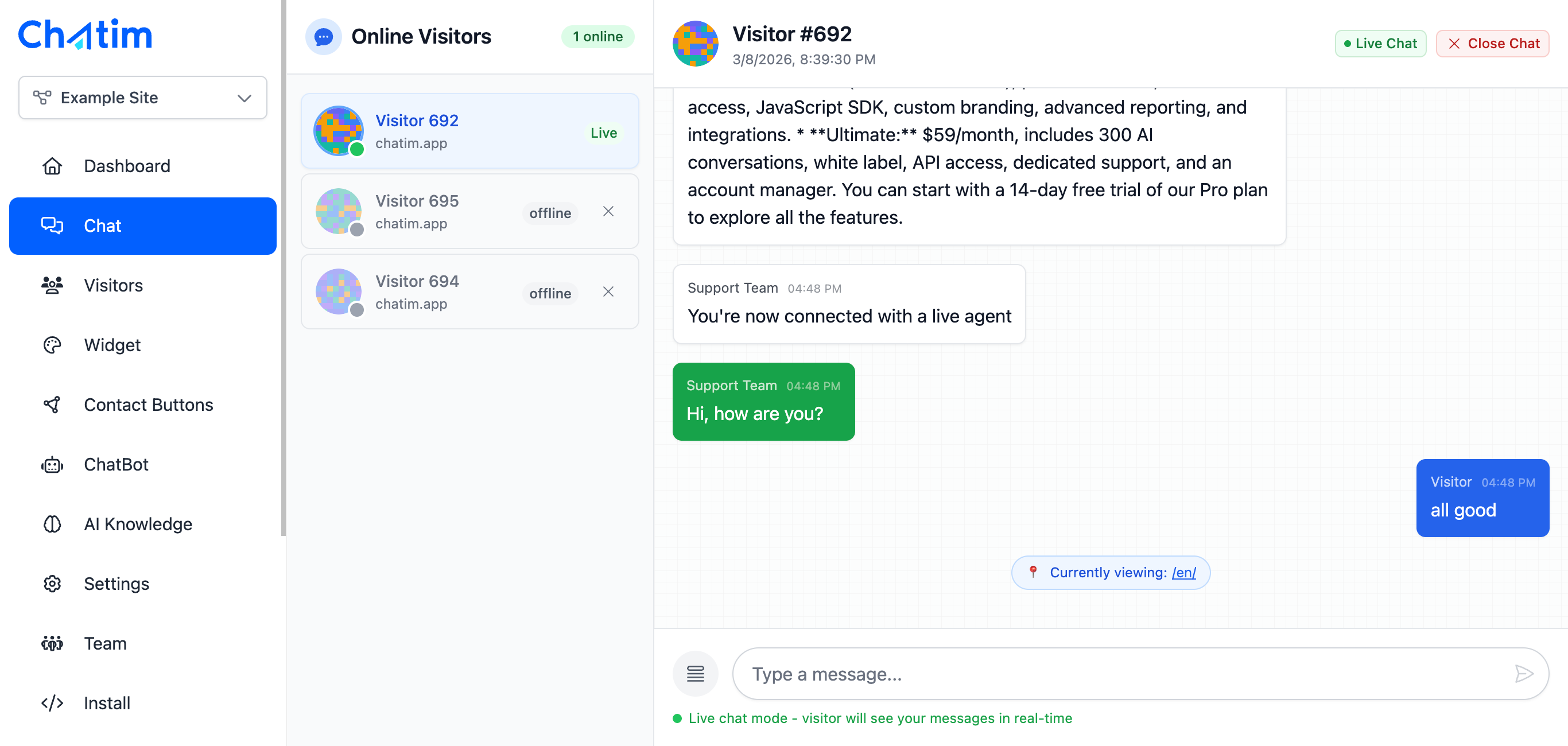
AI Chatbot on WhatsApp
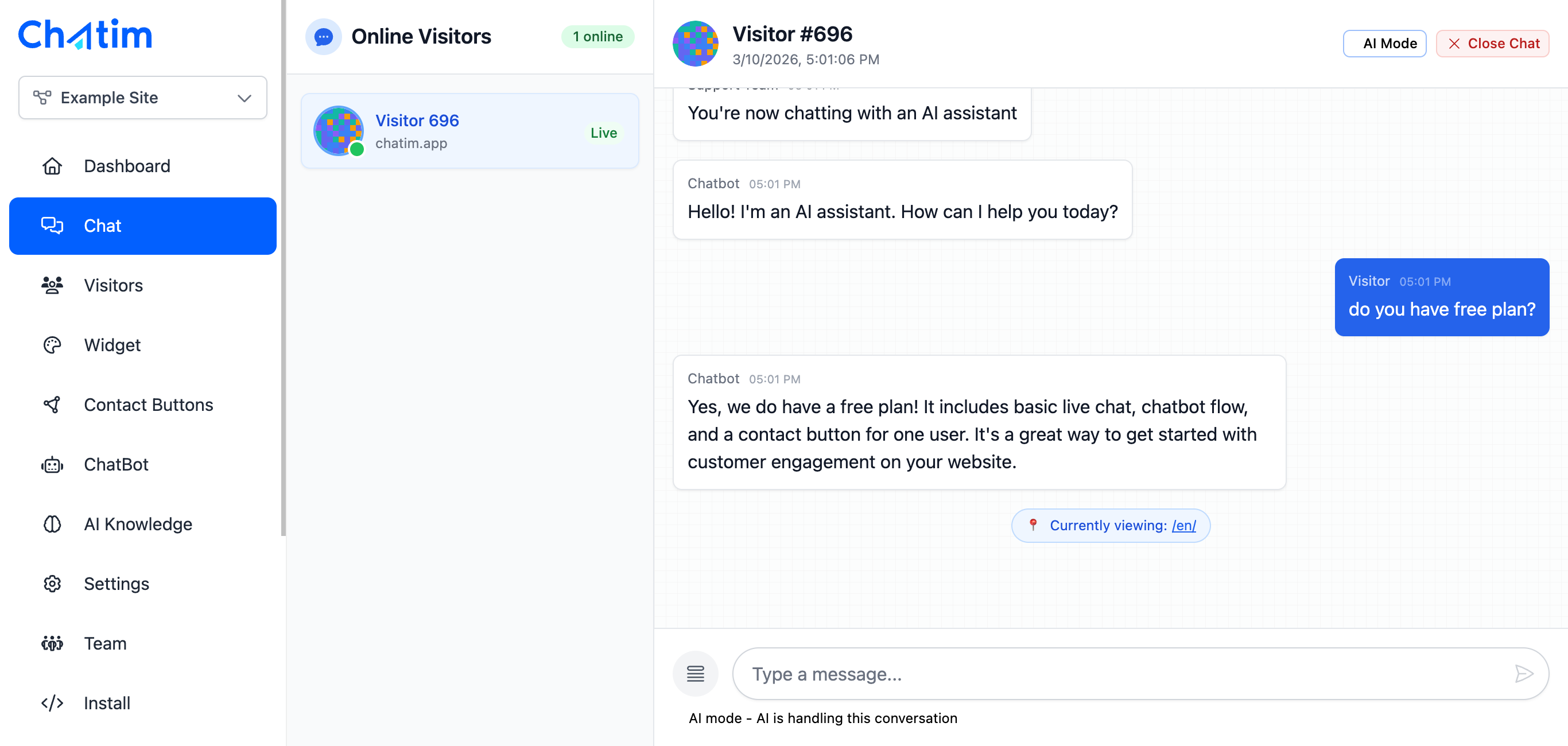
Chatim's AI chatbot is planned to work on WhatsApp too - answering product questions, providing support, and handling common inquiries 24/7, just like it does on your website today. Customers will get instant answers on their preferred channel.
Works with Your Favorite Tools
Chatim will connect with WhatsApp Business and your customer support stack - coming soon.
Reply to chats directly from Slack threads
Read more →One-click plugin install for WordPress sites
Read more →Add live chat to your Shopify store
Read more →Embed the widget on any Wix website
Read more →Drop-in chat for Squarespace pages
Read more →Add chat to Webflow with a code snippet
Read more →Live chat support for Magento stores
Read more →Deploy via GTM without touching code
Read more →Full control with our JavaScript API
Real-time event notifications to your server
Read more →Quick setup for Site123 websites
Read more →Integrate through Adobe Experience Platform
Read more →Sync chat leads to your Pipedrive CRM
Read more →Get chat notifications in Telegram
Read more →Chat with visitors via WhatsApp Business
Read more →Reply via Facebook Messenger & Instagram DM
Read more →Connect with 5,000+ apps through Zapier
Read more →Sync contacts and chats with HubSpot CRM
Read more →Why businesses are waiting for Chatim + WhatsApp
Coming soon - meet customers where they are, on WhatsApp.
- Higher Engagement Rates
- WhatsApp messages have significantly higher open rates than email. When visitors can reach you on WhatsApp, they're more likely to start a conversation, ask questions, and convert into customers.
- 24/7 Availability on WhatsApp
- Once launched, your AI chatbot will handle WhatsApp messages around the clock. Customers will get instant responses to common questions even outside business hours, with complex inquiries queued for your team with full context.
- Build Trust with a Familiar Channel
- Customers trust WhatsApp. It's personal, secure, and familiar. When your business is available on WhatsApp, it signals accessibility and builds confidence - especially for high-consideration purchases.

What our customers say
See what our customers have to say about Chatim
“I run an auto body shop, and finding the time to chat with people online was pretty much impossible until we got ourselves live chat software that comes with its own chatbot. It's like hiring an extra set of hands that always stays energized. Since we started using Chatim, we've noticed more customers coming our way.”

“Juggling training sessions with answering online queries was like trying to dodge punches blindfolded – practically impossible. But since we added Chatim software and its knockout chatbot, we've landed more clients than a heavyweight champ. Here's why this tech corner has been a total game-changer for us.”

Individual results vary. Testimonials reflect the experience of these customers and are not a guarantee of results.
Frequently Asked Questions
Everything you need to know about Chatim