Canned Responses for Customer Service: 20 Examples (2026)
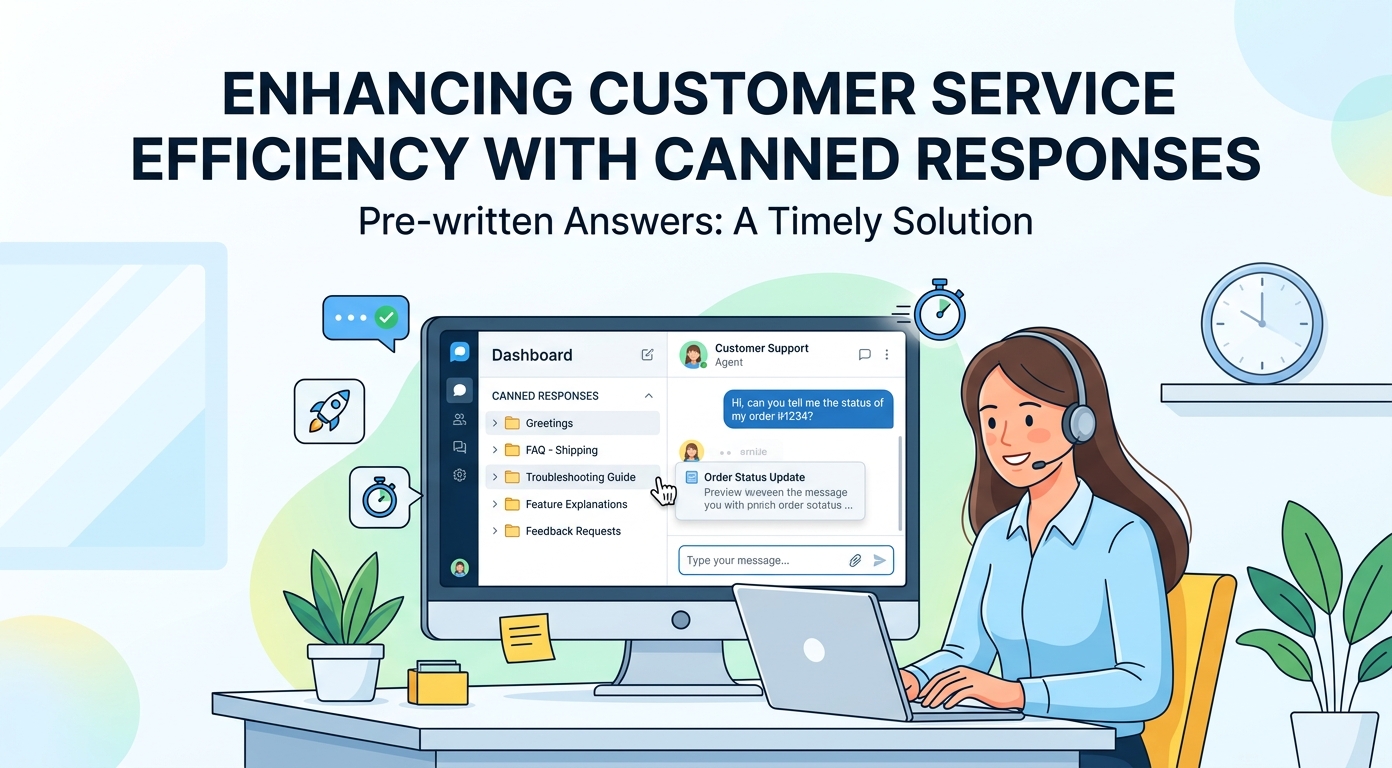
Canned responses have a reputation problem, and the reputation is earned: everyone has received the paste that ignored half their question. Used well, they are the opposite of lazy; they are the fastest way to give every customer your best answer instead of whatever a tired agent types at 4:55 p.m. This guide collects 20 canned responses for customer service, organized by situation and copy-paste ready with [bracketed] placeholders, plus the one editing habit that separates saved replies that feel like service from saved replies that feel like a wall.
Use them as written or as skeletons. The structure underneath each one matters more than the exact words.
What canned responses are, and what they are not
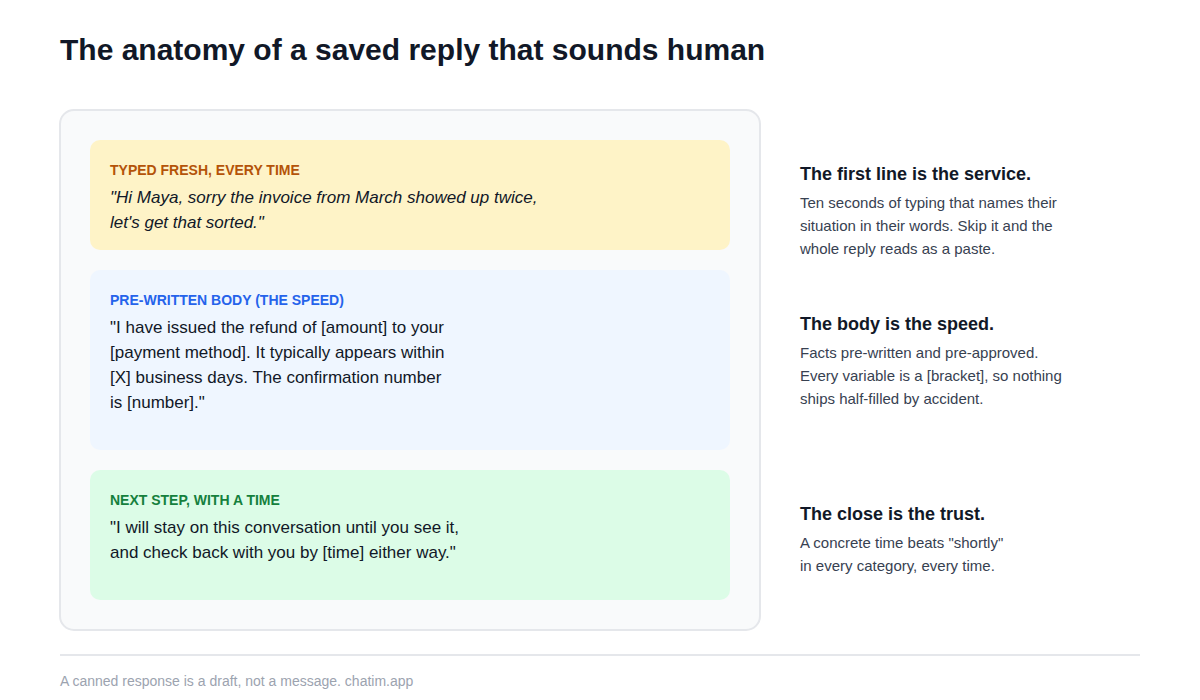
A canned response is a saved reply for a situation you handle repeatedly: the facts pre-written, the tone pre-approved, ready to send in two keystrokes from your chat or inbox tool. It is not a script (a script choreographs a whole conversation; a saved reply answers one moment of it) and it is not an auto-reply (nobody pressed send on an auto-reply). The distinction that matters in practice is smaller and stricter: a canned response is a draft, not a message. The habit that keeps the whole library honest is editing the first line to name this customer's situation before sending, so the reply opens with them and not with boilerplate.
Openers and greetings
1. The chat opener that answers first.
Hi [name]! Happy to help with that. [One-sentence answer to their actual question.] Want me to walk you through it, or would a link to the steps be more useful?
2. The returning-customer opener.
Welcome back, [name]. I can see your earlier conversation about [topic], so no need to repeat any of that. Picking up from where you left off: [next step].
3. The handover opener.
Hi [name], this is [agent], taking over from [colleague or the assistant]. I have read the conversation so far, so nothing needs repeating. On your question about [topic]: [answer or next step].
Asking for details without interrogating
4. The two-question maximum.
I can fix this, and I need two things to do it: [detail one] and [detail two]. Everything else I can see on my side.
5. The screenshot request.
That sounds like something I need to see to diagnose. Could you send a screenshot of [specific screen]? A photo of the screen works fine too, whatever is fastest for you.
6. The account-confirmation ask.
Quick security step before I make changes: could you confirm [verification detail]? Then I can sort this out right away.
Waits, holds, and check-ins
7. The honest hold.
Give me [X] minutes to check this with [team or system]; I will come back by [time] either way, even if it is just to tell you where things stand.
8. The mid-wait check-in.
Still on it. [One sentence on what has happened so far.] Next update by [time]. Thanks for hanging in there.
9. The needs-escalation handoff.
This needs someone with deeper access than I have, so I am bringing in [team]. They have the full conversation and will reply by [time window]. You will not have to explain anything twice.
Billing and account questions
10. The charge explanation.
Happy to clarify that charge. The [amount] on [date] is for [plan or item], covering [period]. The invoice is here: [link]. If that does not match what you expected, tell me what you were expecting and I will compare notes.
11. The refund-in-policy yes.
Done: I have issued the refund of [amount] to your [payment method]. It typically appears within [X] business days. The confirmation number is [number], and I will stay on the conversation until you see it if you like.
12. The cancellation, handled gracefully.
I have processed the cancellation, effective [date]; you will not be charged again, and your data stays available until [date]. If something specific drove you away, I would honestly like to know; it goes straight to the team that can fix it.
Apologies and bad news
13. The something-broke apology.
You are right, and I am sorry: [what went wrong] on our side. Here is what I have done about it already: [action]. Here is what happens next: [step] by [time]. I will follow up personally when it is resolved.
14. The known-outage reply.
We have an issue affecting [feature] right now and the team is on it; live updates are at [status link]. I have added your account to the notify list, so you will hear the moment it clears. I am sorry for the disruption, especially [acknowledge their specific situation].
15. The feature-we-do-not-have no.
We do not have [feature] today, and I would rather tell you straight than string you along. The closest working alternative is [workaround]. I have logged your request with the product team, and if it ships, you will be on the list to hear first.
16. The this-was-your-error, kindly.
Good news: nothing is broken. What happened is [plain explanation, no blame]. To get where you wanted: [steps]. Easy thing to miss, and the fact that you are the [ordinal] person to ask this week tells us the design could be clearer.
Closings and follow-ups
17. The resolved close.
Glad that is sorted. Quick recap: [what was done]. If it resurfaces, reply here and the whole history will be waiting; you will not start over. Anything else while I have you?
18. The pending close.
Here is where we are: [status]. Next step is [step], happening by [time], and I will message you the moment it is done. Nothing is needed from you until then.
19. The gentle no-response follow-up.
Just checking in on this. If it is all sorted, ignore me happily. If you are still stuck, reply with anything at all and we will pick up exactly where we left off.
20. The closing-a-silent-thread note.
I have not heard back, so I will close this conversation for now to keep things tidy. Nothing is lost: reply any time and it reopens with the full history, or start fresh if that is easier.
Building a library that stays good
The best source for new saved replies is not imagination; it is your own transcripts. Once a month, pull the sentences your team typed repeatedly and promote the good versions to the shared library. Name each response by situation ("billing: refund in policy") so the right one surfaces in two keystrokes, keep one owner per category so facts stay current, and prune quarterly, because a saved reply with last year's policy in it is worse than no reply at all. Most live chat and inbox tools ship shortcut libraries for exactly this, generally from the free tier up (current plans are on the pricing page); the customer support templates gallery covers the flow-shaped patterns that go beyond a single reply. The same curated library doubles as training material if you later add a chatbot, since it is by definition your best answers to your most common questions. And keep the first-line rule sacred as the library grows: the moment unedited pastes creep in, every reply in the library starts sounding like the paste. The fundamentals in our customer service guide and a good stock of welcome messages round out the set; the pre-written word, used honestly, is one of the few support tools that makes replies faster and better at the same time.
More on this from our team: auto-reply message samples, customer service email templates, and live chat best practices.
Frequently Asked Questions
What are canned responses in customer service?
Saved replies for situations a team handles repeatedly: the facts pre-written and pre-approved, inserted in a couple of keystrokes from a chat or inbox tool, then personalized before sending. They exist so every customer gets the team's best answer quickly, not whatever gets typed in a hurry.
Are canned responses rude or bad practice?
Only when sent unedited. The version that works treats the saved text as a draft: the first line gets rewritten to name the customer's specific situation, placeholders get filled, and the pre-written part carries the facts. Customers object to being processed, not to speed.
What is the difference between a canned response and a script?
A canned response answers one moment: a billing question, a hold, a close. A script choreographs a whole conversation from greeting to resolution. Teams need a library of the former and only a handful of the latter, usually for regulated or high-stakes flows.
What is the difference between a canned response and an auto-reply?
A human chooses and sends a canned response; an auto-reply fires on its own when nobody is available. They complement each other: the auto-reply buys time honestly, and the saved reply spends that time efficiently once a person picks up the thread.
How do I write a good canned response?
Build it from a real transcript where the answer landed well. Keep the facts in the body, mark every variable as a [bracketed] placeholder, end with a next step and a concrete time, and leave the first line deliberately generic so the sender is forced to personalize it. Two or three sentences beats a page.
How many canned responses should a team have?
Enough to cover the situations that repeat weekly, which for most small teams is twenty to forty, organized by category. Past that, findability decays and agents stop using the library. A monthly promote-and-prune habit matters more than the count.
Should canned responses be used in live chat or just email?
Both, with different lengths: chat replies run shorter and more conversational, email versions carry more structure. Most chat and helpdesk tools support shortcut triggers so a saved reply drops in mid-conversation, which is where the speed actually pays.
How do I personalize a canned response quickly?
One habit covers it: type the first line fresh, naming the customer's situation in their own words, before the saved text. It takes ten seconds, reads as full attention, and the pre-written facts below it do the heavy lifting.
Can a chatbot use canned responses?
The scripted kind runs on them by design. Modern AI-based assistants compose answers from source content instead, which handles varied phrasing better; the saved-reply library remains valuable as training material, since it is a curated set of your best answers.
Who should own the reply library?
One owner per category, with edit rights concentrated enough that facts stay current. The failure mode of shared libraries is drift: five slightly different refund replies, two of them quoting an old policy. Quarterly pruning by the owner prevents it.
How do I know if my saved replies are working?
Watch reply usage in your tool, response times on the situations they cover, and CSAT comments for words like "copy-paste" or "robotic", which are the early warning. A reply nobody uses needs renaming or rewriting; a reply customers flag needs the first-line rule enforced.
What should never be canned?
Anything where the situation is the message: serious complaints, churn-risk conversations, condolences, and any apology for a one-of-a-kind failure. A saved skeleton can still remind the sender what a good apology contains, but the words should be written for that customer alone.
Where do I find ideas for new canned responses?
Your transcripts. Once a month, look for sentences the team typed three or more times and promote the best-phrased version into the library. It keeps the library in your customers' actual language and guarantees every entry earns its place with real volume.
Related articles
More in Customer service → SaaS Customer Support: The Stage-by-Stage Guide (2026)
How SaaS customer support actually works at each stage: the right stack from founder-led live chat to a full support operation, channels, and metrics.
 How to Reduce Customer Churn: 5 Levers in Payback Order
Reduce customer churn by pulling five levers in payback order: payment recovery, onboarding, support quality, pricing fit, and a 90-day win-back.
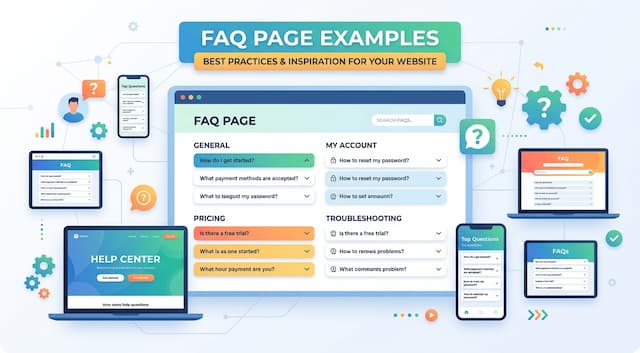 10 FAQ Page Examples That Actually Help Customers (2026)
10 FAQ page examples from Shopify, Airbnb, Slack, Nike and more, with the exact pattern each gets right and a checklist to build your own FAQ page.
 12 Customer Service Email Templates for Every Scenario (2026)
12 customer service email templates for complaints, refunds, delays, bugs and saying no, plus the five-line skeleton that keeps them sounding human.