Magento Live Chat: How to Add It and Why It Pays (2026)
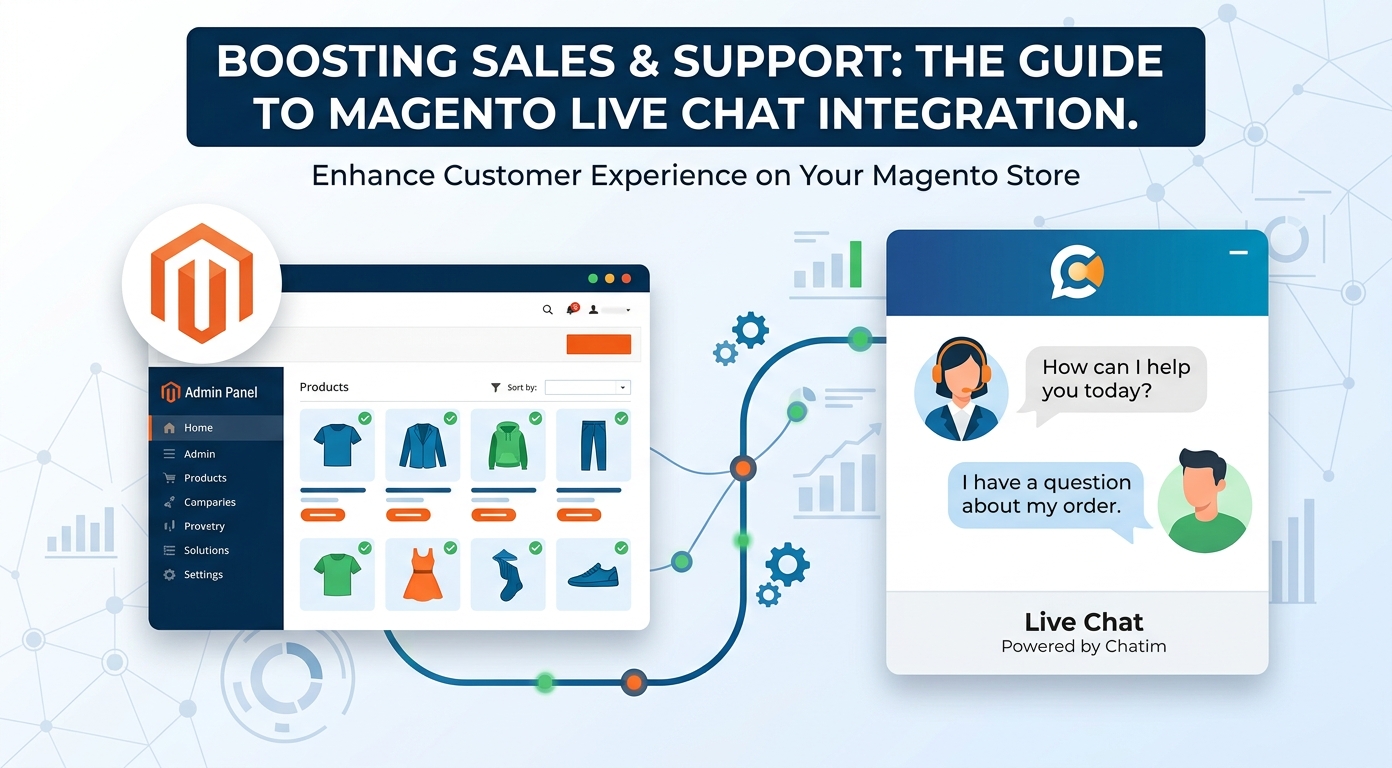
Magento live chat is a different calculation than chat on a template site. Magento stores tend to be bigger, more technical, and more likely to sell considered or B2B purchases, which means the visitor typing into your widget is often mid-way through a decision worth real money: comparing specs, checking compatibility, pricing a bulk order, or wondering whether to request a quote or abandon the tab. This guide covers how to add chat to a Magento store without a heavy build, where it pays on both the B2C and B2B sides, and how to keep the widget light on a platform where teams rightly care about every script on the page.
If you are still comparing tools, our live chat software comparison ranks the chat-plus-bot field; this page focuses on the Magento specifics.
Why Magento stores add chat
Three reasons come up again and again. Ticket volume: a store past a certain size drowns in "where is my order" and policy questions, and chat with a bot absorbs that repetitive half instantly. Considered purchases: shoppers comparing specifications, materials, or compatibility leave when a doubt goes unanswered, and a mid-visit answer is the cheapest conversion work a store can do. And the B2B side, where Magento is strong: wholesale buyers and account customers prefer typing a quick question over calling a rep, and every one of those questions is pipeline. The common thread is timing; the value of an answer decays by the hour, and chat is the only channel that operates inside the visit.
What the bot and the team should split
The division that works mirrors the rest of ecommerce, with one Magento-shaped addition.
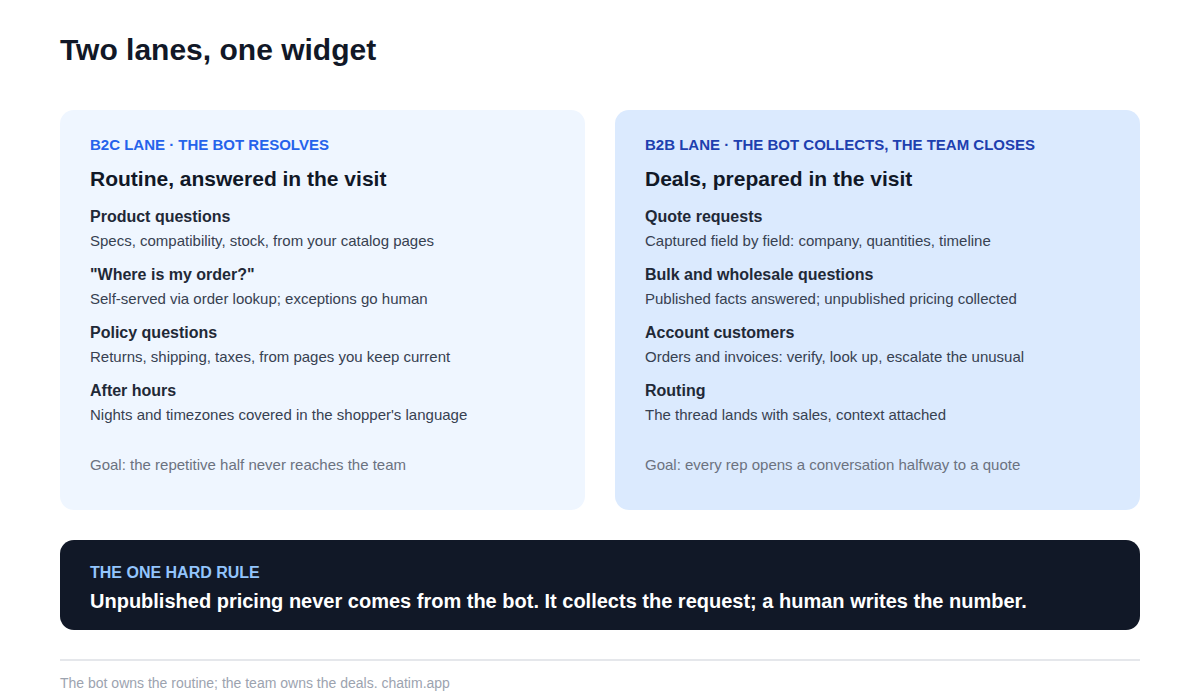
On the B2C lane, the bot answers product and policy questions from your pages and catalog, resolves order-status checks through an order lookup, and covers nights and other timezones. On the B2B lane, the bot's job changes from answering to collecting: a wholesale inquiry or quote request gets captured field by field (company, quantities, timeline, delivery region) and lands with your sales side as a complete brief instead of a half-question. Pricing that is not published stays with humans, always; a bot that improvises bulk discounts is writing checks your margin has to cash.
How to add live chat to Magento
You rarely need a custom build. The lightest path is the script snippet, added through your theme's layout or via Google Tag Manager if the store already runs it, which keeps deploys out of the loop entirely. Marketplace extensions exist for tools that ship one, and either route puts the widget storewide within the hour. Spend the saved time where it counts: point the bot at your policy pages, shipping information, FAQ, and catalog; connect order lookup; set the offline behavior honestly; and test on the production theme with a skeptic's questions before customers meet it. Our live chat for Magento page walks the install and inbox setup end to end.
The B2B and quote-driven side, done properly
This is where Magento stores get value that template-site advice never mentions. Wholesale buyers ask precise questions at precise moments: minimums, lead times, regional shipping, spec sheets, net terms. The bot should answer what is published, collect what is not, and route the thread to the right human with everything attached, so your rep opens a conversation that is already halfway to a quote. The same pattern serves account customers asking about orders and invoices: verify, look up, answer, escalate on anything unusual. Teams that run this lane well treat chat transcripts as sales intelligence, because the questions bulk buyers ask are a map of what your B2B customer service and product pages have not answered yet.
What to look for in a Magento chat tool
Seven checks, two of them Magento-specific. The universal five: training on your own content with re-sync, a transcript-carrying human handoff, deterministic flows for structured intake, widget styling that matches the storefront, and per-plan pricing over per-conversation metering. The Magento-specific pair: an async, lightweight widget, because this audience audits page weight and no chat tool is worth a slower product page; and order-data integration that works with your setup, whether through the platform's APIs or your integration stack, so WISMO actually self-serves instead of bouncing to the team. And keep the one revealing question from every other buying guide we write: what does the bot do when it does not know? Escalation is the answer you want to hear.
Mistakes Magento stores make with chat
Treating the widget as a dev project and shipping it a quarter late, when a snippet through the tag manager would have shipped it today. Letting the bot near unpublished pricing. Running one generic bot across store views that serve different countries, so answers cite the wrong currency and shipping rules; scope the bot per store view or keep region topics with humans. Skipping the order-lookup integration and wondering why WISMO still floods the inbox. Faking presence outside business hours instead of configuring the honest offline state. And never reading transcripts, which on a B2B store means never reading your buyers' actual objections. Every one is a configuration decision, not a budget line.
Running the team side at store scale
Once chat is live on a store with real volume, the operational habits decide the experience. Route by skill: order and shipping questions to support, quote requests to sales, technical product questions to whoever owns the catalog. Use collision detection and internal notes so two agents never fight over one thread. Keep canned responses for the sentences typed daily, edited to fit each buyer before sending. Watch four numbers: first response time in stated hours, resolution without escalation, satisfaction as a trend, and missed chats, the quiet killer. None of this requires enterprise tooling; it requires the shared-inbox features any serious chat tool ships and a weekly half hour with the transcripts.
A launch plan that respects your stack
Day one: add the snippet via tag manager or theme, style the widget, and point the bot at policy pages, shipping info, and FAQ. Day two: connect order lookup and build two flows, one for after-hours capture and one for quote requests. Then test like a hostile buyer (misspelled SKUs, bulk-discount fishing, wrong-region shipping questions) and launch scoped to what you configured. Read transcripts weekly and expand from the evidence. The free tier of a chat-plus-chatbot tool covers the pilot on most stores, and paid plans earn the upgrade when conversation volume and team seats demand it. For a store that sells on specifics, the payoff compounds: every question answered in the visit is a comparison tab that never got opened.
Related reading: BigCommerce live chat and PrestaShop live chat.
Frequently Asked Questions
How do I add live chat to a Magento store?
The lightest path is the chat tool's script snippet, added through your theme's layout or via Google Tag Manager if the store runs it; marketplace extensions are the alternative for tools that ship one. Either way the widget is storewide within an hour, and the real setup is pointing the bot at your policies, FAQ, catalog, and order data.
Does this work on both Magento Open Source and Adobe Commerce?
Yes; the snippet and tag-manager routes are edition-agnostic since they live in the theme layer, and order-lookup integrations work through the platform APIs available to both. Check your specific chat tool's integration notes for anything edition-specific before committing.
Is there a free live chat for Magento?
Yes; free tiers in the category include the widget, a bot trained on your content, and basic handoff, which covers a pilot comfortably. Store-scale features like team seats, routing, and deeper integrations arrive with paid plans. Prefer per-plan pricing; per-conversation metering on a busy store punishes success.
Can the bot answer "where is my order" automatically?
Yes, with an order-lookup integration, and on most stores it is the single highest-volume message, so this integration usually justifies the whole project. Unusual cases like lost or damaged shipments should route to a person with the order context attached.
Can chat handle B2B quote requests?
Handled correctly, chat becomes the best intake channel for them: the bot collects the brief field by field (company, quantities, timeline, region) and delivers a complete request to your sales side. The quoting itself stays human; the bot's job is making sure the rep opens a conversation that is already halfway to a quote.
Should the bot discuss bulk pricing or discounts?
Only what is published. Unpublished pricing is a judgment call with margin consequences, so the correct bot behavior is to collect the request and promise a human follow-up with a time attached. A bot that improvises discounts is the most expensive configuration mistake on this list.
Will a chat widget slow down my Magento store?
A well-built widget loads asynchronously after your content and should have no meaningful effect on Core Web Vitals. This audience is right to verify rather than trust: measure your product page before and after with your usual tooling, and reject any widget that fails the test.
How does chat work across multiple store views and languages?
Modern bots reply in the language the shopper writes, but region-specific facts (currency, shipping rules, taxes) deserve care: scope the bot per store view where your platform and tool allow it, or keep region-dependent topics with humans. Spot-check transcripts in your top non-primary languages after launch.
Can the bot handle a very large catalog?
Grounded on your catalog and product pages, it handles spec and availability questions well; the practical limit is content quality, not catalog size. Products with thin or stale pages produce thin or stale answers, so start the bot on your best-documented categories and expand as pages improve.
How should a store team organize around chat?
Route by skill (orders to support, quotes to sales, technical questions to catalog owners), use collision detection and internal notes, and keep canned responses edited to fit each buyer. Four numbers keep it honest: first response time, resolution without escalation, satisfaction trend, and missed chats.
What should stay with humans no matter what?
Unpublished pricing, damage and loss claims, account disputes, anything legal, and any buyer who is upset. The bot's role in those conversations is collection and routing with full context, not resolution. On a B2B store the relationship is the margin; do not delegate it.
How do I measure whether chat is paying for itself?
Track conversations resolved without a human that did not return, the share of order-status volume self-served, quote requests captured with complete briefs, and after-hours conversations that previously bounced. Read transcripts weekly; on a considered-purchase store they double as a list of what your product pages have not answered.
Extension or script snippet: which install is better?
Whichever your team maintains most easily. The snippet through a tag manager keeps releases out of the loop and is the fastest to ship and remove; a marketplace extension can feel tidier for teams that manage everything through the admin. Functionally the widget is the same; pick the path with the least operational friction.
Related articles
More in Ecommerce & platforms → Best Shopify Apps to Increase Sales & Conversions (2026)
12 Shopify apps to increase sales and conversions, sorted by the lever each one pulls: AOV, hesitant visitors, lost carts, trust, repeat buyers.
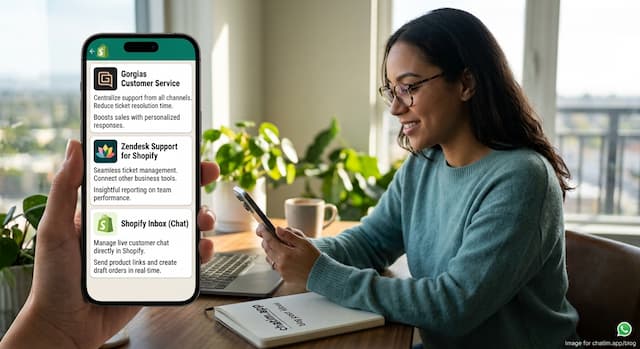 Best Shopify Apps for Customer Service in 2026: 9 Compared
9 customer service apps for Shopify stores compared: the free native option, chat widgets, and ecommerce helpdesks, with verified pricing.
 WooCommerce Chatbot: What It Does and How to Add One (2026)
What a WooCommerce chatbot does for a store: product and order questions answered from your own pages, plus how to add one without plugin bloat.
 Wix Chatbot: How to Add One and What It Can Do (2026)
What a Wix chatbot can do for your site: answer service questions, capture leads politely, help with bookings and store orders, and cover after-hours.