BigCommerce Live Chat: How to Add It and Set It Up (2026)
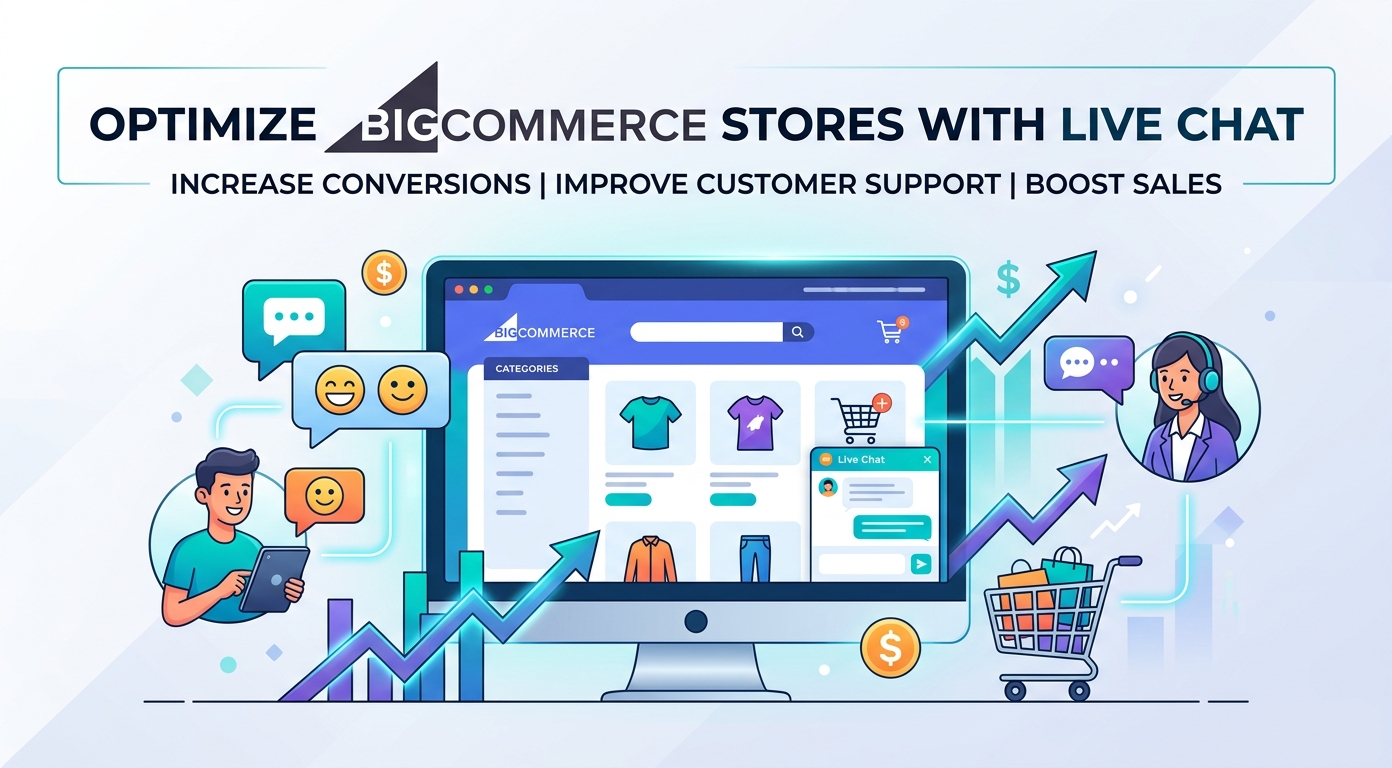
BigCommerce live chat solves a problem multi-channel sellers feel every day: you sell in a half-dozen places, but you only own one of them. Marketplace listings, social shops, and ad clicks all run on someone else's rules, someone else's inbox, someone else's customer data. Your storefront is the exception, and chat is what turns it from a catalog into a conversation: product questions answered mid-visit, order status self-served, leads captured after hours, transcripts you actually keep. This guide covers how to add chat to a BigCommerce store, how to split the work between bot and team, and why the widget on your own storefront deserves priority over every rented channel.
Choosing software first? Our live chat software comparison ranks the chat-plus-bot field; this page stays BigCommerce-specific.
Why BigCommerce stores add chat
The store math is the same everywhere, and it is short. Shoppers arrive with small, specific doubts (sizing, shipping time, returns), and every doubt that goes unanswered while interest is warm is a cart that empties itself. Meanwhile the inbox fills with the same three questions on repeat, led by "where is my order?". Chat with a bot attacks both ends at once: the repetitive half of support stops consuming the team, and the pre-purchase questions that decide conversions get answered inside the visit, at any hour, in the shopper's language. On a platform whose stores skew established and multi-channel, the storefront widget is usually the last conversation channel added and the first one that should have been.
How to add live chat to BigCommerce
Two clean routes, no theme surgery. The app route: install the chat tool's app from the marketplace and connect your account. The script route: paste the widget snippet through Script Manager, the built-in place for storefront scripts, which takes effect across pages without touching the theme. Either way the widget is live within the hour, and the work that decides the outcome follows: point the bot at your policy pages, shipping information, FAQ, and catalog; connect order lookup so status questions self-serve; brand the widget to the storefront; set the offline state to collect an email with a promised reply window; and test on the live store with a skeptic's questions before customers meet it.
One owned front door for a multi-channel store
This is the strategic argument, and it is BigCommerce-shaped.
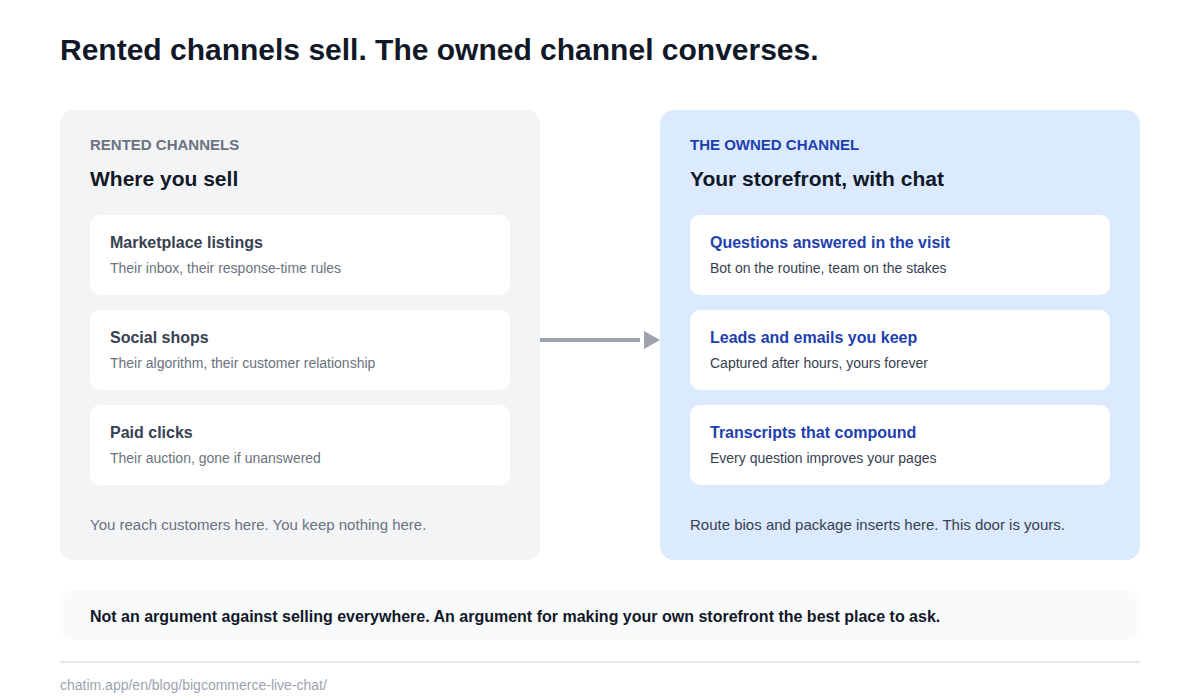
Marketplace and social-shop messages live in those platforms' inboxes, under their response-time rules, attached to customers you cannot contact off-platform. None of that is an argument against selling there; it is an argument for making your own storefront the best place to ask a question. The widget on your store is the one channel where the conversation, the lead, and the transcript belong to you, which means it is also the one channel that compounds: every question answered improves your pages, every lead captured builds your list, every transcript teaches you what buyers actually hesitate over. Route your other channels' bios and inserts toward the storefront, and let the owned front door do the talking.
The bot half: grounded answers plus order lookup
The reliable split holds on BigCommerce as everywhere: the bot handles free-form product and policy questions with answers grounded in your own pages, a deterministic flow handles order-status lookups against your store data, and everything with stakes (damage claims, unusual requests, upset customers) hands off to a human with the transcript attached. The two standing rules travel unchanged: the bot answers only from content someone keeps current, and unpublished pricing or negotiable discounts get collected as requests, never improvised. Keep the path to a person visible in every conversation, and the widget stays a door rather than a wall.
What to look for in a BigCommerce chat tool
Six checks. Grounding on your own content with scheduled re-sync, because catalogs change weekly. Order-lookup integration, since status questions are the volume stream. A transcript-carrying handoff into a shared inbox the team actually watches. Widget styling deep enough to match your storefront theme. Multilingual answers if you sell across borders. And per-plan pricing over per-conversation metering, which on an established store turns your best month into your biggest software bill. Close with the one revealing question we ask of every tool: what does the bot do when it does not know? The trustworthy answer is escalation; the demo-built answer is improvisation, and improvisation on a store invents delivery dates.
Mistakes BigCommerce stores make with chat
Answering marketplace inboxes within their deadlines while the storefront widget sits unanswered, which punishes the only channel you own. Grounding the bot on nothing and letting it improvise about products. Skipping order lookup and wondering why tracking questions still flood in. Leaving stale shipping promises in the policy pages the bot reads from. Greeting-spamming visitors who arrived from paid clicks. And never reading transcripts, which throws away the best conversion research an established store produces: the exact questions shoppers ask before deciding. All of it is habits and configuration, not spend.
What to expect by store profile
Smaller stores get the after-hours shift: routine questions answered at 2 a.m. without staffing for it. Established B2C stores feel it in the queue: the repetitive half of tickets disappears, and the team's minutes move to exchanges, complaints, and the conversations that decide reviews. Stores with a wholesale side get the intake pattern: the bot answers what is published and collects quote requests field by field for a human to price, so a rep opens a complete brief rather than a half-question. In every profile, the widget belongs where decisions happen (product pages, cart, checkout doubts); pair it with the human inbox habits from our live chat hub, and our ecommerce customer experience guide covers the practices around the widget that make it land.
An afternoon launch plan
Pull your last hundred customer messages across every channel and list the ten questions that repeat. Fix the policy and product pages they expose. Install by app or Script Manager, brand the widget, ground the bot on the fixed pages, connect order lookup, set the honest offline state, and spend an hour trying to break it. Launch scoped, read every transcript for two weeks, and expand from evidence. The online store template patterns cover the starting flows, free tiers cover the whole experiment, and paid plans earn their place when conversation volume proves the widget is carrying weight. The channels you rent will keep selling; the door you own will finally start answering.
More on this from our team: Magento live chat and Shopify chatbots.
Frequently Asked Questions
How do I add live chat to a BigCommerce store?
Install the chat tool's app from the marketplace, or paste the widget snippet through Script Manager, the built-in home for storefront scripts; neither route touches your theme. The meaningful setup follows: ground the bot on your policies, FAQ, and catalog, connect order lookup, brand the widget, and set honest offline behavior.
Does BigCommerce have built-in live chat?
BigCommerce does not ship its own live chat widget; chat is added through apps or Script Manager. In practice that is fine: dedicated chat tools bring the bot, the shared inbox, and the styling control a built-in feature typically would not.
Is there a free live chat for BigCommerce?
Yes; free tiers in the category include the widget, a bot grounded on your content, and basic handoff, which covers a pilot comfortably. Team seats, routing, and deeper integrations arrive with paid plans. Prefer per-plan pricing over per-conversation metering, which charges most in your best months.
Can the bot answer "where is my order" on its own?
Yes, through an order-lookup integration with your store data, and since it is usually the highest-volume message a store receives, this one connection tends to justify the whole setup. Lost or damaged shipments still route to a person with the order context attached.
Can chat handle messages from marketplaces and social shops?
No, and honesty here saves disappointment: marketplace and social messages live in those platforms' own inboxes under their rules. The storefront widget covers the channel you own. The practical play is routing your other channels' bios and package inserts toward the storefront, where the conversation and the customer relationship are actually yours.
Does it work with multiple storefronts?
Generally yes, with care: each storefront should get a widget configured for its own content, language, and policies rather than one generic bot answering for all of them. Check how your chat tool handles multiple sites or projects before rolling out across storefronts.
Will the widget slow down my storefront?
A well-built widget loads asynchronously after your content and should not meaningfully affect speed scores. Verify on your own store: run your usual speed check on a product page before and after installing and compare, rather than taking any vendor's word for it.
Can it answer shoppers in other languages?
Generally yes; modern bots reply in the language the shopper writes even when your store content is in English. If you sell into specific markets, spot-check transcripts in those languages after launch to confirm quality.
Does chat work for a wholesale or B2B side?
Yes, as intake: the bot answers published facts and collects quote requests field by field (company, quantities, timeline, region), so your rep opens a complete brief. Unpublished pricing stays human; a bot that improvises wholesale discounts is a margin leak, not a feature.
Should the chat pop up automatically?
Restraint wins, especially on paid traffic: a greeting that fires on arrival teaches expensive visitors to close widgets. Keep the widget collapsed by default and allow at most one proactive prompt tied to real intent, such as a long pause on checkout or a pricing page.
Does it work with custom themes?
Yes; the widget floats above the page rather than living inside your theme, so theme choice rarely matters. The check worth doing is visual and mobile-first: confirm the collapsed bubble covers no buttons and the open chat dismisses in one tap.
What should stay with humans?
Damage and loss claims, refunds beyond policy, negotiable pricing, anything legal, and any upset customer. The bot's role there is collection and routing with full context. The split that never fails: automate facts and structured lookups, keep judgment and relationships human.
How do I know the chat is paying for itself?
Track conversations resolved without a human that did not come back, the share of order-status questions self-served, leads captured after hours, and satisfaction as a trend. Read transcripts weekly; the questions shoppers ask before deciding are the cheapest conversion research your store will ever get.
Related articles
More in Ecommerce & platforms → Best Shopify Apps to Increase Sales & Conversions (2026)
12 Shopify apps to increase sales and conversions, sorted by the lever each one pulls: AOV, hesitant visitors, lost carts, trust, repeat buyers.
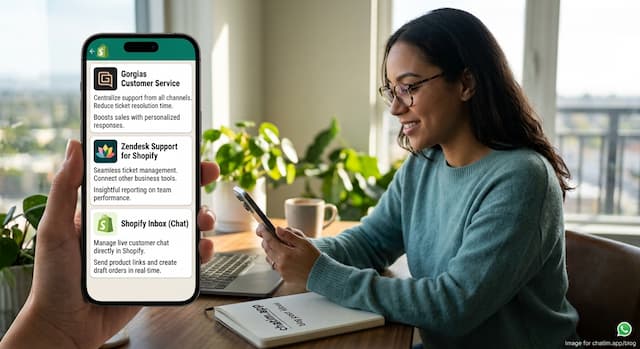 Best Shopify Apps for Customer Service in 2026: 9 Compared
9 customer service apps for Shopify stores compared: the free native option, chat widgets, and ecommerce helpdesks, with verified pricing.
 WooCommerce Chatbot: What It Does and How to Add One (2026)
What a WooCommerce chatbot does for a store: product and order questions answered from your own pages, plus how to add one without plugin bloat.
 Wix Chatbot: How to Add One and What It Can Do (2026)
What a Wix chatbot can do for your site: answer service questions, capture leads politely, help with bookings and store orders, and cover after-hours.