Ecommerce Platform Integrations: A Complete Guide for 2026
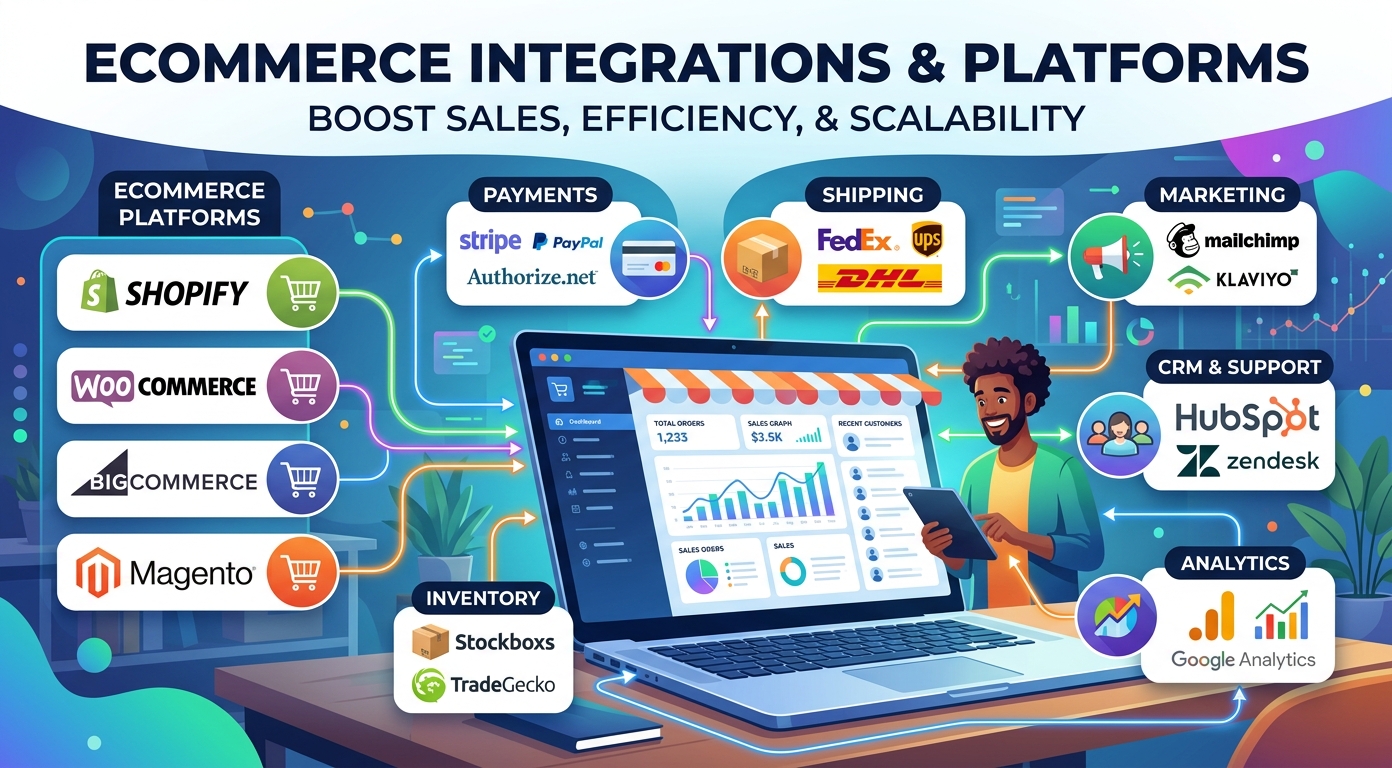
Running a successful online store today depends on more than great products and fair prices. It depends on how well your tools talk to each other. Ecommerce platform integrations connect the software behind your store so that orders, stock, customers, and payments stay in sync without constant manual work. When your systems share data automatically, you spend less time copying numbers between apps and more time serving shoppers and growing the business.
This guide explains what ecommerce integrations are, how they work, the main types you will meet, and how to compare the platforms that host them. We also walk through the features that matter most and the mistakes that trip up busy store owners, so you can choose a setup that fits your store today and scales with it tomorrow.
What an ecommerce platform integration is
An ecommerce integration is a connection that lets two pieces of software exchange information automatically. Your storefront, your accounting tool, your shipping label printer, and your customer database all hold pieces of the same picture. Left unconnected, each one needs to be updated by hand. Connected, they pass data back and forth on their own and tidy up the messy workflows that slow a store down.
Think of integrations as the wiring of your online store. The storefront is what shoppers see, but behind it sits a web of applications that handle stock, money, delivery, and support. Good integrations make those applications behave like one coherent system instead of a pile of separate tools. They reduce double entry, cut errors, and give you one trustworthy version of your numbers.
Most stores start simple and add connections as they grow. A new seller might only link a storefront to a payment processor. A larger operation may tie together a dozen systems across sales, finance, and fulfillment. The goal is the same at every size: keep your ecommerce data accurate and let people focus on decisions rather than data entry.
How ecommerce integrations work
Behind every connection sits a set of rules for moving information. Most modern integrations rely on APIs, the standard way for one application to request data from another or push an update to it. When a shopper places an order, the storefront uses APIs to tell the warehouse system to reserve stock, the accounting tool to record a sale, and the shipping tool to expect a parcel.
Some connections run in real time, firing the moment something changes. Others run on a schedule, syncing every few minutes or once an hour. Real-time data synchronization keeps stock counts and order status fresh, while scheduled syncs are fine for reports that do not need to be instant. Either way, the aim is reliable data integration, so that what one system shows matches what the others show across all your workflows.
You generally have three ways to connect tools. A native connector is built by the platform itself and works out of the box. Many stores also rely on third-party integrations from an app marketplace, which bridge two popular tools with little setup. A custom build uses raw API integration to link systems that have no ready-made bridge, including older back-end systems that were never designed to share data. The right mix depends on your budget, your technical help, and how unusual your stack is.
Types of ecommerce integrations
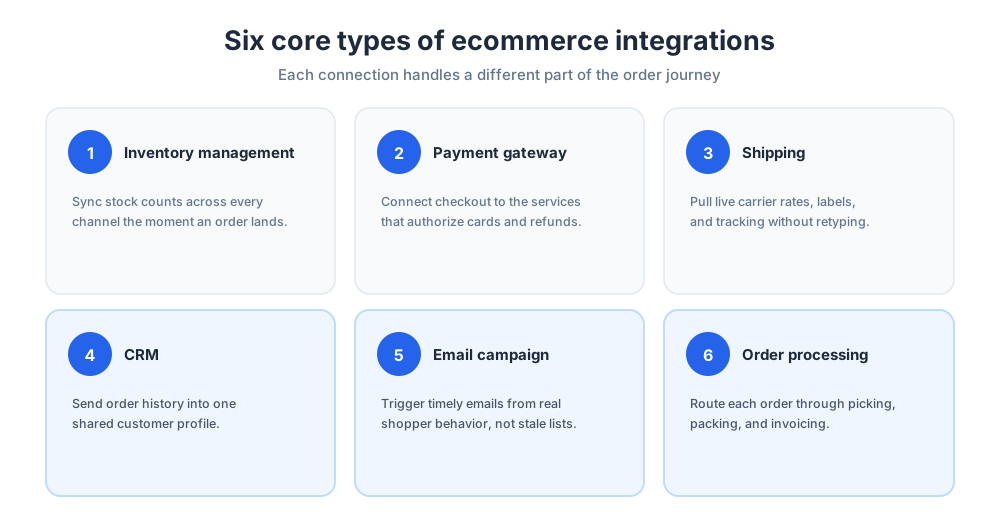
It helps to know the main categories before you shop. Each type of connection solves a different problem, and most growing stores end up using several. Below are the integration types you are most likely to need, grouped by the job they do and the workflows they smooth out.
Inventory management integrations
These keep stock numbers accurate everywhere you sell. An inventory management integration updates inventory counts across your storefront, your marketplaces, and your warehouse the instant an order is placed, so you avoid overselling and stockouts. Strong inventory management is the backbone of a store that sells in more than one place, and it is usually the first connection a multichannel seller adds.
Payment gateway integrations
These integrations link your checkout to the services that authorize cards and move money. They protect card data, support the methods shoppers expect, and pass clean records to your books. Reliable payment integrations are non-negotiable, because a failed checkout is a lost sale.
Shipping integrations
Shipping integrations connect your store to carriers so labels, rates, and tracking numbers flow without retyping. Good shipping connections show live rates at checkout and push tracking details back to the shopper automatically, which cuts support questions and speeds up fulfillment.
CRM integrations
These integrations send order history and contact details into your customer database so every team sees the same record. With one CRM integration in place, your support and sales staff can answer questions quickly and personalize follow-up based on what each shopper has actually bought.
Email campaign integrations
These integrations move customer and order data into the email tools that send campaigns. Once connected, you can trigger a welcome note, a review request, or a win-back offer based on real behavior rather than a static list.
Order processing integrations
These integrations tie the storefront to the systems that pick, pack, and invoice. An order management system sits at the center, routing each order to the right warehouse and keeping its status visible from purchase to delivery. Reliable order management keeps every order and inventory record moving.
Benefits for your ecommerce business
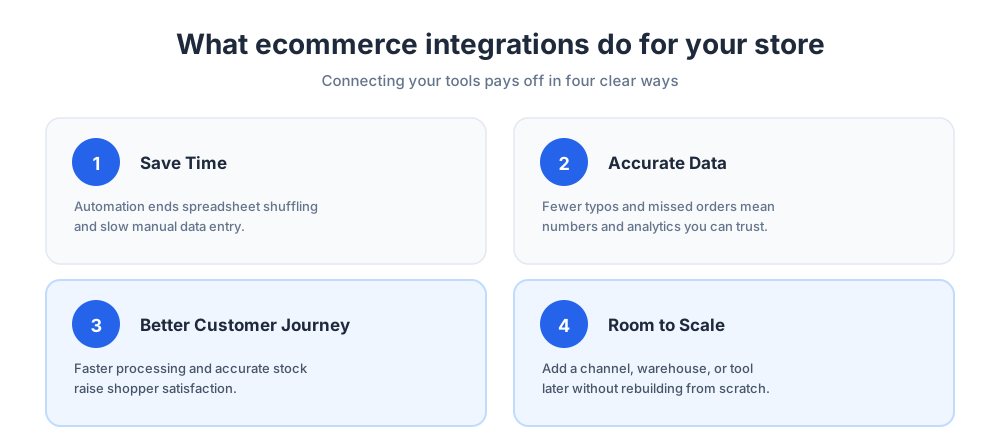
Connecting your tools pays off in ways you feel every day. The clearest win is time. When stock, orders, and customer records update themselves, your team stops shuffling spreadsheets and starts working on things that grow the ecommerce business.
Accuracy is the second win. Manual entry produces typos, missed orders, and mismatched totals. Automation removes most of that risk, so the numbers you report and the stock you promise are the numbers shoppers actually get. Cleaner data also makes your analytics worth trusting, which means better decisions about pricing, buying, and marketing.
A connected online store also serves shoppers better. Faster order processing, accurate inventory levels, and a smoother customer journey all raise satisfaction and repeat purchases. And because integration solutions are built to scale, adding a new sales channel, warehouse, or tool later is far easier than rebuilding from scratch. For any growing ecommerce business, that headroom matters.
Finally, integrations free your data teams and operators to ask better questions. Instead of hunting for numbers, they can study the numbers in an analytics dashboard, spotting which products, marketing channels, and campaigns truly drive sales.
Top ecommerce integration platforms
The platform that hosts your online store shapes which connections are easy and which are hard. Most website platforms now ship with an app marketplace, but their depth and style differ. If you are still deciding where to build, our guide to what a website builder is covers the basics. Here is how the best-known options compare for software integrations and everyday automation.
Shopify
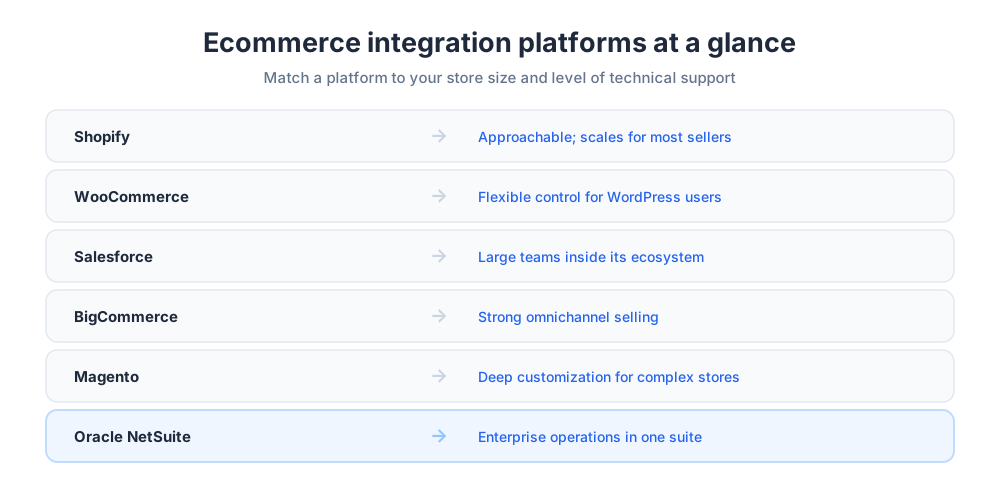
Shopify is known for being approachable. Its app store is huge, so most common connections take a few clicks, and Shopify keeps its connectors well maintained. For sellers who want broad coverage without heavy technical work, Shopify is a safe starting point. As order volume climbs, Shopify scales smoothly with the rest of your stack.
WooCommerce
WooCommerce turns a WordPress site into a store, and it appeals to owners who want control. Because WooCommerce is open source, you can connect almost anything, and a large plugin library covers the rest. WooCommerce rewards a little technical comfort with a great deal of flexibility, which makes WooCommerce popular with smaller and mid-sized stores.
Salesforce
Salesforce Commerce suits larger sellers that already lean on the Salesforce ecosystem. Because customer relationship management is at its core, Salesforce links sales, service, and storefront tightly, giving big teams one connected view of every shopper.
BigCommerce and Magento
BigCommerce balances flexibility with strong omnichannel features, making it a fit for stores selling across several online marketplaces. Magento, now Adobe Commerce, offers deep customization for sellers with unusual requirements and the developers to support a more involved commerce integration project.
Oracle NetSuite
Oracle NetSuite bundles enterprise resource planning, finance, and ecommerce in one suite. It is built for the enterprise end of the market, where a single platform tying together every business process is worth the added cost and setup effort. Enterprise sellers value having one system of record.
CRM and customer data
Your customer records are among the most valuable assets your online store owns, and they are only useful when they are complete. A customer relationship management connection pulls order history, contact details, and support notes into one profile, so nobody has to guess who a shopper is or what they bought.
With that profile in place, support staff answer faster and sales staff follow up with offers that actually fit. Modern CRM management tools also score and segment contacts, helping you see which shoppers are most likely to buy again. Tie that data back to your storefront and email tools, and every message you send lands with more relevance.
The payoff is a smoother customer journey: a shopper who contacts you is recognized, their history is visible, and the next step feels personal rather than generic. That continuity is hard to fake and easy to feel.
Marketing tools and automation
Marketing works best when it runs on live store data instead of stale exports. Connecting your storefront to your marketing stack means campaigns react to what shoppers actually do, and that is where automation earns its keep. Live chat is one more channel worth wiring in; see how lead generation through live chat works.
Email marketing integrations
These integrations sync contacts, orders, and browsing signals into your sending tool. From there, email marketing can run on autopilot: a welcome series for new buyers, a reminder when a cart is abandoned, and a review request after delivery. Because the data is current, each email marketing message is timely and relevant. Done well, email marketing remains one of the highest-return channels a store has.
Automation across channels
Marketing automation goes beyond email, coordinating ads, messages, and on-site offers from one set of rules. The right marketing tools let you build a sequence once and let it run, while solid analytics show which steps convert. When your marketing tools share data with the rest of your stack, your whole marketing program gets sharper, and your team spends its hours on strategy rather than busywork. To compare options, see our roundup of the best marketing automation tools.
Payment and checkout integrations
Checkout is where browsing turns into revenue, so the connections behind it deserve real attention. A payment integration links your store to the gateways and processors that authorize transactions, handle refunds, and keep card data safe under the relevant security standards.
Strong checkout connections do three things well. They support the payment methods your shoppers prefer, from cards to digital wallets to buy-now-pay-later. They pass clean transaction records into your accounting tool so reconciliation is quick. And they fail gracefully, retrying or explaining clearly when something goes wrong, so a glitch does not cost you the sale.
When you weigh options, check the fees, the payout schedule, the analytics on offer, and the regions each provider covers. A checkout that is fast and familiar protects the sales you worked hard to earn, and it keeps your online store competitive.
Inventory management and fulfillment
Nothing frustrates a shopper faster than ordering something that turns out to be unavailable. Connecting inventory and fulfillment systems is how you keep that promise. When inventory updates flow automatically, every channel and the marketplaces you sell on show the same inventory count, and orders move from cart to doorstep without manual nudging. Smooth fulfillment is what turns a one-time buyer into a repeat customer.
Warehouse management
This connection links your storefront to the system that runs your shelves. It tells pickers what to grab, updates inventory as items leave, and feeds counts back to every sales channel. Pair it with good inventory management tools and you get a live, accurate picture of what you can sell right now, which keeps fulfillment fast and reliable.
Supply chain integration
This connection reaches further back, connecting suppliers and purchase orders to your store. When inventory runs low, the system can flag a reorder or place it automatically. Tightening the supply chain this way shortens the gap between selling out and restocking, and it keeps fulfillment running smoothly even during your busiest weeks.
APIs and custom integrations
Sometimes the connector you need does not exist yet. That is where APIs come in. APIs are the documented doorways that let software exchange data, and almost every serious tool publishes them. When two systems both expose good APIs, a developer can wire them together even if no ready-made app does the job.
A custom build is worth the effort when your workflows are unusual or when an older system has no modern bridge. A developer studies the APIs on each side, maps the fields, and builds the link. Because APIs are stable and well documented, that work tends to last, and it can later be reused as your needs change. A few thoughtful custom builds can cover gaps that no marketplace app reaches.
The trade-off is ownership. Native apps are maintained for you, while a custom build is yours to monitor when an API changes. Many stores use a hybrid approach: native connectors for the common cases and custom code only where the APIs of two systems must meet in a way no app supports. Treat your APIs as long-term infrastructure and that code will keep paying off as the business grows.
Customer support software integrations
Support is far easier when your help desk can see the full story. These integrations bring order details, shipping status, and account history into the same window where agents answer tickets, so nobody asks a shopper to repeat what the system already knows.
Connect your customer support software to your store and your CRM, and an agent opening a ticket sees the recent order, the tracking link, and past conversations at a glance. That context turns a slow back-and-forth into a quick, confident answer. It also lets you spot patterns, such as a product that generates an unusual number of questions. For a fuller look at building a responsive help operation, see our guide to customer service and these quick ways to improve your ecommerce customer experience.
How to choose the right ecommerce integration solution
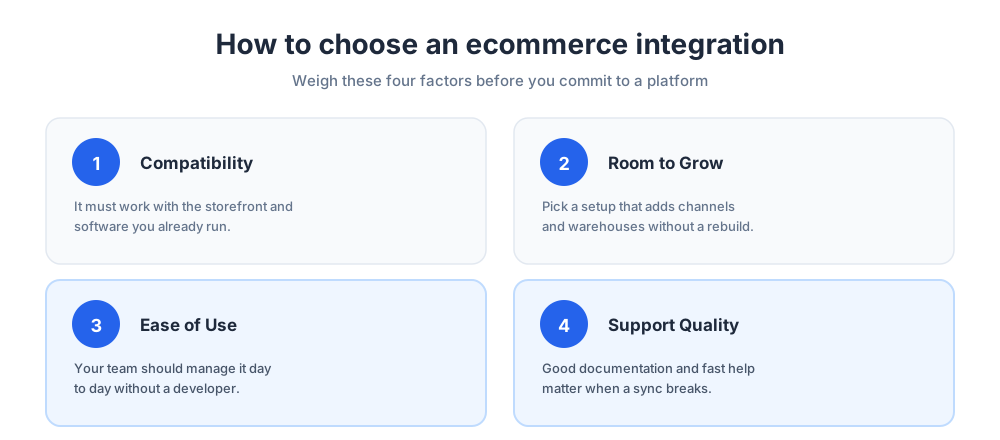
With so many options, finding the right setup comes down to a few honest questions about your store. Weigh the factors below before you commit, because switching later is harder than choosing well now. The goal is the right fit for how you work, not the longest feature list.
Start with compatibility. The connection must work with the systems you already run, so check that it supports your storefront, your accounting tool, and any older software you depend on. Aim for a seamless integration that needs no awkward workarounds. Next, look at room to grow: a setup that fits today but cannot add a channel or warehouse will need replacing sooner than you would like.
Then weigh ease of use. A connector your team can manage without a developer saves money and stress. Look at customization too, because a rigid tool will fight your workflows as your model evolves. Finally, judge the support and documentation on offer, and read what other vendors and store owners say. Quality help makes the difference when a sync breaks at a bad moment.
Common integration mistakes to avoid
Even good integration solutions can disappoint when they are set up carelessly. The most common mistake is connecting everything at once. Add connections one at a time, confirm each one is accurate, and you will find problems while they are still small.
A second mistake is ignoring data quality. Integrations move whatever they are given, so messy product data or duplicate customer records simply spread faster. Clean your records first, and consider product information management practices that keep listings consistent across channels. A third mistake is skipping the test phase: always run a few real orders through a new connection before you trust it with live sales.
Finally, do not forget maintenance. Tools update, APIs shift, and a connection that worked last quarter can quietly stop. Assign someone to watch your integrations, keep notes on how each one is configured, and review the whole setup a couple of times a year so your online store keeps running cleanly.
The future of ecommerce integrations
Integration is getting easier, not harder. No-code connectors now let store owners link tools that once needed a developer, and that trend keeps widening who can build a connected online store. At the same time, smarter automation is moving from simple rules toward systems that suggest actions, flag anomalies, and tidy stored data on their own. A commerce integration that once demanded a developer is increasingly a guided, point-and-click setup.
Expect deeper ties between storefronts, online marketplaces, and the operations behind them, so selling in a new place becomes a setting rather than a project. Analytics will keep improving too, turning raw activity into clear next steps. For most stores, the takeaway is steady: pick reliable tools, connect them with care, and keep your data clean. Do that, and your ecommerce store stays quick on its feet while shoppers simply enjoy a smooth, dependable experience.
Frequently Asked Questions
What are ecommerce platform integrations?
Ecommerce platform integrations are connections that let the software behind your store exchange information automatically. Instead of updating your storefront, accounting tool, inventory system, and customer database by hand, integrations pass data between them on their own. The result is one coherent system where orders, stock, customers, and payments stay in sync, which cuts errors and frees your team to focus on decisions rather than data entry.
How do ecommerce integrations work?
Most ecommerce integrations work through APIs, the standard way for one application to request data from another or push an update to it. When a shopper places an order, the storefront uses APIs to tell the warehouse to reserve stock, the accounting tool to record a sale, and the shipping tool to expect a parcel. Some connections fire in real time, while others sync on a schedule, but the goal is always reliable data integration between systems.
What are the main types of ecommerce integrations?
The most common types of ecommerce integrations are inventory management integrations, payment gateway integrations, shipping integrations, CRM integrations, email marketing integrations, and order processing integrations. Each one solves a different problem, from keeping stock counts accurate to routing orders through fulfillment. Most growing stores end up combining several types, adding new connections as they expand into more channels and tools.
Why are ecommerce integrations important for my business?
Integrations save time, protect data accuracy, and improve the customer experience. When stock, orders, and customer records update themselves, your team stops shuffling spreadsheets and starts working on growth. Automation removes the typos and missed orders that come with manual entry, so your analytics are worth trusting. A connected store also serves shoppers better through faster order processing and accurate availability, which raises satisfaction and repeat purchases.
What is the best ecommerce integration platform?
There is no single best platform, only the best fit for your store. Shopify is approachable and scales smoothly for most sellers, WooCommerce gives WordPress users deep flexibility, Salesforce Commerce suits larger teams that rely on its ecosystem, BigCommerce and Magento offer strong customization, and Oracle NetSuite bundles enterprise resource planning for the enterprise market. Match the platform to your store size, budget, and technical support.
How do I choose the right ecommerce integration solution?
Choose the right ecommerce integration solution by weighing four factors: compatibility with the systems you already run, room to grow as you add channels or warehouses, ease of use so your team can manage it without a developer, and the quality of support and documentation. Check what other vendors and store owners say, because switching an integration later is harder than choosing carefully now.
What is an API integration in ecommerce?
An API integration is a connection built directly on the documented interfaces that software publishes. APIs are the doorways that let two systems exchange data, and when both tools expose good APIs, a developer can wire them together even if no ready-made app exists. API integration is the foundation of custom integrations, and it lets you link unusual or older systems that no marketplace connector supports.
Do I need a developer to set up ecommerce integrations?
Not always. Native connectors and app-marketplace integrations are built for non-technical store owners and often take just a few clicks. You generally need a developer only for custom integrations, where two systems must be linked through their APIs in a way no app supports. No-code connectors keep widening what owners can set up themselves, so many stores reach a developer only for unusual workflows.
What is the difference between native and custom integrations?
A native integration is built and maintained by the platform itself and works out of the box, so it is the easiest option for common connections. A custom integration is built specifically for your store using the APIs of each system, which makes it ideal for unusual workflows or older software. Native apps are maintained for you; custom builds are yours to monitor when an API changes. Many stores use both.
How do inventory management integrations work?
An inventory management integration updates stock counts across your storefront, your marketplaces, and your warehouse the moment an order is placed. That keeps every sales channel showing the same number, so you avoid overselling and stockouts. Paired with warehouse management and a supply chain integration, it gives you a live, accurate picture of what you can sell right now and can even flag low stock for reordering.
Can ecommerce integrations connect my CRM and email marketing?
Yes. CRM integrations send order history and contact details into your customer database so every team sees the same record, while email marketing integrations sync contacts, orders, and browsing signals into your sending tool. Once connected, you can trigger welcome notes, abandoned-cart reminders, and review requests based on real behavior, and your marketing automation runs on current data instead of stale exports.
How much do ecommerce integrations cost?
Costs vary widely. Many native connectors are included with your platform subscription, app-marketplace integrations often charge a small monthly fee, and custom integrations cost developer time to build and maintain. Always confirm current pricing on each tool's own page. When you compare options, weigh the cost against the hours saved and the errors avoided, because a reliable integration usually pays for itself quickly.
What mistakes should I avoid with ecommerce integrations?
Avoid connecting everything at once; add integrations one at a time and confirm each is accurate. Do not ignore data quality, because integrations spread messy product information and duplicate records faster. Never skip testing, so run a few real orders through a new connection before trusting it with live sales. Finally, plan for maintenance, since tools update and APIs shift, and an unwatched connection can quietly stop working.
Related articles
More in Ecommerce & platforms →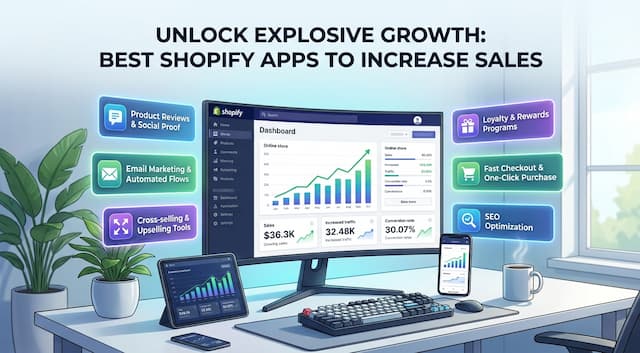 Best Shopify Apps to Increase Sales & Conversions (2026)
12 Shopify apps to increase sales and conversions, sorted by the lever each one pulls: AOV, hesitant visitors, lost carts, trust, repeat buyers.
 Best Shopify Apps for Customer Service in 2026: 9 Compared
9 customer service apps for Shopify stores compared: the free native option, chat widgets, and ecommerce helpdesks, with verified pricing.
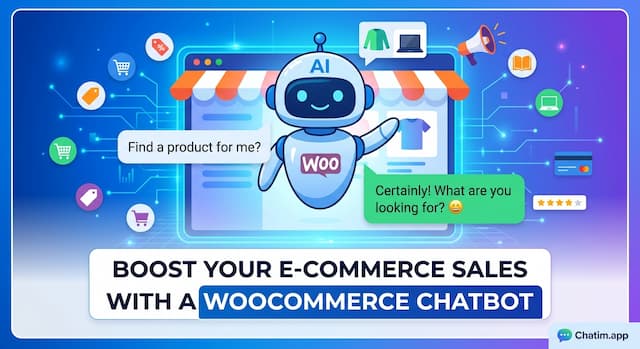 WooCommerce Chatbot: What It Does and How to Add One (2026)
What a WooCommerce chatbot does for a store: product and order questions answered from your own pages, plus how to add one without plugin bloat.
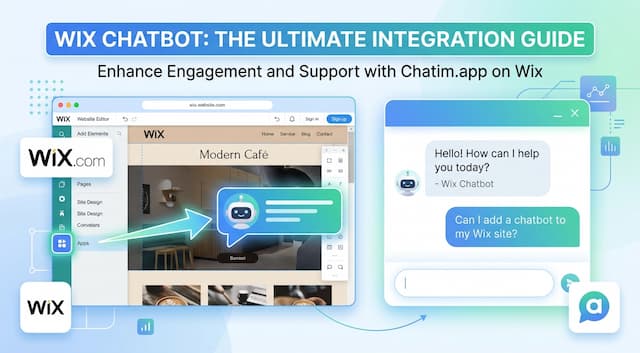 Wix Chatbot: How to Add One and What It Can Do (2026)
What a Wix chatbot can do for your site: answer service questions, capture leads politely, help with bookings and store orders, and cover after-hours.