What Is a Website Builder? Types, Benefits, and How to Choose
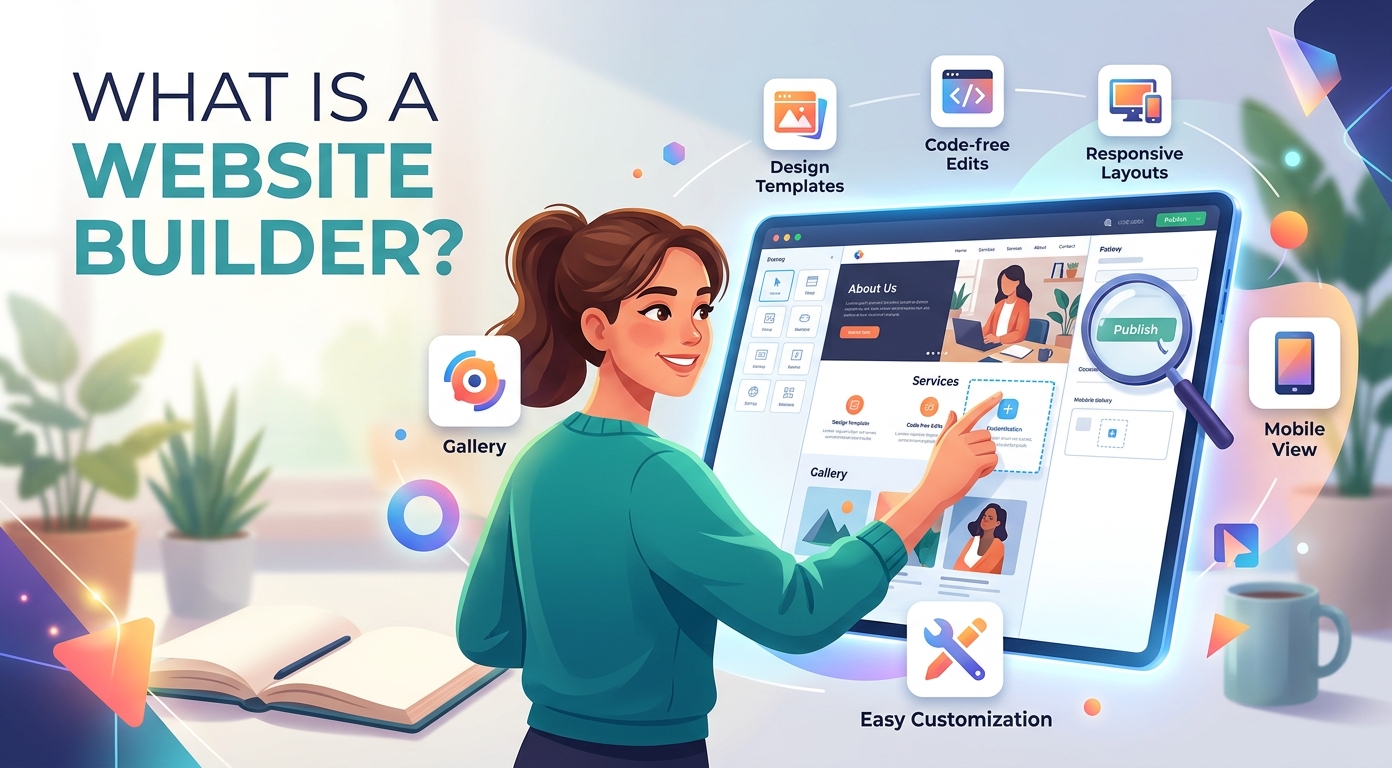
A website builder is a tool that lets you create a website without writing code. It is the fastest, cheapest way for a business to get a professional site online, which is why website builders now power a huge share of the web.
This guide explains what a website builder is, what it does, what you can build with one, the main types, the benefits, and how to choose the right one for your needs.
What is a website builder?
So, what is a website builder? A website builder is software that lets you design, build, and publish a website through a simple visual interface. Instead of hand-coding, you assemble your website from ready-made parts.
Before website builders existed, putting a business online meant hiring a developer or learning to code yourself. A website builder removes that barrier, so anyone can build a website from scratch in a single afternoon.
Most modern website builders run entirely in your browser. You log in, edit your website, and your changes go live with one click, with no software to install on your computer and nothing to download.
A website builder also keeps the whole website in one place. The design, the content, the hosting, and the domain all live inside a single account, which is what makes the tool so easy for a beginner.
That bundling is the real shift. A website used to be many moving parts stitched together by different vendors; a website builder turns it into one product you manage from one screen.
You will hear a website builder called a site builder or a no-code platform too. The labels differ, but they all describe the same thing: a faster, simpler way onto the web.
In short, a website builder turns website creation from a technical project into a guided task that any business owner can handle without help.
What does a website builder do?
A website builder does three big jobs: it gives you the design, it hosts the website, and it handles the technical work behind the scenes so you never have to.
The design side is a visual website editor. You pick a layout, drop in text and images, and see the result on the page instantly, with no code in sight at any point.
The hosting side matters just as much. A website builder bundles web hosting, so your website lives on fast, secure servers without you ever renting a hosting account or touching one.
It also manages the domain. Most builders let you buy a domain name in the same dashboard, or connect a domain you already own, so your site has its own memorable address.
Behind the scenes, the builder handles security, software updates, backups, and a mobile version of the site, all of the upkeep a website normally demands of its owner.
Many builders go further still, adding marketing automation, analytics, and a customizable design system so your website can grow alongside the business rather than hold it back.
The point of all this is focus. A website builder absorbs the boring, fragile parts of running a website so your time goes into the business itself.
What can you build with a website builder?
A modern website builder is flexible enough to power almost any kind of site. Most businesses reach for one to handle a handful of common project types.
The most common is a business website: a few pages that explain who you are, what you sell, and how to get in touch. It is the digital storefront nearly every company now needs.
Online stores are the next big use. With a store-ready builder you can list products, take payments, and ship orders, all from the same website you already manage.
A content blog is another natural fit. Regular posts give a website fresh material, help it rank in search, and give visitors a real reason to return again and again.
Service businesses lean on a website builder too, using it for a booking site, a quote form, and a gallery of past work that earns trust.
Beyond business, people build portfolios, booking systems, and personal projects with the very same tools. For many beginners, a simple one-page site is the first website they ever make.
How does a website builder work?
Using a website builder follows the same simple path no matter which tool you pick. Here is how the process works, step by step, from a blank account to a live site.
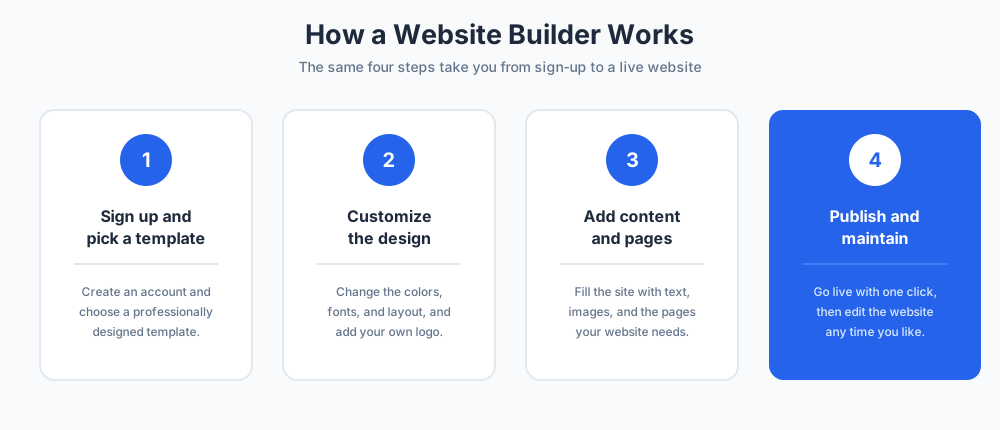
Step 1: Sign up and pick a template
You create an account, then choose from a library of website templates. Each template is a complete, professionally designed starting point for your website.
Pick the template closest to the website you imagine. Browse by industry or style, and look for a layout that already has the sections your site will need.
This first choice is never permanent. You can swap the template, or change every detail inside it, at any point later without losing your work.
Many website builders also let you preview a template with sample content, so you can judge how your finished website might feel before you commit.
Step 2: Customize the design
Next you make the website your own. Change the colors, fonts, and layout, then add your logo so the website matches your brand from the first glance.
Most builders use a WYSIWYG editor, meaning what you see on screen is exactly what visitors will see on the live website. There is no guesswork and no preview gap.
Work section by section. A good website builder shows the design on both desktop and mobile, so the site looks right on every screen size.
Step 3: Add your content and pages
Now you fill the website with content. Add your text, images, and videos, and build out the pages your website needs, such as a home page, an about page, and a contact page.
You can also start a blog, set up menu links between those pages, and connect extra features like contact forms or live chat to the website.
Strong content is what makes a website work. The builder gives you the frame, but the words and images that fill it are what convert a visitor into a customer.
Step 4: Publish and maintain
When the website looks right, you publish it with one click and it goes live on the web. Connecting a custom domain name makes the site look professional and easy to remember.
After launch, you keep editing whenever you like. A website builder makes ongoing maintenance as easy as the first setup, so the website never goes stale or out of date.
Because the hosting and the domain stay inside the builder, there is nothing else to renew or configure. You simply log in and update the site.
It is worth checking your live website on a phone after publishing, since most visitors today arrive on mobile rather than a desktop.
Types of website builders
Not all website builders are the same. Knowing the main types helps you match a tool to your project, because different builders are built for very different goals.
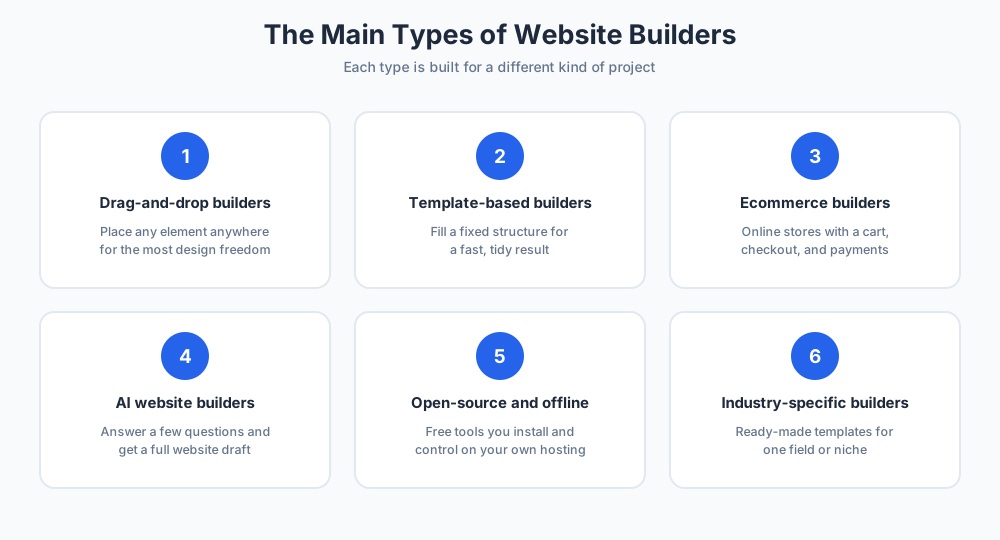
Drag-and-drop builders
These builders let you place any element anywhere on the page by dragging it into position. They give you the most design freedom and need no coding at all.
This is the most popular style of website builder, and a great fit for beginners who want full control of how each page of the site looks.
The trade-off is that total freedom can slow a first-timer down. If you want speed over control, a template-based website builder may suit you better.
Template-based builders
Template-based builders start you in a fixed structure that you simply fill with your content. You get less freedom than with the drag-and-drop style, but a faster, tidier result.
They suit anyone who wants a polished website quickly and is happy to work within a proven design rather than build the layout themselves from nothing.
Ecommerce website builders
An ecommerce builder is made for selling. It adds a product catalog, a cart, secure checkout, and payment options on top of the standard website tools.
If your main goal is an online store, ecommerce functionality should be the first thing you check, because a general website builder may handle it poorly.
A dedicated store builder also handles tax, shipping rules, and inventory, the unglamorous details that a hobby tool tends to miss.
AI website builders
These builders take the idea further. You answer a few questions about your business, and the tool generates a full website draft for you to refine.
For a beginner in a hurry, this is the fastest route from a blank page to a live website, though the result still needs a human touch and your own content.
Open-source and offline builders
Open-source builders are free tools you install on your own hosting, which gives more control but needs more technical skill. Offline website builders let you design the site on your computer before uploading it.
These options suit users who want to own every part of their setup rather than rent it from one company, and who do not mind managing the hosting themselves.
Industry-specific builders
Some website builders focus on a single field, such as restaurants, photography, or real estate. They ship with industry-ready templates and the exact features that field needs.
If your business fits a clear niche, this kind of builder can save real time over a general website builder that you would otherwise have to heavily adapt.
Benefits of using a website builder
The benefits of a website builder explain why they have largely replaced custom coding for small and mid-sized businesses.
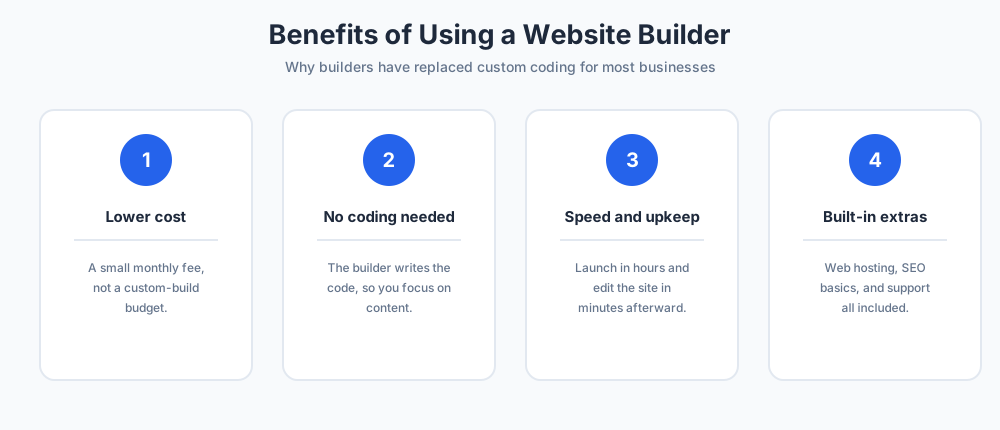
Lower cost
Cost is the headline benefit. An affordable website builder costs a small monthly fee, a fraction of what a custom-built website would run.
That fee usually covers hosting and a domain as well, so there are no surprise bills. For a new business, that difference can be the reason a professional website happens at all.
Bundled web hosting is a real part of that saving, since a separate hosting plan would otherwise be another monthly cost on top.
No coding needed
You do not need to know HTML or any other language. The website builder writes the code for you, so you focus on your content and your customers instead.
This puts a stunning website within reach of any owner, solo founder, or small team, with no technical hire required and no learning curve to climb first.
Speed and easy maintenance
A website builder turns weeks of work into hours. The basic features are ready out of the box, so the setup is fast and editing the website afterward is just as quick.
Updating prices, posting to a blog, or swapping an image on the site takes minutes, not a support ticket to a developer and a wait for a reply.
Hosting, SEO, and support built in
Most plans bundle web hosting, so your website is fast and online without a separate hosting account to manage. Many also cover the basics of SEO to help the website rank in search.
You also get support and resources, from live chat to FAQs and video guides, whenever you get stuck. A website builder is rarely a tool you are left to figure out alone.
Website builder vs hiring a developer
A common question is whether to use a website builder or hire a web designer. The honest answer depends on your goals and your budget.
A website builder wins on cost, speed, and independence. You can launch and update the website yourself, with no agency in the loop and no waiting on someone else's schedule.
A designer or developer wins when you need something truly custom, complex, or unusual that no template can deliver. Hand-coding and content management systems give that flexibility, but at a much higher cost and a longer timeline.
There is also a middle path: build the site yourself on a website builder, then pay a freelancer for a few hours to polish the design or set up a tricky feature.
A website builder also means no dependency. When the person who built your website moves on, you are not stranded, because the site is still yours to edit.
For most businesses, personal sites, and blogs, a website builder is the practical choice. Hiring a professional makes sense only at the complex, high-budget end of the scale.
How to choose the right website builder
With so many options, choosing the right builder comes down to matching the tool to your project rather than picking the best-known brand.
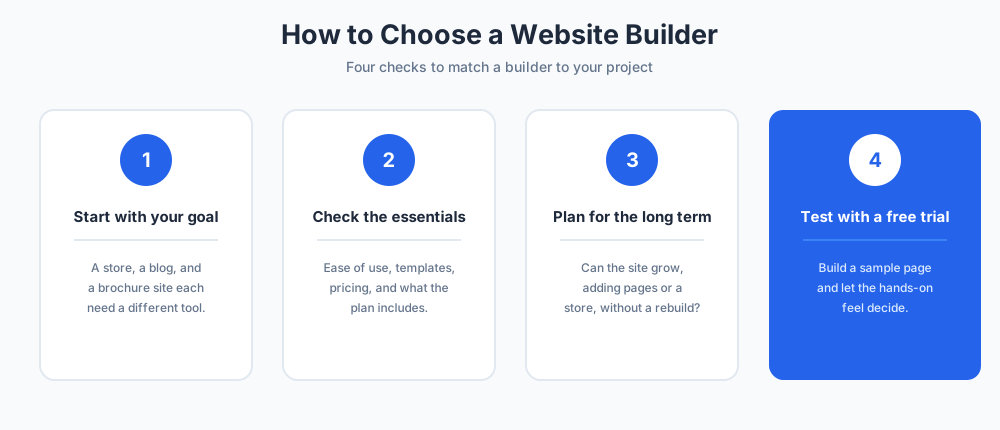
Start with your goal. A simple brochure website, an online store, and a busy blog each point to a different type of builder, so compare different website builders against what you actually need.
Then check the essentials: ease of use, the quality of the website templates, how the price scales as you grow, and whether hosting, a domain, and analytics are included in the plan.
Be honest about your own skill, too. A confident user can handle a flexible website builder, while a nervous beginner is happier with a guided, template-led one.
Look at the long term too. A good builder should let the website expand, adding sections, a shop, or new features later without forcing you to rebuild the site from scratch.
Finally, test before you commit. A good website builder offers a free trial, so try one or two, build a sample page, and let the hands-on experience make the decision for you.
Final thoughts
A website builder has made a professional website something any business can own, without code, a big budget, or a developer on call.
Decide what your website needs to do, pick the type of builder that fits, and start simple. You can always grow the site as the business grows around it.
For most owners today, a website builder is not just the easy way to get a website online. It is the smart one.
The web is no longer reserved for people who can code. A website builder hands that power to everyone, and a growing business has every reason to use it.
More on this from our team: Wix chatbots, Webflow live chat, and form builders.
Frequently Asked Questions
What is a website builder?
A website builder is software that lets you design, build, and publish a website through a simple visual interface, with no coding required. You assemble your website from ready-made parts, and the tool bundles the design, hosting, and domain in one account. It turns website creation from a technical project into a guided task.
What does a website builder do?
A website builder does three big jobs: it gives you a visual editor to design the site, it provides web hosting so the website stays online, and it handles the technical work behind the scenes, including security, updates, backups, and a mobile version. Many builders also add a domain, analytics, and marketing tools.
What is the easiest website builder for a beginner?
There is no single easiest website builder; the best choice depends on your goal. For a true beginner, drag-and-drop and AI website builders are usually the simplest, since they need no coding and start from a finished template. Most builders offer a free trial, so try one or two with a sample page before you decide.
Can you build a website with Salesforce?
Yes. Salesforce can build websites through its Experience Cloud product, which is used for customer portals, help centers, and partner sites tied to Salesforce data. It is aimed at larger businesses already using the platform, not at someone wanting a simple marketing site. For that, a standard website builder is faster and cheaper.
What are common website red flags?
Common website red flags include slow loading, no mobile version, broken links, outdated content, and missing or hard-to-find contact details. A lack of HTTPS security, stock-photo overload, and vague copy also signal a weak site. A good website builder helps you avoid most of these by handling the technical basics for you.
How does a website builder work?
A website builder follows four steps. You sign up and pick a template, customize the design with your colors, fonts, and logo, add your content and pages, then publish the site with one click. Most run in your browser and use a WYSIWYG editor, so what you see on screen is what visitors see on the live website.
Are website builders free?
Many website builders offer a free plan or a free trial, which is enough to test the tool and even launch a basic site. Free plans usually show ads, limit storage, and do not include a custom domain. A low-cost paid plan removes those limits and adds web hosting, so most businesses move to one quickly.
Do you need coding skills to use a website builder?
No. The whole point of a website builder is that it writes the code for you. You design the website visually by dragging elements, editing text, and choosing templates. Some builders let advanced users add custom HTML if they want to, but it is entirely optional and never required to build a professional site.
What are the types of website builders?
The main types are drag-and-drop builders, template-based builders, ecommerce website builders for online stores, AI website builders that generate a draft for you, open-source and offline builders you host yourself, and industry-specific builders with ready-made templates for fields like restaurants or photography. Match the type to your project.
Is a website builder better than hiring a developer?
For most businesses, personal sites, and blogs, a website builder wins on cost, speed, and independence, since you can launch and update the site yourself. A developer is worth the higher cost only when you need something truly custom or complex that no template can deliver. Many owners use a builder, then hire help for finishing touches.
Can you sell products with a website builder?
Yes. An ecommerce website builder is made for selling, adding a product catalog, a shopping cart, secure checkout, and payment options on top of the standard tools. If an online store is your main goal, choose a builder with strong ecommerce functionality rather than a general one that handles selling as an afterthought.
Does a website builder include hosting and a domain?
Most paid plans include web hosting, so your website is fast and online without a separate hosting account. A custom domain is often included for the first year or sold in the same dashboard. Bundling hosting and the domain into one plan is a big part of what makes a website builder simple and affordable.
How long does it take to build a website with a website builder?
A simple website can be live in a single afternoon. Picking a template and customizing the design takes an hour or two; the rest of the time goes into writing content and adding images. A larger site with many pages or an online store takes longer, but still far less time than custom development.
Can you move your site off a website builder later?
It depends on the builder. You can usually export your text and images, but the design itself is tied to the platform and rarely transfers cleanly. Before you commit, check how a builder handles exports. If long-term portability matters, an open-source builder you host yourself gives you the most freedom.