What Is CRM? Customer Relationship Management Explained
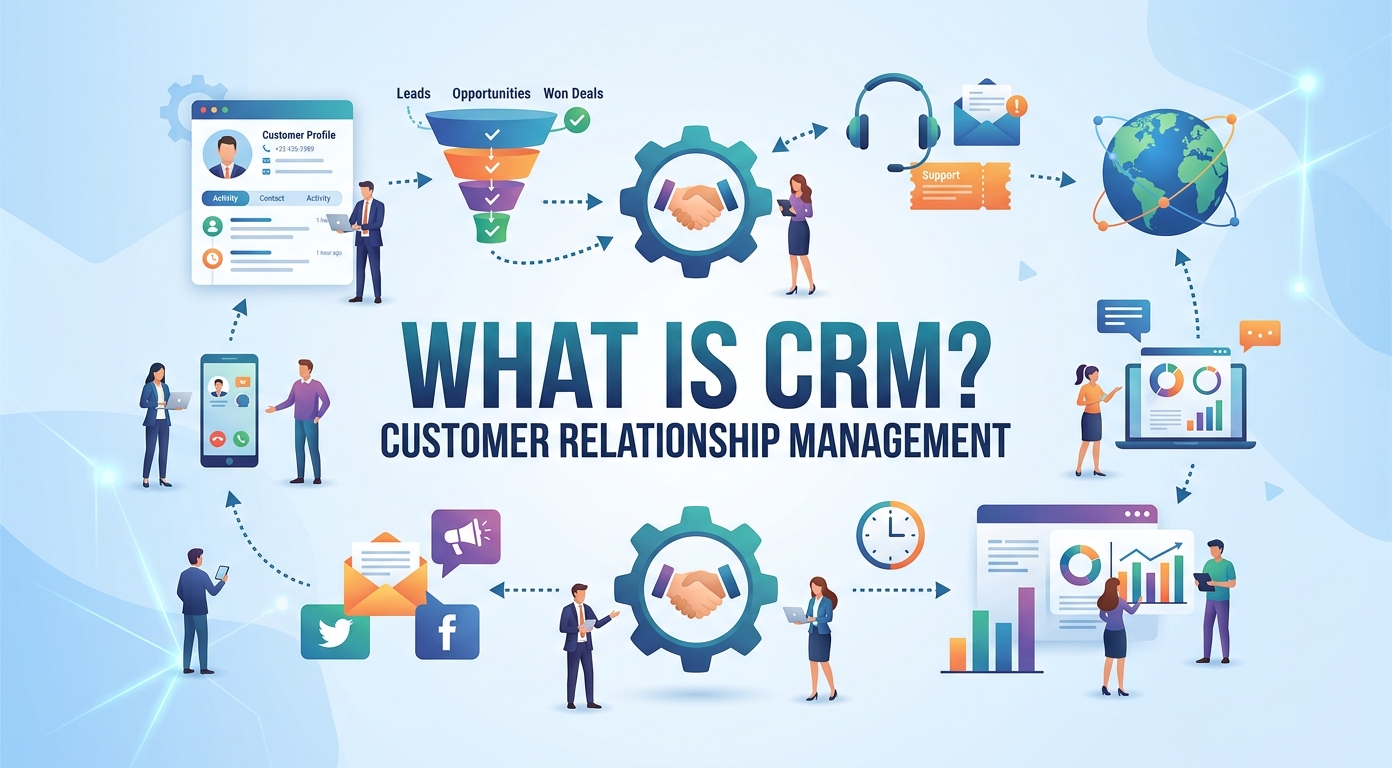
CRM stands for customer relationship management. At its simplest, it is the software a company uses to keep every customer detail, conversation, and deal in one organized place, instead of scattering that information across inboxes, notebooks, and scattered files.
This guide explains what a CRM system does, how it works, the categories you will meet, the features that matter, what it costs, and how to choose a CRM that fits. Whether you run a one-person shop or a large enterprise, the goal is the same: a stronger, better-managed customer relationship and a clearer view of every customer.
What a CRM system is
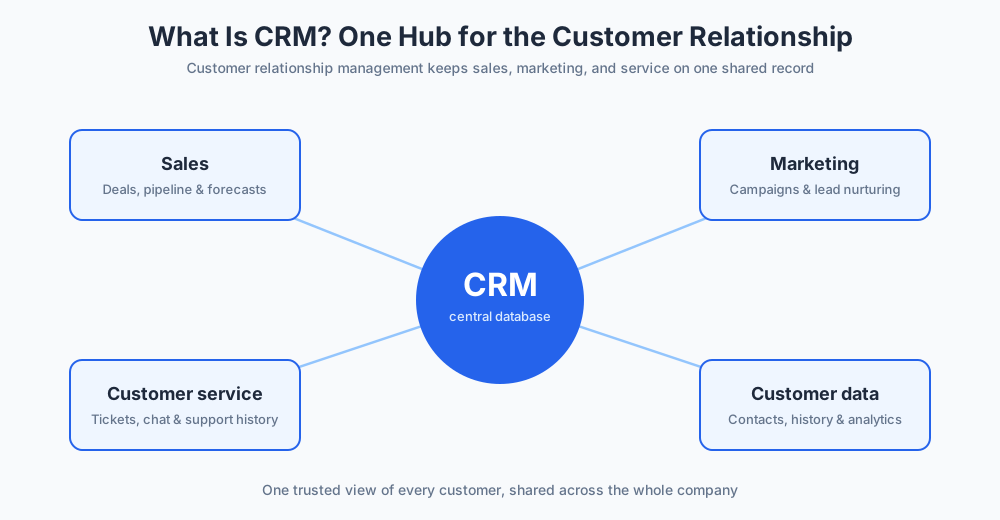
A CRM system is a central database for everything your company knows about its customers. Every email, call, meeting, support ticket, and purchase lives in one shared record, so anyone on the team can see the full history of a relationship at a glance.
Customer relationship management as a discipline is older than any software. Businesses have always tried to track who their customers are, what they have bought, and what they need next. A CRM simply makes that tracking reliable, searchable, and shared across the company, rather than locked in one person's memory or a private file.
The market now offers a CRM solution for every size of company. A startup might pick a free, simple product, while a bank runs CRM technology that ties into dozens of internal systems. Lightweight contact managers and broad customer relationship management software suites sit at opposite ends of the same shelf. What they share is a single, trusted view of each customer and a complete record of the company's interactions with customers.
That single view is why customer relationship management matters. When customer information is consistent and current, every department works from the same facts. Sales knows what support promised, support sees what sales sold, and marketing learns which messages led to revenue.
A CRM touches almost every customer-facing role. The sales team tracks its deals, marketing plans its campaigns, and customer service answers questions, all from the same records. Good management depends on that shared picture, because leaders can only steer what they can clearly see. When a company commits fully to customer relationship management, the result is a measurably better customer experience and customer relationships that deepen year after year.
How a CRM system works
A CRM works by collecting customer data, automating routine work, and turning the result into reporting the team can act on. Three parts make that possible, and most CRM tools combine all three.
The CRM database at the core
At the heart of the platform is that central database, a structured store of contacts, companies, deals, and activity. When a lead fills in a form, replies to a message, or starts a chat, the detail is saved to their record automatically, so the data stays current without anyone retyping it.
Because everything sits in one place, a sales rep opening a contact sees the same customer profile as the support agent and the marketing lead. That shared record keeps communication consistent and spares customers from repeating themselves. For a closer look, see our guide to CRM databases and how they are structured.
Automating sales, service, and marketing tasks
The second job of a CRM is automation. Instead of a person remembering every step, the system handles repetitive administrative tasks: it logs emails, assigns new leads, sends reminders, and updates deal stages as work moves forward.
Sales automation keeps the pipeline current without manual data entry. Marketing automation sends timed marketing emails and nurtures leads who are not ready to buy. Service automation routes tickets to the right agents and flags the ones at risk. Together this saves hours every week and lets the team spend that time with customers instead of on busywork.
Analytics and reporting
The third job is analytics. Because a CRM logs customer interactions, it can report on what is actually happening: how many deals are in play, which campaigns create sales opportunities, and how quickly support resolves issues.
Good reporting turns raw activity into decisions. A manager can follow customer success metrics, watch customer lifetime value rise or fall, and spot a stalling pipeline before it becomes a weak quarter. That visibility, drawn straight from the CRM data, is one of the strongest reasons companies adopt customer relationship management in the first place.
The main types of CRM
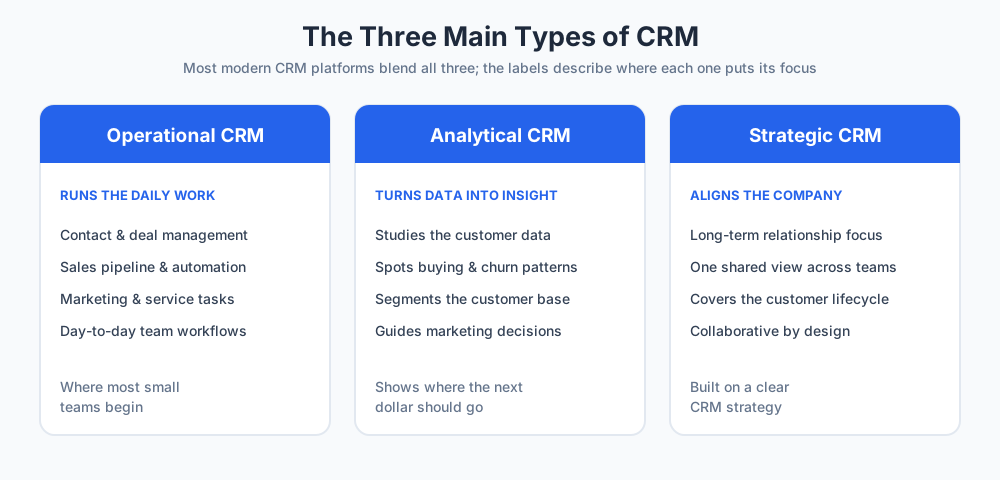
Not every product does the same job. Analysts usually describe three broad categories, and most modern platforms blend them. Knowing the categories helps you judge which CRM software fits your goals.
Operational CRM
Operational CRM runs the day-to-day work of sales, marketing, and service. It handles contact records, deal and campaign management, and the automation that moves a customer from first contact to close. This is the category most small teams meet first, because it replaces the manual tracking that slows a growing business. When people picture CRM software at work, this is usually what they have in mind.
Analytical CRM
Analytical CRM focuses on the numbers. It studies the customer data the business collects and surfaces patterns: which segments buy, which churn, and where the customer journey breaks down. A marketing manager leans on it to decide where the next dollar should go and which audiences deserve more attention.
Strategic and collaborative CRM
Strategic CRM puts the long-term customer relationship at the center of company planning, shaping how the whole business treats its customer base. Collaborative CRM, a close relative, makes sure sales, marketing, and service share one view so no team works in isolation. Both keep the focus on the entire customer lifecycle rather than a single sale, and both depend on a clear CRM strategy to be worth the effort.
CRM vs spreadsheets and other business tools
Many companies start with spreadsheets, and for a handful of contacts that is fine. The trouble appears as the business grows. A spreadsheet does not flag a missed follow-up, does not show a shared history, and quietly falls out of date the moment two people edit it.
A CRM solves the problems that loose files create. It timestamps every change, links a contact to their whole history, and never loses a record because someone closed a window without saving. Where a static list just stores names, a CRM is a living system that prompts the next action and keeps each customer relationship moving forward.
CRM is also distinct from the other business software it sits beside. An enterprise resource planning suite manages inventory, finance, and operations; a help desk manages tickets; a CRM manages relationships and the revenue around them. The strongest setups connect these tools so customer data flows between them rather than living in separate silos.
Essential CRM features to look for
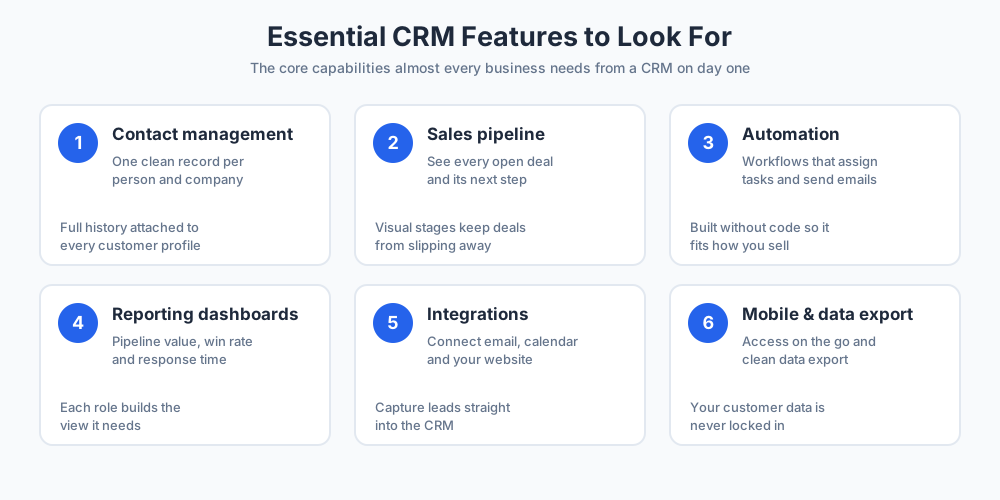
Products differ, but a short list of essential capabilities shows up in almost every serious platform. These are the parts of a CRM worth checking before you commit.
Contact and pipeline management
Contact management is the foundation: a clean record for every person and company, with full history attached. Paired with a visual pipeline, it lets the team see every open deal and its next step. Strong account management and lead tracking is the single capability no CRM should be missing.
Automation and workflows
Workflow management turns rules into action. When a deal reaches a stage, the CRM can assign a task, send an email, or alert the deal owner. The best CRM tools let you build these workflows without code, so the system adapts to how your business actually sells rather than forcing a rigid process.
Reporting and dashboards
Dashboards put the numbers that matter on one screen. A good CRM reports on pipeline value, win rate, response time, and customer satisfaction, and lets each role build the view it needs. Many CRM applications also add mobile dashboards so the team stays informed away from a desk.
Beyond these basics, look for integrations with email and calendar, a way to capture leads from your website, and clean data management so your customer records are never trapped with one vendor.
Key benefits of CRM
The advantages of a CRM are easiest to see when you compare a team that has one with a team that does not. Three gains stand out for almost any business.
Stronger customer relationships
When every interaction is recorded, a company can be genuinely attentive. It remembers a customer's history, preferences, and past issues, which lifts customer satisfaction and customer retention. Better customer engagement is the most direct payoff, and it compounds: loyal customers cost less to keep, forgive the occasional mistake, and tend to buy again. Strong customer relationships are the quiet engine behind steady revenue.
A healthier sales pipeline
A CRM gives sales teams a clear pipeline and a prompt for every next step, so fewer deals slip through the cracks. Reps spend less time hunting for information and more time selling, and managers can forecast with real numbers. For many businesses this is where a CRM pays for itself, by lifting close rates and surfacing opportunities that would otherwise be missed.
Better customer service
Customer service improves because agents see the whole story before they reply. A customer who emails, then calls, then opens a chat is met by someone who already knows the context. That shared record speeds up customer support and removes the frustration of explaining a problem twice. Pair a CRM with live chat and the service team can answer in the moment; our guide to customer service covers this in depth.
Taken together, these gains explain why customer relationship management has become standard practice. A CRM is not magic software; it does not replace good people, but it gives them the context to do their jobs well, so marketing reaches the right audience, sales closes more deals, and support keeps customers happy. That is how a CRM strengthens the customer experience and turns one-off buyers into lasting relationships. For a marketing team, that means marketing campaigns built on real customer behavior instead of hunches; for management, it means decisions about each customer grounded in the full customer experience rather than guesswork. Either way, stronger customer relationships tend to follow.
CRM for small businesses
A CRM is not only for large companies. For a small business, it is often the difference between growth that feels in control and growth that feels chaotic. When you have a handful of customers you can hold the detail in your head; past that point, a CRM keeps you organized and stops potential customers from being forgotten.
Modern CRMs are built with small teams in mind. Many are cloud based, so there is nothing to install and the platform is reachable from any browser or phone. Setup that once needed an IT project now takes an afternoon, and the cloud software quietly updates itself.
Several well-known CRMs offer a genuinely free tier. HubSpot is the best-known example: HubSpot gives small businesses contact management, deal tracking, and email tools at no cost, which makes it a common first choice. Free plans like HubSpot's let a company learn the habit before it pays for advanced features, and other CRMs follow the same model.
For a small business the practical advice is to start simple. Choose CRM software you will actually use every day, import your contacts, and add automation later. The best CRM for a small team is simply the one everyone keeps using as the company grows, because a modest tool builds better customer relationships than a powerful one the team quietly abandons.
How much does a CRM cost?
The price of a CRM varies widely, and most vendors charge per user per month. The good news for a tight budget is that the entry point is often zero.
Free plans are common. HubSpot, Zoho, and several other CRMs offer a free tier with core contact records and a few seats, which is enough for a very small team. Paid plans usually start in the region of $10 to $30 per user per month and unlock automation, deeper reporting, and higher limits.
Mid-tier plans for growing teams often land between $30 and $100 per user per month. Enterprise suites with advanced customization, built-in AI, and dedicated support can run well above $100 per user per month. Add-ons for extra storage, AI features, or premium support sit on top of the base price.
The real cost of a CRM is not only the subscription. Budget a little time for setup, data import, and training, and remember that a system the team adopts quickly pays back far more than it charges. Always confirm current pricing on each vendor's own page, since tiers change often. As a rule, weigh the price against the hours a CRM saves and the deals it helps you win, rather than against the sticker figure alone.
CRM examples: popular CRM platforms
A CRM example is simply a specific product. Asked to name the top systems, most people reach for a familiar handful, and these are reasonable starting points for a shortlist. The right pick depends on your size, budget, and goals, not on the brand alone.
Salesforce is the largest cloud CRM and a frequent reference point. Salesforce scales from a single team to a global enterprise and is highly customizable, though that depth can feel heavy for a simple use case. HubSpot pairs a free tier with paid sales, marketing, and service tools, which is why HubSpot is popular with growing companies that want room to expand.
Zoho CRM is known for a low price and a wide feature set, a fit for cost-conscious teams. Pipedrive centers on the deal pipeline and suits sales reps who want a clear, visual view of their work. Microsoft Dynamics 365 fits organizations already invested in Microsoft tools, and Freshsales gives small and mid-sized businesses an approachable option. Most of these CRMs now layer in AI as well, and for many buyers Salesforce sets the benchmark the rest are measured against.
Treat this as a starting list, not a ranking. The only way to know which suits you is to match the features and the price against your own needs, then test the shortlist with real data.
How to choose the right CRM
Choosing a CRM is less about finding the most powerful system and more about finding the one your team will use every day. A few practical steps make the decision clearer.
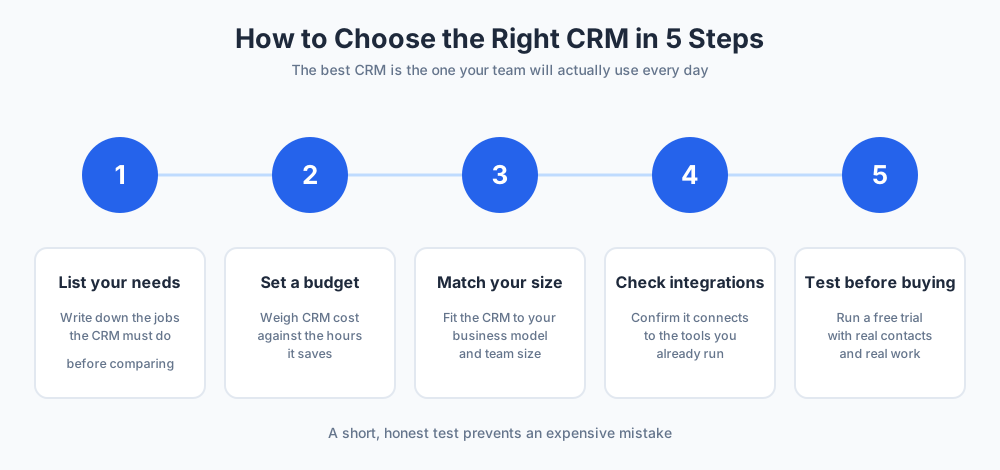
Match the CRM to your business size
Start with your needs, not a feature list. A solo founder handling business development wants something simple; a larger sales organization needs roles, permissions, and forecasting. Write down the jobs the system must do, then judge each option against that list and your budget. Industry trends are useful to watch, but your own workflow and business model should decide.
Test before you commit
Never buy on a demo alone. Use the free trial, load real contacts, and run a week of actual work through the system. Ask the people who will live in it every day whether it feels fast or fiddly. Check that it connects to the tools you already run and that your records can be exported if you ever switch. A short, honest test prevents an expensive mistake and points you to the best fit.
CRM trends: artificial intelligence and beyond
CRM keeps changing, and a few shifts are worth watching. The largest is AI. It now drafts emails, scores leads, summarizes calls, and suggests the next best action, so the system does more of the thinking while the team does more of the talking.
Connectivity is widening too. Newer platforms tie chat, social, and messaging channels into the same record, so a conversation that starts on a website continues by email without losing context. Modern CRM suites increasingly bundle marketing tools, service, and commerce into one place, a clear move past the traditional CRM that only logged contacts.
None of these shifts changes the core idea. Whatever the technology, the purpose holds steady: organize customer details, serve people well through every interaction, and build a customer relationship that lasts. The tooling is only ever a means to that end, and the companies that win keep their attention on customers rather than on software.
For related reading, see our guides to customer service and the sales funnel, and if you want to capture and answer customers on your own website, explore Chatim live chat.
Keep going with our guides to lead generation through live chat and following up with potential clients.
Frequently Asked Questions
What is a CRM in simple words?
CRM, or customer relationship management, is software that keeps every customer detail, conversation, and deal in one shared place. Instead of notes spread across inboxes and spreadsheets, a team has a single record for each person and company. In plain terms, it is an organized memory for the business, so nothing about a customer gets lost and everyone works from the same up-to-date picture.
What does a CRM system do?
A CRM system collects customer data, automates routine work, and reports on what is happening. It logs emails and calls, tracks deals through a pipeline, sends reminders and follow-ups, and stores the full history of every account. It then turns that activity into dashboards, so sales, marketing, and support can see results and act on them. The aim is a clearer view of customers and far less manual admin.
What is an example of a CRM?
An example of a CRM is any specific product, such as Salesforce, HubSpot, Zoho CRM, Pipedrive, or Microsoft Dynamics 365. Each one stores contacts, tracks deals, and automates follow-ups, but they differ in price, depth, and ideal company size. HubSpot, for instance, offers a free plan suited to small teams, while Salesforce targets larger organizations that need heavy customization.
What are the top 5 CRMs?
Lists vary, but five names come up most often: Salesforce, HubSpot, Zoho CRM, Microsoft Dynamics 365, and Pipedrive. Salesforce leads on scale and customization, HubSpot on its free tier and ease of use, Zoho on value, Dynamics on Microsoft integration, and Pipedrive on a simple, visual sales pipeline. The best choice depends on your size, budget, and goals rather than the ranking itself.
What are the 4 types of CRM?
CRM is usually grouped into operational, analytical, collaborative, and strategic. Operational CRM runs daily sales, marketing, and service work. Analytical CRM studies customer data for patterns. Collaborative CRM shares one customer view across teams. Strategic CRM puts the long-term customer relationship at the center of planning. Most modern platforms blend all four, so the labels describe emphasis more than entirely separate products.
What are the essential CRM features every business should look for?
The core features are contact management, a visual sales pipeline, automation and workflows, and reporting dashboards. Beyond those, look for email and calendar integration, a way to capture leads from your website, mobile access, and clean data import and export. Strong contact management and easy automation matter most, because they are the parts of the system a team touches every single day.
What is the difference between CRM and other business software?
A CRM manages customer relationships and the revenue around them. Other tools cover different jobs: an enterprise resource planning suite handles inventory, finance, and operations, while a help desk handles support tickets. The lines overlap, and many CRMs add service or marketing features, but a CRM's core focus is always the customer and the sales pipeline. Strong setups connect these tools so data flows between them.
Why should CRMs replace spreadsheets?
A spreadsheet is fine for a few contacts, but it does not flag a missed follow-up, show a shared history, or stay current when several people edit it. A CRM timestamps every change, links a contact to their whole record, and prompts the next action. As soon as a business has more leads than one person can track from memory, a CRM is what prevents lost deals.
How much does a CRM cost?
CRM pricing is usually charged per user per month. Many vendors, including HubSpot and Zoho, offer a free plan with core features and a few seats. Paid plans commonly start around $10 to $30 per user per month, mid-tier plans run roughly $30 to $100, and enterprise suites can exceed $100. Budget a little extra for setup and training, and confirm current pricing on each vendor's page.
How long does CRM implementation take?
It depends on size and complexity. A small team using a cloud CRM can import contacts and start working within a day or two. A larger rollout with custom fields, integrations, data migration, and staff training can take several weeks or a few months. Starting simple and adding automation later is the fastest way to get value without stalling on a long project.
Is CRM hard to learn?
For most people, no. Modern CRMs are built to be approachable, with guided setup and a layout similar to email or a spreadsheet, so a small team is usually comfortable within a few days. Larger systems with heavy customization take longer to master. The bigger challenge is rarely the software itself but the habit: a CRM only works when the team updates it consistently.
How do I choose the right CRM for my company?
Start with your needs, not a feature list. Write down the jobs the system must do, set a budget, and match the CRM to your business size and model. Check that it integrates with the tools you already use. Then test the shortlist with a free trial, load real contacts, and ask the team who will use it daily whether it feels fast and clear.
How does CRM improve customer service?
A CRM gives support agents the full history of a customer before they reply, so a person who emails, then calls, then opens a chat never has to repeat themselves. It routes tickets, flags urgent cases, and tracks response times. Paired with live chat, a CRM lets the service team answer quickly and consistently, which lifts customer satisfaction and keeps customers loyal.
Related articles
More in Marketing & sales → Best SaaS Affiliate Programs in 2026: 7 Verified Picks
7 SaaS affiliate programs with every rate, duration, cookie, and payout term verified on the official pages, plus the four numbers that decide value.
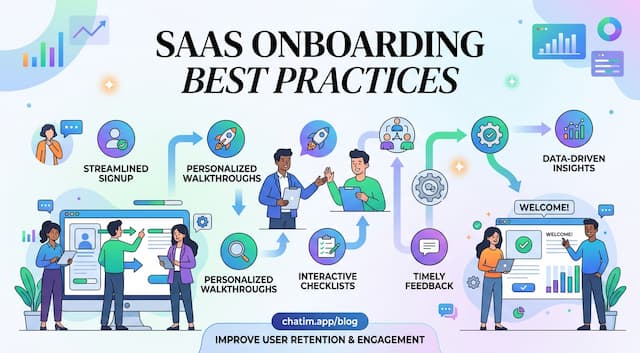 SaaS Onboarding Best Practices That Shrink Time to Value
SaaS onboarding best practices organized as a timeline: set expectations at signup, deliver value in session one, build the habit in week one, then measure.
 10 SaaS Marketing Strategies That Compound (2026)
Ten SaaS marketing strategies ranked by cost and time to results, the arithmetic that picks the right two or three for your price point, and what to skip.
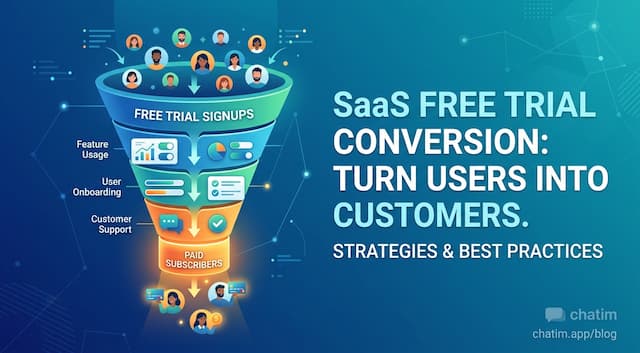 Free Trial Conversion: Fix Where Trials Actually Die
Forget trial conversion benchmarks: decompose the funnel, find which of the four deaths kills your trials, and apply the fix that matches, chat included.