What Is a CRM Database? Definition, Types, Benefits
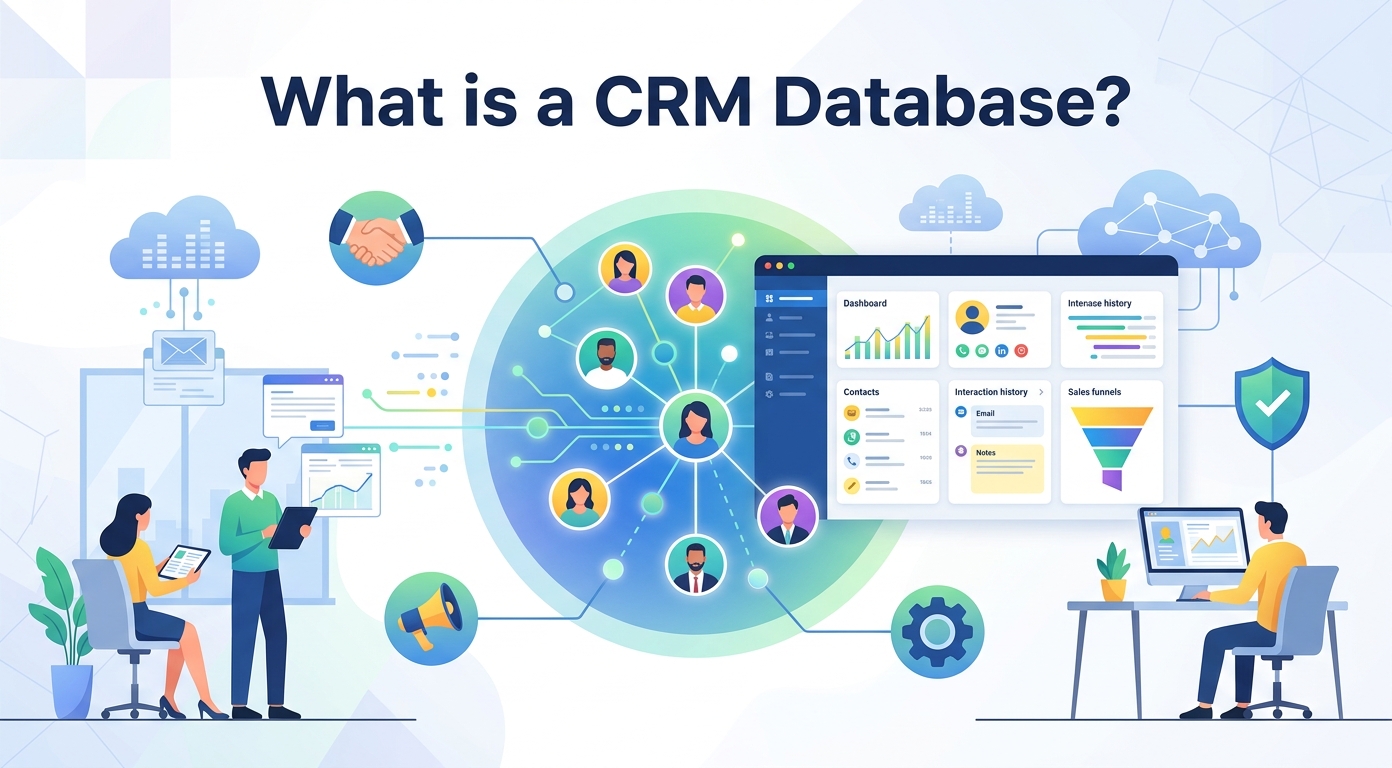
Every business runs on what it knows about its customers. A CRM database is where that knowledge lives: one organized store of every contact, conversation, and deal, ready for the whole company to use.
This guide explains what a CRM database is, what information it holds, the main types, how it works, and the benefits it delivers. Whether you run a small shop or a large sales operation, understanding the CRM database behind your customer relationships helps you get far more value from it.
Customer data is one of the most valuable assets a company owns, yet it is also one of the easiest to scatter and lose. A CRM database is the answer to that problem. It gives every customer record a structured home, keeps it accurate and organized, and makes it genuinely useful instead of just stored.
What is a CRM database?
A CRM database is the central store of customer data inside a CRM, the customer relationship management system a business uses to track its buyers. It keeps every piece of customer information in one place, structured so that sales, marketing, and service teams can all reach it.
The letters stand for customer relationship management, and the database is the engine underneath. Where the CRM software gives people screens, workflows, and reports, the CRM database quietly holds the records those features depend on.
Think of it as a single, shared filing system for relationships. Instead of contact details in one inbox, notes in a spreadsheet, and deal history in someone's head, a CRM database brings all of that crm data together into one trusted source of information.
CRM database vs a regular database
A plain database simply stores records. A CRM database is built specifically around the customer, with a data structure designed for contacts, companies, conversations, and deals.
It also does far more than store information. A CRM system adds tools on top of the data: reminders, automation, and reporting that turn raw records into useful insights. That combination of structured customer information and built-in tools is what sets a CRM database apart from a spreadsheet or a basic contact list.
Why a CRM database matters
Without a shared database, customer knowledge gets trapped in silos. One person knows the buyer's history, another does not, and the customer feels the difference at every handoff.
A CRM database fixes that. It gives every team the same accurate information, which is the foundation of consistent customer service, smarter selling, and any real crm strategy.
For a small business or a large enterprise alike, that shared view is what makes growth manageable. For the wider context, see our guide to what a CRM is.
What data does a CRM database store?
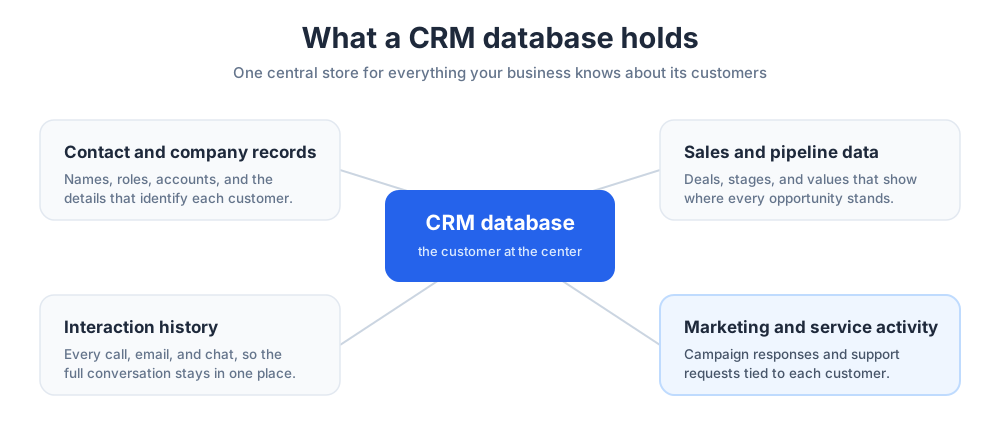
A CRM database stores a great deal, and it is only as useful as the information inside it. Most systems hold four broad kinds of data, and together they form a complete view of every customer relationship.
Understanding what kind of data belongs where helps you keep the database clean and makes the information far easier to act on.
Contact and company records
The foundation is the contact record: names, email addresses, phone numbers, job titles, and the company each person belongs to. This is the customer information most people picture when they think of a CRM.
Good contact management keeps these records complete and free of duplicates, so every email and call reaches the right person with the right context attached.
Solid contact data is the base layer. Everything else a CRM database does is built on top of knowing exactly who each customer is.
Interaction and communication history
The next layer is history: every email, call, meeting, support ticket, and note tied to a contact. This is what makes a CRM database powerful rather than just an address book.
Because the full communication history sits on each record, anyone can pick up a relationship without asking the customer to repeat themselves. Strong client relationships are built on exactly this kind of memory.
This history also maps the customer journey. Looking back across interactions shows how a buyer moved from first contact to purchase, which is information sales and marketing both need.
Sales and pipeline data
A CRM database also tracks the sales side: deals, their stage in the sales process, value, and expected close date. This sales data is what turns the database into a working tool for revenue, not just a record store.
With every deal logged, a sales crm shows the whole pipeline at a glance. Sales managers can forecast, spot stalled deals, and measure sales performance without chasing anyone for an update.
Good sales information also sharpens selling itself. Patterns in the data reveal which steps win deals and which lose them, so the sales team can sell smarter over time.
Marketing and service data
Finally, the database stores marketing and service activity: which campaigns a contact received, what they opened, and every support request they have raised.
That shared view lets marketing segment audiences accurately and lets customer service answer with full context. It keeps email marketing relevant, because messages rest on real behavior rather than guesswork.
Marketing campaigns and customer service interactions both feed the same database, so every team works from the same up-to-date information.
The four types of CRM databases
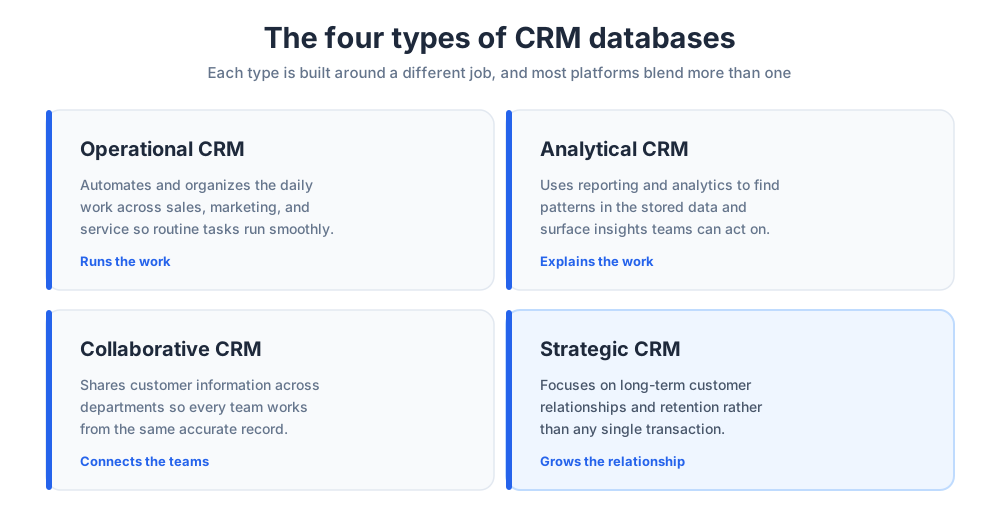
Not every CRM database does the same job. They are usually grouped into four broad types, and many modern platforms blend more than one.
Knowing the four helps you match a system to how your business actually sells and serves its customers.
Operational CRM
An operational system focuses on the day-to-day. It automates and organizes the routine work of sales, marketing, and service, such as logging activity, assigning leads, and triggering follow-ups.
This is the most common type. For most teams, it is the CRM database they spend their working hours inside, and it keeps sales and service moving.
Because it runs the daily work, an operational tool is where a team feels a CRM database most directly, every time a record is opened or updated.
Analytical CRM
An analytical system is built to make sense of the data. It uses reporting and analytics to find patterns in customer behavior, segment audiences, and surface insights a busy team would otherwise miss.
Where operational tools run the work, analytical crm systems explain it. They turn the stored information into clear insights about what is working and what is not.
Collaborative CRM
A collaborative crm is designed to share customer information across departments. Its goal is to make sure sales, marketing, and service all see the same record and never contradict each other.
This type matters most in larger companies, where a customer may touch several teams and expect a single, joined-up experience every time.
In a small team, people simply talk to each other. In a larger one, a shared customer record is the only reliable way to keep every department aligned.
Strategic CRM
A strategic system puts the long-term customer relationship first. It uses the database to build customer retention and lifetime value, not just to close the next deal.
In practice, the four types overlap. A strong crm platform usually combines operational, analytical, collaborative, and strategic strengths in one system, so most businesses do not have to choose just one.
How a CRM database works
A CRM database works by collecting data from many sources and organizing it around the customer. Web forms, emails, calls, live chat, social media, and imported lists all feed records into the same place.
Each record follows a defined layout, so a contact always has the same fields and a deal always has the same stages. That consistency is what makes the information searchable, reportable, and ready for analytics.
When a business adopts a new system, a careful data migration moves existing records in cleanly. Done well, nothing is lost and the new CRM database starts life accurate and complete.
From then on, automation keeps the database current. New sales and service activity is logged automatically, and integrations with other tools mean the customer information updates itself rather than relying on manual entry.
Benefits of a CRM database
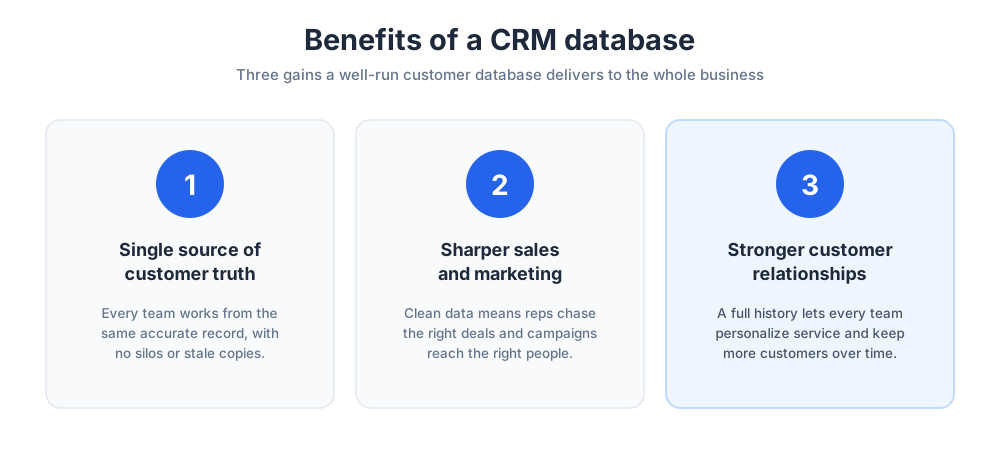
The key benefits of a CRM database all trace back to one thing: organized customer information that the whole company can trust and use.
A single source of customer truth
The first benefit is a single source of truth. Everyone, in every department, sees the same accurate information, so decisions rest on facts rather than scattered notes.
That shared view also protects the business when people change roles. The relationship lives in the database, not in one employee's memory.
Better sales and marketing
The second benefit is sharper sales and marketing. With clean data, the sales team can prioritize the right deals and marketing can target the right audience.
Marketing campaigns built on real CRM data perform better, because they reach people based on genuine interest. The result is more efficient spending and stronger sales results, since reps spend their time on leads that are ready to buy, at the right point in the customer journey.
Stronger customer relationships
The third benefit is the relationship itself. A CRM database lets a business remember every customer, which makes personalized customer experiences possible at scale.
When a company recalls a customer's history and preferences, service feels personal. That is how a database quietly turns one-time buyers into loyal, repeat customers and lifts customer retention.
How a CRM database serves your teams
A CRM database is shared infrastructure, and relationship management is a team sport. Each team draws something different from the same set of records, which is the whole point of keeping the information in one place.
Sales teams use it to manage the pipeline, log calls, and see which deals need attention today. A good system removes the guesswork from a rep's day and keeps selling consistent.
The marketing team uses the database to segment contacts and run targeted marketing campaigns across email and social media, then measure what each campaign returned.
Customer service uses it to answer with context, since the full history is right there. And leadership uses the reporting built on the database to turn raw data into analytics and insights, then plan with confidence.
Cloud vs on-premise CRM databases
A CRM database can be hosted in two ways. A cloud crm is run by the vendor and reached through a browser, while an on-premise system runs on a company's own servers.
The cloud has become the default. It needs no hardware, updates automatically, scales as the business grows, and lets teams reach the customer information from anywhere.
On-premise still suits a small number of organizations with strict data control rules. For most businesses, though, a hosted system is simpler, cheaper to start, and far easier to run.
CRM database examples
A CRM database can be as simple or as advanced as a business needs. At the simplest end, a spreadsheet can act as one: it stores contacts and notes in rows and columns.
But a spreadsheet is a weak CRM database. It has no automation, no reliable history, and no safeguards against duplicate or messy data, which is why most teams outgrow it quickly.
A true CRM tool is the better example. Platforms such as Salesforce, HubSpot, Zoho, and Chatim each provide a structured CRM database with the automation and reporting a spreadsheet lacks. Salesforce in particular built much of the modern CRM category, and rival CRMs have followed its lead.
The right example for any company depends on its size. Small businesses often start with a simple, affordable tool, while a larger company needs deeper customization and tighter controls. Many CRMs now scale across that whole range, from a startup to a large firm.
How to choose the right CRM database
Choosing the right system comes down to matching it to how your business sells and supports its customers.
Start with your data. List what customer information you need to store and which other tools the database must connect to, from email tools to your help desk software.
Then weigh size and growth. A system that fits a five-person sales team may not fit a fifty-person one, so check how pricing and features scale before you commit.
Finally, trial the shortlist with real records. A short hands-on test shows whether a system genuinely fits your sales process and your team far better than a feature list can.
CRM database management best practices
A CRM database only stays valuable if it is well managed. Even the best platform fails when the information inside it is out of date or full of duplicates.
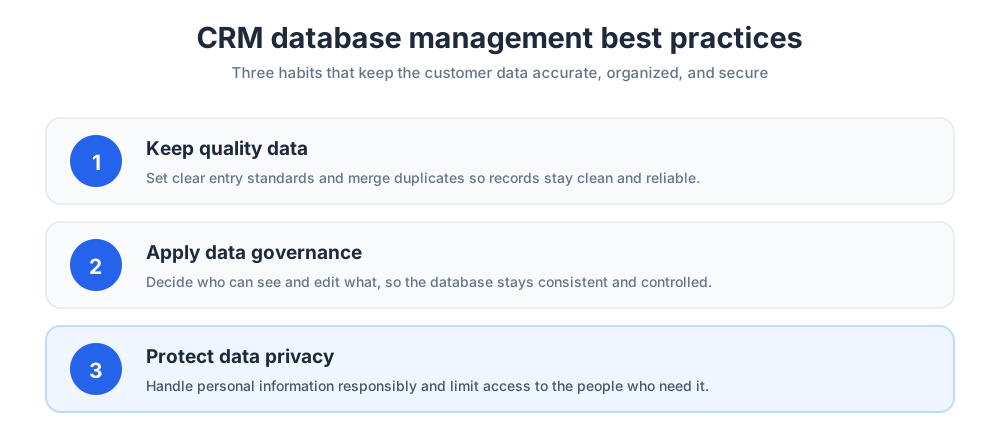
The first rule is quality data. Set clear standards for how records are entered, merge duplicates regularly, and remove contacts that are no longer valid.
The second is data governance. Decide who can see and edit what, and keep that consistent, so the database stays both useful and orderly as the company grows.
The third is data privacy. A CRM database holds personal information, so handle it in line with privacy rules, limit access to those who need it, and keep it secure.
Treat the database as a living asset, review it on a schedule, and it will keep paying back the effort. Managed well, a CRM database becomes the dependable backbone of every customer relationship a business has, and the source of the insights that help it grow.
Keep going with our guides to form builders.
Frequently Asked Questions
What is an example of a CRM database?
A CRM database can range from a simple spreadsheet of contacts to a full platform. The clearest examples are dedicated CRM tools such as Salesforce, HubSpot, Zoho, and Chatim, each of which provides a structured CRM database with automation, history, and reporting. A spreadsheet can work as a basic example, but it lacks those features and most teams outgrow it.
What are the 4 types of CRM?
The four types are operational CRM, which automates daily sales, marketing, and service work; analytical CRM, which finds patterns and insights in the data; collaborative CRM, which shares customer information across departments; and strategic CRM, which focuses on long-term customer relationships and retention. Most modern platforms blend more than one of these.
Is Excel a CRM database?
Excel can act as a very basic CRM database, since it stores contacts and notes in rows and columns. But it is a weak one. It has no automation, no reliable interaction history, and no safeguards against duplicate or messy data. It works for a tiny team starting out, though most businesses move to a proper CRM platform quickly.
What is CRM in a database?
CRM in a database refers to the customer relationship data that a CRM system stores: contacts, companies, interaction history, deals, and marketing and service activity. A CRM database is a database built specifically around the customer, with a structure and tools designed to manage relationships rather than just hold records.
What is a CRM database in simple terms?
In simple terms, a CRM database is one organized place that holds everything your business knows about its customers. Instead of contact details in one inbox and notes in a spreadsheet, it keeps every contact, conversation, and deal together, so sales, marketing, and service teams all work from the same accurate information.
What data is stored in a CRM database?
A CRM database stores four broad kinds of data: contact and company records, interaction and communication history, sales and pipeline data, and marketing and service activity. Together these give a complete view of each customer, from the first contact through every deal and support request.
What is the difference between a CRM and a database?
A plain database simply stores records. A CRM is built around the customer, with a data structure designed for contacts, conversations, and deals, plus tools on top, such as automation and reporting, that turn the records into useful insights. A CRM database is the customer-focused store of data inside that CRM system.
Why does a business need a CRM database?
Without a shared database, customer knowledge gets trapped in silos, and the customer feels the difference at every handoff. A CRM database gives every team the same accurate information. That shared view is the foundation of consistent customer service, smarter selling, and stronger long-term relationships.
What is the difference between operational and analytical CRM?
An operational CRM runs the daily work, automating and organizing tasks across sales, marketing, and service. An analytical CRM makes sense of the data, using reporting and analytics to find patterns and surface insights. Operational tools run the work; analytical tools explain it. Many platforms include both.
How do you manage a CRM database?
Good CRM database management rests on three habits. Keep quality data by setting entry standards and merging duplicates. Apply data governance by deciding who can see and edit what. And protect data privacy by handling personal information responsibly and limiting access. Review the database on a regular schedule so it stays accurate.
Is a CRM database cloud-based?
Most modern CRM databases are cloud-based, hosted by the vendor and reached through a browser. A cloud CRM needs no hardware, updates automatically, scales as the business grows, and can be reached from anywhere. On-premise systems still exist for organizations with strict data control rules, but the cloud is now the default.
How do I choose a CRM database?
Start with your data: list what customer information you need to store and which tools the database must connect to. Then weigh size and growth, checking how pricing and features scale. Finally, trial your shortlist with real records, since a hands-on test shows fit far better than a feature list.
What are the benefits of a CRM database?
The main benefits are a single source of customer truth that every team can trust, sharper sales and marketing built on clean data, and stronger customer relationships through personalized service. Together they help a business work more efficiently and keep more of its customers.
How does a CRM database improve sales and marketing?
A CRM database gives sales a clear view of the pipeline, so reps focus on the right deals, and gives marketing accurate segments, so campaigns reach people based on real interest. Because both teams work from the same customer data, spending is more efficient and sales results are stronger.
Related articles
More in Marketing & sales → Best SaaS Affiliate Programs in 2026: 7 Verified Picks
7 SaaS affiliate programs with every rate, duration, cookie, and payout term verified on the official pages, plus the four numbers that decide value.
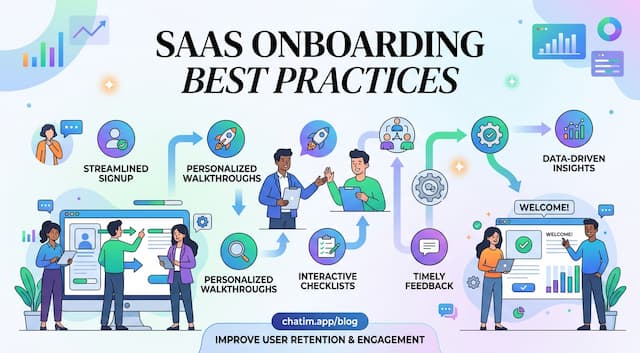 SaaS Onboarding Best Practices That Shrink Time to Value
SaaS onboarding best practices organized as a timeline: set expectations at signup, deliver value in session one, build the habit in week one, then measure.
 10 SaaS Marketing Strategies That Compound (2026)
Ten SaaS marketing strategies ranked by cost and time to results, the arithmetic that picks the right two or three for your price point, and what to skip.
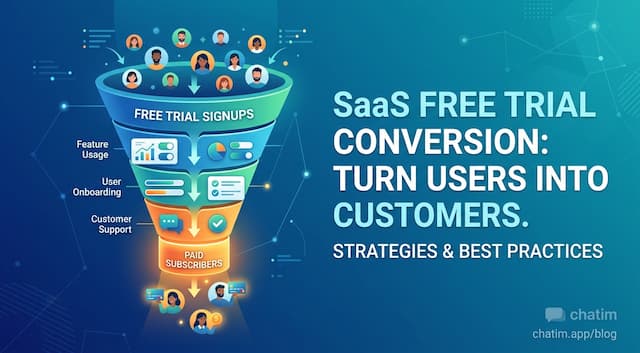 Free Trial Conversion: Fix Where Trials Actually Die
Forget trial conversion benchmarks: decompose the funnel, find which of the four deaths kills your trials, and apply the fix that matches, chat included.