Webflow Live Chat: How to Add It and Hand It Off (2026)
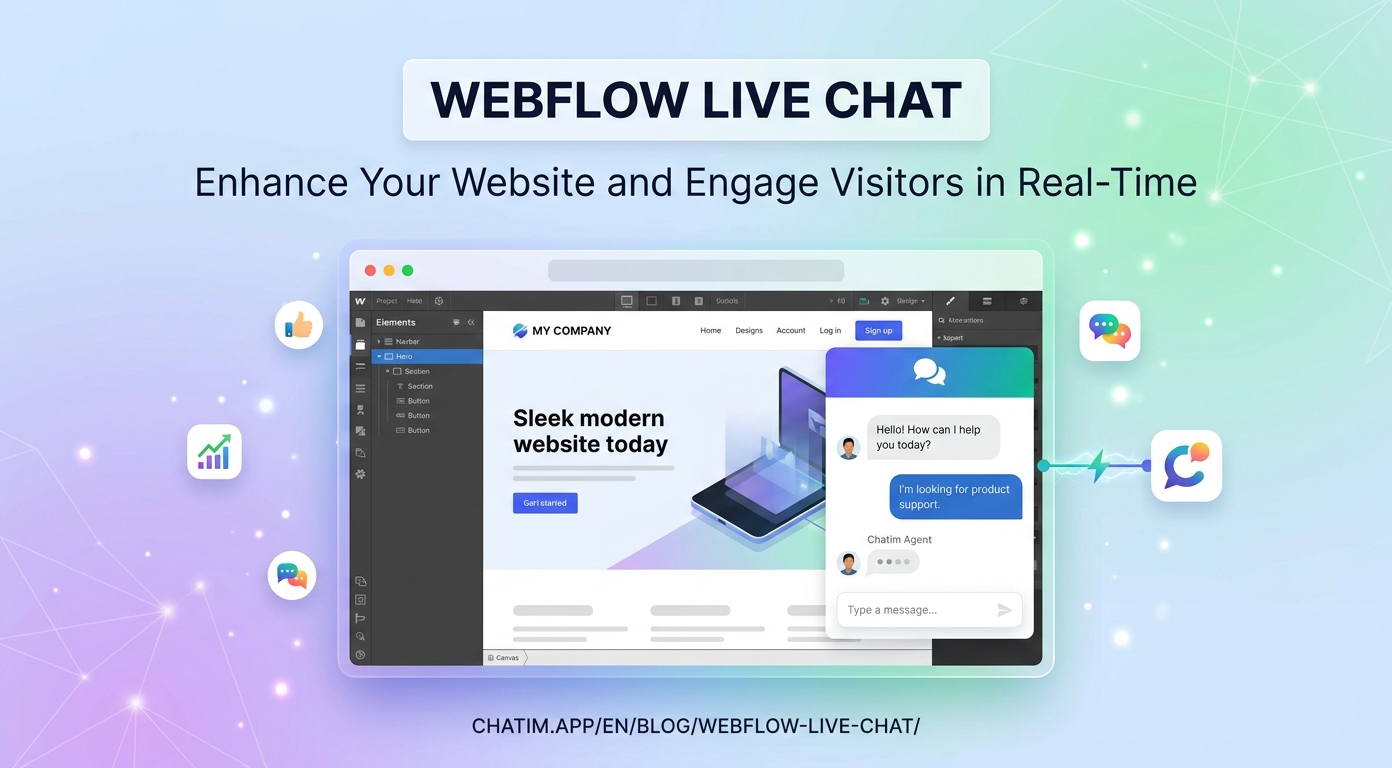
Webflow live chat is really two topics wearing one keyword. If the site is yours (a startup's marketing site, a product page, a studio), chat is a lead engine: the pricing question answered mid-visit, the demo booked before the tab closes. If you build sites for clients, chat is a deliverable: one more thing you can install, configure, and hand off that makes the site measurably more useful the day it ships. This guide covers both: how to add a chat widget to a Webflow project without disturbing the design, how to make it earn leads on a marketing site, and how agencies turn it into a repeatable client offering.
New to the category? Our chatbot guide covers the fundamentals; this page stays Webflow-specific.
Why Webflow sites add chat
Webflow attracts sites where every visit was expensive to earn: startup marketing pages fed by paid traffic, agency-built brand sites, portfolios that exist to win work. On those sites, the unanswered question is the leak. A visitor comparing plans has a pricing question; a prospect admiring the work has a scope question; both are gone by morning if the page cannot answer. Chat, with a bot on the routine half, is the only channel that operates inside the visit itself, and on sites where a single converted visitor pays for the tooling many times over, the arithmetic is short.
How to add live chat to Webflow
The install is a paste. Drop your chat tool's script snippet into the project's custom code settings (site-wide via the head or footer code area, on the site plans that support custom code; check the current plan comparison if unsure), publish, and the widget is live across pages. Per-page placement works too, through page-level settings, if you want chat only on pricing and contact pages. The real setup follows: point the bot at the site's actual pages and FAQ, write honest answers for the ten questions that repeat, set the offline state to capture an email with a promised reply window, and test on the published site with hostile questions and typos. Our live chat for Webflow page walks the full path, inbox included.
The one element you do not build in the Designer
Webflow people notice a foreign element instantly, and the widget is exactly that: the one component on the page that did not come from the Designer. The fix is configuration discipline. Match the widget's colors and typography to the site's tokens. Keep it collapsed in the corner, off by default on proactive prompts, with at most one intent-based trigger on high-value pages. Verify the mobile breakpoints separately, because a bubble that covers a CTA on a phone undoes careful layout work. And strip vendor branding where the plan allows. Done right, the widget reads as part of the build; done lazily, it reads as an ad someone taped to your design.
On a marketing site: the lead and demo engine
For startup and product sites, configure chat around the answer-then-ask pattern. The visitor gets a real answer first (plan limits, integration questions, security basics, all grounded in your own pages), and then the bot offers the next step: a trial, a demo slot, or "want me to have someone follow up?" with a name and email collected on a yes. Aim the widget's one proactive prompt at the pricing page pause, the single highest-intent moment a marketing site has. Everything the bot cannot answer routes to a human with the transcript, because on a B2B sales motion the conversation that starts with a product question is often the deal, three weeks early. The lead generation template covers the flow skeleton so you configure rather than invent.
For agencies: chat as a client deliverable
If you build Webflow sites for clients, chat is one of the few add-ons that is fast to deliver, visibly valuable, and naturally recurring. The delivery pattern that works: install the snippet during the build, ground the bot on the client's own content (their services, FAQ, policies), configure the lead flow and offline state, brand the widget to the site, and then hand off the inbox to the client with a fifteen-minute walkthrough, keeping yourself as admin if you offer ongoing care. For the client, the site now answers questions and captures leads from day one. For you, it is a line item on the build and a reason for the monthly maintenance relationship, and the transcripts give you something agencies rarely have after launch: evidence of what the site's visitors actually ask, which quietly feeds the next round of site improvements you can propose.
The bot half, because nobody staffs a marketing site
Most Webflow sites have no support team behind them; the founder or the client answers when they can. That makes the bot half of the tool the difference between a widget that works business hours and one that works always. Grounded on the site's pages, it answers the recurring questions instantly and in the visitor's language, walks people to the right page or booking link, and captures the lead when nobody is around. The two standing rules travel here unchanged: the bot answers only from content someone keeps current, and unpublished pricing gets collected as a brief, never improvised. The visible path to a human stays in every conversation.
Mistakes Webflow builders make with chat
Forgetting that custom code only applies on publish, then testing against the old build. Shipping the widget in vendor-default styling on a site that took two hundred hours of design. Firing a greeting on arrival at visitors who came from an expensive ad click. Handing a client a chat inbox with no walkthrough, so the widget goes unanswered and dies quietly in a month. Letting the bot improvise about prices or client services it was never grounded in. And never reading transcripts, which for an agency means throwing away the best post-launch research the site produces. All of it is process, not spend.
A launch plan for either audience
Own site: list the ten questions from your inbox and DMs, tighten the pages they expose, install and style the widget, ground the bot, build one lead flow, set the honest offline state, test on the published site, then read transcripts weekly and expand from evidence. Agency: do the same on the client's content, add the fifteen-minute inbox handoff, and write the two-line maintenance clause that keeps you attached to the tool's upkeep. Free tiers cover the whole first version in both cases; the comparison ranks the chat-plus-bot field if you are still choosing, and paid plans earn their place when conversation volume or client count says so.
Related reading: Squarespace live chat and website builders.
Frequently Asked Questions
How do I add live chat to a Webflow site?
Paste your chat tool's script snippet into the project's custom code settings (head or footer), publish, and the widget appears site-wide; page-level settings work if you want chat only on specific pages. The meaningful setup follows the paste: ground the bot on the site's pages, style the widget to the design, and set honest offline behavior.
Does Webflow have built-in live chat?
Webflow does not ship a native live chat widget; chat is added through third-party tools via custom code. In practice that is an advantage: dedicated chat tools bring the bot, the shared inbox, and the styling control that a built-in feature typically would not.
Do I need a specific Webflow plan for a chat widget?
You need a site plan that supports custom code, since the snippet is added through the custom code settings. Plan boundaries change over time, so check Webflow's current plan comparison rather than relying on any article, including this one.
Why is my chat widget not showing up?
The most common cause is simple: custom code only takes effect when the site is published, so a snippet added in settings will not appear in preview or on the old build. Publish, hard-refresh the live site, and check the snippet is in the site-wide section rather than a single page's settings if you expected it everywhere.
Is there a free live chat for Webflow?
Yes; free tiers in the category include the widget, a bot trained on the site's content, lead capture, and basic handoff, which covers a marketing site or a client handoff comfortably. Paid plans matter when volume, team seats, or multiple client sites arrive.
Can the widget match my site's design?
A good tool exposes colors, typography, and placement, and lets you remove vendor branding on eligible plans. On a Webflow site this is not cosmetic: the widget is the one element that did not come from the Designer, and configuration is what stops it reading as foreign.
Can chat book demos and capture leads?
That is the marketing-site configuration: answer the visitor's question first, then offer the next step and collect a name and email on a yes. Aim the single proactive prompt at the pricing-page pause, the highest-intent moment such a site has, and route everything unanswerable to a human with the transcript.
How do agencies install chat for clients?
During the build: install the snippet, ground the bot on the client's content, configure the lead flow and offline state, brand the widget, and hand off the inbox with a short walkthrough, staying admin if you offer ongoing care. It ships as a line item on the build and naturally supports a monthly maintenance relationship.
Who answers the chat after a client handoff?
The client's team answers the human side from the shared inbox, with the bot absorbing the routine half. The handoff walkthrough matters more than any setting: a client who knows how to reply, use saved responses, and read transcripts keeps the widget alive; one who was handed logins and nothing else lets it die in a month.
What should the bot handle on a site nobody staffs?
The recurring questions (grounded on the site's pages), navigation to the right page or booking link, and lead capture with the answer-then-ask pattern. Unpublished pricing and anything with judgment gets collected as a brief for a human. The visible path to a person stays in every conversation, even if that person replies tomorrow morning.
Will the widget slow down a Webflow site?
A well-built widget loads asynchronously after the page content and should have no meaningful effect on speed scores. Verify it the Webflow way: measure the published site before and after adding the snippet with your usual tooling and compare.
Can it answer visitors in other languages?
Generally yes; modern bots reply in the language the visitor writes even when the site content is in English. For localized Webflow sites, spot-check transcripts in your other languages after launch to confirm the quality holds.
How do I know the chat is earning its place?
On your own site: leads and demos captured, questions resolved without you, and after-hours conversations that previously bounced. On client sites: the same numbers in the client's monthly report, plus the transcript themes, which double as the evidence base for the next round of site improvements you propose.
Related articles
More in Ecommerce & platforms → Best Shopify Apps to Increase Sales & Conversions (2026)
12 Shopify apps to increase sales and conversions, sorted by the lever each one pulls: AOV, hesitant visitors, lost carts, trust, repeat buyers.
 Best Shopify Apps for Customer Service in 2026: 9 Compared
9 customer service apps for Shopify stores compared: the free native option, chat widgets, and ecommerce helpdesks, with verified pricing.
 WooCommerce Chatbot: What It Does and How to Add One (2026)
What a WooCommerce chatbot does for a store: product and order questions answered from your own pages, plus how to add one without plugin bloat.
 Wix Chatbot: How to Add One and What It Can Do (2026)
What a Wix chatbot can do for your site: answer service questions, capture leads politely, help with bookings and store orders, and cover after-hours.