Squarespace Live Chat: How to Add It the Right Way (2026)
People choose Squarespace because their site has to look right, and that is exactly why many hesitate to add Squarespace live chat: nobody wants a garish widget squatting on a carefully designed page. The hesitation is worth taking seriously and then solving, because the sites Squarespace hosts (studios, practices, photographers, consultants, considered-purchase stores) are precisely the ones where a visitor's question precedes every inquiry and booking. This guide covers how to add live chat to a Squarespace site, how to make the widget belong to your design rather than fight it, and how to pair it with a bot so the questions that arrive at 9 p.m. still get answered.
If you are choosing software first, our live chat software comparison ranks the field; this page assumes a tool and focuses on the Squarespace specifics.
Why chat fits Squarespace sites in particular
Squarespace attracts businesses that sell on trust and aesthetics: services, creative work, boutique products. Visitors to those sites do not add to cart on impulse; they consider, compare, and leave with unasked questions. "Do you take commissions like this?" "What does a typical project cost?" "When could you fit me in?" Each is a buying decision wearing a question mark, worth the most in the minute it forms, and quietly gone by morning. A chat widget turns that silent traffic into conversations: answered live when you are there, answered by a bot or captured as a named lead when you are not. For this kind of site, chat is less a support channel than a front door for inquiries.
How to add live chat to Squarespace
The install is a paste, not a project. Most chat tools give you a small script snippet; in Squarespace it goes into the site-wide code injection settings (available on the plan tiers that support custom code; check the current plan comparison if unsure), and the widget appears across your pages. From there, the work that determines the result is preparation, not code: write short honest answers to your ten most-asked questions, point the bot half of the tool at your pages and FAQ, set the offline behavior to collect an email with a promised reply window, and test everything on the published site rather than the editor preview. Our live chat for Squarespace page covers the full setup path, including the inbox side where the conversations land.
Making the widget belong to your design
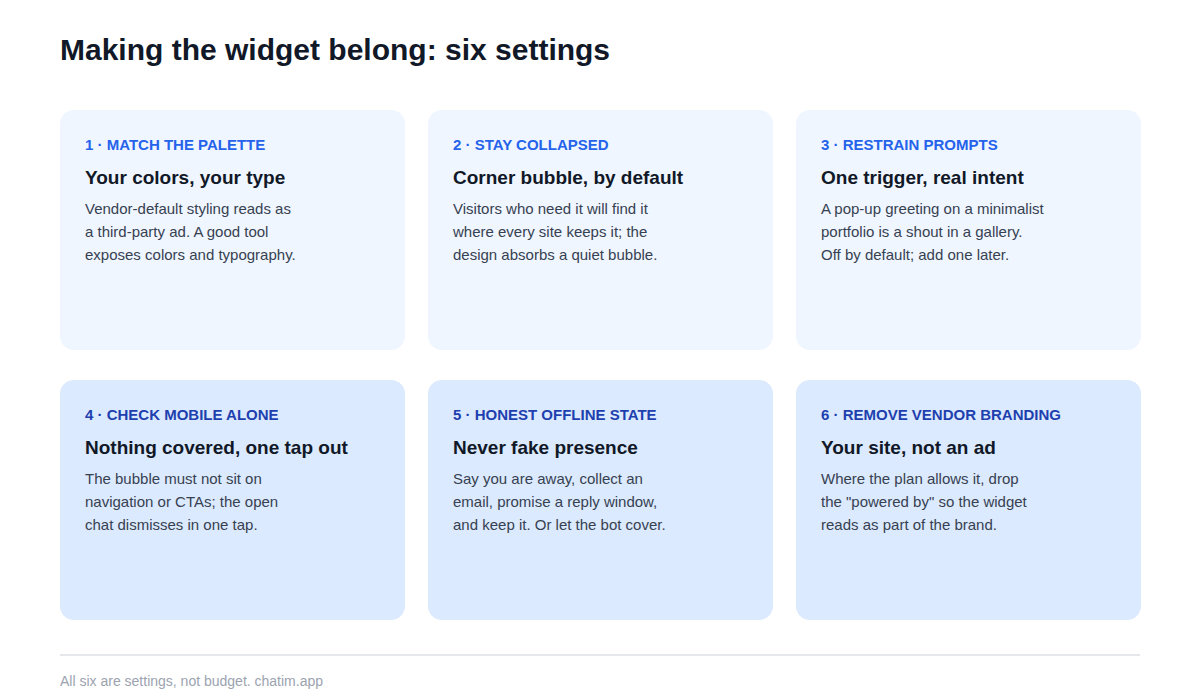
This is the section Squarespace owners actually worry about, and the fixes are all settings. Match the widget's colors and typography to your palette rather than the vendor's default; a good tool exposes both. Keep it collapsed by default in the bottom corner, where visitors expect it and the design can absorb it. Turn proactive prompts off or down to a single restrained trigger, because a pop-up greeting on a minimalist portfolio reads like a shout in a gallery. Check the mobile view separately: the collapsed bubble must not cover navigation or calls to action, and the open chat should dismiss in one tap. And remove the vendor branding if your plan allows it, so the widget reads as part of your site rather than an advertisement inside it.
Pair it with a bot, because you are probably a team of one
Most Squarespace businesses answer their own chat, which makes the bot half of the tool the difference between a widget that works office hours and one that works always. Trained on your pages and FAQ, the bot answers the recurring questions instantly (services, process, timelines, policies), walks visitors to the right booking or contact step, and captures the lead with the answer-then-ask pattern when you are away (a lead generation template gives you the flow skeleton). Two rules keep it trustworthy on a reputation-driven site: it answers only from pages you keep current, and pricing beyond what you have published gets collected as a brief for you to quote, never improvised. The path to reaching you directly stays visible in every conversation.
What to look for in a Squarespace chat tool
Six checks. Deep widget styling, since design fit is the whole ballgame here. Training on your own site content with re-sync when pages change. Lead capture flows that hand collected details into your inbox cleanly. A transcript-carrying handoff between bot and human, in both directions. Multilingual answers if your clients write in more than one language. And per-plan pricing over per-conversation metering, so a busy month is good news. Ask every candidate the one revealing question: what does it do when it does not know? The tools built for trust escalate to you; the tools built for demos invent an answer, and on a considered-purchase site an invented answer costs real money.
Mistakes that undo the whole setup
Leaving the widget in vendor-default colors on a site you paid a designer for. Faking presence, so the beautiful site promises a conversation the owner never joins; the honest offline state with a promised reply window does the same job without the broken promise. Letting the bot discuss prices you never published. Greeting-spamming a portfolio's visitors. Testing only on desktop when half the traffic is phones. And treating the transcripts as a log instead of a to-do list, when the questions visitors ask are the exact list of what your pages have not said yet. Every one of these is a settings-and-habits fix, not a budget item.
What to expect by site type
Consultants and services see inquiries rise first, because the qualifying question finally has somewhere to go at the moment it forms. Studios and photographers get a polite gatekeeper: common questions answered, approved rate ranges shared, serious briefs collected, tire-kickers filtered without anyone being rude. Squarespace Commerce stores get the store family: shipping, stock, and policy questions answered mid-purchase from pages you already wrote. Booking-driven businesses get fewer no-shows, because what-to-expect questions get answered before the appointment, not after. Across all of them, a welcome message that is specific and short beats a chirpy generic one, and restraint beats reach.
An afternoon launch plan
Collect your last fifty inquiries from email and DMs, and write down the ten questions that repeat. Fix the pages those questions expose. Install the snippet through code injection, style the widget to your palette, point the bot at the fixed pages, build one lead-capture flow, set the honest offline state, and spend an hour trying to break it on the published site, phone in hand. Then read every transcript for two weeks and adjust weekly. The free tier of a chat-plus-chatbot tool covers all of it, and paid plans become relevant only when conversation volume says so. The result, done right, is the rarest kind of website feature: one that makes a designed site more useful without making it louder.
Related reading: Webflow live chat and Wix chatbots.
Frequently Asked Questions
How do I add live chat to a Squarespace website?
Paste your chat tool's script snippet into Squarespace's site-wide code injection settings and the widget appears across your pages; no development work is needed. The meaningful setup follows the paste: style the widget to your palette, point the bot at your pages, write answers for your most-asked questions, and set honest offline behavior.
Does Squarespace have built-in live chat?
Squarespace does not ship its own live chat widget; chat is added through third-party tools via code injection or integrations. That is not a real limitation in practice, since dedicated chat tools bring the bot, the inbox, and the customization that a built-in feature typically would not.
Do I need a specific Squarespace plan for a chat widget?
You need a plan tier that supports custom code injection, since that is how the snippet is added. Plan gating changes over time, so check Squarespace's current plan comparison rather than relying on any article, this one included.
Is there a free live chat for Squarespace?
Yes; free tiers in the chat category typically include the widget, a bot trained on your content, lead capture, and basic handoff. That covers a solo business comfortably, and paid plans matter only once conversation volume and team size grow.
Can the chat widget match my site's design?
A good tool lets you match colors and typography, control placement, keep the widget collapsed by default, and remove vendor branding on eligible plans. On a designed site, those settings are not cosmetic; a mismatched default widget reads as a third-party ad and undermines the trust the design built.
What happens when I am not online to answer?
Two honest options, best used together: a bot that answers recurring questions from your pages instantly, and an offline state that says you are away, collects an email, and promises a reply window you actually meet. What to avoid is fake presence: an open chat that implies someone is there when nobody is.
Can a chat widget capture leads on a services site?
It is usually the biggest payoff. The answer-then-ask pattern works best: the visitor gets a real answer first, then the bot offers the next step and collects a name, email, and one qualifying detail. Compared with a contact form, the conversation earns the details by being useful, and it works at 9 p.m.
Does chat help with bookings and appointments?
Yes, mostly upstream: availability, pricing, and what-to-expect questions get answered before the booking, which fills calendars and reduces no-shows. The bot should walk visitors to your booking page or collect a request; actual schedule changes are best confirmed by you.
Does it work with Squarespace Commerce stores?
Yes; stores get the classic family of shipping, stock, and returns questions answered mid-purchase from your policy pages. Keep those pages current, because they are what the bot answers from, and route order-specific issues to yourself with the conversation attached.
Will a chat widget slow down my Squarespace site?
A well-built widget loads asynchronously after your content and has no meaningful effect on perceived speed. Verify it on your own site: run your usual speed check before and after adding the snippet and compare the results.
Can it answer visitors in other languages?
Generally yes; modern bots reply in the language the visitor writes even when your site is in English. If a particular language matters to your clientele, read a sample of those transcripts after launch to confirm the quality holds.
Should the chat pop up automatically?
On a designed site, restraint wins. Keep the widget collapsed by default and use at most one proactive prompt tied to real intent, such as a long pause on a pricing or booking page. A greeting that fires on arrival reads like a shout in a gallery and teaches visitors to close widgets.
How do I know if chat is earning its place?
Count named inquiries captured, questions answered without you, and after-hours conversations that previously would have bounced, and read the transcripts weekly. The questions visitors ask are also your best design feedback: each recurring one is something the site's pages have not said clearly yet.
Related articles
More in Ecommerce & platforms → Best Shopify Apps to Increase Sales & Conversions (2026)
12 Shopify apps to increase sales and conversions, sorted by the lever each one pulls: AOV, hesitant visitors, lost carts, trust, repeat buyers.
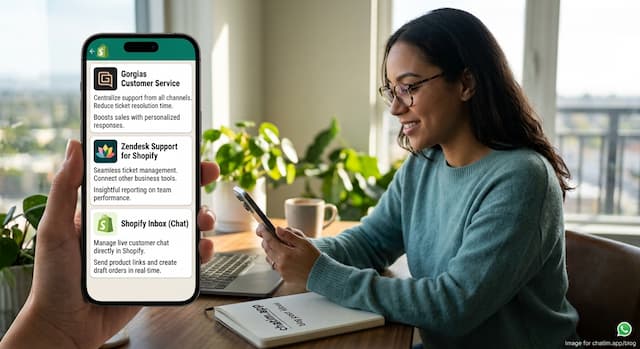 Best Shopify Apps for Customer Service in 2026: 9 Compared
9 customer service apps for Shopify stores compared: the free native option, chat widgets, and ecommerce helpdesks, with verified pricing.
 WooCommerce Chatbot: What It Does and How to Add One (2026)
What a WooCommerce chatbot does for a store: product and order questions answered from your own pages, plus how to add one without plugin bloat.
 Wix Chatbot: How to Add One and What It Can Do (2026)
What a Wix chatbot can do for your site: answer service questions, capture leads politely, help with bookings and store orders, and cover after-hours.