The Best Form Builder Tools for 2026: 15 Compared
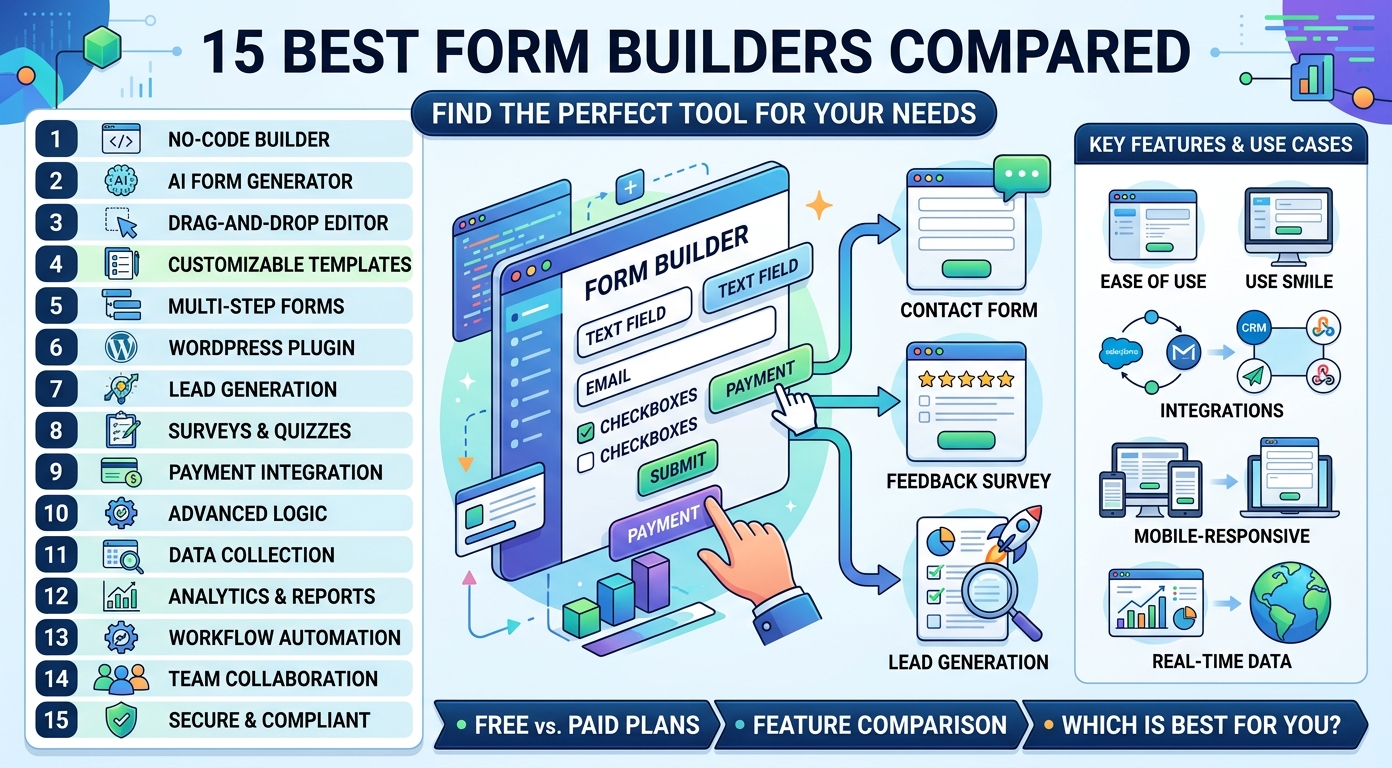
The Best Form Builder Tools for 2026: The Complete Guide
Choosing the right form builder is one of the simplest ways to collect better data, capture more leads, and save your team hours of manual work. A good form builder turns a blank page into a polished, working form in minutes, with no code required.
Forms sit at the center of almost every digital workflow. They gather contact details, run surveys, take orders, and register users.
This guide explains what an online form builder is, the key features to look for, and the types of forms you can build. It then reviews fifteen of the top form builders for 2026.
Whether you want a simple free tool or a powerful platform, this guide helps you find the right match. We compare design, templates, features, and pricing.
What Is an Online Form Builder?
An online form builder is a tool that lets you create web forms without writing code. You drag fields onto a canvas, style them, and publish, all from a browser.
These tools handle the whole job: design, hosting, data collection, and reporting. A form builder stores every submission, so you never lose a response.
Form creation used to mean a developer, a database, and a server. Modern form apps fold all of that into one visual workspace.
The category covers a wide range. Some tools are a simple form builder for quick tasks, while others are full platforms with deep features. Most online form builder apps land somewhere in between.
Form builders range from free apps to powerful business platforms. Whatever you need, an online form builder makes the work fast and keeps your data collection tidy.
Why Use an Online Form Builder?
A form builder removes the technical barrier to collecting information. Anyone on the team can build a form, not just developers.
That alone changes how fast a team can move. Marketing, support, and operations can each launch their own forms without filing a ticket with engineering.
It also keeps data organized. Every response lands in one place, ready for reporting or an automatic workflow.
Good form builders also reduce errors. Validation rules and required fields keep the data collection clean.
Most importantly, forms drive results. They capture leads, gather feedback, take orders, and register users.
The right features matter here too. Logic, validation, and integrations turn plain forms into reliable parts of a workflow.
Finally, the right tools grow with you. You can start on a free plan, then move to paid tiers when volume demands it.
Key Features to Look For
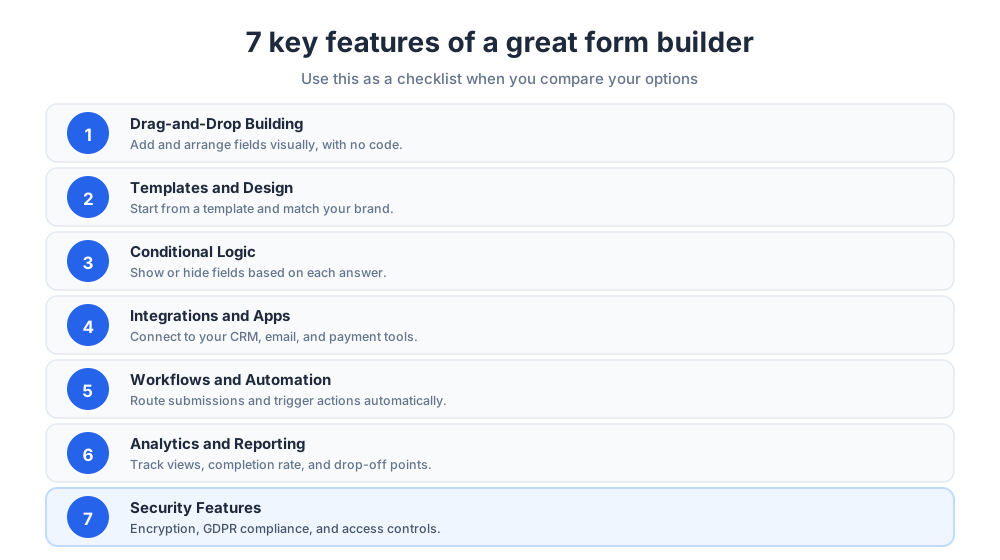
Form builders vary widely. These are the key features that matter most when you compare your options.
Treat this list as a checklist. The more of these features a tool covers well, the less you will need to bolt on extra software later.
The right mix of key features also makes form creation faster day to day. When the editor, templates, and logic all work together, you spend time on the message rather than the mechanics.
Drag-and-Drop Form Building
The core of any form builder is a drag-and-drop editor. It lets non-technical users add fields, reorder them, and design a form visually.
A smooth drag-and-drop form builder turns form building into a task of minutes, not hours. You see the layout change as you work.
Good editors also handle the small details: field labels, help text, and spacing. Those touches make a form feel professional.
Templates and Design
A library of templates gives you a head start. Instead of a blank page, you pick a form template close to your need and adjust it.
The best form builders ship hundreds of templates sorted by use case, so there is usually a form template ready for contact, registration, survey, or order work.
Good form templates are more than a layout. They include sensible field choices and validation, so you launch a tested structure.
Design control matters too. The best tools let you match a form to your brand colors, fonts, and style.
Strong design options are how you build beautiful forms that people trust. A polished look raises completion rates.
Conditional Logic
Conditional logic shows or hides fields based on what a user answers. It keeps forms short by asking only relevant questions.
This single capability separates a basic editor from powerful forms that adapt to each respondent.
Logic also drives calculations and branching paths. With it, one form can serve several audiences at once.
Integrations and Apps
A form builder should connect to the rest of your stack. Look for integrations with email tools, a CRM, and payment gateways.
Strong integrations also link to automation platforms, so a new submission can trigger an action without manual work.
Native apps for phones and tablets help too. They let your team collect responses offline, then sync the data collection later.
Workflows and Automation
Workflows route submissions automatically. A form can send an email, assign a task, or request an approval the moment it is filled.
Automation turns a form from a simple collector into part of a real business process.
The payoff is consistency. A documented workflow handles every submission the same way.
Analytics and Reporting
Analytics show how a form performs: views, completion rate, and where people drop off. Reporting turns raw responses into insight.
Good analytics tell you which forms to fix and which fields to cut. That feedback loop is how a weak form becomes a high-converting one.
Some tools add visual dashboards and charts, so you can read survey results at a glance.
Security Features
Forms collect personal data, so security matters. Look for encryption, GDPR compliance, and access controls.
These security features are not optional once forms touch sensitive information.
For sensitive data, advanced security features such as HIPAA compliance and audit logs are essential.
Even for everyday work, basic protection counts. Spam filtering, CAPTCHA options, and granular permissions keep both your data and your respondents safe.
Types of Forms You Can Build
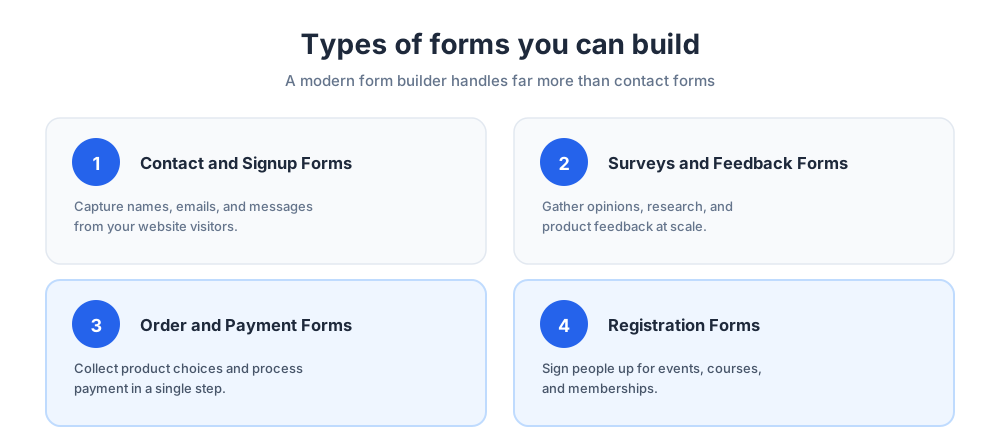
A modern form builder handles far more than contact forms. Here are the most common types of forms teams create.
Knowing the job in advance helps you pick the right tool, since some apps are tuned for surveys while others shine at payments or registration.
Contact and Signup Forms
Contact and sign-up forms are the most common use. They capture names, emails, and messages from website visitors.
Even the simplest sign-up page benefits from a good builder, which adds spam protection automatically.
These web forms are usually kept short on purpose. The goal is to remove friction so a visitor can reach out in seconds.
Many teams treat the contact form as their first lead capture point, so even a basic form deserves careful design.
Surveys and Feedback Forms
Surveys and feedback forms gather opinions at scale. They power customer research, product feedback, and staff sentiment checks.
Interactive forms keep survey completion rates high, and feedback surveys give teams the input they need to improve.
Survey work covers a lot of ground: market research, post-purchase reviews, and event recaps. A capable form builder handles all of them.
Plenty of free survey tools exist for light use, but a paid tool earns its place once you need logic, branding, and deeper analytics.
Order and Payment Forms
Order forms and payment forms let you sell directly. They collect product choices and process payment in one step.
A form builder with payment integration replaces a full checkout for small sellers. The buyer never leaves the page.
Good payment forms also calculate totals, apply discounts, and confirm the purchase by email.
Registration Forms
Registration forms handle events, courses, and memberships. They collect details, confirm spots, and often take payment.
Conditional logic makes these forms flexible enough for complex registration needs.
For a conference, one registration form can branch by ticket type, ask follow-up questions, and cap attendance, with no code.
How to Choose the Best Form Builder
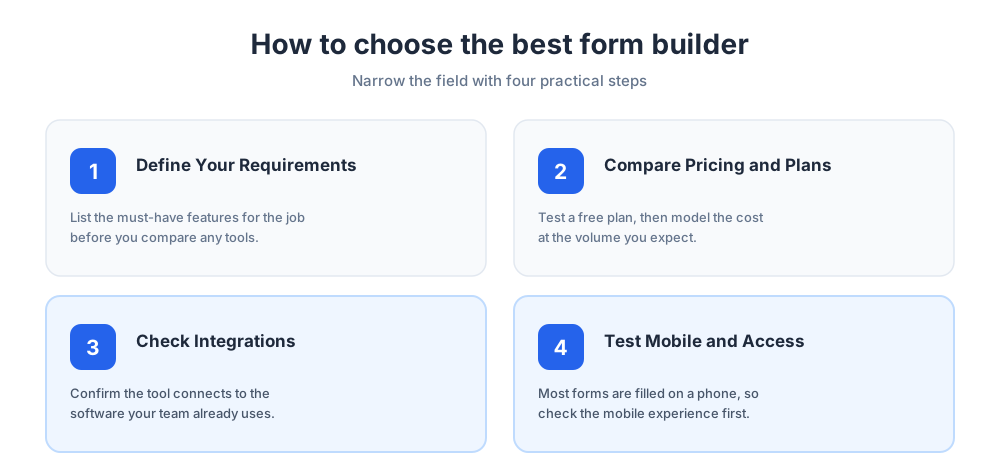
The right pick for one team is the wrong fit for another. Use the steps below to narrow the field.
A short audit of your needs beats a long feature comparison. The goal is the right tool, not the one with the most features.
Define Your Requirements
Start with the job. A simple contact form needs a different tool than a survey with conditional logic and payments.
List the must-have features before you compare tools, so the decision stays grounded in real needs.
Separate the must-have features from the nice-to-have ones. That split keeps you from paying for options you never open.
Compare Pricing and Free Plans
Many form builders offer a free plan with limits on submissions or forms. A free plan is a low-risk way to test a tool before you commit.
For paid tiers, model the cost at the volume you expect, since pricing often scales with submissions.
It is worth running the same form on two free options at once. Real use reveals quirks no feature list will show.
Check Integrations
Confirm the tool connects to the software you already use. A form builder that cannot reach your CRM creates manual work later.
Native integrations and apps save far more time than they appear to on a feature list.
Pay attention to how each integration behaves. A connection that maps fields cleanly is worth far more than one that dumps raw data.
Test Mobile and Accessibility
Most forms are filled on phones, so test the mobile experience. A form should look and work well on any screen.
Accessibility matters too: clear labels and keyboard support let everyone complete your forms.
Run a quick check on a real device before launch. Tap targets and file uploads often behave differently on mobile.
The Best Form Builders Compared
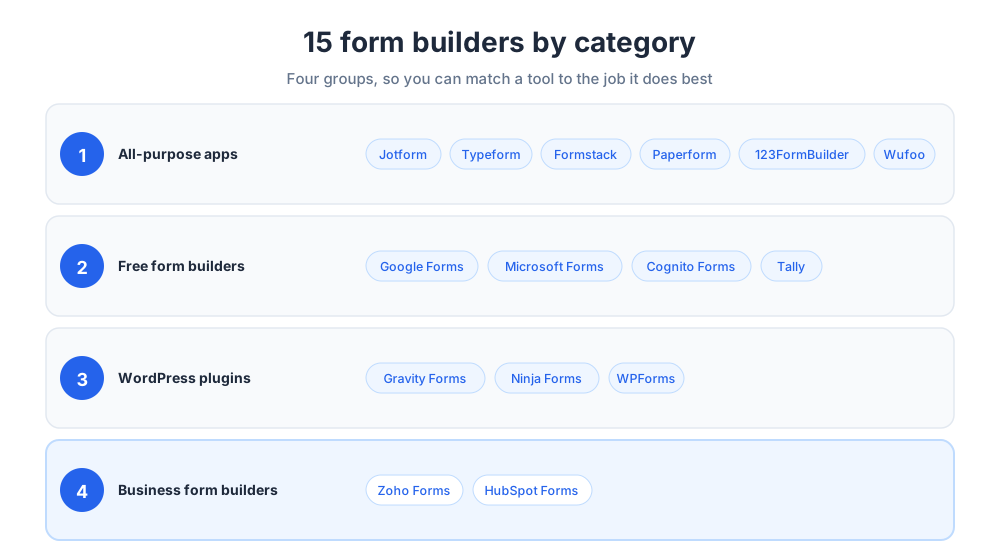
The table below summarizes the fifteen form builders reviewed in this guide. Use it as a shortlist, then read the full review of any tool that fits your needs.
The list spans every category: all-purpose form builders, free options, WordPress plugins, and business platforms.
| Tool | Category | Best for | Standout strength |
|---|---|---|---|
| Jotform | All-purpose | Most use cases | Huge template library |
| Typeform | All-purpose | Engaging surveys | Conversational forms |
| Formstack | All-purpose | Business workflows | Automation and approvals |
| Paperform | All-purpose | Design freedom | Document-style forms |
| 123FormBuilder | All-purpose | Regulated industries | Security and compliance |
| Wufoo | All-purpose | Small teams | Simple templates and reports |
| Google Forms | Free | Quick surveys | Free and ties to Google Sheets |
| Microsoft Forms | Free | Microsoft 365 users | Free with Microsoft 365 |
| Cognito Forms | Free | Logic on a budget | Generous free plan |
| Tally | Free | Simple modern forms | Free-first, fast editor |
| Gravity Forms | WordPress | Developers | Powerful WordPress plugin |
| Ninja Forms | WordPress | Flexible WordPress builds | Modular add-ons |
| WPForms | WordPress | WordPress beginners | Beginner-friendly |
| Zoho Forms | Business | Zoho users | Workflows and mobile apps |
| HubSpot Forms | Business | Lead generation | Built into the HubSpot CRM |
All-Purpose Form Builder Apps
All-purpose tools handle almost any job, from a contact form to a complex survey with payments. They suit teams that want one flexible product.
These are the generalists. If your needs change often, an all-purpose tool spares you from switching software.
Jotform
Jotform is one of the most popular form builders, and for good reason. It pairs a drag-and-drop editor with a huge library of templates covering nearly every use case.
The platform handles payments, conditional logic, file uploads, and widgets, and it offers a generous free plan. For most teams, it is the safe default choice.
One key strength is breadth. The template gallery runs into the thousands, so most users start from a ready form template.
The tool also leans into automation. Approval flows, PDF generation, and many integrations make it more than a basic editor.
It bundles dashboards and reports that turn submissions into clear numbers. That mix of design, features, and a free plan tops many shortlists.
Typeform
Typeform is built around engagement. Its conversational forms show one question at a time, which feels like a friendly chat rather than a wall of fields.
That design lifts completion rates, so Typeform is a strong pick for surveys and feedback where the experience matters.
The editor in Typeform is opinionated in a good way. It nudges you toward clean, focused questions.
Typeform also supports logic jumps, hidden fields, and recall. Those features make it capable well beyond a basic questionnaire.
Typeform offers a free plan for light use, with paid tiers that unlock more responses. For interactive lead generation, the Typeform style is hard to beat.
Teams that run frequent customer research lean on Typeform because it makes survey data feel inviting. It set the standard the market now follows.
The trade-off is that the Typeform style suits engaging forms more than dense, multi-field forms. For long applications, other tools fit better.
Formstack
Formstack is a business-focused platform. Beyond form building, it offers workflow automation, approvals, and document and signature tools.
Formstack suits teams that treat forms as part of a larger process and need solid data collection at scale.
The platform shines on governance. Permissions and routing rules let larger organizations control who can build and view each form.
Formstack also bundles document generation and e-signatures, so a submission can flow into a signed contract.
The free plan is limited, but Formstack earns its place when forms are tied to compliance-heavy work.
If your goal is a single platform for forms, documents, and approvals, Formstack covers all three. For process-driven teams, it is built to be the system of record.
Formstack also offers reporting features and integrations that connect forms to the rest of a business stack.
Paperform
Paperform gives you design freedom. Its document-style editor lets you build forms that look like a branded page rather than a standard grid.
Paperform also handles payments and bookings, making it a flexible form builder for creators and small businesses.
The writing-first approach sets Paperform apart. You type content like a document and drop fields inline.
That makes Paperform a favorite for landing pages, order forms, and product pages. The design options are deep, with full control of fonts and layout.
Paperform offers a free trial and paid tiers, with pricing that scales with submissions and features. For anyone who wants visual polish, Paperform is a standout.
123FormBuilder
This tool focuses on security and reliability. It offers a drag-and-drop editor with compliance options that suit regulated industries.
For teams that handle sensitive data, its compliance options are a genuine advantage.
The tool covers HIPAA-ready workflows, encryption, and access controls, a fit for healthcare, finance, and education.
Beyond compliance, it offers the standard kit: templates, conditional logic, payments, and integrations. The free plan is modest, with paid tiers that scale by submissions.
Wufoo
Wufoo is a long-standing, easy-to-use form builder. It offers clean templates and strong reporting without a steep learning curve.
Wufoo suits small teams that want a simple tool to build forms and review responses quickly.
The appeal is speed and clarity. The editor is uncluttered, the templates are tidy, and the built-in analytics make results easy to read.
Wufoo offers a free plan for light use, with paid tiers that raise submission limits. For small teams that value simplicity, it is a reliable pick.
Free Form Builder Options
Not every team needs a paid plan. A free form builder covers a surprising amount of ground for surveys and simple data collection.
These options are ideal for testing an idea, running a quick poll, or handling low-volume forms without any budget at all.
Google Forms
Google Forms is the best-known no-cost option in this category. It is simple, fast, and perfect for quick surveys and questionnaires.
The tool ties directly to Google Sheets, so every response flows into a spreadsheet for instant analysis.
That link to Google Sheets is the real draw. Once data lands in the sheet, you can chart it or pull it into other software. For many teams, Google Forms plus Google Sheets is a complete reporting stack.
Google Forms also fits the wider Google workspace. Sharing and collaboration work the way teams expect from Docs and Sheets.
The editor is basic, with limited design control and few templates. For quick surveys, though, Google Forms is good enough for most jobs.
The quiz mode in Google Forms is handy for teachers. It auto-grades answers and writes scores to Google Sheets.
If your needs are light and you live in Google Sheets, Google Forms is the obvious starting point.
Microsoft Forms
This tool is the free option for Microsoft 365 users. It builds simple surveys and quizzes and connects to Excel and Teams.
For organizations in the Microsoft ecosystem, it is a convenient, no-cost choice.
The tool is built for internal surveys, quick polls, and quizzes. It is not a deep design platform, but it is fast for everyday questions.
Results sync to Excel and can be shared inside Teams. For light data collection, that fit with the Microsoft 365 suite is the appeal.
Cognito Forms
Cognito Forms offers a generous free plan with features that rivals charge for. It includes conditional logic, calculations, and payment fields.
Cognito Forms is a strong pick for teams that want powerful logic without a subscription.
The calculation engine is a highlight. You can build quotes, order forms, and pricing tools that update live.
The tool also supports document merging and save-and-resume, so it handles longer forms with ease. The free plan alone covers a lot of real work.
Tally
Tally is a free-first form builder with a modern, document-style editor. Building a form feels as natural as typing a page.
The tool keeps almost everything free, which makes it popular with startups and solo creators.
The editor borrows the block-based feel of a modern note app, so building tally forms is quick and pleasant.
Even on the free plan, you get logic, calculations, and integrations that other tools lock behind paid tiers.
WordPress Form Builder Plugins
If your site runs on WordPress, a plugin keeps forms inside your own site. These tools store data on your server and match your theme.
The advantage is ownership. Your submissions live in your own database, and the forms inherit your theme styles automatically.
Gravity Forms
Gravity Forms is a powerful WordPress plugin trusted by developers. It handles complex forms with conditional logic, calculations, and many add-ons.
The plugin is built for sites that need serious form building inside WordPress, from multi-page applications to gated content.
Its add-on ecosystem is the main draw. Connections to CRMs and payment gateways turn it into a hub for data collection.
The tool is sold by license rather than a free plan. For developer-led sites, it is a dependable workhorse.
It also exposes hooks and an API, so a developer can extend almost any behavior. That flexibility is why agencies pick it.
Ninja Forms
Ninja Forms is a flexible WordPress form builder with a free core and modular add-ons. You pay only for the features you use.
Its drag-and-drop editor makes the plugin approachable for non-developers.
The modular pricing is the headline. You start free, then add only the extensions a project needs.
The plugin covers logic, multi-part forms, and payment add-ons, so it scales from a basic contact form to an advanced project.
WPForms
WPForms is the most beginner-friendly WordPress plugin. Its guided setup and templates get a form live quickly.
WPForms suits site owners who want professional forms without technical work.
The onboarding is the strong point. A setup wizard, clear templates, and a clean editor get a first-time user live in minutes.
A free version handles simple contact work, while paid tiers add payments and surveys. For WordPress beginners, it is the gentlest way in.
Form Builders for Business Teams
Larger teams often need a form builder tied to a wider business platform. These options connect forms to a full software suite.
The pull here is consolidation. When forms live inside the same suite as your CRM and email, the data moves on its own.
For business teams, that link between forms and customer records removes a whole layer of manual data entry.
Zoho Forms
Zoho Forms is part of the Zoho ecosystem. It offers mobile apps, approval workflows, and tight links to other Zoho tools.
For teams already using Zoho, Zoho Forms keeps forms and data in one connected platform.
The mobile apps are a real strength. Field teams can collect responses offline, then sync the data collection back later.
Zoho Forms also handles approval routing, payment fields, and conditional logic, for both staff-facing and customer-facing forms.
Pricing follows the wider Zoho model, with a free plan and paid tiers that scale by submissions. For a Zoho shop, Zoho Forms is the natural choice.
Because it shares data with Zoho CRM, a submission can create or update a record the moment it arrives.
HubSpot Forms
This tool is free and built into the HubSpot CRM. Every submission becomes a contact record automatically.
That makes the tool a natural choice for teams focused on lead generation. To go deeper on the system behind it, see our guide to what a CRM is.
The forms support pop-ups, embedded fields, and standalone pages, so you can capture leads in whatever spot fits.
Because every field maps to the CRM, marketing and sales see the same lead data instantly.
Form Builders and Lead Generation
Forms are the front door for new business. A sign-up form, a demo request, or a gated guide all turn a visitor into a known lead.
This is where form creation pays off most directly. A well-placed form is the moment interest becomes a contact you can follow up with.
Turning Form Submissions Into Leads
The value comes after the submission. Connect your form builder to a CRM so every lead is captured, scored, and followed up.
Pairing forms with live chat captures interest in real time, a tactic covered in our guide to lead generation through live chat.
Speed matters when a lead arrives. A submission that triggers an instant reply keeps a prospect warm while interest is fresh.
It also helps to route leads by quality. Logic and scoring let your form send hot leads straight to sales.
Form Building Best Practices
The tool is only half the job. A few habits make any form perform better.
Keep forms short. Every extra field lowers the completion rate, so ask only for what you truly need.
Use clear labels, test on mobile, and review analytics often so each form improves over time.
Lead with the easy questions. Starting with low-effort fields builds momentum to finish the harder parts.
Set expectations up front. A short note on what happens next, and how long the form takes, reduces drop-off.
Finally, revisit your form templates on a schedule. A form that worked last year may need fresh fields or design.
Test new features before you rely on them. A small change to one of your live forms can shift completion in ways the editor will not predict.
Common Form Building Mistakes
A few mistakes show up again and again. The first is asking for too much, which scares people off before they finish.
The second is ignoring mobile, where most forms are filled. The third is never checking analytics, so a broken form goes unnoticed.
A fourth mistake is weak design. A cluttered, off-brand form signals low effort and costs you trust.
A fifth is skipping confirmation. With no thank-you message, a respondent is unsure their answer landed.
The Future of Online Form Builders
The future of form builders is smarter and more conversational. AI now drafts forms from a prompt, suggests fields, and summarizes responses.
Forms are also blending with chat, so collecting information feels like a conversation. That shift turns a static page into interactive forms that respond in real time.
Expect deeper analytics too. The next wave of tools will flag which fields hurt completion and suggest fixes.
Whatever tool you choose, the best form builder is the one your team will actually use to capture the data that matters.
More on this from our team: lead generation for small businesses and website proposal templates.
Frequently Asked Questions
Which is the best form builder?
There is no single best form builder, only the best fit for your needs. Jotform is a strong all-purpose default thanks to its huge template library, Typeform leads for engaging surveys, and Google Forms is the go-to free option. For WordPress sites, Gravity Forms and WPForms are top picks, while HubSpot Forms suits teams focused on lead generation. Define what you need, then shortlist tools that match your budget and your integrations.
What is the best fillable form creator?
For fillable online forms, Jotform, Cognito Forms, and Formstack are among the best. They handle text fields, dropdowns, file uploads, e-signatures, and conditional logic, and they store every submission for you. Jotform offers the widest template library, Cognito Forms gives generous logic on a free plan, and Formstack adds workflow automation. If you only need a simple fillable form, Google Forms or Microsoft Forms will do the job at no cost.
Is Google Forms or Jotform better?
It depends on the job. Google Forms is free, fast, and perfect for simple surveys and quizzes, and it ties directly to Google Sheets. Jotform is more powerful: it offers thousands of templates, payment fields, advanced conditional logic, and deeper customization. Choose Google Forms for quick, no-cost data collection, and Jotform when you need design control, payments, or complex forms.
What is the best program to create a form?
The best program to create a form is whichever online form builder matches your use case. For most teams that means a browser-based tool like Jotform, Typeform, or Formstack, since they need no installation and handle hosting and data collection for you. WordPress site owners can use a plugin such as Gravity Forms or WPForms instead, and Microsoft 365 or Google users can start with Microsoft Forms or Google Forms for free.
What is an online form builder?
An online form builder is a tool that lets you create web forms without writing code. You drag fields onto a canvas, style the form, and publish it, all from a browser. The builder also hosts the form, stores every submission, and provides analytics, so it handles the whole job from design to data collection.
Are there free form builders?
Yes. Google Forms and Microsoft Forms are completely free, and several paid platforms offer a generous free plan, including Cognito Forms, Tally, Jotform, and HubSpot Forms. Free plans usually limit the number of forms, submissions, or advanced features, but they are a low-risk way to test a tool before you pay.
What features should a form builder have?
Look for a drag-and-drop editor, a library of templates, conditional logic, and integrations with your CRM, email tools, and payment gateways. Workflows and automation, analytics and reporting, and security features such as encryption and GDPR compliance round out a strong tool. Rank these key features by what your own team will actually use.
Which form builder is best for WordPress?
For WordPress, the leading form builder plugins are Gravity Forms, WPForms, and Ninja Forms. Gravity Forms is the most powerful and developer-friendly, WPForms is the most beginner-friendly with guided setup and templates, and Ninja Forms offers a free core with modular add-ons. All three keep your form data inside your own WordPress site.
Which form builder is best for surveys?
Typeform is widely considered the best form builder for surveys because its conversational, one-question-at-a-time design lifts completion rates. Google Forms is the best free option for quick surveys and quizzes, and Jotform and Cognito Forms work well for longer surveys that need conditional logic. For internal surveys, Microsoft Forms is convenient for Microsoft 365 teams.
How much does a form builder cost?
Pricing varies widely. Many form builders offer a free plan, then charge by the number of forms, submissions, or advanced features on paid tiers. Some WordPress plugins use a yearly license instead. Costs can climb as submission volume grows, so model the spend at the volume you expect and confirm current figures on each vendor's own pricing page.
Can a form builder process payments?
Yes. Many form builders, including Jotform, Paperform, Cognito Forms, and Formstack, connect to payment gateways so an order form or registration form can collect money directly. This lets small sellers take payments without building a full checkout, though you should confirm which gateways each tool supports.
How do form builders help with lead generation?
Forms are the front door of lead generation. A signup form, demo request, or gated guide turns an anonymous visitor into a known lead. When the form builder connects to a CRM, every submission becomes a contact record that can be scored and followed up automatically, which is why HubSpot Forms and similar tools are popular with marketing teams.
What makes a good online form?
A good online form is short, clear, and easy to complete on a phone. Ask only for the information you truly need, since every extra field lowers the completion rate. Use clear labels, sensible validation, and conditional logic to hide irrelevant questions, then review your analytics regularly so each form improves over time.
Related articles
More in Tools & productivity → Website Proposal Template: 8 Sections That Win (2026)
A free website proposal template with all 8 sections copy-paste ready, plus the walkthrough: scoping, three-tier pricing, follow-up, and the expiry date.
 Website Maintenance Packages: What to Include & Charge (2026)
What goes into a website maintenance package, how providers price three tiers, the full maintenance checklist, and the recurring line items clients notice.
 What Is Mailchimp? A Complete Guide to What It Does
Mailchimp is a leading email marketing platform. Learn what it is, what it does, its features and plans, and top alternatives.
 20 Best Email Tracking Software Tools to Use in 2026
20 email tracking tools compared: Mailtrack, HubSpot, Mixmax, Mailchimp, ZeroBounce. Pricing, free tiers, Gmail and Outlook picks for sales teams.