AI Customer Service: What It Is and How to Start (2026)
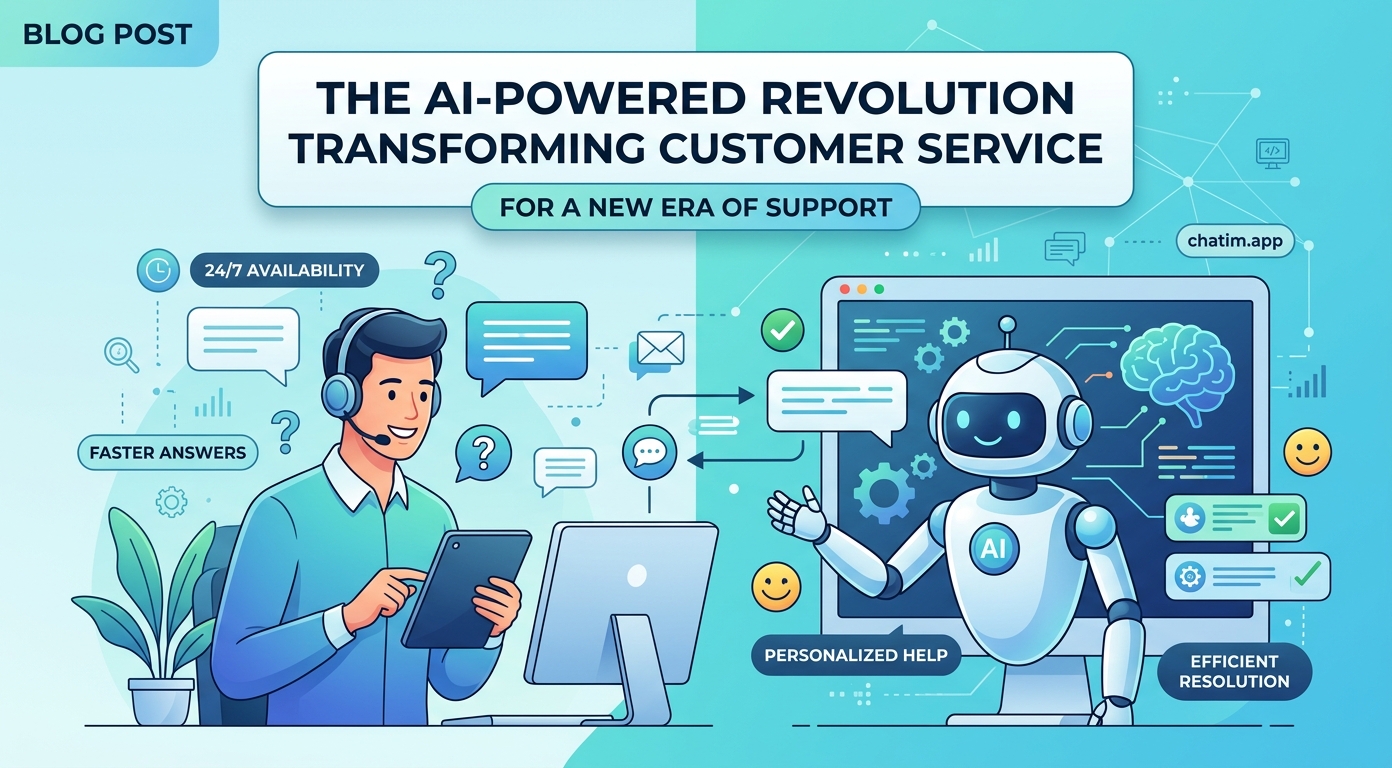
AI customer service is the use of artificial intelligence across a support operation: chatbots that resolve routine questions on their own, assistants that help human agents write and find answers faster, and automation that sorts, routes, and summarizes conversations behind the scenes. It is broader than "we added a bot." Done well, it changes the shape of the queue itself: the repetitive half disappears into self-serve, and the conversations that do reach your team arrive sorted, summarized, and matched to the right person. This guide explains what the term actually covers, which work belongs to the machines, which work should stay human, and how a small team rolls it out without gambling the customer relationship.
It is written for support leads and founders who own the queue, not for enterprise buyers with a procurement committee.
What is AI customer service?
The term covers three distinct jobs, and keeping them separate makes every decision clearer. Customer-facing AI talks to customers directly: a chatbot on the website or inside the product that answers from your documentation and hands off when it is unsure. Agent-facing AI works inside the inbox: drafting replies for a human to approve, summarizing long threads, and surfacing the relevant help article while the agent types. Operational AI never talks to anyone: it tags conversations, sets priority, routes billing questions away from technical ones, and turns a week of transcripts into a list of what customers actually struggled with.
The distinction matters because the risk profile differs. A wrong draft costs an agent one edit. A wrong answer sent straight to a customer costs trust. Sensible rollouts start where mistakes are cheap and move toward the customer as confidence grows. For the bot half of the picture specifically, our guide to chatbots covers the fundamentals; this guide covers the whole stack.
Where AI fits in a support operation
Three layers, three different payoffs.
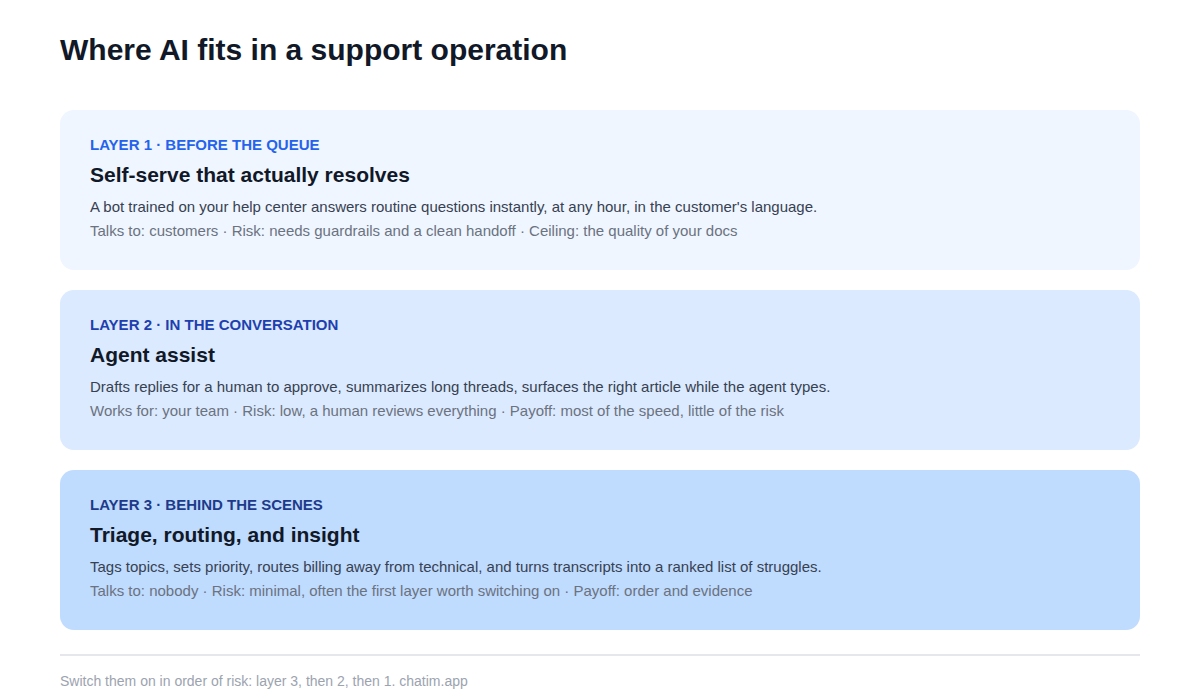
Before the queue: self-serve that actually resolves
A bot trained on your help center and site answers the routine half of questions the moment they are asked, at any hour, in the language the customer writes in. The ceiling of this layer is set by your content: the bot can only be as accurate as the knowledge base behind it, which is why fixing the docs is step one of any serious rollout, not an afterthought.
In the conversation: agent assist
Here the AI works for your team, not instead of it: drafting a reply from the same source content for the agent to edit and send, summarizing a forty-message thread in three lines for whoever picks it up next, and suggesting the article the agent would have spent two minutes finding. Because a human approves everything before it reaches the customer, this layer delivers most of the speed with almost none of the risk, which makes it the natural second step.
Behind the scenes: triage, routing, and insight
The least glamorous layer and often the first one worth switching on. Conversations get tagged by topic, urgent threads surface first, billing lands with the person who can see invoices, and every conversation ends with a summary attached. Over weeks, the same machinery becomes a research tool: the ranked list of what customers ask most is the roadmap for your docs, your bot, and sometimes your product.
What to automate, and what to keep human
The useful dividing line is not simple versus complex; it is whether there is one right answer.
| Conversation type | Automate? | Why |
|---|---|---|
| Password resets, plan limits, how-do-I questions | Fully | One right answer, high volume, zero judgment |
| Order status, booking changes | With structured flows | Must follow exact steps, never improvise |
| Billing disputes and refunds | Human, AI-assisted | Judgment plus account context |
| Upset or churn-risk customers | Human, always | The relationship is the job |
| Bug reports | Human triage, AI-tagged | Needs engineering context and follow-up |
| Pre-sales questions | Bot first, fast human handoff | Speed wins the deal; nuance closes it |
Automate where the answer is a fact; keep humans where the answer is a decision. Teams that follow that one rule rarely end up in the news for a bot gone wrong, because the bot was never given anything with stakes to be wrong about.
What it changes for a small team
Coverage stops depending on headcount: the routine half of the queue gets answered at 2 a.m. without anyone being on call. Answers become consistent, because they come from the current version of your docs rather than from whoever happened to reply. First response time for routine questions drops from hours to seconds, which customers feel more than any other single change. And the humans move up the stack: less pasting of the same reply, more of the judgment work that actually prevents churn.
None of this changes what good support is. The fundamentals in our customer service guide still apply in full; AI changes who executes which part of them, not the standard. A team that was giving vague answers slowly will, with automation, give vague answers quickly. Fix the content and the standards first; the machinery amplifies whatever it is pointed at.
How to roll it out, step by step
Start with evidence, not features. Mine your chat and email history for the twenty questions that appear most; that list, not a vendor's demo, defines what the AI needs to be good at. Fix the content those questions deserve: short, accurate answers in the customer's own phrasing. Then switch the layers on in order of risk: triage and tagging first, agent assist second, and the customer-facing bot last, restricted to the topics whose content you just fixed, with a clean handoff into live chat whenever it is unsure or the customer asks for a person.
Expand topic by topic from there, letting transcripts tell you what to add next. If you are still choosing a platform, our live chat software comparison covers the tools that bundle chat, bot, and inbox in one place, which for a small team beats stitching three products together.
The metrics that tell the truth
Four numbers keep an AI customer service rollout honest. Conversations resolved without a human that did not come back within a few days: the only deflection figure worth quoting. Handoff rate and handoff quality: how often the bot escalates, and whether the transcript travels with the customer so nothing is repeated. CSAT, read separately for bot-handled and human-handled conversations, as a trend rather than a trophy. And contact rate per active customer, which tells you whether self-serve is actually absorbing demand or merely rearranging it.
One combination deserves a standing alert: deflection rising while satisfaction falls. That is the signature of a bot that is blocking people rather than helping them, and it should trigger a transcript review the same week.
Five mistakes that sink AI support projects
Automating on top of stale docs, so the bot repeats last year's answers with this year's confidence. Removing the path to a human to protect the queue, which trades support costs for churn. Measuring success by how many customers never reached the team instead of how many got their problem solved. Leaving the bot unsupervised, with nobody reading transcripts weekly. And treating the whole project as a headcount cut rather than a capacity gain: the teams that win move their people up to the harder problems the machines surfaced, instead of just shrinking.
A one-afternoon starting point
The first version of AI customer service fits in an afternoon, and it is smaller than the term sounds. Pull your ten most-asked questions from history. Publish short answers to each. Connect a bot to those answers plus your site, restrict it to those topics, and set the handoff: to a human in chat when online, to an email promise when not. Then read every transcript at the end of the week and expand one topic at a time.
Cost is not the barrier it looks like: the free tier of a chat-plus-chatbot tool covers this whole experiment, and paid plans become relevant only once the bot is demonstrably carrying volume. The real investment is the afternoon of honesty about what your customers actually ask, and that one pays for itself regardless of which tool you pick.
Keep going with our guides to AI chatbots, AI chatbot ROI, chatbot vs AI agent, and SaaS customer support.
Frequently Asked Questions
What is AI customer service?
It is the use of artificial intelligence across a support operation, in three layers: customer-facing bots that resolve routine questions from your documentation, agent assist that drafts and summarizes inside the inbox, and operational automation that tags, prioritizes, and routes conversations behind the scenes.
Is AI customer service the same as a chatbot?
The chatbot is one layer of it, the customer-facing one. The other two layers work for the team rather than the customer: assistants that draft replies and summarize threads for agents, and automation that triages and routes the queue. Many teams get their first payoff from those quieter layers before the bot ever goes live.
Can AI replace a customer support team?
It replaces the repetitive portion of the work, not the team. Questions with one right answer can be resolved automatically; decisions, exceptions, upset customers, and anything with real stakes still need a person. The realistic end state is a smaller queue with harder, more valuable conversations in it.
What should a support team automate first?
Whatever combines high volume with one right answer: password resets, plan limits, how-do-I questions, order status. The safest sequencing across layers is triage and tagging first, agent assist second, and the customer-facing bot last, restricted to topics whose documentation is current.
How does AI help human support agents?
Inside the inbox it drafts replies from the same source content for the agent to approve, summarizes long threads for whoever picks them up, and surfaces the relevant help article while the agent types. Because a human reviews everything before it is sent, this layer adds speed with very little risk.
Is AI customer service worth it for a small business?
Small teams are arguably the best fit: they feel after-hours gaps and repetitive volume hardest, and the free tiers of chat-plus-chatbot tools cover the starting setup. A solo founder gets the equivalent of night coverage for routine questions without hiring for it.
How do I get started with AI in my support workflow?
Mine your chat and email history for the ten most-asked questions, publish short accurate answers, connect a bot to those answers plus your site, restrict it to those topics, and set a clean handoff to a human. Read the transcripts weekly and expand one topic at a time. The first version fits in an afternoon.
Do customers dislike talking to bots?
Customers dislike being trapped, not bots as such. An instant correct answer at midnight beats a next-morning email for most routine questions. The resentment starts when the bot cannot help and there is no visible path to a person, so the door to a human is the single most important design decision.
How does the AI know my policies and answers?
It is trained on the content you point it at: help center articles, product docs, policy pages, and the website, re-synced as they change. Its accuracy is capped by that content's accuracy, which is why stale documentation is the most common root cause of wrong answers.
What happens when the bot gives a wrong answer?
Well-configured systems make this rare and cheap: answers are grounded in retrieved source content, confidence thresholds stop the bot from guessing, sensitive topics route straight to humans, and weekly transcript reviews catch drift. When a wrong answer does slip through, it should be treated like a bug: fix the source content that produced it.
Is it safe to let AI handle customer data?
With normal vendor diligence, yes: check where transcripts are stored and for how long, whether conversation data trains shared models, and whether you can keep sensitive topics away from automation entirely. The same questions you would ask of any tool that touches customer conversations apply here.
How much does AI customer service cost?
Entry cost is low: free tiers commonly cover a bot, a widget, and basic automation, which is enough to run the whole first experiment. At paid tiers, watch the pricing model more than the price; per-plan pricing is predictable, while per-conversation or per-resolution metering grows your bill precisely when the tool succeeds.
Which metrics show whether it is working?
Four: conversations resolved without a human that did not return within a few days, handoff rate with transcript quality, CSAT tracked separately for bot and human conversations, and contact rate per active customer. Rising deflection with falling satisfaction is the classic failure signature and warrants an immediate transcript review.
Related articles
More in Chatbots & AI → Facebook Messenger Chatbot: The 2026 Guide + 5 Platforms
How Messenger chatbots work now: comment-to-DM automation, click-to-Messenger ads, 5 platforms compared, and when a contact button is enough.
 Chatbot Templates: 26 Free, Ready-to-Use Flows (2026)
26 free chatbot templates organized by goal and industry, what a good template contains, and the five edits that turn a ready-made flow into your own bot.
 Best WhatsApp Chatbots in 2026: 7 Platforms Compared
7 WhatsApp chatbot platforms compared, with both bills modeled: subscriptions and Meta fees. Plus the free path if you only need a WhatsApp button.
 Best Chatbot Platforms in 2026: 10 Builders Compared
10 chatbot platforms compared by what their pricing actually meters, with free plans, AI features, and a pick for each use case