Reply to Live Chat Messages from Slack
Your team already lives in Slack. Now they can reply to website visitors without switching to another dashboard. Every live chat message appears in Slack threads. Reply, collaborate with teammates, and close deals - all from Slack.
Boost Sales
Live chat converts visitors into customers
24/7 Automation
Chatbot captures leads outside business hours
Better Support
Instant responses improve customer satisfaction
Easy Setup
Get started in minutes without coding
Live chat meets team collaboration in Slack
Website chat messages flow into Slack channels. Your team replies from Slack. Customers see responses in the chat widget. Seamless.
Chat Directly from Slack Threads
When a visitor starts a live chat on your website, a new thread appears in your designated Slack channel. Your team replies in the thread, and the response is delivered to the visitor's chat widget in real-time. No need to open another app or dashboard.
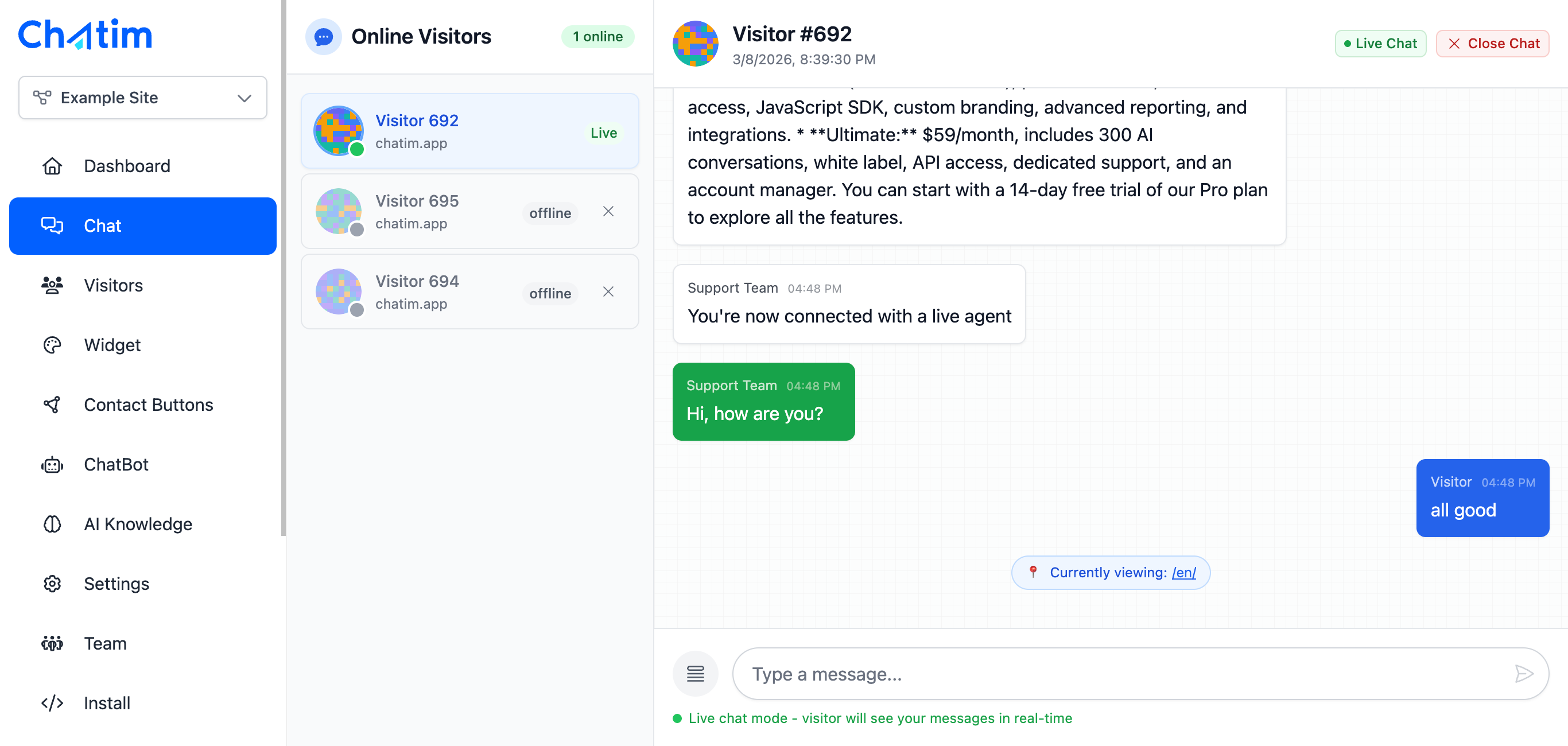
Smart Team Routing & Notifications
Route chat conversations to the right Slack channels based on topic, department, or page. Sales inquiries go to #sales, support questions go to #support. Get instant Slack notifications so no customer message goes unanswered.

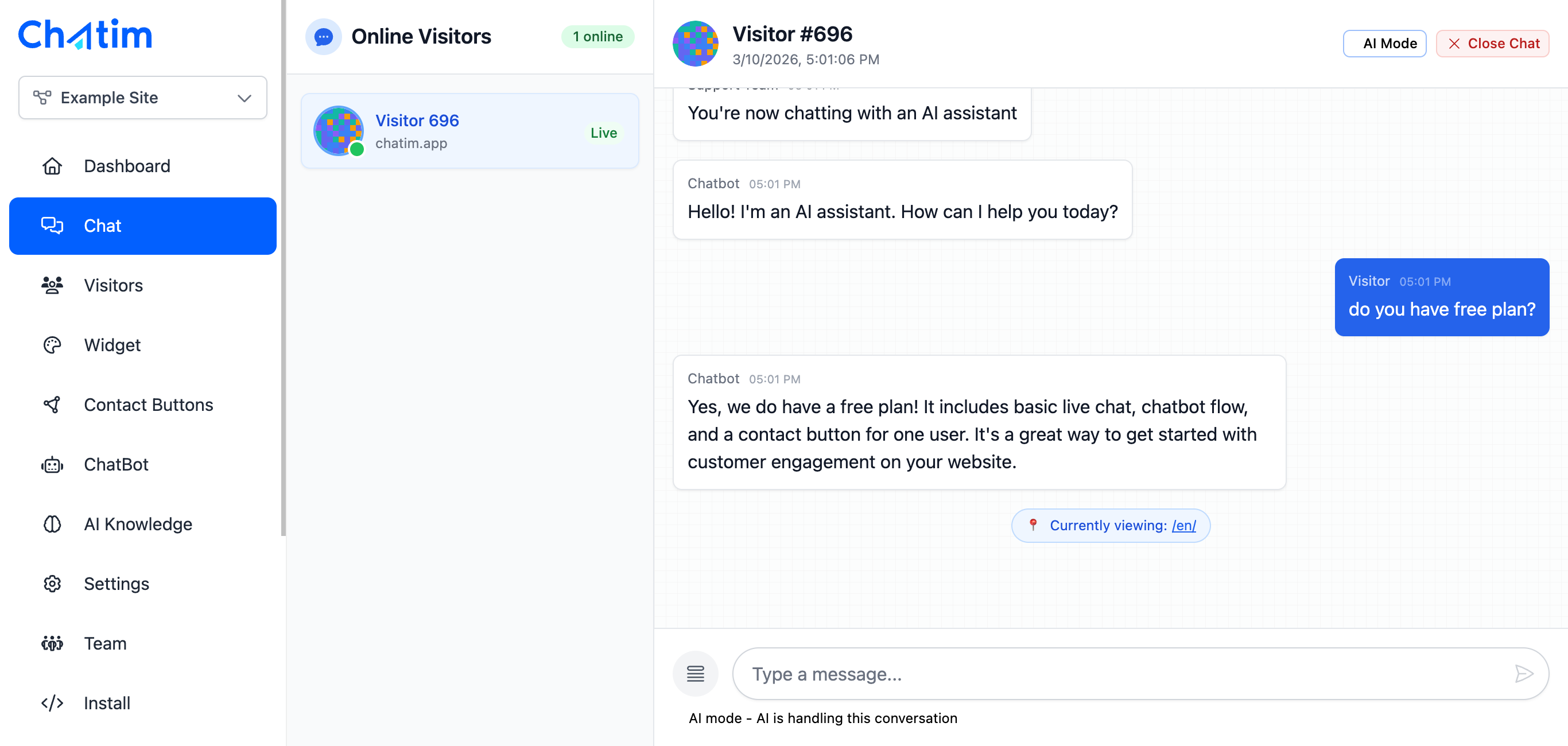
Chatbot Handles First Response
While your team works in Slack, the Chatim chatbot handles initial greetings, qualifies visitors, and collects basic information. When a visitor needs a human, the conversation is routed to your Slack channel with full context - so your team can jump in instantly.
Works with Your Favorite Tools
Chatim connects with Slack and all the tools your team already uses.
Reply to chats directly from Slack threads
Read more →One-click plugin install for WordPress sites
Read more →Add live chat to your Shopify store
Read more →Embed the widget on any Wix website
Read more →Drop-in chat for Squarespace pages
Read more →Add chat to Webflow with a code snippet
Read more →Live chat support for Magento stores
Read more →Deploy via GTM without touching code
Read more →Full control with our JavaScript API
Real-time event notifications to your server
Read more →Quick setup for Site123 websites
Read more →Integrate through Adobe Experience Platform
Read more →Why teams choose Chatim + Slack
Stop switching between tabs. Your team responds faster when chat comes to where they already work.
- Faster Response Times
- When chat messages arrive in Slack, your team sees them instantly alongside their regular work. No logging into a separate dashboard, no browser tab to forget. Teams using Slack integration respond to customers significantly faster than those using standalone chat tools.
- Team Collaboration on Customer Issues
- Need help with a tricky question? Tag a colleague in the Slack thread. Loop in a technical expert or a manager. Collaborate in real-time on the response before sending it to the customer. The visitor only sees the final, polished reply.
- Never Miss a Message
- Slack notifications ensure every chat message gets attention. Set up alerts for new conversations, assign conversations to specific team members, and track response status. Even if someone is away, the rest of the team sees the message and can pick it up.

Trusted by businesses worldwide
See what our customers have to say about Chatim
“I run an auto body shop, and finding the time to chat with people online was pretty much impossible until we got ourselves live chat software that comes with its own chatbot. It's like hiring an extra set of hands that always stays energized. Since we started using Chatim, we've noticed more customers coming our way.”

“Juggling training sessions with answering online queries was like trying to dodge punches blindfolded – practically impossible. But since we added Chatim software and its knockout chatbot, we've landed more clients than a heavyweight champ. Here's why this tech corner has been a total game-changer for us.”

Frequently Asked Questions
Everything you need to know about Chatim