WooCommerce Live Chat in 2026: 12 Best Plugins Compared
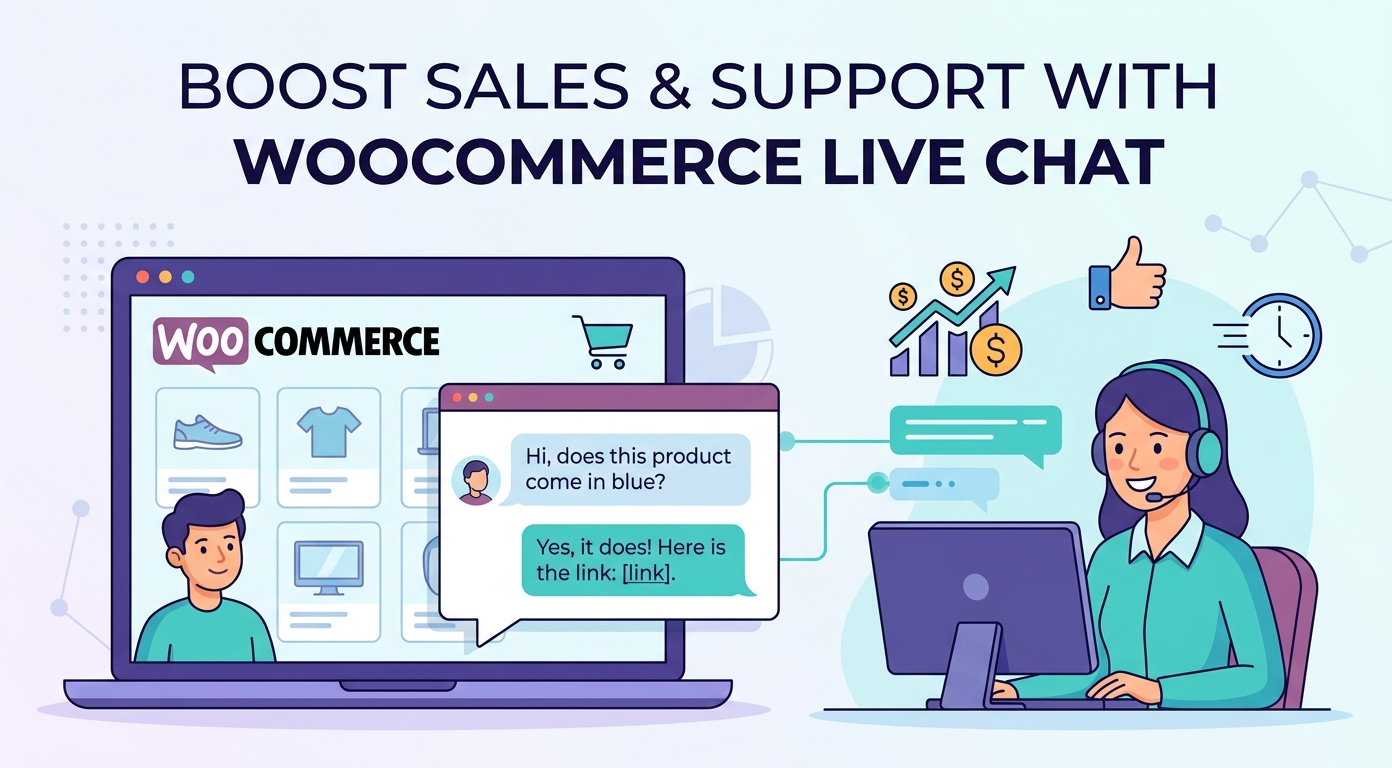
Picking the best WooCommerce live chat plugin can lift conversion, recover abandoned carts, and cut support load, and unlike Shopify, WooCommerce ships no native chat, so every store needs a plugin. We compared 12 WooCommerce chat plugins across pricing, WordPress integration depth, AI chatbot quality, and free-plan generosity. Here is the 2026 ranking, with published pricing as of July 2026.
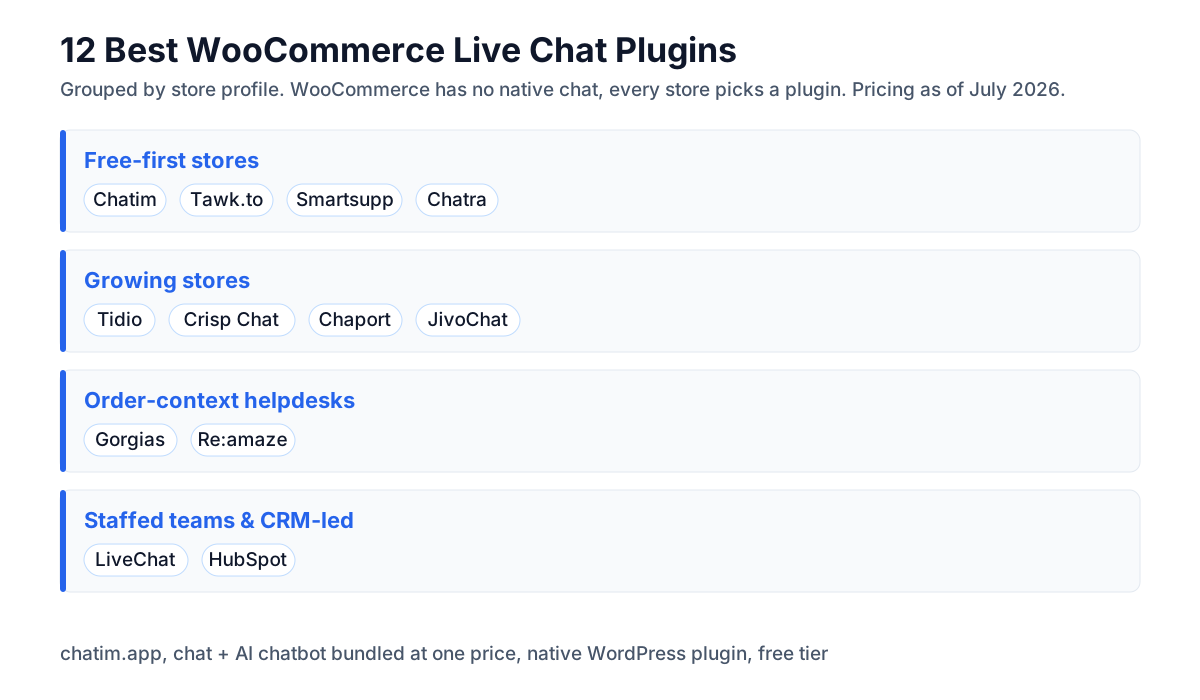
Whether you are after a free WooCommerce chat plugin, a full live chat for WooCommerce setup with order context, or a chatbot to handle product questions overnight, this guide covers the realistic options for stores of every size. All twelve entries below install on any WordPress site running WooCommerce; the right pick depends on your store's stage and budget.
Why use live chat on a WooCommerce store?
- WooCommerce has no built-in chat. Shopify ships Shopify Inbox; WooCommerce leaves messaging to the plugin ecosystem. Until you add one, every pre-purchase question becomes an email or a lost sale.
- Real-time answers convert browsers into buyers. Shoppers with unanswered questions leave; live chat catches them at the moment of doubt, on product pages, during checkout, and while comparing variants.
- Abandoned cart recovery. A chat widget can detect a stalled checkout and proactively help: answering shipping questions, sharing a sizing guide, offering a small discount before the tab closes.
- 24/7 coverage without 24/7 staff. AI chatbots handle the FAQ load (sizes, returns, shipping windows) so your team only sees the inquiries that need a human.
- Order context cuts handle time. The deeper WooCommerce integrations surface order status, cart contents, and customer history next to the conversation, so agents answer where-is-my-order questions in seconds.
Comparison table: WooCommerce chat plugins at a glance
| Plugin | Best for | Free plan | Paid from (as of July 2026) |
|---|---|---|---|
| Chatim | Free chat plus AI chatbot at one price | Yes | Predictable per-plan pricing |
| Tidio | Growing stores wanting Lyro AI | Yes, 50 conversations/month | Starter $24.17 per workspace (annual) |
| LiveChat | Larger stores, polished agent tools | 14-day trial | Starter $19 per person (annual) |
| Gorgias | WooCommerce order-context helpdesk | Trial only | Helpdesk $50/mo annual; $77 with AI |
| Re:amaze | Multichannel and multi-brand stores | 14-day trial | Basic $29 per user ($26.10 annual) |
| Tawk.to | Free chat with unlimited agents | Yes, unlimited agents | $0 core; Remove Branding $29 (annual) |
| Crisp Chat | Modern widget plus mini-CRM | Yes, 2 seats | Mini $45 per workspace |
| JivoChat | Chat plus phone in one app | Yes, basic features | Basic from $28 per agent (annual) |
| Smartsupp | Session recordings, unlimited agents | Yes, 1 operator, 25 conversations/month | Solo $17 (annual) |
| Chaport | Simplest setup, flat tiers | Yes, 2 operators | Pro from $29 (annual) |
| Chatra (Brevo) | Cart-saver chat basics | Yes, 1 agent | About $19 per agent |
| HubSpot | Free chat on a CRM record | Yes, free tools | Starter from $7 per seat (list $20) |
Pricing and features change frequently, verify on each vendor's official pricing page before purchase. Some prices shown above reflect annual billing.
Chatim for WooCommerce stores wanting chat-plus-bot at one price
Disclosure: Chatim is our own product. Most WooCommerce chat plugins price the widget and the chatbot separately. Chatim bundles live chat and chatbot automation in one plan with native WordPress integration, a free tier for small stores, and no per-conversation AI metering, so a growing store's chat bill stays predictable.
1. Chatim: Best Free WooCommerce Live Chat with AI Chatbot
Chatim pairs a lightweight chat widget with built-in chatbot automation, installed on WordPress in minutes and running alongside WooCommerce without slowing the storefront. The chatbot deflects repetitive pre-sale questions (shipping, sizing, returns) around the clock, hands real buyers to a human with full context, and captures leads when the team is offline. The free tier covers small stores, and paid plans price per plan rather than per agent or per AI conversation, which keeps costs flat as chat volume grows. Templates for FAQ automation, abandoned-cart nudges, and lead capture ship ready to customize.
Best for: WooCommerce stores that want chat plus a chatbot at one predictable price, starting free.
2. Tidio: WooCommerce Live Chat for Growing Stores
Tidio's WordPress plugin brings its polished widget, visitor list, and Lyro AI agent to WooCommerce, with cart-aware features and email follow-ups. The free plan covers 50 conversations per month with up to 10 seats; Starter is $24.17 per month billed annually on workspace pricing, and Lyro AI is a separate add-on from $32.50 per month for 50 AI conversations. A strong all-rounder for stores stepping up from a free widget. Full vendor breakdown: Tidio alternatives.
Best for: growing stores that want one vendor for chat, bot, and email follow-ups.
3. LiveChat: Polished Live Chat for Larger WooCommerce Stores
LiveChat's WooCommerce plugin adds product cards in chat, cart previews, and order lookups on top of the most refined agent workspace in the category, with 200-plus integrations. Starter is $19 per person per month billed annually, Team $49, Business $79; no free plan. Best for staffed support teams that live in the agent console all day. See LiveChat alternatives.
Best for: staffed teams where agent productivity tooling pays for the per-seat price.
4. Gorgias: WooCommerce Helpdesk with Order Context
Gorgias connects natively to WooCommerce (alongside Shopify and BigCommerce), surfacing order status, cart contents, and customer history next to every conversation, with automation for where-is-my-order and refund flows. Pricing is ticket-based and never per agent: helpdesk-only Basic runs $50 per month billed annually (300 tickets), Pro $300 (2,000); the optional AI Agent lifts those to $77 and $471 with bundled automated-interaction allowances. The pick when support volume justifies a real helpdesk rather than a widget. Full guide: Gorgias alternatives.
Best for: stores above roughly 300 tickets per month where order context per conversation saves real agent time.
5. Re:amaze: Multichannel WooCommerce Support
Re:amaze combines chat, email, social, and push in one inbox with WooCommerce order data and first-class multi-brand support for operators running several storefronts. Basic is $29 per user per month ($26.10 annual), plus a flat-rate volume tier with unlimited agents. See Re:amaze alternatives.
Best for: multi-storefront operators consolidating channels into one inbox.
6. Tawk.to: Free WooCommerce Chat with Unlimited Agents
Tawk.to's WordPress plugin delivers genuinely free live chat: unlimited agents, unlimited chats, no time limits, with paid add-ons only for branding removal ($29 per month billed annually) and AI Assist (from $29). There is no deep WooCommerce order integration, and the widget carries Tawk.to branding until you pay, but as a $0 starting point it is unmatched. Full guide: Tawk.to alternatives.
Best for: zero-budget stores that need unlimited seats today and accept visible branding.
7. Crisp: Modern WooCommerce Chat Widget with Mini-CRM
Crisp's WordPress plugin brings a modern widget, shared inbox, knowledge base, campaigns, and a lightweight CRM, with WhatsApp and Instagram channels on paid tiers. Free covers 2 seats; Mini is $45 per month per workspace for 4 seats. Workspace pricing suits teams of 3-10 agents better than per-seat plans. Full guide: Crisp Chat alternatives.
8. JivoChat: WooCommerce Chat Plus Phone in One App
JivoChat rolls website chat, email, social messengers, and phone (via its Telephony Plus module) into one agent app, and its WordPress plugin keeps setup quick. The free plan covers basics; Basic runs from $28 per agent per month billed annually. The pick for stores where customers still call. Full guide: JivoChat alternatives.
9. Smartsupp: WooCommerce Chat with Session Recordings
Smartsupp pairs live chat with visitor session recordings (watch where shoppers hesitate) and an AI shopping assistant aimed at ecommerce, popular with European stores. The free plan covers 1 operator with 25 conversations per month; Solo is $17 per month billed annually and Plus $25 (3 operators), with unlimited conversations. See Smartsupp alternatives.
10. Chaport: Simplest WooCommerce Chat Setup
Chaport keeps it minimal: a clean widget, auto-invitations, multichannel connections, and scripted chatbots on the Unlimited tier. Free covers 2 operators with unlimited chats; Pro runs from $29 per month billed annually. For a small shop that wants chat working before lunch, this is the lowest-friction paid option. See Chaport alternatives.
11. Chatra: WooCommerce Cart-Saver Chat Basics
Chatra (acquired by Brevo, which now develops Brevo Conversations as its successor) offers simple live chat with cart-saver triggers and a free single-agent plan; paid runs about $19 per agent per month. It still works and installs easily on WordPress, but with development energy moving to Brevo Conversations, treat it as a maintenance-mode pick.
12. HubSpot: Free WooCommerce Chat on a CRM Record
HubSpot's WordPress plugin bundles free live chat, forms, and the CRM itself, so every WooCommerce conversation lands on a contact record with order and marketing history. Free tools cover the basics; Starter is $20 per month for one seat, and costs climb steeply at Professional. Best for stores already running HubSpot marketing. See HubSpot alternatives.
Will a chat plugin slow down my WooCommerce store?
It can, and on WooCommerce this matters more than on hosted platforms because your own hosting absorbs the load. Three rules keep chat off your Core Web Vitals report.
- Prefer script-based widgets over heavy plugins. Most tools in this guide load the widget asynchronously from a CDN; the WordPress plugin is just a convenience wrapper that injects the snippet. Async loading means the chat bubble appears after your product images, not before.
- Test with your caching stack. WooCommerce stores typically run a caching plugin plus a CDN. After installing chat, confirm the widget still loads for logged-in customers and that cart fragments still update; chat widgets that inject on every page occasionally conflict with aggressive page caching.
- Measure before and after. Run PageSpeed Insights on a product page before installing, after installing, and after any chatbot features are enabled. A well-behaved widget should cost little on mobile scores; if it costs more, most tools let you delay the widget load by a few seconds or hide it on specific templates.
One more WooCommerce-specific note: if you run a multilingual store (WPML or Polylang), check the widget supports per-language greetings before committing; most tools in this list do, but the configuration lives in different places.
How to pick the right WooCommerce chat plugin
Step 1: Estimate your support volume
Under 50 conversations per month: Chatim Free, Tawk.to, Tidio Free, Smartsupp Free, or Chaport Free will cover you. Over 300 tickets per month: pay for Gorgias ($60 monthly Basic) or Re:amaze. Over 1,000 tickets per month: Gorgias Pro or a full helpdesk.
Step 2: List the channels you actually need
Just website chat plus chatbot: Chatim, Tidio, Chaport, Smartsupp. Website plus WhatsApp/Messenger/Instagram: Crisp, Re:amaze, JivoChat. Website plus deep WooCommerce order integration: Gorgias, Re:amaze, LiveChat. Website plus phone: JivoChat.
Step 3: Set the per-month budget
Free: Chatim, Tawk.to, Tidio Free, Smartsupp Free, Chaport Free, HubSpot free tools. Under $25: LiveChat Starter ($19), Smartsupp Solo ($17), Tidio Starter ($24.17 annual), HubSpot Starter (from $7, list $20). $25-$50: Chaport Pro ($29), Re:amaze Basic ($29), Crisp Mini ($45). Above $50: Gorgias Basic ($60 monthly), Crisp Essentials ($95).
Step 4: Pilot two finalists for 14 days
Every plugin in this guide offers a free tier or trial. Install the top two side by side (WordPress makes swapping plugins painless), run them a week each on the same traffic, and compare cart-recovery results, agent experience, and time-to-first-response. Commit to the one that wins on workflow, not features-on-paper.
FAQ: WooCommerce live chat questions answered
The picks above cover the core decision; the FAQ below answers the rest. For the wider WordPress picture beyond WooCommerce, see our guide to WordPress live chat and chatbot plugins, the Chatim WordPress integration, and for multi-platform sellers, live chat for Shopify. For the full market view, start with the best live chat software.
Related reading: WooCommerce chatbots.
Frequently Asked Questions
What is the best live chat plugin for WooCommerce?
It depends on the store's stage. Chatim leads for stores that want chat plus an AI chatbot at one predictable price starting free. Tidio is the strongest all-rounder for growing stores (free tier, Lyro AI add-on). Gorgias wins when volume justifies a real helpdesk with WooCommerce order context (ticket-based, never per agent). Tawk.to is the best fully free option (unlimited agents). LiveChat suits larger staffed teams, and JivoChat adds phone support from $28 per agent per month.
Does WooCommerce have built-in live chat?
No. Unlike Shopify, which ships Shopify Inbox as a native free chat app, WooCommerce includes no first-party chat. Every WooCommerce store adds chat through a WordPress plugin or an embedded widget script. That is not necessarily a disadvantage: the plugin ecosystem gives WooCommerce stores more choice, from free unlimited-agent chat (Tawk.to) to full order-context helpdesks (Gorgias, Re:amaze).
Is there a completely free WooCommerce chat plugin?
Yes, several. Tawk.to is free with unlimited agents and unlimited chats (you pay only to remove branding, $29 per month billed annually). Chatim's free tier bundles chat plus a chatbot for small stores. Tidio's free plan covers 50 conversations per month, Smartsupp's covers 25 conversations for one operator, Chaport's covers 2 operators, Chatra keeps a free single-agent plan, and HubSpot's free tools include chat on the CRM. For most small stores, one of these covers the full workload.
How much does WooCommerce live chat cost?
Entry prices as of July 2026: free tiers from Chatim, Tawk.to, Tidio, Smartsupp, Chaport, Chatra, and HubSpot. Paid entry points: Gorgias helpdesk-only Basic $50 per month (annual; $77 with AI), LiveChat $19, JivoChat Basic $28, Smartsupp Solo $17, HubSpot Starter from $7 (list $20), Tidio Starter $24.17 (annual, per workspace), Re:amaze Basic and Chaport Pro $29, Crisp Mini $45 per workspace. AI chatbots often price separately, for example Tidio's Lyro from $32.50 per month.
Which WooCommerce chat plugin shows order details in the chat?
Gorgias has the deepest WooCommerce integration: order status, cart contents, and customer history render next to every conversation, with one-click actions like refunds. Re:amaze surfaces WooCommerce order data in its multichannel inbox. LiveChat's WooCommerce plugin adds product cards, cart previews, and order lookups. Lighter widgets (Tawk.to, Chaport, Chatra) show page context but not deep order data; they suit stores where pre-sale questions dominate.
Which WooCommerce live chat has the best AI chatbot?
Chatim bundles chatbot automation into every plan including free, with templates for FAQ deflection and lead capture. Tidio's Lyro answers from your help content and is the best-known AI add-on in the segment (from $32.50 per month for 50 AI conversations). Smartsupp ships an AI shopping assistant aimed at product discovery. Tawk.to's AI Assist adds automated answering to its free chat from $29 per month. For AI-heavy automation on high volume, also weigh Gorgias automation on ticket pricing.
Will a chat plugin slow down my WooCommerce store?
A well-built one should not, meaningfully. Most tools in this guide load the widget asynchronously from a CDN, so it renders after your content. Risks specific to WooCommerce: conflicts with aggressive page caching, cart-fragment updates, and plugin bloat on shared hosting. Test PageSpeed Insights on a product page before and after installing, confirm the widget behaves with your caching plugin and CDN, and use the widget's delay-load option if mobile scores dip.
How do I add live chat to a WooCommerce store?
Two routes. Plugin route: in wp-admin, go to Plugins, Add New, search the vendor's name (Chatim, Tidio, Tawk.to, LiveChat, and most others in this guide publish WordPress plugins), install, activate, and connect your account. Script route: paste the vendor's widget snippet into your theme via a header/footer plugin or your theme settings. The plugin route is easier to maintain; the script route works when you want the same widget across non-WordPress properties too.
Can I use WhatsApp or Facebook Messenger with WooCommerce chat?
Yes, through multichannel tools. Crisp Chat connects WhatsApp and Instagram on paid tiers. Re:amaze unifies chat, email, and social channels in one inbox. JivoChat adds social messengers plus phone. For WhatsApp-first support at higher volume, dedicated platforms like Wati or Respond.io connect the WhatsApp Business API alongside your website chat. Check which channels sit on which tier, as social connections are often gated to paid plans.
What is the best WooCommerce chat plugin for abandoned carts?
Chat-based recovery works by catching hesitation live: Smartsupp's session recordings show where shoppers stall, Tidio and Chatim can trigger proactive messages on checkout pages, and Chatra built its reputation on cart-saver triggers. For post-abandonment recovery (emails after the visitor leaves), pair chat with your email tool; chat catches the ones still on the page, email catches the ones who left. Gorgias adds order-aware automation for stores with support volume.
Should I pick a chat widget or a full helpdesk for WooCommerce?
Count your monthly conversations. Under roughly 300 per month, a widget-first tool (Chatim, Tidio, Tawk.to, Chaport, Smartsupp) answers faster than any process. Above that, ticket management, collision detection, and order context start paying for themselves: Gorgias (ticket-based pricing) and Re:amaze (per-user) are the WooCommerce-native helpdesk picks. The upgrade path matters less than it seems; switching chat tools on WordPress is a plugin swap, so start small.
Do WooCommerce chat plugins work with WordPress multilingual setups?
Most support multiple widget languages, but configuration differs. If you run WPML or Polylang, confirm the widget can serve per-language greetings and automated answers, and check whether the vendor's chatbot supports your languages. Chatim, Tidio, Crisp, Smartsupp, and LiveChat all handle multilingual widgets; where they differ is in whether bot flows and knowledge answers localize too. Test the checkout-page experience in each language before rolling out.
Which WooCommerce live chat is best for a one-person store?
Tawk.to (free, unlimited chats) or Chatim's free tier are the practical picks: both cover a solo operator with mobile apps, and Chatim's bundled chatbot answers when you are packing orders. Chaport free (2 operators) and Smartsupp free are close behind. The key feature for solo sellers is the chatbot or offline form catching questions while you are away, so prioritize tools where automation is included rather than a paid add-on.
Can I run the same chat on WooCommerce and Shopify stores?
Yes. Most tools in this guide (Chatim, Tidio, Gorgias, Re:amaze, Crisp, Tawk.to, LiveChat, JivoChat, Smartsupp) offer both WordPress plugins and Shopify apps, with conversations landing in one shared inbox. That matters for sellers running WooCommerce for one brand and Shopify for another: agents work one queue, and reporting stays unified. See our companion guide to live chat for Shopify for the platform-specific rankings.
Related articles
More in Ecommerce & platforms → Best Shopify Apps to Increase Sales & Conversions (2026)
12 Shopify apps to increase sales and conversions, sorted by the lever each one pulls: AOV, hesitant visitors, lost carts, trust, repeat buyers.
 Best Shopify Apps for Customer Service in 2026: 9 Compared
9 customer service apps for Shopify stores compared: the free native option, chat widgets, and ecommerce helpdesks, with verified pricing.
 WooCommerce Chatbot: What It Does and How to Add One (2026)
What a WooCommerce chatbot does for a store: product and order questions answered from your own pages, plus how to add one without plugin bloat.
 Wix Chatbot: How to Add One and What It Can Do (2026)
What a Wix chatbot can do for your site: answer service questions, capture leads politely, help with bookings and store orders, and cover after-hours.