How to Get a WhatsApp Business Number (Virtual Setup)
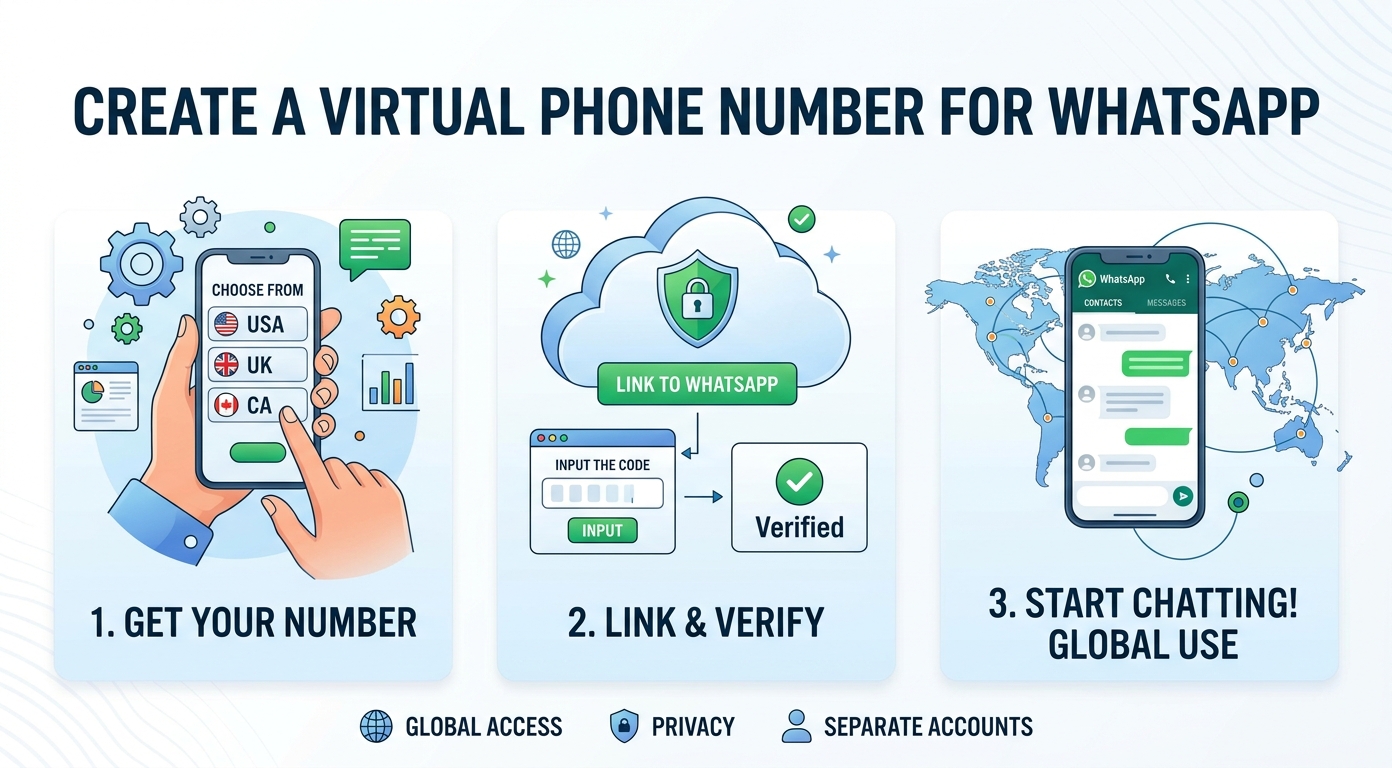
A WhatsApp Business number is the phone number you register with the WhatsApp Business app, so customers reach your company instead of your personal line.
The simplest way to get one without buying a second SIM card is a virtual number. It activates in minutes and keeps your private mobile line out of sight.
This guide covers what the business line is, why a virtual number is worth using, how to set one up in four steps, and how to run WhatsApp and WhatsApp Business together on one phone.
Before you start: check WhatsApp's Terms of Service before registering a business account with a virtual number; some VoIP numbers are not supported for verification, and using an unsupported number type can put the account at risk. When in doubt, confirm with your virtual number provider that the number works with WhatsApp Business.
What is a WhatsApp Business number?
It is simply the phone number tied to your WhatsApp Business account. Customers see it, save it, and message it, and it keeps work chats separate from your personal WhatsApp.
A virtual number is a line that works without a physical SIM. You receive its verification code through an app or dashboard, which is what makes a virtual WhatsApp business number quick to activate.
Virtual lines behave like regular mobile numbers for messaging, so WhatsApp treats them the same as any other line. Many teams pick one so the company owns a dedicated line that any agent can reach.
A WhatsApp Business profile built on this number can also show a business name, address, and product catalog. All of that detail sits with one number, and a dedicated number looks far more credible than a personal one. A consistent number is also easier for repeat buyers to find and save, so keep that number stable.
Why use a virtual number for WhatsApp Business?
Using a virtual line for a WhatsApp Business account brings three clear benefits over registering your own mobile line.
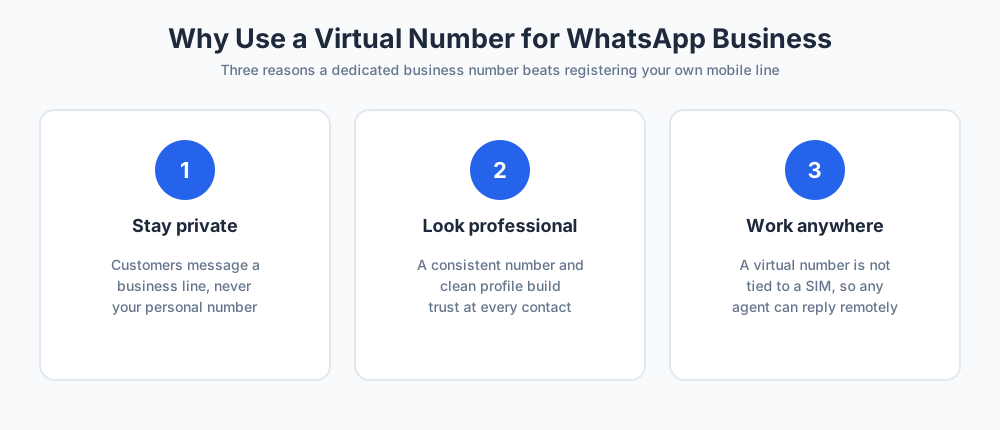
Keep your personal number private
The biggest reason is privacy. You should not have to hand your personal number to everyone who messages you.
A separate business line means your private mobile stays private, and the company keeps a line it owns even when staff change.
Look professional to customers
A dedicated line looks more professional than a personal one. People trust a company that always messages from the same place, and a clean WhatsApp Business profile reinforces your brand at every contact.
Work from any location
A virtual line is not tied to one place or one device. You can pick a number in the country your audience expects, then reply from a laptop or phone wherever you are. That easy access keeps support fast even when the team is remote.
How to get a WhatsApp Business number step by step
Setting one up with a virtual number takes four short steps. Work through them in order and do not rush the verification.
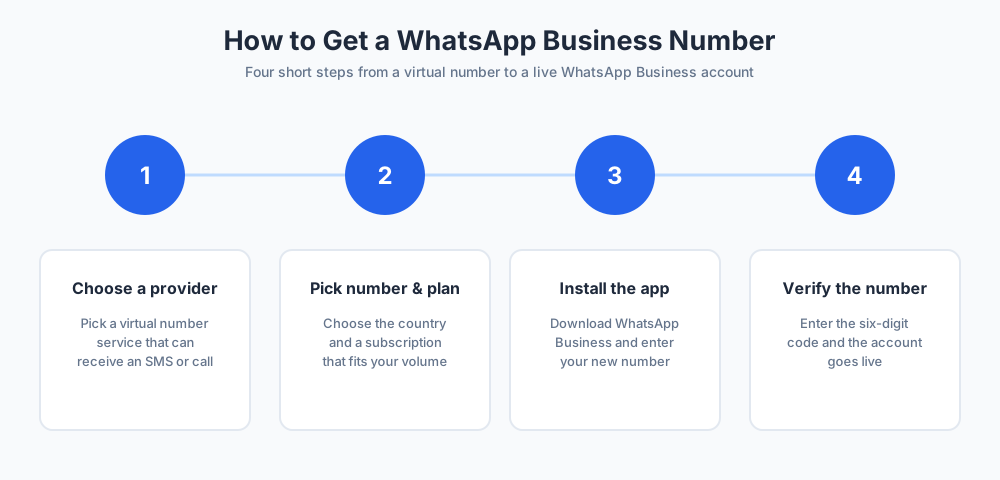
Step 1: Choose a virtual number provider
Sign up with a provider that supports messaging apps. Confirm the line can receive an SMS or a voice call, since that is how WhatsApp delivers the verification code.
Most providers state this clearly before you buy, so it is an easy thing to check up front.
Step 2: Pick your number and plan
Choose the country and city for the line, then pick a subscription plan that fits your volume. Compare what each plan includes, and check whether the contract is monthly or annual so the cost stays predictable.
Step 3: Install the WhatsApp Business app
Download the WhatsApp Business app from the App Store or Google Play. Open it, accept the terms, and enter your new number when it asks for a phone number.
Select the correct country code so the line is read correctly during sign-up.
Step 4: Verify your number
WhatsApp sends a six-digit verification code to the line. Enter the code from your provider dashboard, and the WhatsApp Business account goes live.
Add your business name, logo, and hours, and the WhatsApp Business profile is ready, with the number live for customer messages.
How to choose a virtual number provider
Not every provider is a good fit. A few checks help you pick a service that works smoothly with WhatsApp Business.
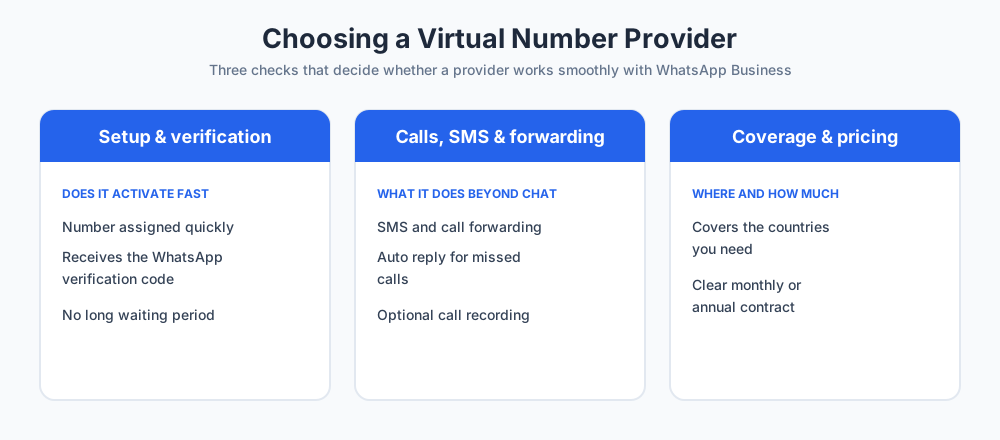
Setup speed and verification
Check how fast the line is assigned. Some providers hand it over instantly, while others have a waiting period. Most importantly, confirm the line reliably receives the WhatsApp verification code, because without it the account cannot activate.
Calls, SMS, and forwarding
Decide what the line must do beyond WhatsApp. Useful extras include SMS forwarding, call forwarding, an auto reply for missed calls, and call recording. They are optional, but they make daily contact easier.
Coverage and pricing
Confirm the provider covers the countries you need and whether the line is local or global. Compare pricing against the features included, and favor a clear contract with no surprise fees so the running cost is easy to plan.
Using WhatsApp and WhatsApp Business on one phone
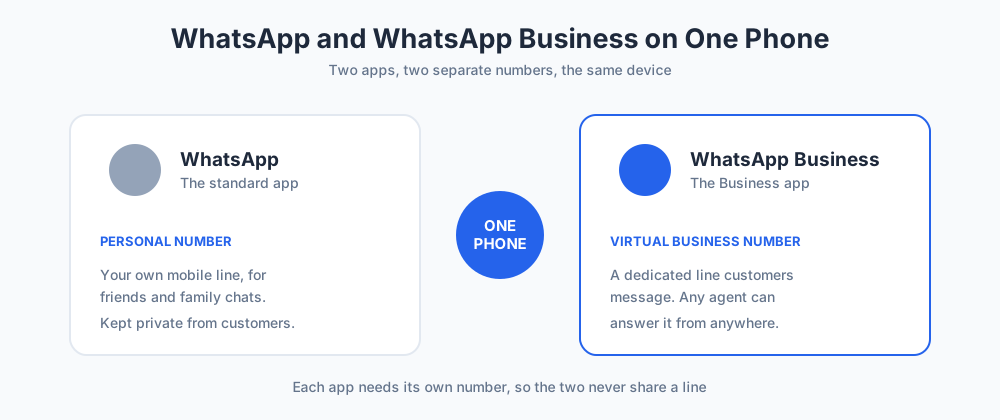
You can run two WhatsApp accounts on a single device: your personal WhatsApp and WhatsApp Business. Each app needs its own line, so you cannot use the same number for both at once.
Keep your personal mobile on the standard WhatsApp app and the virtual business line on WhatsApp Business. Trying to register the same number twice will simply move the account between apps, which is why two separate lines matter.
Modern phones also support dual WhatsApp accounts natively, which makes running both apps simple. The two apps stay separate, so personal chats and work chats never mix.
Common WhatsApp Business problems
Most setups go smoothly, but a few issues come up often. If the verification code never arrives, the line may not accept an SMS.
Ask the provider to enable a voice call instead, or switch to a different line that supports text messages.
A WhatsApp Business line can also get blocked if people report it as spam. Message only contacts who opted in, keep your profile complete and honest, and avoid bulk unsolicited messages. If a line is banned, request a review inside the app rather than buying a fresh one right away.
Final thoughts
Setting up WhatsApp Business with a virtual number is quick, low cost, and keeps your personal mobile private. Choose a reliable provider, verify the line, and you have a professional channel for customer messages.
To get more from that channel, see our guide to customer service and learn how a chatbot can answer routine questions. You can also pair WhatsApp with Chatim live chat to capture and reply to people everywhere they reach you.
Frequently Asked Questions
Can I use a virtual number for WhatsApp?
Yes. WhatsApp and the WhatsApp Business app accept a virtual number as long as it can receive the verification code by SMS or voice call. Once verified, the virtual number works like any other line: you send and receive messages normally. It is the most common way to put WhatsApp Business on a dedicated line without buying a second SIM card.
How do I get a WhatsApp Business number?
Sign up with a virtual number provider, choose a country and plan, then install the WhatsApp Business app and enter the new number when it asks for a phone number. WhatsApp sends a six-digit verification code to that line. Enter the code, add your business name and details, and the WhatsApp Business number is live for customers.
Can I use my existing number for WhatsApp Business?
You can, but it is usually a poor idea. If your personal number is already on the standard WhatsApp app, registering it on WhatsApp Business will move the account between apps rather than run both. A separate business line keeps your personal number private and lets the standard app and the Business app run side by side.
Why do I need a second number for WhatsApp Business?
A second number keeps work and personal life apart. Customers message the business line, not your private mobile, and the company keeps a number it owns even if staff change. It also looks more professional and lets any agent answer from the same line, so support does not depend on one person's phone.
Can I use the same number for WhatsApp and WhatsApp Business?
No. Each app needs its own line. A single number can be registered on the standard WhatsApp app or the WhatsApp Business app, but not both at the same time. To run both, keep your personal number on regular WhatsApp and use a separate virtual number for the WhatsApp Business app.
Can I have two WhatsApp accounts on one phone?
Yes. You can run the standard WhatsApp app and the WhatsApp Business app on the same device, each with its own number. Many modern phones also support dual WhatsApp accounts natively. The two apps stay completely separate, so personal chats and customer chats never mix on a single device.
How do I get my WhatsApp verification code?
When you enter your number in the WhatsApp Business app, WhatsApp sends a six-digit verification code by SMS, with a voice call as a backup. If you used a virtual number, the code appears in your provider dashboard or inbox. Enter it in the app to activate the account. If it never arrives, ask the provider to enable voice verification.
Is a virtual number the same as an eSIM?
Not quite. An eSIM is a digital SIM card built into your phone that still ties a number to that one device. A virtual number is not linked to any SIM or device at all; you reach it through an app or dashboard. For WhatsApp Business, a virtual number is usually more flexible because any agent can access it.
Why is my WhatsApp Business number blocked or banned?
WhatsApp blocks numbers that get reported as spam or that break its business policy. Common causes are messaging people who never opted in, sending bulk unsolicited messages, or an incomplete profile. Message only contacts who agreed to hear from you, keep your profile honest, and if a line is banned, request a review inside the app.
Do I need to pay for WhatsApp Business?
The WhatsApp Business app itself is free to download and use. What you may pay for is the virtual number behind it, since most providers charge a monthly or annual subscription. Pricing depends on the country and the features you add, such as call forwarding, so compare plans before you commit.
Can I use a virtual number to make calls and receive SMS?
Many virtual numbers support voice calls and text messages alongside WhatsApp, but not all do. If calls and SMS matter to you, check the provider's plan before buying. Useful extras to look for include SMS forwarding, call forwarding, and an auto reply for missed calls, which make the line more practical for daily customer contact.
How do I create a WhatsApp Business account without a phone number?
You cannot register WhatsApp Business with no number at all, because WhatsApp must send a verification code somewhere. What you can do is avoid using your own personal number: get a virtual number instead. It gives the account a real, verifiable line while keeping your private mobile out of the WhatsApp Business profile.
Can I use a WhatsApp Business number outside my country?
Yes. A virtual number is not tied to a location, so you can hold a number with one country code and use the WhatsApp Business app from anywhere with internet. Many businesses pick a number in the country their customers expect to see, then answer messages while traveling or working remotely.
Related articles
More in Marketing & sales → Best SaaS Affiliate Programs in 2026: 7 Verified Picks
7 SaaS affiliate programs with every rate, duration, cookie, and payout term verified on the official pages, plus the four numbers that decide value.
 SaaS Onboarding Best Practices That Shrink Time to Value
SaaS onboarding best practices organized as a timeline: set expectations at signup, deliver value in session one, build the habit in week one, then measure.
 10 SaaS Marketing Strategies That Compound (2026)
Ten SaaS marketing strategies ranked by cost and time to results, the arithmetic that picks the right two or three for your price point, and what to skip.
 Free Trial Conversion: Fix Where Trials Actually Die
Forget trial conversion benchmarks: decompose the funnel, find which of the four deaths kills your trials, and apply the fix that matches, chat included.