How to Write a Professional Email: Format and Examples
Knowing how to write a professional email is one of the most useful skills in any career. Email is still the main channel for workplace communication, so a clear, well-formatted message helps you look organized and get a faster reply. This complete guide to how to write a professional email walks through the format, the structure, the right tone, and real examples you can copy. Whether you are emailing a colleague, a client, or a hiring manager, these steps will help every message land well.
Why a professional email format matters
The format of your email shapes how the recipient reads it. A tidy, well-structured message signals that you are organized and that you respect the recipient's time. A messy one can cause confusion, create a poor impression, or get ignored.
A proper format matters most in high-stakes professional settings: applying for a job, writing to a client, requesting a meeting, or sending a company update. In each of these cases, strong professional communication makes your message easier to read, understand, and act on. Good email habits are a quiet but real advantage in business.
There are many ways to improve workplace email, and they all start with format and clarity. When you write with the reader in mind, your message gets read, understood, and acted on. That is the real goal of any professional email: not just to be sent, but to earn a useful response.
The structure of a professional email
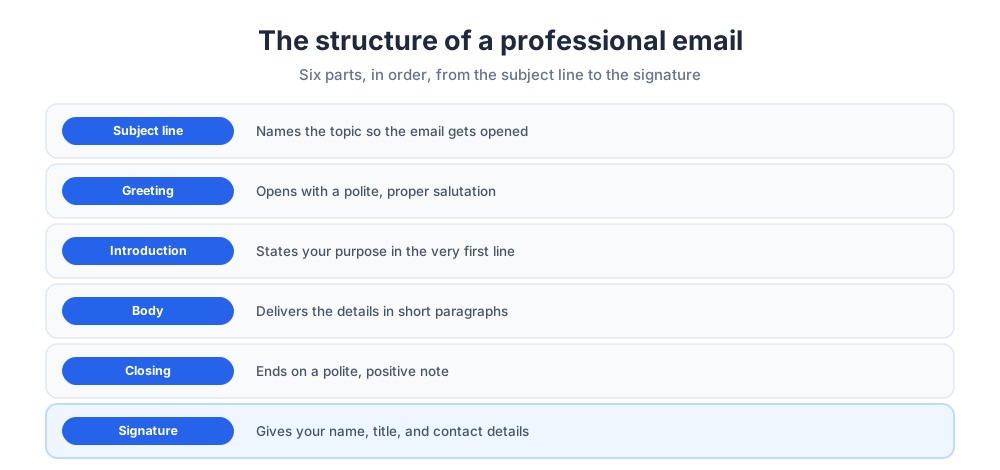
Every professional email follows the same simple structure. Six parts, in order, carry your message from the subject line to the signature. Sticking to this email message format keeps each email clear and easy to follow.
The subject line tells the recipient what the email is about. The greeting opens the email politely. The introduction states why you are writing. The body delivers the details. The closing ends on a polite note, and the signature gives your name and contact details. Together these six parts form a reliable email template you can reuse for almost any business email.
How to write a professional email in six steps
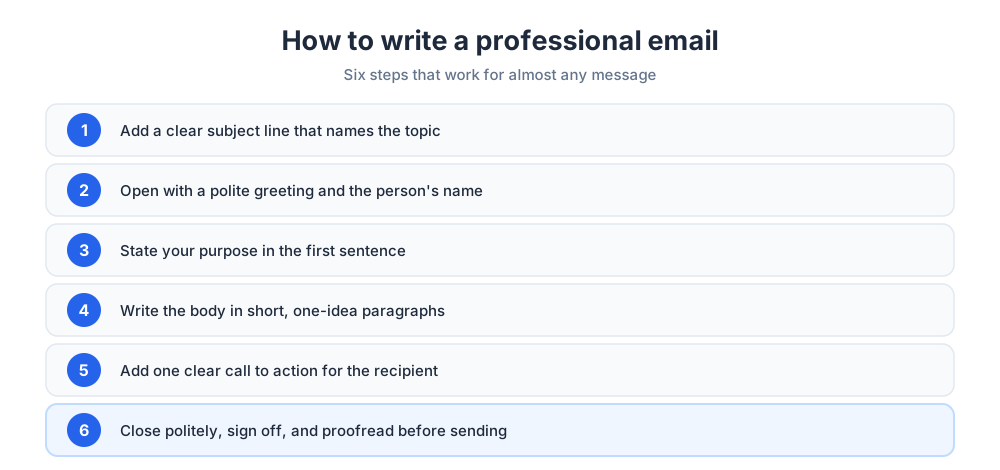
Learning how to write a professional email is easier when you take it one stage at a time. Follow these steps in order and the message comes together quickly.
- Add a clear subject line so the recipient knows the topic at a glance.
- Open with a polite greeting, such as "Dear" plus the person's name.
- State your purpose in the first line so the reason is obvious.
- Write the body in short paragraphs, one idea per paragraph.
- Add a clear call to action so the recipient knows the next step.
- Close politely, add your signature, and proofread before you send.
That final check matters: a quick proofread catches the small errors that undercut an otherwise strong email. Reading the message once more before you send it is the easiest way to keep your writing sharp.
Writing a strong email subject line
The subject line is the first thing the recipient sees, and it decides whether your email gets opened now or later. Keep it specific and short. Many writers aim for tight, few-word subjects that name the topic directly, such as "Project update" or "Meeting request for Thursday."
A vague subject line gets ignored, so say exactly what the email is about. A sharp subject line also helps your email stand out in a crowded inbox. If you need a reply by a date, hint at it in the subject. A precise line at the top sets the right expectation before the recipient reads a single word of the body.
Choosing the right greeting
The greeting sets the mood of the whole email. A proper salutation is polite and matched to your relationship with the reader. "Dear [Name]" suits a formal email, while "Hello [Name]" works for a familiar professional contact.
Avoid casual openers like "Hey" in a professional message. Always address the reader by name when you can, since a name shows you wrote to a person rather than a list. If no name is available, a role-based address such as "Dear Hiring Manager" still works. When you reach a new contact for the first time, a formal greeting is the safer choice, and you can relax it once the relationship is established and the audience feels familiar.
Getting the tone right for your audience
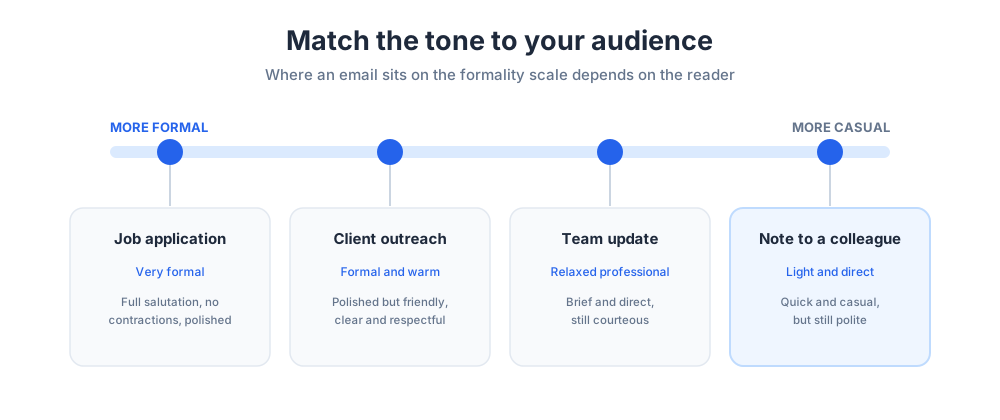
Tone is what makes an email feel professional rather than cold or sloppy. Aim for a professional tone that is warm, clear, and respectful, even when the subject is difficult. Read the message back and ask whether it sounds courteous.
The right level of formality depends on your audience. A note to a long-time teammate can be lighter than a first email to a client or a message after a job interview. Match the tone to the reader and the situation, and your email will feel natural rather than forced.
Professional email templates and examples
Examples make the format concrete. The templates below show the structure at work and can be adapted to your own needs.
Meeting request email
This example shows a clear meeting request. Subject: Request to schedule a project meeting. "Dear Ms. Carter, I am writing to ask for a short meeting this week to review the project proposal. Please let me know a time that works for you. I look forward to your response. Best regards, John Lee."
Job application email
Use this when you apply for a role, often alongside a cover letter. Subject: Application for Senior Designer position. "Dear Hiring Manager, I am writing to apply for the Senior Designer role advertised on your website. My resume and portfolio are attached for your review. Thank you for your time. Sincerely, Sarah Adams."
Reminder email
A polite follow-up nudges the reader about an earlier note. Subject: Following up on my last request. "Dear Mr. Patel, I wanted to gently follow up on my previous email about the contract. Please let me know if you need anything more from me. Thank you, Priya Shah."
Tips for writing effective emails
A few practical tips and examples keep every email polished. These small habits separate an effective email from one that gets skimmed and forgotten.
- Keep it concise: stick to the key points and respect the reader's time.
- Be polite and respectful, even when the topic is hard.
- Format for readability with short paragraphs and the occasional list.
- End with one clear action so the recipient knows what to do next.
- Proofread every email before you send it.
Common mistakes to avoid
Even experienced people slip up with email. Watch for these common mistakes so they do not weaken your message.
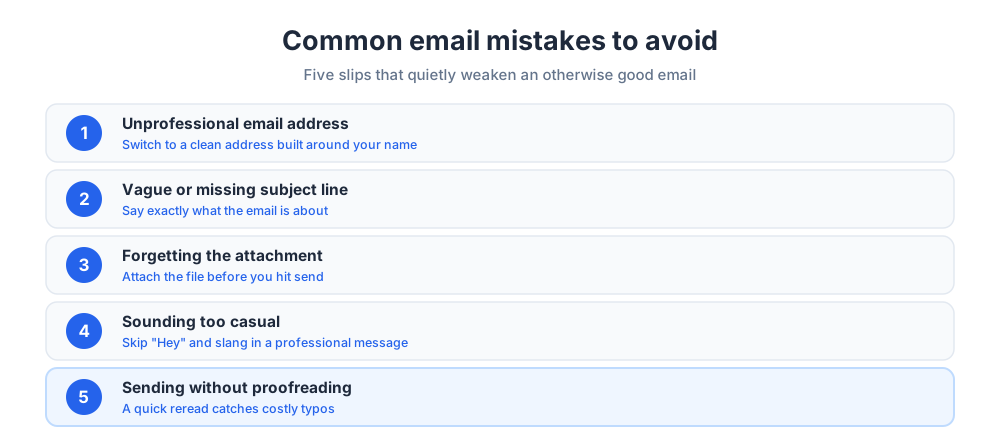
The first is using an unprofessional email address; a clean, professional email address built around your name is worth setting up, since free email services make one easy to create. Other frequent slips include a missing or vague subject line, forgetting to attach a file you mentioned, sounding too casual, and skipping the proofread. A quick check for each of these before you send protects your credibility.
Writing a professional email well is a skill that pays off across your whole career. Master the format once, keep a few reliable templates on hand, and every email you write becomes faster and clearer. If you also send email at scale, our guide to email blasts covers reaching a large list, and email tracking software shows when your messages get opened. To stay organized day to day, pair these habits with Gmail labels and a few useful Chrome extensions for Gmail.
Professional email FAQs
Short, practical answers to the questions readers ask most are below. These questions come up whether you are new to professional email or simply want a quick refresher.
Related reading: B2B cold email templates and customer service email templates.
Frequently Asked Questions
How to start a professional email?
Start with a clear subject line, then open with a proper greeting such as "Dear" plus the person's name. In the first sentence, state why you are writing so the recipient understands the purpose right away. For example, "I am writing to follow up on our meeting" sets the topic immediately. A focused opening respects the reader's time and makes the rest of the email easier to follow.
What is a professional email example?
A professional email example is a short, well-structured message that uses the standard format: subject line, greeting, a clear introduction, a concise body, a polite closing, and a signature. For instance, a meeting request might read, "Dear Ms. Carter, I am writing to ask for a short meeting this week to review the proposal. Please let me know a time that works for you. Best regards, John Lee." The guide above includes templates for meeting requests, job applications, and follow-up emails.
Which email gets hacked the least?
This question is about email account security rather than email writing, but it is a fair concern. No provider is immune, and security depends far more on your habits than on the brand. The strongest protection is a long, unique password, two-factor authentication, and caution with suspicious links. Providers with a security focus, such as ProtonMail, encrypt messages by default, while mainstream services like Gmail and Outlook are safe when you turn on their protections. Good habits matter more than the logo.
What are the 5 C's of email writing?
The 5 C's are a simple checklist for strong emails: clear, concise, correct, courteous, and complete. Clear means the message is easy to understand, concise means it has no filler, correct means the facts and grammar are right, courteous means the tone is polite, and complete means the recipient has everything they need to act. Some versions swap in "concrete," but the goal is the same: an email that is easy to read and act on.
How do you end a professional email?
End with a polite closing line followed by a sign-off and your signature. A closing line such as "Thank you for your time" or "I look forward to your response" keeps the ending warm and positive. Follow it with a sign-off like "Best regards" or "Sincerely," then your full name, job title, and contact details. Keep the signature simple and professional.
What is the proper format for a professional email?
The proper format has six parts in order: a clear subject line, a greeting, an introduction that states your purpose, a body with the details, a polite closing, and a signature. Keep paragraphs short and focused on one idea each. This structure works for almost any business email, from a quick update to a formal request.
How long should a professional email be?
A professional email should be as short as it can be while still being complete. Most emails work best at a few short paragraphs, long enough to give the recipient what they need and no longer. If the message runs long, break it up with short paragraphs, bullet points, or a clear request near the top. Respecting the reader's time is part of sounding professional.
What should the subject line of a professional email say?
The subject line should name the topic clearly and specifically, so the recipient knows what the email is about before opening it. Short, direct lines like "Project update" or "Meeting request for Thursday" work well. Avoid vague subjects, since they are easy to ignore. If a reply is needed by a date, hint at the deadline in the subject line.
What greeting should I use in a professional email?
Match the greeting to your relationship with the reader. "Dear [Name]" suits formal emails and first contact, while "Hello [Name]" works for a familiar professional contact. Avoid casual openers like "Hey" in a professional message. When you do not have a name, a role-based greeting such as "Dear Hiring Manager" is a safe choice.
How do I write a professional email for a job application?
Use a clear subject line that names the role, such as "Application for Senior Designer position." Open with a formal greeting, state the job you are applying for in the first line, and briefly note why you are a strong fit. Mention that your resume and any cover letter are attached, then close politely and thank the reader. Keep it short and let your attachments carry the detail.
What is a good professional email address?
A good professional email address is built around your real name, such as firstname.lastname, rather than a nickname or random characters. Avoid old, informal addresses for work messages, since they quietly undercut your credibility. Free email services make it easy to create a clean, name-based address in minutes.
How do I write a professional follow-up or reminder email?
Keep a follow-up short and polite. Reference your earlier message, restate what you need, and make the next step easy. A line like "I wanted to gently follow up on my previous email about the contract" is usually enough. Give the recipient a clear, low-pressure way to respond, and avoid sounding impatient.
What tone should a professional email use?
Aim for a tone that is warm, clear, and respectful, even when the subject is difficult. The right level of formality depends on your audience: a note to a close teammate can be lighter than a first email to a client. Read the message back before sending and ask whether it sounds courteous. A professional tone is polite without being stiff.