Top Web Analytics Tools and Best Google Analytics Alternatives
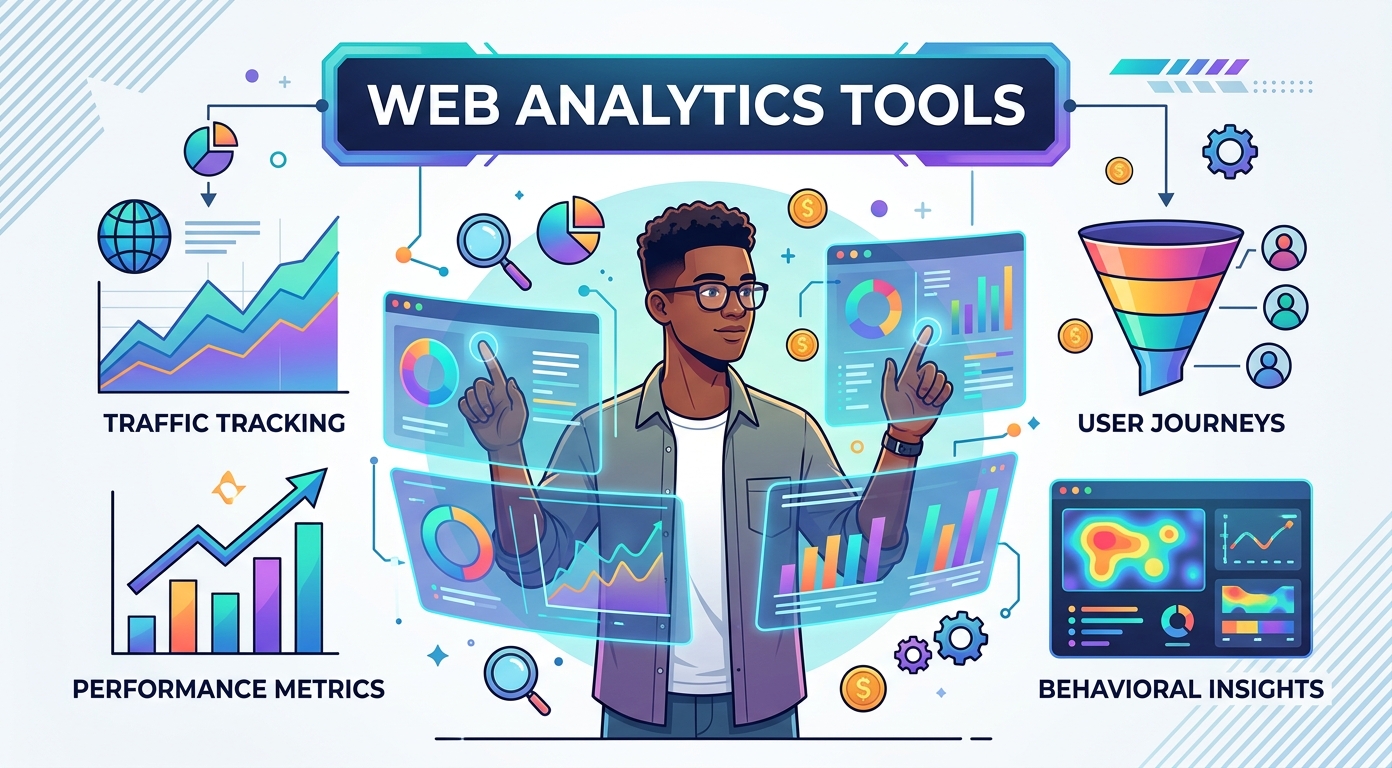
Every website tells a story, but you can only read it with the right analytics software. The best tools turn raw clicks into clear insights about who visits your site, what they do there, and why they leave. With good analytics in place, you stop guessing and start making decisions backed by real data. The numbers reveal patterns that intuition alone would never catch.
Google Analytics is the default choice for many, yet it is far from the only option. This guide walks through the best measurement platforms and the strongest Google Analytics alternatives, from free privacy-first trackers to large-scale suites. You will learn the key features that matter, how the tools compare on price and depth, and how to pick the one that fits your website.
Analytics is no longer a specialist discipline reserved for a data team. Founders, marketers, designers, and writers all need a working grasp of website performance. The good news is that modern analytics software is more approachable than ever, and the insights it surfaces are easier to read than ever before.
Why web analytics tools matter
Web analytics tools give businesses a deeper look at website performance and visitor behavior. By collecting data on traffic sources, page views, and on-page actions, analytics software helps you understand what is working and what is not. Without that data, every change to your website is a guess, and guesses are expensive when they are wrong.
The value shows up everywhere. Marketing teams use web analytics to see which campaigns bring real visitors and which ones quietly waste budget. Product teams use it to find where users drop off in a sign-up flow. Content teams use insights from analytics software to learn which pages earn attention and which fall flat. Support teams watch which help pages get the most traffic so they can improve them first. In each case, the data turns opinion into evidence.
Good web analytics also protects your time. Instead of arguing about what visitors want, you can look at the metrics and see. That clarity is why these tools have become essential for any website that wants to grow, whether it is a personal blog or a large platform. Analytics rewards consistency: teams that review their website dashboards every week build a feel for normal performance, so genuine problems stand out fast.
There is also a strategic payoff. When you measure the right things, the insights connect marketing, product, and support data into one shared view that keeps a whole company pointed in the same direction. Strong measurement also feeds smoother customer service, because support staff can see exactly where visitors struggle before they ever raise a ticket.
Key features to look for in web analytics tools
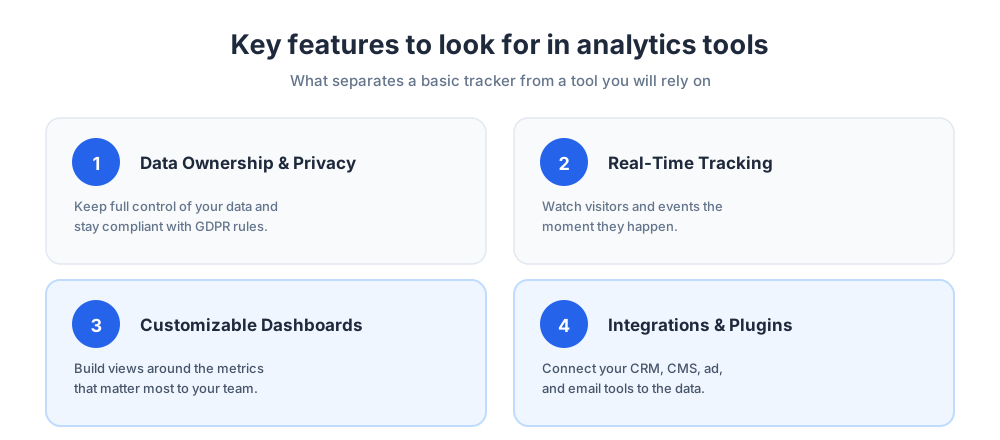
With so many web analytics tools available, choosing one can feel overwhelming. The key features below separate a basic tracker from a tool you will actually rely on. The right set of features depends on your goals, but a few capabilities are close to universal, and missing features will quietly limit you later.
Data ownership and privacy
Many Google Analytics alternatives focus on privacy, giving you full ownership of your data. This matters for GDPR compliance and for any business that handles sensitive customer records. Analytics software built around privacy keeps data on your terms rather than feeding it into a larger advertising machine. Ownership is one of the features that separates trustworthy software from the rest, and it shapes the insights you can safely share.
Real-time tracking and event tracking
Real-time tracking lets you watch website visitors and web traffic as it happens. For a product launch or a marketing campaign, seeing live data is far more useful than waiting a day for reports. Strong tracking also covers events, so you can measure clicks, form submissions, and video plays. Good event tracking turns a flat page view count into a real picture of behavior, and event setup should be simple rather than a coding project.
Customizable dashboards and reports
An intuitive dashboard turns analytics data into something you can act on. The best web analytics tools let you build dashboards around the metrics that matter and schedule email reports for your team. Clear reports keep everyone aligned without anyone digging through raw data. Look for filtering, segmentation, and the ability to compare date ranges, since these features make analysis far quicker.
Integrations and plugins
No analytics platform works alone. The features that connect your tracker to a CRM, a CMS, an ad network, or an email tool decide how useful the data becomes day to day. Many platforms ship ready-made connectors for popular content systems, and a healthy library of them means faster setup and fewer gaps. If you run a store or a publishing site, check that the integrations you need already exist before you commit. Strong integration features also keep your data consistent across every tool.
Top Google Analytics alternatives
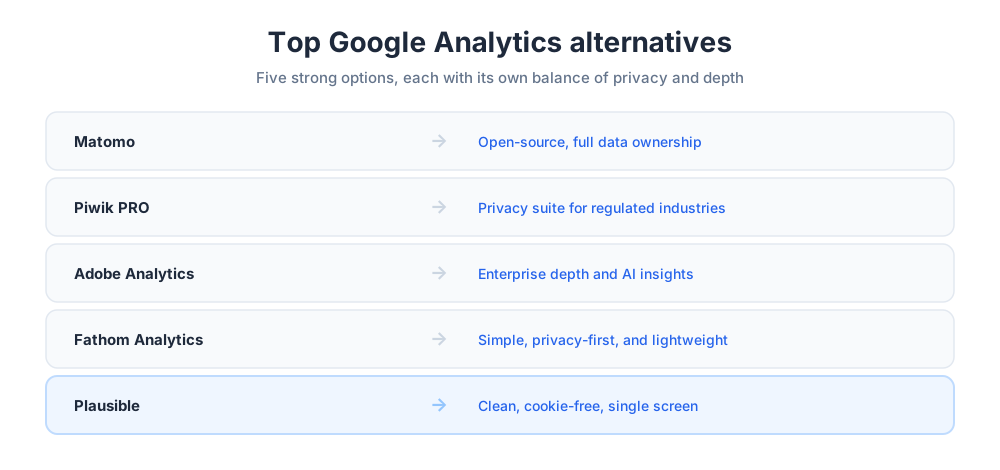
Google Analytics is powerful and free, but its complexity and privacy questions push many users toward alternatives. The platforms below give you cleaner data control, simpler interfaces, or both. Each is a serious competitor worth a close look.
Matomo
Matomo is the leading open-source alternative to Google Analytics. It gives you full data ownership and strong GDPR compliance, and you can host it yourself for total control. Matomo matches most of the features of Google Analytics, which makes it a natural first analytics choice for privacy-conscious teams. It also offers heatmaps, session recordings, and a marketplace of plugins, so it can grow with your needs.
Piwik PRO
Piwik PRO builds on the same privacy foundation as Matomo but adds an analytics suite aimed at regulated industries. It keeps customer data secure and is popular with finance, healthcare, and government teams that need airtight compliance alongside solid web analytics. Its consent management and tag features make it a strong fit wherever legal review is part of every project. Piwik PRO trades some simplicity for governance.
Adobe Analytics
Adobe Analytics is a heavyweight web analytics platform with advanced segmentation, AI-driven insights, and deep customization. It suits large organizations that need forecasting models and powerful data visualization. It stands as a serious competitor to Google Analytics, though its depth is more than a small website needs. Its features shine when many teams share one platform: each can build its own dashboards, segments, and insights from the same underlying data. Expect a real implementation project rather than a quick install.
Fathom Analytics
Fathom Analytics is built for simplicity and privacy. Its clean interface delivers the core numbers without the clutter, and it collects no personal data. For a small business or a blog owner who wants core website analytics fast, Fathom is a lightweight, low-maintenance option. There is no consent banner to manage and no steep learning curve. The trade-off is depth: Fathom favors clarity over the granular detail a larger tool provides.
Plausible
Plausible offers straightforward, privacy-friendly web analytics in a single screen. It avoids data overload and focuses on the metrics that drive action, which makes it a strong fit for smaller websites and personal projects that still want reliable tracking. Like Fathom, it is open-source and cookie-free, so staying compliant with privacy law is simple. Plausible loads a tiny script that barely touches page speed, a real performance benefit for any website.
Free web analytics tools
You do not need a budget to measure your website. Several free trackers deliver real insights, and a free plan is often enough for a small site or a personal project. Starting free also lets you learn what you actually need before you pay for anything. A free option removes the risk from your first experiment, so you can test ideas without a purchase order.
Google Analytics itself is free and remains the most popular option, with broad tracking and reports for any website. Matomo offers a free self-hosted version, Plausible and Fathom run generous trials, and Statcounter has long given small sites a free tier. Clicky also provides a free plan with real-time stats and clean insights. A free tracker will not match a paid enterprise platform, but for basic analytics tools that answer "who visits my site?", these free options cover the essentials and surface plenty of useful insights.
When you weigh a free tool, check its data limits and whether important capabilities sit behind a paywall. A free plan that caps monthly traffic or hides segmentation may cost you more in missed insights than a modest paid plan would. The cheapest option is not always the most economical once your traffic grows.
Enterprise web analytics tools
Large organizations need more than a lightweight tracker. Enterprise web analytics tools handle huge data volumes, connect many websites, and feed sales and marketing data into one place. At this scale, analysis becomes a team sport, and the platform has to support dozens of users without slowing down.
Adobe Analytics leads this category with deep segmentation and AI-driven forecasting. Other platforms add customer journey analytics, advanced dashboards, and tight integration with data warehouses. These platforms cost more and take longer to set up, but for a business running many sites and campaigns, enterprise analytics turns scattered data into a single, reliable picture. Expect onboarding support, role-based access, and service agreements that match the stakes. The payoff is governed, trustworthy data that finance and leadership can act on with confidence, plus the depth of analysis a fast-growing company eventually demands.
Behavioral and product analytics tools
Traffic numbers tell you how many visitors arrive. Behavioral analytics tools tell you what those people actually do once they land. These platforms focus on actions, sessions, and journeys rather than simple page counts, and they are where deep behavioral study really happens.
Hotjar
Hotjar is a favorite for user experience analysis. Its heatmaps, session recordings, and feedback polls show how visitors interact with each page. For teams refining a website based on real behavior, Hotjar turns vague hunches into visible insights. The visual nature of its reports makes it easy to share findings with designers and stakeholders who do not live in analytics every day.
Mixpanel
Mixpanel tracks user interactions and conversion funnels in detail. It is built for product teams, so ecommerce sites and apps use Mixpanel to understand retention and event-based behavior. Mixpanel shines when you need to follow what users do across many steps, not just which pages they view. Its cohort features let you compare how different groups behave over time. Mixpanel rewards careful event planning with sharp, actionable insights.
Heap
Heap captures every user interaction automatically, so you do not have to tag events by hand. That automatic tracking makes Heap ideal for mapping complex user journeys and for teams that want complete data from day one. Because nothing is missed, you can answer questions you did not think to ask when you installed it, a genuine advantage over tools that only record events you defined in advance.
Crazy Egg
Crazy Egg provides heatmaps, scroll maps, and built-in A/B testing. It helps marketers and designers see how visitors engage with content and test new page layouts. Crazy Egg pairs visual reports with a gentle learning curve, which makes optimization approachable for small teams. Its testing features let you trial a headline or button without a developer.
Traffic and SEO analytics tools
Some web analytics tools look beyond your own website to the wider market. This category helps you study competitors, search visibility, and where your visitors come from. These platforms pair naturally with on-site analytics, because search engine optimization is most effective when you can see both rankings and the behavior of the traffic those rankings produce.
SimilarWeb
SimilarWeb estimates traffic for almost any website, which makes it valuable for competitor analysis. Marketing teams rely on it to size a market, benchmark performance, and spot where rivals earn their organic search traffic. The search and channel data it provides is directional rather than exact, but detailed enough to guide strategy.
Statcounter
Statcounter is a simple, affordable analytics tool for smaller sites. It delivers real-time stats, visitor tracking, and core metrics, answering the basic question of who visits a website without the weight of a large platform. Its long history and lightweight tracking code make it a dependable pick for hobby projects and small businesses.
Popular web analytics tools compared
With so many strong contenders on the market, a side-by-side view helps. The right pick depends on your size, budget, and priorities rather than a single best answer, so it pays to match each platform to a clear use case.
For privacy and data ownership, Matomo, Fathom, and Plausible lead. For deep behavioral and product analytics, Hotjar, Mixpanel, and Heap stand out. For enterprise scale, Adobe Analytics is the benchmark. For competitor research, few rivals match a dedicated market-intelligence platform, and for simple website analytics tools, Statcounter and Clicky do the job. Many teams end up pairing two tools: one for traffic and one for behavior. Other tools may join the stack later for SEO or session replay, but two complementary platforms usually cover the core. The features you need most should drive the decision, not brand recognition.
Google Analytics vs the alternatives
Google Analytics remains the most widely used analytics platform, and for good reason. It is free, it handles google analytics data at scale, and it integrates with the wider Google ecosystem of ads and search products. Many teams never need anything else.
Still, the alternatives win on specific points. Matomo and Piwik PRO beat Google Analytics on privacy and data ownership. Fathom and Plausible beat it on simplicity and page-load performance. Adobe Analytics beats it on enterprise depth. Hotjar and Mixpanel beat it on behavioral detail and analysis. The honest takeaway is that Google Analytics is a strong default, but the best tool is the one matched to your real needs.
How to choose the right web analytics tool
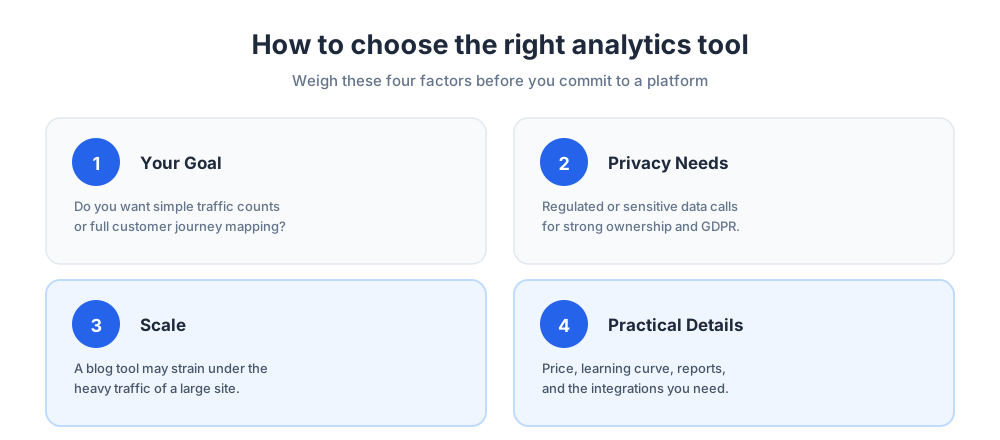
Choosing among web analytics tools comes down to a few honest questions about your website and your team. You do not need to be an analytics expert to answer them; you just need to be specific about what you want to learn.
Start with your goal. If you want simple traffic numbers, a lightweight tool is plenty; if you need to map a full customer journey, you need a behavioral platform. Next, weigh privacy: a regulated business should favor tools with strong data ownership and GDPR support. Then consider scale, because a tool that fits a small blog may strain under heavy enterprise traffic.
Finally, look at the practical details: the price, the learning curve, the quality of reports and dashboards, the available integrations, and how well the tool connects to the rest of your stack. If your store relies on connected software, our guide to ecommerce integration platforms shows how analytics fits the wider picture, and our overview of the best marketing automation tools explains how that data can trigger campaigns automatically.
Analytics, privacy, and GDPR
Privacy is no longer optional. GDPR and similar laws shape how every analytics tool may collect and store website data, and visitors increasingly expect their information to be handled with care. Getting privacy right protects both your users and your brand.
Privacy-first web analytics tools such as Matomo, Fathom, and Plausible answer this directly. They minimize personal data, often skip cookies, and keep website data under your control. Even if you stay with Google Analytics, you should configure it for compliance, anonymize data where possible, and tell visitors clearly what you track. The features that govern consent and retention deserve as much attention as the reporting features. Good analytics and good privacy are not in conflict; the strongest tools deliver both, and a clear privacy posture often improves trust and conversion at the same time.
Key metrics web analytics tools track
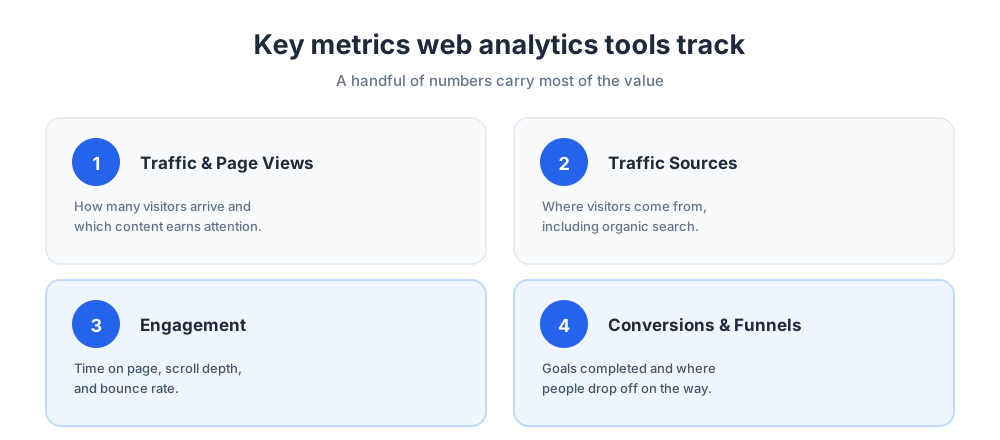
Whatever tool you pick, a handful of metrics carry most of the value. Knowing the essential metrics keeps you focused on data that drives decisions, and it stops you from drowning in numbers that look interesting but change nothing.
Traffic and page views
Traffic metrics show how many visitors reach your website and where they come from, including search engines and referral links. Page views reveal which content earns attention, and audience insights add context about who those people are. Tracking these numbers together gives you a grounded view of website performance, and it highlights which content analytics tools would help you go deeper into search and behavior.
Engagement and behavior
Beyond raw counts, engagement metrics show how seriously your audience takes your content. Time on page, scroll depth, and bounce rate all hint at quality, and session-level data analysis reveals whether people explore your site or leave after one page. Behavioral insights like these turn a traffic report into a real measure of website performance, and they tell you which pages deserve your next round of work.
Conversion and funnel reports
Conversion rates measure how often visitors complete a goal, from a sale to a signup. A funnel view shows where people drop off on the way, so you can fix the leak. Together, these insights connect web traffic to real business results and to the leads your site generates. Healthy conversion rates are usually the clearest sign that your analysis is paying off, and live chat is one proven way to lift them, as our guide to lead generation through live chat explains.
Future trends in web analytics
Web analytics keeps evolving. The clearest signals point toward privacy-first design, smarter automation, and predictive analytics that forecast behavior rather than just report the past.
Expect AI to do more of the heavy analysis, surfacing patterns and anomalies that a human might miss and pushing insights directly into your inbox. Expect cookieless tracking to spread as browsers tighten privacy, which will reward tools that already work without cookies. And expect analytics platforms to fold in more channels, so a single dashboard covers your website, your mobile apps, and your marketing campaigns at once. These trends make analytics easier to read, surfacing free insights for every team rather than just specialists.
Common analytics mistakes to avoid
Even the best web analytics tools disappoint when used carelessly. The most common mistake is tracking everything and reviewing nothing; pick a few metrics that matter and check them often, because regular review is what turns data into insights.
A second mistake is ignoring data quality. If your tracking code is missing on key pages or fires twice, your reports will mislead you and your analysis will point the wrong way. A third is acting on tiny samples, where a day of data looks dramatic but means little. A fourth is collecting numbers nobody uses, so set aside time to act on what you find. Treat analytics as a habit, not a one-time setup, and the insights will compound over time. For more ways to act on what your data reveals, see our tips to improve your ecommerce customer experience, where small, measured changes add up to real performance gains.
Frequently Asked Questions
What are web analytic tools?
Web analytics tools are software that measures how people find and use a website. They collect data on traffic sources, page views, visitor behavior, and conversions, then turn it into reports and dashboards you can act on. Examples include Google Analytics, Matomo, Fathom, Plausible, Hotjar, and Mixpanel. The goal is the same across all of them: replace guesswork about your website with evidence drawn from real visitor data.
What are the best web analytics tools?
There is no single best tool, only the best fit for your needs. Google Analytics is the most popular free option. Matomo and Piwik PRO lead on privacy and data ownership, Fathom and Plausible on simplicity, and Adobe Analytics on enterprise depth. For behavior, Hotjar, Mixpanel, and Heap stand out, while SimilarWeb is the choice for competitor analysis. Match the tool to your size, budget, and privacy needs rather than chasing a universal winner.
What are the 4 types of data analytics?
The four widely recognized types of data analytics are descriptive, diagnostic, predictive, and prescriptive. Descriptive analytics reports what happened, such as last month's traffic. Diagnostic analytics explains why it happened. Predictive analytics forecasts what is likely to happen next. Prescriptive analytics recommends what action to take. Most web analytics tools focus on descriptive and diagnostic analytics, while advanced platforms add predictive and prescriptive features.
What are the 4 big data tools and technologies?
Big data technology is broader than web analytics, and there is no fixed list of four. Commonly cited categories include distributed storage and processing frameworks such as Hadoop and Apache Spark, NoSQL databases such as MongoDB and Cassandra, cloud data warehouses such as BigQuery and Snowflake, and visualization or business intelligence tools such as Tableau and Power BI. Web analytics tools usually sit on top of this stack rather than replacing it.
What is the best alternative to Google Analytics?
The best alternative depends on what frustrates you about Google Analytics. If it is privacy, Matomo and Piwik PRO give you full data ownership and GDPR compliance. If it is complexity, Fathom and Plausible deliver clean, simple web analytics in a single screen. If you need enterprise depth, Adobe Analytics is the benchmark. Many teams pick Matomo as the closest like-for-like replacement, since it matches most Google Analytics features.
Is there a free web analytics tool?
Yes, several. Google Analytics itself is free and the most widely used. Matomo offers a free self-hosted version, Statcounter has long provided free analytics for small sites, and Clicky has a free plan with real-time stats. Plausible and Fathom offer trials rather than permanent free plans. A free tool is often enough for a small website or a new blog, but check the data limits before you rely on one.
What is the difference between Google Analytics and Matomo?
Both are full web analytics platforms with similar core features, but they differ on data ownership. Google Analytics stores your data on Google's servers and is free, while Matomo lets you self-host so you keep complete control of your data. Matomo is built around privacy and GDPR compliance, which makes it the usual choice for organizations that handle sensitive data or want to avoid sharing visitor information with a third party.
Are web analytics tools GDPR compliant?
It varies by tool and by how you configure it. Privacy-first tools such as Matomo, Fathom, and Plausible are designed for GDPR compliance, often minimizing personal data and skipping cookies entirely. Google Analytics can be used in a compliant way, but it requires careful configuration, data anonymization, and clear consent. Whatever tool you pick, tell visitors what you track and review your privacy settings rather than assuming the defaults are compliant.
What metrics should web analytics tools track?
Focus on a handful of metrics that drive decisions. Traffic and page views show how many visitors arrive and what they read. Traffic sources reveal where they come from, including organic search. Engagement metrics like time on page and bounce rate show content quality. Conversion rates and funnel reports connect visits to real results. Tracking these consistently is far more useful than collecting every metric a tool can produce.
What is the best web analytics tool for a small business?
Small businesses usually want simple, affordable web analytics. Fathom and Plausible give clean, privacy-friendly numbers without a learning curve. Statcounter and Clicky are good low-cost options with real-time stats. Google Analytics is free and powerful if you are willing to handle its complexity. The best pick is the tool you will actually check each week, so favor a clear dashboard over a long feature list.
What is the best enterprise web analytics tool?
Adobe Analytics is the leading enterprise web analytics platform, offering advanced segmentation, AI-driven insights, predictive analytics, and customer journey analytics across many sites. Piwik PRO is a strong enterprise choice when data governance and compliance are priorities. Google Analytics 360 is the paid enterprise tier of Google Analytics. Enterprise tools cost more and need a real implementation project, but they turn scattered data into one reliable picture.
Do I need more than one web analytics tool?
Often, yes. Traffic analytics tools like Google Analytics or Matomo tell you how many visitors arrive and where from. Behavioral tools like Hotjar or Mixpanel show what those visitors actually do on the page. The two answer different questions, so many teams run one of each. Just avoid overlap for its own sake; add a second tool only when it answers a question your first tool cannot.
What is behavioral analytics?
Behavioral analytics focuses on what visitors do rather than just how many arrive. Instead of counting page views, behavioral analytics tools track clicks, scrolls, sessions, and full user journeys. Heatmaps, session recordings, and conversion funnels are typical features. Tools such as Hotjar, Mixpanel, and Heap specialize in this, helping product and UX teams see where users succeed, hesitate, or drop off so they can improve the experience.
Related articles
More in Tools & productivity → Website Proposal Template: 8 Sections That Win (2026)
A free website proposal template with all 8 sections copy-paste ready, plus the walkthrough: scoping, three-tier pricing, follow-up, and the expiry date.
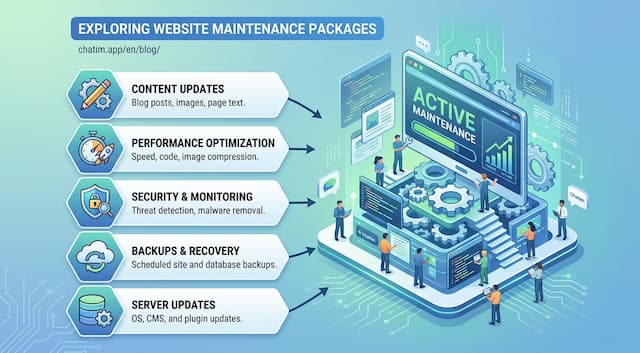 Website Maintenance Packages: What to Include & Charge (2026)
What goes into a website maintenance package, how providers price three tiers, the full maintenance checklist, and the recurring line items clients notice.
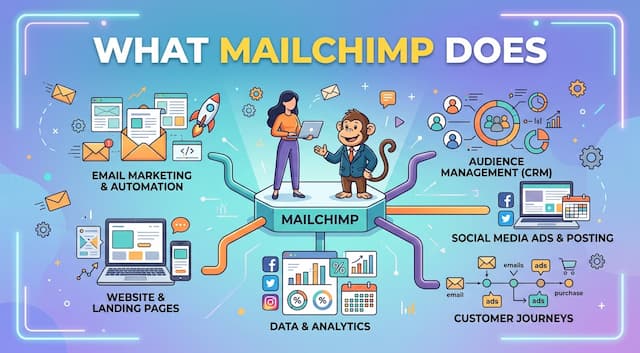 What Is Mailchimp? A Complete Guide to What It Does
Mailchimp is a leading email marketing platform. Learn what it is, what it does, its features and plans, and top alternatives.
 20 Best Email Tracking Software Tools to Use in 2026
20 email tracking tools compared: Mailtrack, HubSpot, Mixmax, Mailchimp, ZeroBounce. Pricing, free tiers, Gmail and Outlook picks for sales teams.