Best Marketing Automation Platforms and Tools for 2026
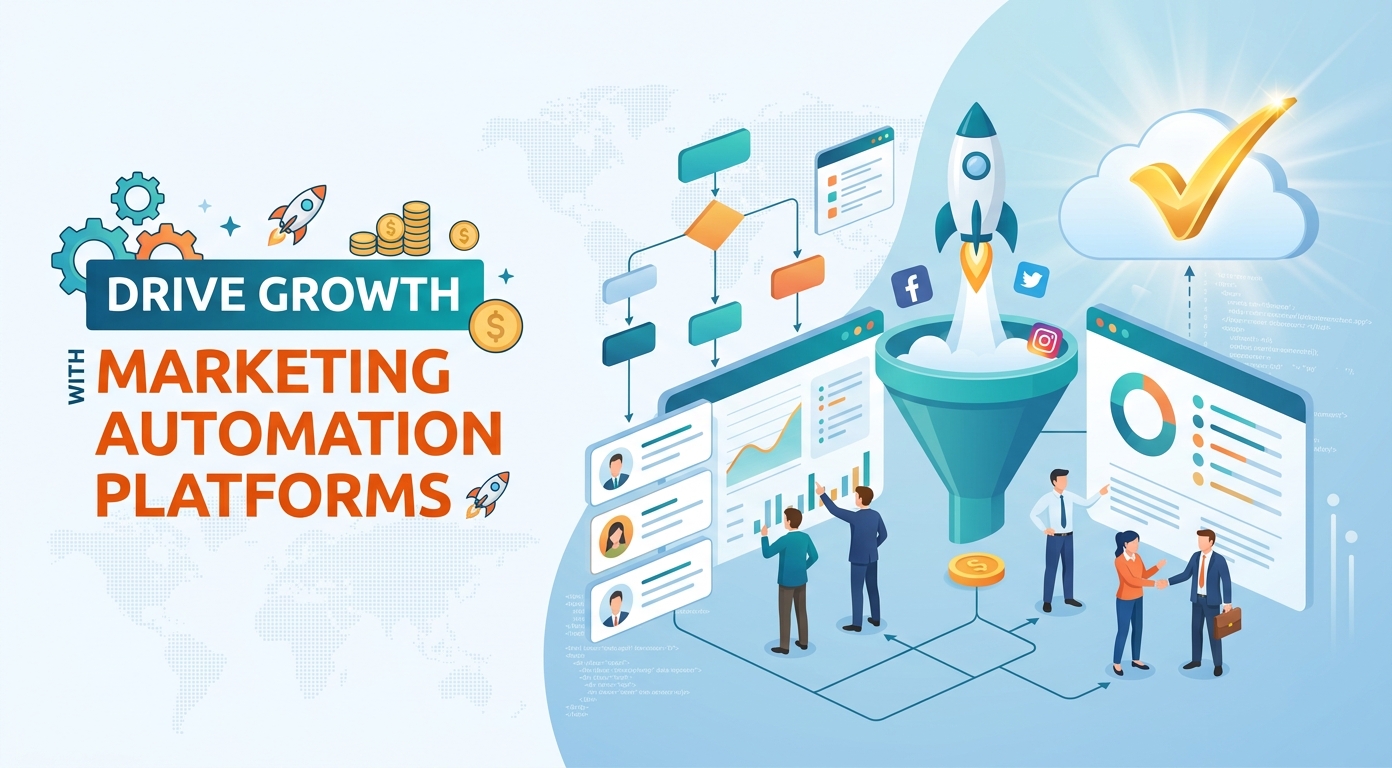
Marketing teams are asked to do more every year with the same hours in the day. Marketing automation software is how they keep up: a system that runs repetitive marketing work for you, so people can focus on strategy instead of busywork. The right marketing tools turn that promise into a daily reality.
From email marketing to lead scoring, the best marketing automation platforms turn scattered manual tasks into reliable, repeatable workflows. They send the right email at the right moment, score and route every lead, and report on each campaign without anyone lifting a finger.
Marketing automation is no longer a luxury reserved for big companies. Today there are tools for every budget, from a free tier for a solo founder to enterprise software that runs marketing for a global brand.
The shift has been quick. A decade ago, only large companies could afford the software and the staff to run it. Now affordable marketing automation tools put the same workflows within reach of any small team.
This guide explains what marketing automation platforms are, how marketing automation works, the benefits these tools deliver, the key features to look for, and the best marketing automation tools for 2026, including options for small teams and enterprise teams.
What is a marketing automation platform?
A marketing automation platform is software that automates repetitive marketing tasks across email, the web, social media, and more. Instead of sending each email or updating each record by hand, you build a workflow once and the marketing automation software runs it for you.
A good platform sits at the center of modern marketing. It connects your email marketing, your campaigns, your reporting, and often your CRM, so customer data and marketing work live in one place.
The category covers a wide range of tools. Some marketing automation tools focus on email campaigns, some on the full customer journey, and some pair marketing automation with a built-in CRM. What every platform shares is one goal: less manual work, more consistent marketing.
For a marketing team, the practical effect is leverage. One person can run marketing campaigns that used to need a whole department, because the automation software handles the repetitive steps in the background. It helps to think of a marketing automation solution as a tireless assistant that never forgets a follow-up.
Marketing automation vs CRM
A CRM stores customer and sales data; a marketing automation platform acts on it. The two overlap, and many tools now combine them, but the jobs differ.
Customer relationship management keeps a clean record of every contact and deal. Marketing automation uses that record to trigger emails, score leads, and run campaigns across channels.
A CRM with marketing automation built in gives both teams one source of truth. Sales sees the same contact history as marketing, and a lead never falls between the two systems.
When you compare tools, decide early whether you want a standalone marketing automation platform or a combined product with the CRM included, because that choice shapes the rest of your shortlist. A sales-led company often prefers the CRM-first option.
How marketing automation works
Understanding how marketing automation works makes it far easier to choose the right platform. At its core, every marketing automation tool follows the same simple pattern, and once you see it, the long feature lists on vendor sites become much easier to read.
Triggers, conditions, and actions
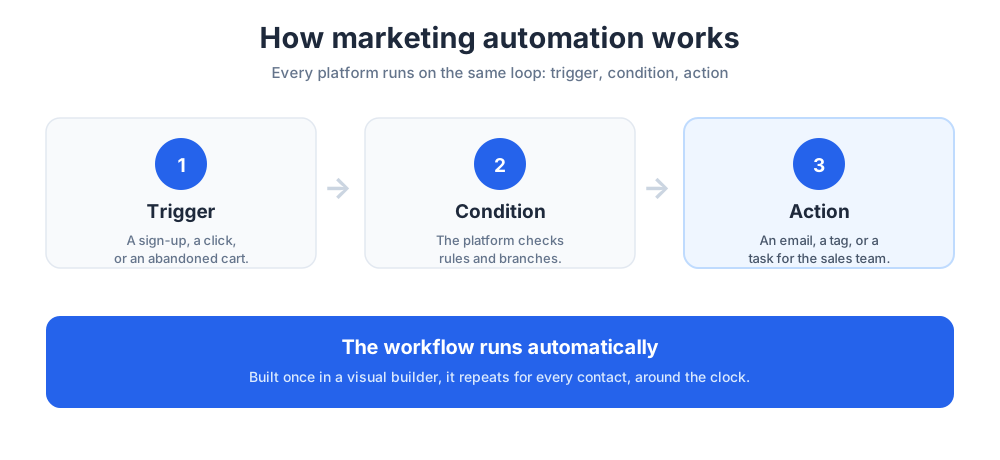
Automation runs on triggers. A trigger is an event, such as a contact joining a list, clicking a link, or abandoning a cart. When the trigger fires, the marketing automation platform checks conditions and then takes an action.
The action might be an email, a task for the sales team, a tag, or a score change. String these together and you have a workflow that runs without anyone watching it. Even basic automation built this way saves hours of manual work.
A single trigger-and-email rule means no new lead is ever ignored, and no sales rep has to remember to follow up. That reliability is the everyday value of automation.
Conditions are what make the system feel intelligent, branching a contact down one path or another based on what they did. This is where marketing automation work moves from simple to genuinely useful: the more thoughtfully you set conditions, the more relevant every send becomes.
Workflows and the visual workflow builder
Most platforms include a drag-and-drop canvas where you map triggers, conditions, delays, and actions. You can see the whole path a contact takes at a glance, which is why a clear builder matters.
Good marketing automation tools make these flows easy to test and adjust. The best marketing automation software also lets non-technical marketers build and edit workflows themselves, without waiting on a developer, and that independence is a large part of the value.
Over time, your library of workflows becomes an asset. Each tested flow keeps producing results long after you built it, the compounding payoff of good automation.
The benefits of marketing automation
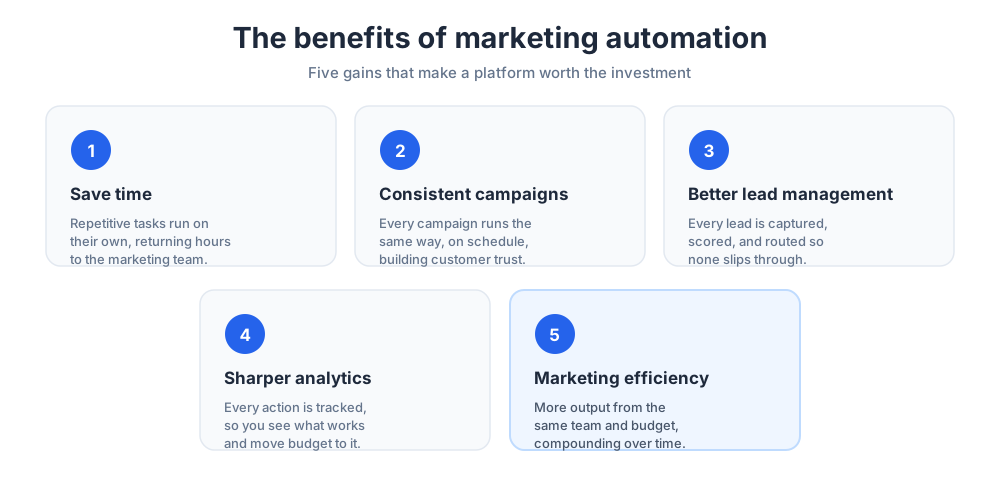
The gains here are practical and measurable. These are the advantages that make marketing automation worth the investment for a marketing team of any size.
Most teams adopt marketing automation for one reason and stay for several, because the advantages compound the longer the automation is used.
Save time on repetitive work
The clearest benefit is time. Marketing automation removes the repetitive tasks, such as sending the same email, tagging contacts, or updating records, that eat a marketing team's day.
With that time back, the team can focus on strategy, creative work, and the campaigns that need a human touch. Across a year, the hours marketing automation saves add up to weeks of work returned to the team.
That recovered time changes what a small team can attempt. Marketing efforts that once felt impossible suddenly fit inside a normal week.
More consistent marketing campaigns
Manual marketing campaigns are inconsistent because people forget, get busy, or leave. Marketing automation runs every campaign the same way, every time, and that consistency builds trust with your audience.
Automated campaigns also never sleep. A welcome email or a follow-up goes out at the right moment even if it is a weekend or the marketing team is offline.
Better lead management and lead scoring
Marketing automation captures every lead, tags it, and routes it to the right place automatically. No lead slips through the cracks, and no lead waits days for a first reply.
Lead scoring takes this further. The platform assigns each lead a score based on behavior and fit, so the sales team focuses on the leads most likely to convert, the ones that fit your ideal customer profile.
Better handling also speeds up lead generation, because marketing can run more campaigns knowing every fresh prospect will be captured and followed up. Strong lead generation depends on that reliable capture step.
Clean routing also shortens the sales cycle. When a hot lead reaches a rep within minutes instead of days, the chance of a reply is far higher.
Sharper marketing analytics
Every action your marketing automation takes is tracked. That produces clean analytics on open rates, clicks, conversions, and revenue, all in one dashboard.
With reliable analytics, you can see which campaigns work and which do not, then move budget toward what performs. Shared analytics also align marketing and sales, since both teams judge results against the same numbers.
Improved marketing efficiency
Put the gains together and the result is a more efficient operation: more output from the same team and budget. That is the real promise of marketing automation, and the reason adoption keeps rising.
Efficiency compounds. Each workflow you automate frees time to build the next one, so a team's marketing efforts speed up steadily over the year.
None of this happens by accident. The teams that see the biggest gains treat their automation software as a habit, reviewing and improving their workflows like any other process.
Key features to look for
Marketing automation platforms vary widely. These are the key features that matter most when you compare your options, and the ones worth testing in any trial.
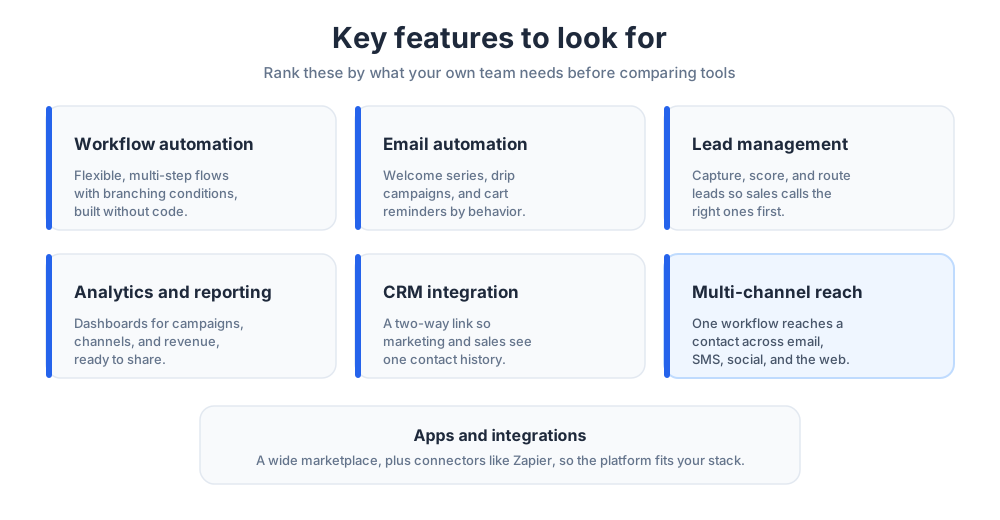
No single platform leads on every feature, so rank this list by what your own team needs. A good way to use the key features below is as a scorecard, giving each platform a mark per feature.
The key features that look impressive in a demo are not always the ones you use daily, so keep your own use cases in mind.
Workflow automation
Workflow automation is the heart of any platform. Look for flexible workflows that handle multi-step paths, branching conditions, and delays, not just simple rules.
The strongest marketing automation tools let non-technical users build and edit complex workflows without code.
Test how easy it is to clone and tweak a workflow, because you will build many of them once the platform proves itself.
The automation capabilities you should weigh most heavily are the ones tied to your real campaigns, not the rare edge cases a salesperson loves to demo.
Email marketing and email automation
Email marketing remains the workhorse channel. Strong email automation covers welcome series, drip campaigns, cart reminders, and re-engagement, all triggered by behavior.
A good platform also includes an email editor and templates, so the team can build email campaigns quickly without a designer. Email is also where most teams see their first clear win from marketing automation.
Deliverability matters as much as design. Ask how the platform protects your sender reputation, because the best email is worthless if it lands in a spam folder. Strong email marketing also means easy list hygiene, with simple tools to spot inactive contacts.
Lead management and lead scoring
These features capture, organize, and route contacts. Pair that with scoring and the platform tells the sales team who to call first.
Scoring rules should be easy to adjust as you learn what a strong prospect looks like for your business.
The best marketing automation tools show the score history for each record, so sales understands why a contact is hot. The faster a qualified prospect reaches the right rep, the more likely it is to turn into a conversation.
Analytics and reporting
These features turn raw activity into insight. Look for dashboards that track campaigns, channels, and revenue, plus clear reports you can share with leadership.
Some platforms add predictive features, which forecast which leads or campaigns will perform best.
Watch for attribution. A platform that can show which channel and which campaign produced a sale gives you far more confidence about where the next budget should go.
CRM integration
A solid link to the CRM keeps marketing and sales aligned. When the marketing automation platform and the CRM share data, every team sees the same contact history.
If you do not already have a CRM, consider a platform that includes one. A two-way link is best, so updates in marketing and updates in sales both flow back to one record.
Check how often the two systems sync. A near-real-time link keeps both teams working from current data, so a sales rep never calls a lead with stale information.
Multi-channel and channel automation
Customers move across email, SMS, social, and the web. A multi-channel approach lets one workflow reach a contact wherever they are. A coordinated approach across many channels feels more polished and performs better than single-channel sends.
Look for built-in social media management too, so posting and monitoring sit alongside your email marketing and automation work.
Done well, cross channel marketing also respects frequency. A unified platform can see every message a contact has received and avoid send fatigue.
Strong multi channel marketing is less about adding channels and more about coordination, so favor a platform that treats every channel as one conversation.
Apps and integrations
No platform works alone. Check the marketplace of apps and integrations, because your marketing automation tool needs to connect to your website, your ads, and your other software.
Tools like Zapier can bridge gaps, linking apps that do not integrate directly.
For an online store, confirm there are solid links to your ecommerce platform, since that is where marketing automation drives the most revenue. Check the quality of each connection, not just the count of logos on the page.
The best marketing automation platforms for 2026
There is no single best platform, only the best fit for your team. Here are nine of the best marketing automation platforms and tools to consider for 2026. Each of these marketing automation tools has a clear strength, so read them against the needs you mapped earlier.
HubSpot Marketing Hub
HubSpot is one of the most popular options on the market, and for good reason. HubSpot pairs marketing automation with a CRM you can use at no cost, so contacts, campaigns, and deals live together.
The marketing hub covers email, landing pages, forms, workflows, and analytics. The HubSpot builder is approachable, and the product scales from a small team up to a large one.
HubSpot pricing is tiered: a free tier to start, then paid plans that scale with contacts and features. Many teams choose HubSpot because its marketing, sales, and service tools all share one platform.
HubSpot is also strong on inbound marketing, the practice of earning attention with content. If that is your model, HubSpot is a natural home for your marketing automation. One reason HubSpot suits growing teams is the gentle on-ramp into the software.
Salesforce Marketing Cloud
This platform is the enterprise option. Salesforce is the best-known name in CRM, and the Salesforce product extends that strength into large-scale marketing automation.
It handles complex automation across many channels, deep segmentation, and advanced reporting. The tool is powerful, and that power suits big teams with the resources to run it.
For smaller teams, it can be more than they need, and the pricing reflects its focus on large organizations. But for a big marketing team, few platforms match its depth.
If your company already runs Salesforce for sales, keeping marketing automation in the same family makes integration far simpler. The platform rewards teams that invest in proper setup and training.
Mailchimp
Mailchimp began as an email marketing tool and grew into a broad marketing platform, as a dedicated guide explains. For many smaller companies, Mailchimp is the first piece of automation software they ever use, and one of the friendliest marketing tools to learn.
Mailchimp covers email campaigns, simple workflows, landing pages, and reporting. Its free plan and friendly design make it easy to start with, then grow into.
Mailchimp pricing scales with your contact list, so costs rise as you grow. For an email-first team that mostly needs email, though, it remains a popular and capable choice.
ActiveCampaign
ActiveCampaign is known for strong automation at a mid-market price. It blends email marketing, a light CRM, and a flexible workflow builder. If your priority is behavior-based automation without enterprise complexity, it is a frequent shortlist pick.
Its workflows are among the most flexible in this price range, which is why data-driven marketing teams favor it. The light CRM also means a small sales team can track deals without buying a separate tool.
Brevo
Brevo, formerly Sendinblue, offers email marketing, SMS, and automation in one tool. It is often chosen by smaller teams that want capable workflows on a modest budget, and it also includes a basic CRM.
Its pricing is based partly on email volume rather than contact count, which can suit a team with a large list that emails less often. That model can make Brevo cheaper than tools that charge purely by list size.
Omnisend
Omnisend is built for ecommerce. It focuses on email marketing and SMS workflows tuned to online stores, with strong ecommerce integrations for popular store platforms. For an ecommerce brand, its prebuilt cart and browse workflows are a fast way to start automation.
Because it specializes, Omnisend often feels more relevant to a store than a broad, general-purpose platform. Instead of designing a cart-recovery flow from scratch, an ecommerce team can switch one on and see revenue within days.
Klaviyo
Klaviyo is another ecommerce-focused platform, popular with online retailers that want data-rich email marketing and SMS.
Klaviyo leans heavily on customer data and segmentation, which makes its email campaigns feel personal and timely. For a growing store that lives or dies by email revenue, that depth is a strong draw, though a team that needs broad B2B sales features may find it narrow.
Zapier
Zapier is not a marketing platform on its own, but it belongs on this list. Zapier connects thousands of apps, so it can automate steps your main tool cannot.
Many teams pair their main software with Zapier to move data between systems and trigger actions across their whole stack.
If a tool you rely on lacks a native integration, Zapier almost certainly bridges it. Think of it as the connective tissue of your stack, quietly removing the manual copy-and-paste steps between the tools you use.
Constant Contact
Constant Contact is a long-running email marketing and automation tool aimed at small teams and nonprofits. It is straightforward, with templates and simple workflows that suit teams new to the category. It will not match an enterprise platform for depth, but for a small team it is approachable and reliable.
Constant Contact pricing is clear and predictable, which appeals to an organization that wants no surprises. The support and onboarding are also a genuine selling point for a team with no marketing specialist.
Marketing automation platforms with built-in CRM
For many teams, the cleanest setup is a CRM with marketing automation in the same tool. These platforms put customer data and marketing work side by side, and a combined tool removes the integration headache entirely.
This is also where sales and marketing stop arguing over data. With one shared record, the handoff from a marketing lead to a sales conversation is seamless, with no separate tools to keep in sync.
HubSpot
HubSpot is the best-known example of CRM and marketing automation in one place. Its free crm anchors the platform, and the marketing, sales, and service tools build on top.
Because the HubSpot CRM costs nothing to start, a small team can begin with contacts and add automation as it grows.
That zero-cost entry point is also a low-risk way to test whether a combined platform suits your team. HubSpot has built its reputation on this all-in-one promise, and for a team that wants its sales pipeline and its marketing workflows together, it remains the obvious benchmark.
Zoho CRM
Zoho CRM pairs a robust CRM with a set of marketing automation features and a wide suite of business tools. It is competitively priced and popular with small and medium businesses.
Zoho CRM works well for teams that want CRM and marketing automation without an enterprise budget.
The wider Zoho ecosystem also means email, projects, and accounting tools can all sit alongside your CRM. For a company that already uses other Zoho products, the appeal is consistency.
Salesmate
Salesmate is a CRM with marketing automation aimed at sales-led teams. It combines pipeline management, email campaigns, and workflows in one place.
For a smaller sales team that wants automation tools attached to a CRM, Salesmate is a practical pick.
Salesmate keeps its pricing accessible, which makes it a realistic option for a growing sales team on a budget. The product leans toward the sales side, so a team that lives in its pipeline will feel at home here while still getting the email and workflow tools marketing needs.
Marketing automation for small businesses
Small businesses have different needs from large ones. The right platform for a small team is approachable, affordable, and quick to set up, because a small team cannot afford a long, expensive rollout.
The good news is that the gap has closed. The automation tools that once only served large companies now have tiers, templates, and onboarding aimed squarely at a team of one or two people.
What small businesses need
A smaller company needs automation that works out of the box. Prebuilt workflows, clear pricing, and a gentle learning curve matter more than heavyweight depth.
A free tier also helps, because it lets a small team prove the value of marketing automation with real work before paying anything.
It also helps to pick a tool you can grow into. Switching platforms later is painful, so a product that starts simple but has room to expand saves a costly migration. For a lean team, support matters as much as features.
Best picks for small businesses
Among the best options for a small team, Mailchimp, Brevo, HubSpot's free tier, and Constant Contact are all strong starting points. Each offers real automation without enterprise complexity.
The best choice depends on your channels: Mailchimp and Constant Contact for email-first teams, HubSpot for teams that also want a CRM, and Brevo for those that want email and SMS together.
Whichever you pick, start with one or two simple workflows and let the results build your confidence. A small team that proves the value early will find it far easier to justify a paid plan later.
Marketing automation for enterprise
Enterprise teams need scale, control, and integration. Their marketing platform must handle huge contact lists, many users, and strict governance. At that size, a small gap in a tool becomes a large problem, so the evaluation is far more thorough than for a small business.
What enterprises need
A large organization needs advanced segmentation, broad reach across email and other channels, deep analytics, and a tight link to the CRM. The team also needs security, permissions, and support that match its size.
For enterprises in 2026, AI-assisted features and forecasting are increasingly part of the shortlist.
Governance is the quiet requirement here. Granular permissions, audit logs, and approval steps keep a large team of marketers working in the same automation tools without anyone breaking a live campaign.
Best picks for enterprise
Salesforce and the higher tiers of HubSpot are common choices for a large company. Both handle complex campaigns at scale, with the analytics and controls a big team needs.
The decision often comes down to which CRM the company already runs, since the automation software works best next to its matching CRM. A large team should plan a phased launch with training and internal champions.
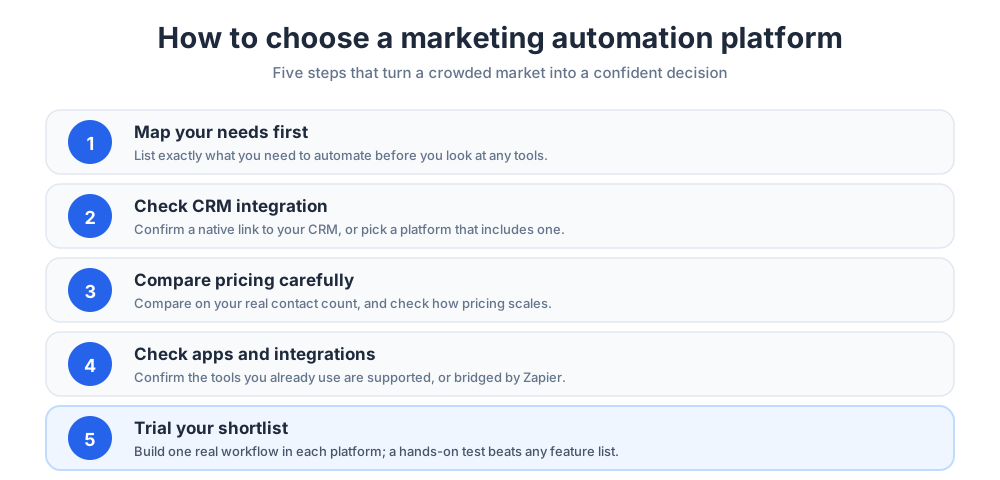
How to choose a marketing automation platform
With so many tools available, a clear process helps. A structured choice also makes the decision easier to defend later, because you can show why this marketing automation platform beat the others.
It also helps to involve the people who will use the automation tools daily. A platform chosen only by management often misses the small workflow details that decide whether the team adopts it.
Map your needs first
Start by listing what you actually need to automate: email, scoring, social, ecommerce, or all of them. The best platform for another team may be wrong for yours, so write the must-have features down before you look at any tools.
It also helps to separate must-have features from nice-to-have ones. A good marketing automation tool is one that nails your core workflows, not one that wins on a feature you never switch on.
Check CRM integration
Your marketing platform must work with your CRM. Confirm there is a native integration, or that the platform includes its own CRM. A weak link between marketing and sales data undermines the whole investment.
If you can, test the integration during a trial, pushing a few records through to confirm the data lands cleanly on the sales side.
Compare pricing carefully
Pricing is rarely simple. Compare pricing on the basis of your real contact count and the features you need, not the headline number.
Check how pricing scales as your list grows, since that is where costs climb fastest.
Map the cost out two or three years ahead. A plan that looks cheap today can become expensive once your contacts and your feature needs both expand.
Check apps and integrations
Your platform has to fit your stack. Review the apps and integrations on offer, and confirm the tools you already use are supported.
Where a native connection is missing, a bridge such as Zapier can fill the gap. Make a quick inventory of every tool that needs to exchange data with the platform and check it against the marketplace early.
Trial before you commit
Finally, trial your shortlist. Build one real set of workflows in each platform and see how it feels. A hands-on test reveals fit far better than a feature list.
Most platforms offer a free trial or a free tier, so use it before you sign anything.
During the trial, time how long a common task takes in each tool. A platform that feels quick and clear in week one is the one your team will still use a year later.
Understanding marketing automation pricing
Pricing is one of the hardest parts of choosing a platform. A little knowledge of how the pricing works prevents nasty surprises later. Two teams can pay very different amounts for the same tool, because pricing depends on list size and the features each one switches on.
It helps to treat pricing as a forecast, not a snapshot. The number you sign up for today is rarely the number you pay in a year.
How pricing models work
Most platforms charge by contact count, by feature tier, or both. Pricing rises as your list grows and as you unlock advanced automation. Because published pricing changes often, always confirm current figures on the vendor's own pricing page.
Treat any pricing you read elsewhere as a rough guide only, and watch how features are split across tiers, since a workflow feature you need can sit behind a higher plan.
Hidden costs to watch
The sticker price is not the whole cost. Watch for onboarding fees, paid add-ons, and pricing jumps between tiers. Factor in the time to set up your workflows too, since that is a real cost even when the automation software itself is cheap.
Common marketing automation mistakes
The technology delivers most when it is used well. These are the most frequent errors to avoid as you roll a platform out, and each is easy to prevent once you know to watch for it.
The pattern behind most of them is the same. Teams treat the platform as a one-time setup rather than an ongoing practice, and the results quietly slip over time.
Automating a broken process
Automation makes a process faster, not better. If a marketing process is broken, automating it just produces bad results more quickly. Fix the process by hand first, then automate the version that works.
A useful test is to run the process manually a few times and write down every step. If the manual version is messy, the automated version will be messy too.
Ignoring data quality
Automation runs on data. Messy contact records, duplicates, and bad email addresses lead to wasted sends and skewed analytics.
Clean your data before you scale up, and keep it clean as you grow. A monthly check for duplicates and dead email addresses keeps your sends accurate and protects your sender reputation.
Set and forget
A workflow is not finished when it is launched. Markets change, so a workflow left alone slowly drifts out of date. Review your marketing workflows on a schedule and adjust them as you learn what works.
It also helps to assign an owner. When one person is responsible for a set of workflows, the automation tools stay current and the results keep improving.
How to get started with marketing automation
Getting started with marketing automation is less daunting than it looks. The teams that succeed start small and grow their use of the automation software deliberately, rather than automating everything in week one.
A simple rule helps here: automate one thing, prove it works, then move to the next. Steady progress beats an ambitious rollout.
Start with one workflow
Do not try to automate everything at once. Pick one high-value workflow, such as a welcome email series, and build it well. A single working workflow proves the value and builds the team's confidence.
Choose that first workflow carefully. A flow tied to a clear result, like a welcome email that drives a first purchase, makes the value obvious.
Connect your tools
Next, connect your platform to your CRM, your website, and your other apps. Strong integration is what makes automation feel seamless. Where a direct link is missing, use Zapier or a similar connector to bridge the gap between your tools.
Get the data flowing in early. The sooner your contacts, your sales records, and your website events reach the platform, the sooner your workflows have real information to act on.
Measure and improve
Finally, measure. Watch your analytics, see which campaigns perform, and refine. Marketing automation rewards teams that keep improving their workflows, and small, steady gains compound over a year.
Set a regular review on the calendar. A short monthly look at the numbers, with one or two changes, keeps every workflow sharp.
Marketing automation trends for 2026
The category keeps evolving. Two trends stand out for the year ahead, and both change what a buyer should look for. Neither is hype: both are already shipping in real marketing automation products, so weigh them as current features.
AI agents and AI assistants
AI is moving from a buzzword to a built-in feature. Smart assistants now draft emails, suggest segments, and even build workflows, while an AI assistant answers questions and speeds up setup. Used well, these features lower the skill needed to run strong marketing automation, so a smaller team can do more with the same automation.
Some platforms now market a hands-off mode, an autopilot for routine sends, where the automation decides timing and content within limits you set. Treat that promise with healthy curiosity, and keep a human reviewing the results.
Predictive analytics and smarter targeting
This kind of forecasting is becoming standard. Instead of only reporting what happened, platforms increasingly predict which leads will convert and which campaigns will perform. That shifts marketing from reacting to planning ahead.
For a marketing and sales team, the payoff is sharper focus. When the software can rank leads by likely outcome, sales reps spend their hours on the conversations most likely to close.
Conclusion
Marketing automation platforms have become essential infrastructure for any serious team. These marketing tools save time, make campaigns consistent, sharpen analytics, and turn scattered manual work into reliable workflows.
The best platform is the one that fits your team, your channels, and your budget. HubSpot, Salesforce, Mailchimp, Zoho, and the other tools above each suit a different kind of business. Map your needs, compare pricing honestly, trial your shortlist, and start with one workflow.
Whichever platform you choose, remember that the tools are only half the story. The teams that get the most from automation keep refining their workflows and learning from every campaign they send.
Frequently Asked Questions
What are marketing automation platforms?
Marketing automation platforms are software that runs repetitive marketing tasks for you across email, the web, and other channels. Instead of sending each email or updating each record by hand, you build a workflow once and the platform runs it on triggers, conditions, and actions. They handle email campaigns, lead scoring, reporting, and more from one place, so a small team can do the work of a much larger one.
What are the best marketing automation tools?
There is no single best tool, only the best fit for your team. Widely used options include HubSpot Marketing Hub, Salesforce Marketing Cloud, Mailchimp, ActiveCampaign, Brevo, Omnisend, Klaviyo, Constant Contact, and the connector Zapier. HubSpot suits teams that want a CRM included, Salesforce fits enterprises, Mailchimp and Brevo suit small businesses, and Omnisend and Klaviyo focus on ecommerce. Map your needs first, then trial a shortlist.
What are the top 5 automation tools?
Five marketing automation tools that appear on most shortlists are HubSpot, Mailchimp, ActiveCampaign, Brevo, and Zapier. HubSpot pairs automation with a free CRM, Mailchimp is a friendly email-first option, ActiveCampaign is known for flexible workflows, Brevo combines email and SMS, and Zapier connects apps so it can automate steps your main platform cannot. The right pick depends on your channels and budget.
What are the top 5 CRM tools?
Five widely used CRM tools are HubSpot, Salesforce, Zoho CRM, Pipedrive, and Salesmate. HubSpot offers a free CRM with marketing automation built in, Salesforce is the enterprise standard, Zoho CRM is competitively priced for small and medium businesses, Pipedrive is a popular sales-focused CRM, and Salesmate pairs a CRM with marketing automation for sales-led teams. Choose based on your team size and how much automation you need.
What is a marketing automation platform?
A marketing automation platform is software that automates repetitive marketing tasks across email, the web, and social media. It runs on triggers, conditions, and actions: an event such as a sign-up or a click starts a workflow, the platform checks conditions, and it takes actions like sending an email or scoring a lead. The result is consistent, repeatable marketing with far less manual work.
How does marketing automation work?
Marketing automation works through workflows. A trigger, such as a contact joining a list or abandoning a cart, starts the workflow. The platform then checks conditions and runs actions like emails, tags, or tasks for the sales team. Most platforms include a visual workflow builder, a drag-and-drop canvas where you map the whole path a contact takes, so the automation runs without anyone watching it.
What are the benefits of marketing automation?
The main benefits of marketing automation are saved time on repetitive work, more consistent campaigns that run the same way every time, better lead management and lead scoring, sharper analytics because every action is tracked, and improved marketing efficiency overall. Together they let a team produce more output from the same budget, which is why adoption keeps rising.
How much do marketing automation platforms cost?
Marketing automation pricing is tiered. Most platforms charge by contact count, by feature tier, or both, and many offer a free tier or free trial. Costs rise as your list grows and as you unlock advanced automation. Watch for onboarding fees and add-ons. Because published pricing changes often, always confirm current figures on the vendor's own pricing page before you commit.
What is the best marketing automation platform for small businesses?
Small businesses are best served by approachable, affordable platforms with prebuilt workflows and a gentle learning curve. Mailchimp, Brevo, HubSpot's free tier, and Constant Contact are all strong starting points. Mailchimp and Constant Contact suit email-first teams, HubSpot suits teams that also want a CRM, and Brevo suits teams that want email and SMS together. A free tier lets you prove the value before paying.
Do I need a CRM with my marketing automation platform?
Not always, but the two work best together. A CRM stores customer and sales data; a marketing automation platform acts on it. If you already have a CRM, make sure the automation platform integrates with it. If you do not, consider a platform with a built-in CRM, such as HubSpot, Zoho CRM, or Salesmate, so marketing and sales share one source of truth.
What features should a marketing automation platform have?
Look for flexible workflow automation, strong email marketing and email automation, lead management and lead scoring, analytics and reporting, CRM integration, and multi-channel reach. A wide marketplace of apps and integrations matters too, so the platform fits your stack. Rank these features by what your own team needs before you compare tools, since no platform leads on every one.
How do I choose a marketing automation platform?
Choose in five steps. First, map what you need to automate. Second, check that the platform integrates with your CRM, or includes one. Third, compare pricing on your real contact count and required features. Fourth, review the apps and integrations on offer. Fifth, trial your shortlist by building one real workflow in each. A hands-on test reveals fit far better than a feature list.
Is marketing automation worth it?
For most teams, yes. Marketing automation pays off when it is used well: it saves hours of repetitive work, keeps campaigns consistent, and sharpens analytics. The keys are to fix a process before automating it, keep your data clean, and review workflows regularly rather than setting them and forgetting them. Start with one high-value workflow and expand as it proves its value.
Related articles
More in Tools & productivity →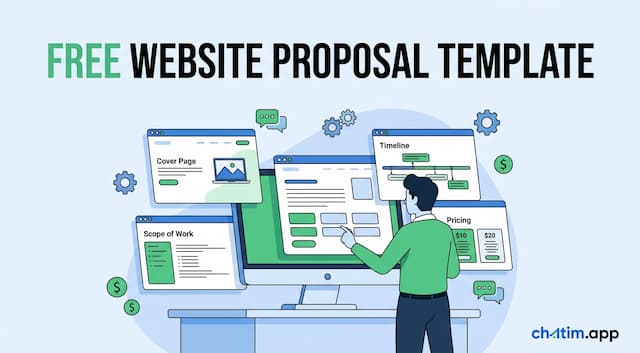 Website Proposal Template: 8 Sections That Win (2026)
A free website proposal template with all 8 sections copy-paste ready, plus the walkthrough: scoping, three-tier pricing, follow-up, and the expiry date.
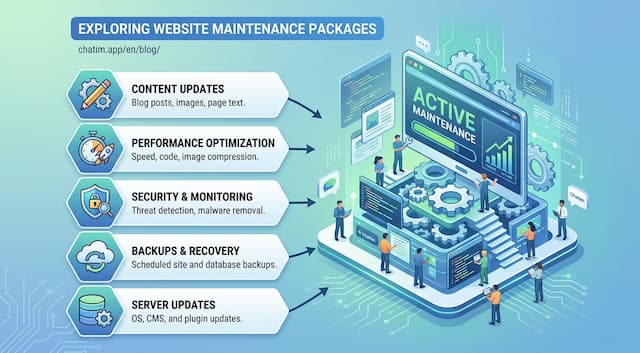 Website Maintenance Packages: What to Include & Charge (2026)
What goes into a website maintenance package, how providers price three tiers, the full maintenance checklist, and the recurring line items clients notice.
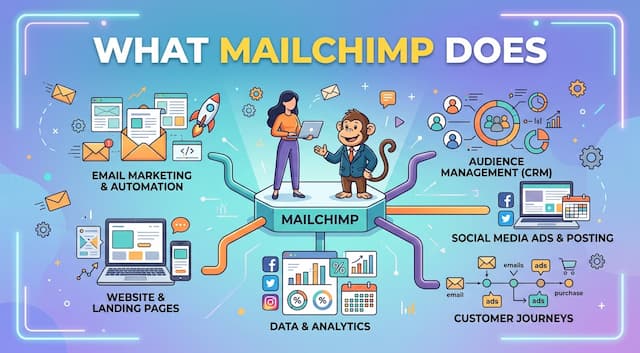 What Is Mailchimp? A Complete Guide to What It Does
Mailchimp is a leading email marketing platform. Learn what it is, what it does, its features and plans, and top alternatives.
 20 Best Email Tracking Software Tools to Use in 2026
20 email tracking tools compared: Mailtrack, HubSpot, Mixmax, Mailchimp, ZeroBounce. Pricing, free tiers, Gmail and Outlook picks for sales teams.