What Is Mailchimp? A Complete Guide to What It Does
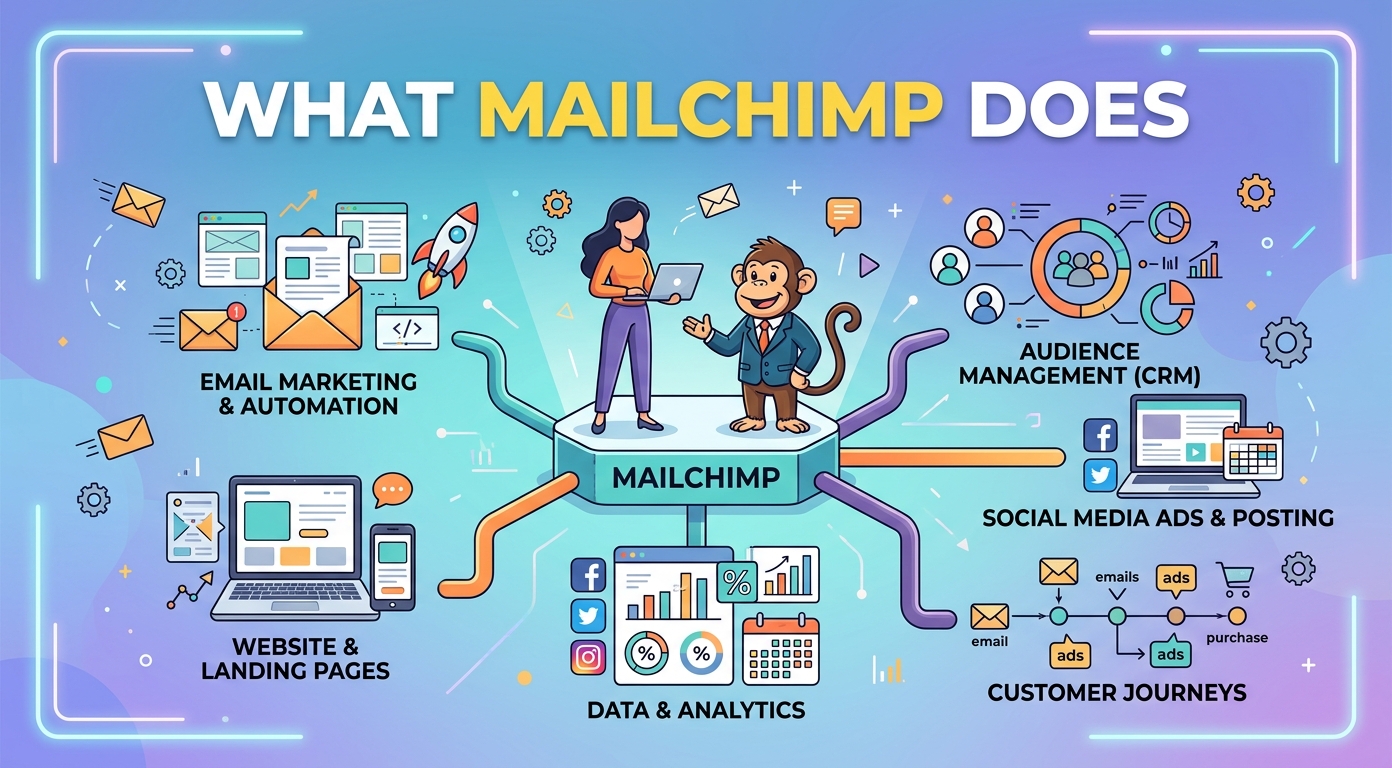
If you have looked into email marketing, you have almost certainly come across Mailchimp. So what is Mailchimp, and what does it actually do for a business?
Mailchimp is one of the best-known email marketing platforms in the world. It started as a simple newsletter tool and grew into a broad marketing tool used by small businesses and large brands alike.
This guide answers that question in plain terms: the history of Mailchimp, what Mailchimp does, the main Mailchimp features, its plans, how to get started, and the alternatives worth a look before you choose a tool.
What is Mailchimp?
Mailchimp is an email marketing and automation platform. At its core, it lets a business collect email subscribers, design emails, send campaigns, and measure the results, all from one place.
Over the years Mailchimp has added smart tools, landing pages, basic ecommerce, and more. Today Mailchimp is better described as an all-in-one marketing tool than a pure email service. As marketing software goes, it is unusually broad.
The appeal of Mailchimp is its balance. Mailchimp is approachable enough for a beginner sending a first newsletter, yet capable enough for a growing business that needs to run serious marketing campaigns.
For many companies, Mailchimp is the entry point into online marketing. It turns a scattered set of contacts and ideas into organized, repeatable email marketing.
A short history of Mailchimp
Mailchimp was founded in 2001 as a side project and slowly became a full email marketing company. For years Mailchimp was known for a generous free tier, which helped it reach a huge number of small businesses.
In 2021 Mailchimp was acquired by Intuit, the company behind QuickBooks. Under Intuit, Mailchimp has continued to expand its marketing tools and its place in everyday digital marketing strategies.
Who uses Mailchimp
Mailchimp is used across almost every industry. Retailers, ecommerce stores, agencies, startups, nonprofits, and solo creators all run email marketing through Mailchimp.
Mailchimp customers range from a one-person shop sending a monthly update to large teams running complex campaigns. It is especially popular with small businesses, because Mailchimp is easy to start without a big budget or a dedicated marketing team.
Because Mailchimp scales, one account can grow with a company. A creator might begin with a simple newsletter, then expand into landing pages and ecommerce on Mailchimp as their audience grows.
What does Mailchimp do?
So what does Mailchimp actually do day to day? The short answer is that Mailchimp helps a business turn an audience into customers through email and connected channels.
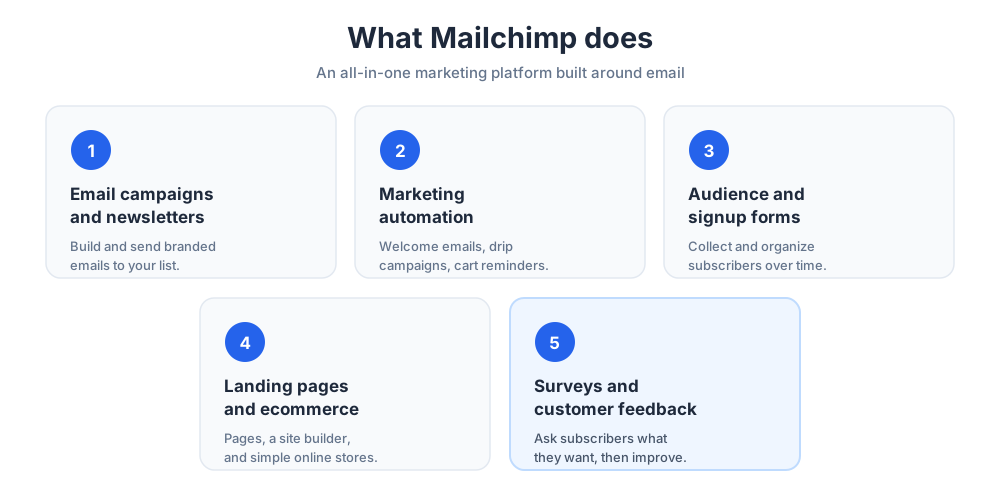
Email campaigns and newsletters
The heart of Mailchimp is email campaigns. With Mailchimp you can build a regular email newsletter, a one-off promotion, or a series of email newsletters and send them to your whole list or a segment of it.
Mailchimp campaigns are built in a drag-and-drop editor, so you do not need to write code. You design the email, choose who receives it, and schedule the send. Sending email marketing campaigns this way is far faster than building each message by hand.
Mailchimp also lets you segment your email list, so campaigns can reach only people in a certain city, or only contacts who clicked your last email. Targeted sends like these usually perform better than one message to everyone.
Marketing automation
Beyond one-off sends, Mailchimp offers powerful automation. Automation in Mailchimp lets you send the right message at the right time without doing it by hand.
Common Mailchimp automations include a welcome email when someone joins your list, drip campaigns that educate new subscribers, and cart emails that remind ecommerce shoppers to finish a purchase. Mailchimp can also send transactional emails, such as receipts, through its add-on service.
Because these automations run on their own once set up, a small team can keep an audience engaged around the clock. This is how Mailchimp turns occasional newsletters into a steady marketing rhythm.
Audience management and signup forms
Mailchimp organizes your contacts into what it calls an audience. Your mailchimp audience holds every subscriber, along with the tags and data that help you target the right people.
To grow that audience, Mailchimp provides signup tools and landing pages. You can embed a form on your site to collect addresses for your email list, and a clean customer database keeps it all organized as the list grows.
Tags and groups inside Mailchimp let you label contacts by interest or behavior, so later campaigns can be aimed precisely instead of sent blindly.
Landing pages, ecommerce, and more
Mailchimp is no longer just about email. Mailchimp includes landing pages, a basic website builder, and tools to run mailchimp stores for simple online selling.
Mailchimp also supports posts and ads for social media platforms, so a small team can manage several channels from one platform instead of juggling separate apps.
Surveys and customer feedback
Mailchimp also lets you run a survey, which is a quick way to gather customer feedback and learn what your subscribers actually want.
That feedback can then shape the emails you send, helping you send better emails with Mailchimp over time as every campaign builds on the last.
Key Mailchimp features
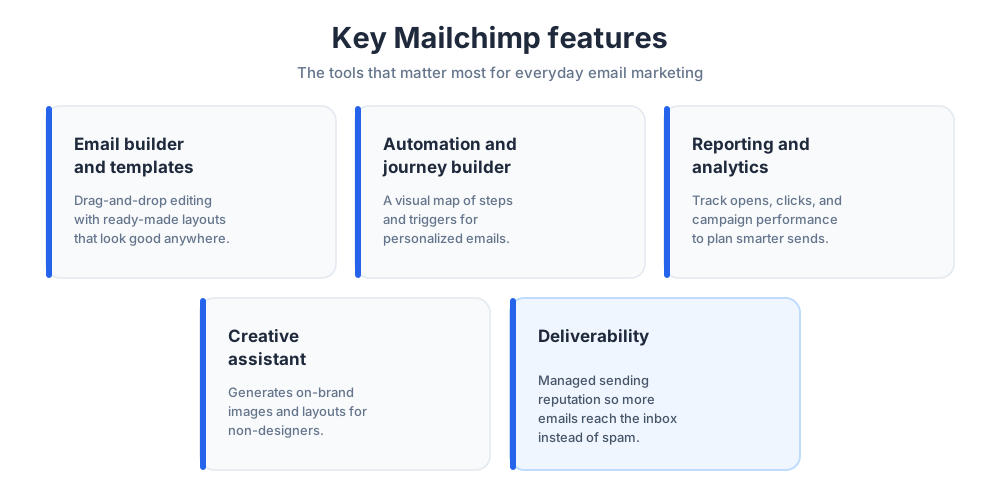
Mailchimp packs a lot into one piece of software. These are the email marketing features that matter most in everyday use.
The email builder and templates
The drag-and-drop editor is where most users spend their time. Mailchimp provides ready-made templates for newsletters, promotions, and announcements, so a polished result is only a few clicks away.
Good email design is built in, so emails look professional on phones and desktops without extra work. You can also fine-tune the email copy and layout to match your brand.
Automation features and the customer journey builder
Mailchimp's automation goes beyond simple triggers. The journey builder is a visual map where you connect steps, conditions, and delays to design a full path for each subscriber.
This makes it possible to send personalized emails based on what a contact does, rather than sending the same message to everyone. Used well, the journey builder quietly runs in the background while you focus on strategy.
Reporting and analytics
Every Mailchimp plan includes reporting. You can track opens, clicks, and campaign performance, and watch how your audience grows over time.
Strong analytics turn guesswork into decisions. If one subject line works better, Mailchimp reports show it, and you can adjust your next campaign accordingly.
Over time these reports become a feedback loop. You learn which campaigns your subscribers open, which links they click, and which days work best, then plan smarter email marketing around that.
The creative assistant
Mailchimp also includes a design tool that helps generate on-brand images and layouts for people who are not designers.
It is a small touch, but it lowers the barrier for a small business that wants polished emails without hiring help.
Deliverability
None of this matters if your emails land in spam, so Mailchimp invests heavily in deliverability. Good deliverability means more of your emails actually reach the inbox.
Mailchimp manages sending reputation and authentication behind the scenes, which is one quiet advantage of using an established platform rather than sending in bulk yourself.
Mailchimp plans and pricing
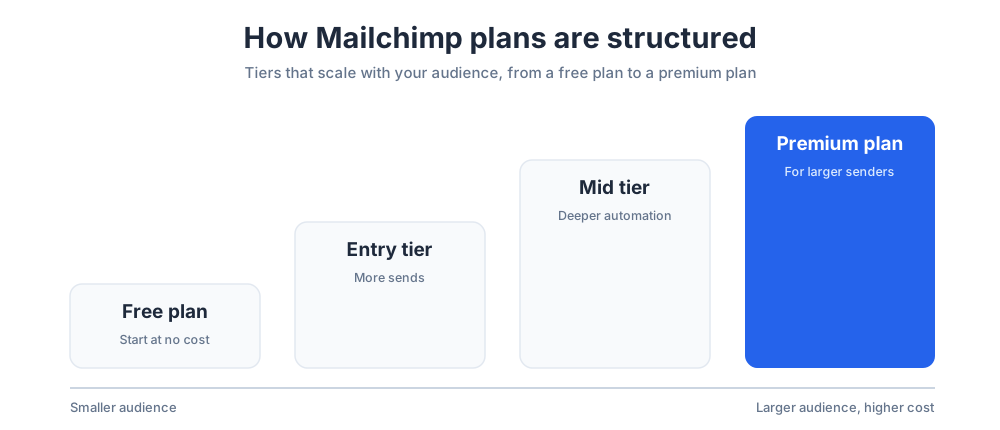
Mailchimp pricing is based on tiers. Rather than quoting figures that change often, it helps to understand how the Mailchimp plans are structured.
The free plan
Mailchimp offers a free plan, which is part of why it became so popular. It lets a small business send a limited number of emails to a small audience at no cost.
That free tier is a genuine way to learn the tool. It is enough to run a basic newsletter, though most growing businesses eventually outgrow its limits and look at paid options.
Paid plans and the premium plan
Paid Mailchimp plans unlock more contacts, more sends, and deeper automation. The tiers run from an entry-level paid option up to a top tier aimed at larger senders.
Pricing scales with the size of your audience and the features you need, so costs rise as your list grows. Always check Mailchimp's own pricing page for current numbers before you commit, since published tiers change.
How to get started with Mailchimp
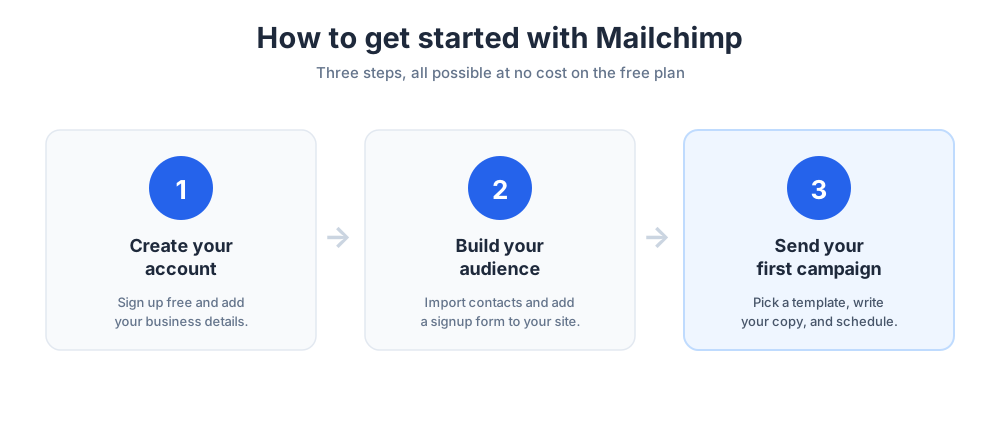
Getting started with Mailchimp takes only a few steps, and you can do all of them at no cost.
Create your Mailchimp account
First, create a free account, confirm your email, and add basic details about your business. The Mailchimp setup wizard walks you through it.
Build your audience
Next, build your audience in Mailchimp. Import any existing contacts you have permission to email, then add a signup form to your site so new subscribers join over time.
Send your first campaign
Finally, send your first campaign. Pick a Mailchimp template, write your copy, choose your audience, and schedule the send. Mailchimp then reports how it performed.
Mailchimp pros and cons
Like any tool, Mailchimp has clear strengths and a few trade-offs worth weighing before you commit to it as your email marketing platform.
What Mailchimp does well
Mailchimp's biggest strength is that it is approachable. The interface is friendly, the templates are solid, and the free tier removes the risk of trying Mailchimp at all.
Mailchimp is also broad. From email campaigns to automation, landing pages, and reporting, one Mailchimp subscription covers most of what a small business needs to start, which is rare in one tool.
It also connects to hundreds of other apps. That ecosystem means Mailchimp can sit at the center of a wider marketing stack instead of working alone.
Mailchimp disadvantages
Mailchimp is not perfect. The main disadvantage is cost: Mailchimp pricing can climb as your audience grows, which surprises some users who started on the free tier.
Mailchimp is also not a full customer relationship management system. Mailchimp holds contact data, but a business that needs deep sales tracking will want a dedicated CRM alongside it. The level of customer support also varies by plan, so it is worth knowing what help you will get.
Mailchimp alternatives
Mailchimp is popular, but it is not the only option. Several Mailchimp alternatives compete on price and features as an email marketing service.
MailerLite is often chosen as a simpler, cheap email marketing option, while other tools market themselves as a focused marketing automation platform. The right tool depends on your budget, list size, and how much automation you need.
It is also worth comparing Mailchimp with what you already use. Sending a newsletter from Gmail works for a handful of contacts, but Gmail is not built for real email marketing, segmentation, or reporting. Run a quick Mailchimp review against one or two rivals, and check strong customer service, before you decide.
Who Mailchimp is best for
Mailchimp is a strong fit for small businesses, creators, and ecommerce stores that want one approachable marketing platform rather than a stack of separate apps.
If your main goal is reliable email marketing with room to grow into automation, Mailchimp remains one of the most popular email marketing software choices, and a dependable email marketing software provider, for good reason.
The honest test is your own list. Try Mailchimp on a real newsletter, watch how the campaigns perform, and you will quickly see whether it fits your needs.
Conclusion
So, what is Mailchimp? It is an email marketing and automation platform that helps a business collect subscribers, send campaigns, and measure results from one place.
Start on the free plan, learn the basics, and upgrade only when your audience and your email marketing strategy outgrow it. Used consistently, Mailchimp can be a steady path to email marketing success and a stronger marketing program overall.
Frequently Asked Questions
Why use Mailchimp instead of Gmail?
Gmail is built for one-to-one email, not marketing. Sending a newsletter to a large list from Gmail risks spam filters and gives you no design tools, no segmentation, and no reporting. Mailchimp is built for email marketing: it manages your audience, builds branded campaigns, handles deliverability, and shows who opened and clicked, which Gmail simply cannot do.
Is Mailchimp really free?
Yes, Mailchimp has a genuine free plan. It lets a small business send a limited number of emails to a small audience at no cost, which is enough to run a basic newsletter and learn the tool. The free plan has limits, and most growing businesses eventually move to a paid plan for more contacts, more sends, and deeper automation.
What are the disadvantages of Mailchimp?
Mailchimp's main disadvantage is cost: pricing scales with the size of your audience, so it can climb as your list grows. It is also not a full CRM, so a business that needs deep sales tracking will want a dedicated system alongside it. Some users also find advanced automation has a learning curve. For most small businesses, though, the strengths outweigh these trade-offs.
What is Mailchimp used for?
Mailchimp is used to run email marketing and connected campaigns. Businesses use it to collect subscribers, design and send email newsletters and promotions, automate messages like welcome emails and cart reminders, build landing pages and signup forms, run surveys, manage simple ecommerce, and track how every campaign performs, all from one platform.
What is Mailchimp?
Mailchimp is an email marketing and automation platform. At its core, it lets a business collect email subscribers, design emails, send campaigns, and measure the results from one place. Founded in 2001 and now owned by Intuit, Mailchimp has grown from a simple newsletter tool into a broad, all-in-one marketing platform popular with small businesses.
How does Mailchimp work?
You create a Mailchimp account, build an audience by importing contacts and adding signup forms, then design a campaign in the drag-and-drop editor. You choose who receives it and schedule the send. Mailchimp delivers the emails, manages deliverability, and reports opens, clicks, and campaign performance so you can improve the next send.
What does Mailchimp do for a business?
Mailchimp helps a business turn an audience into customers. It handles email campaigns and newsletters, marketing automation such as welcome and cart emails, audience management, landing pages, basic ecommerce, surveys, and reporting. Instead of juggling separate apps, a small team can run most of its marketing from one Mailchimp account.
Is Mailchimp good for small businesses?
Yes. Mailchimp is especially popular with small businesses because it is approachable and has a free plan, so there is little risk in trying it. The interface is friendly, the templates are solid, and one account covers email campaigns, automation, landing pages, and reporting, which suits a small team without a dedicated marketing department.
What are the best Mailchimp alternatives?
Several email marketing platforms compete with Mailchimp. MailerLite is often chosen as a simpler, lower-cost option, while other tools position themselves as focused marketing automation platforms. The right alternative depends on your budget, list size, and how much automation you need, so it helps to trial a shortlist against your own list before deciding.
How much does Mailchimp cost?
Mailchimp pricing is tiered. There is a free plan, then paid plans that unlock more contacts, more sends, and deeper features, up to a premium plan for larger senders. Pricing scales with the size of your audience, so costs rise as your list grows. Because published tiers change, always check Mailchimp's own pricing page for current figures.
Can you use Mailchimp as a CRM?
Mailchimp stores contact data and basic audience information, so it can act as a light contact database. But it is not a full customer relationship management system. A business that needs detailed sales pipelines, deal tracking, and reporting will want a dedicated CRM, and can connect it to Mailchimp so marketing and sales data stay in sync.
What is marketing automation in Mailchimp?
Marketing automation in Mailchimp means sending the right message at the right time without doing it by hand. Using the customer journey builder, you set triggers, conditions, and delays so subscribers receive welcome emails, drip campaigns, or cart reminders automatically. Once set up, these automations run on their own while you focus on strategy.
Who owns Mailchimp?
Mailchimp was founded in 2001 and operated independently for two decades. In 2021 it was acquired by Intuit, the company behind QuickBooks and TurboTax. Under Intuit, Mailchimp has continued to operate as an email marketing and automation platform while expanding its marketing and automation features.