LiveChat vs Zendesk in 2026: Specialist or Suite
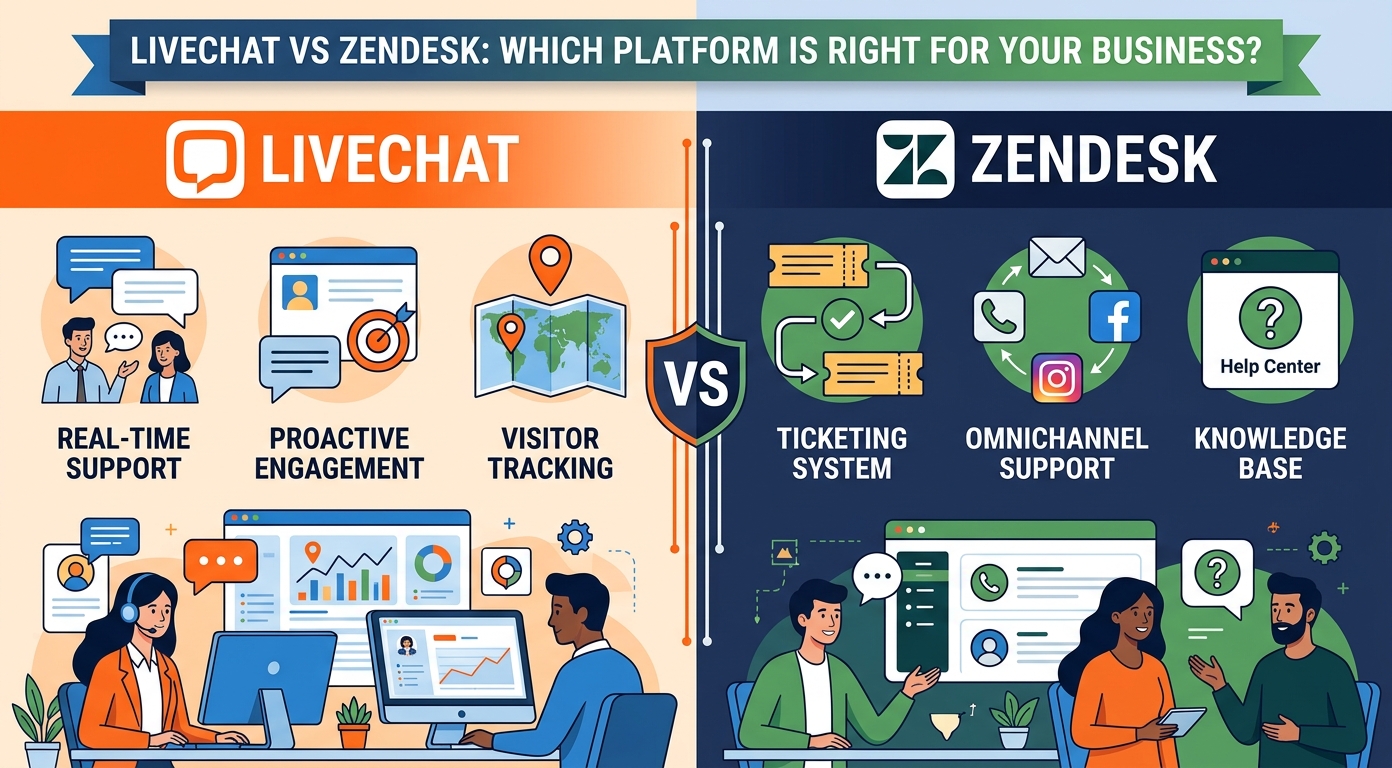
LiveChat vs Zendesk starts with a coincidence that explains everything: both have a $19 entry price, and the two $19s buy completely different things. LiveChat's $19 Starter buys one seat of the most polished chat product in the category and nothing else. Zendesk's $19 Support Team buys email ticketing for your whole team and no chat at all. From there the products diverge exactly as those entry points suggest: LiveChat sells chat a la carte, per person at $19, $49 and $79 billed annually, with bots, helpdesk and knowledge base available as separate sibling products; Zendesk sells the everything Suite from $55 per agent, with chat included but never the star. So the real question behind this comparison is not which product is better, it is which shape your support takes: a chat operation with occasional email, or a ticket operation with a chat channel. Prices below are the vendors' published July 2026 rates.
Where LiveChat vs Zendesk lands in a minute
| LiveChat | Zendesk | |
|---|---|---|
| What you buy | A dedicated live chat product | A full support suite with chat inside |
| Pricing | $19, $49, $79 per person (annual); Enterprise by quote | $19 ticketing-only; Suite $55 and $115; Enterprise by quote |
| The catch in the meter | Visitor tracking caps: 100, 400, 1,000 by tier | AI billed per resolution at an unprinted rate |
| Email and tickets | Basic in chat; full helpdesk is a separate product | Core strength, included |
| Chatbot / AI agent | ChatBot, a separate product from $52 per month | AI agents included, metered per automated resolution |
| Voice | Not the product | In the Suite, plus $83 Contact Center add-on |
| Free option | 14-day trial, no card | 14-day trial, defaults to Suite Professional |
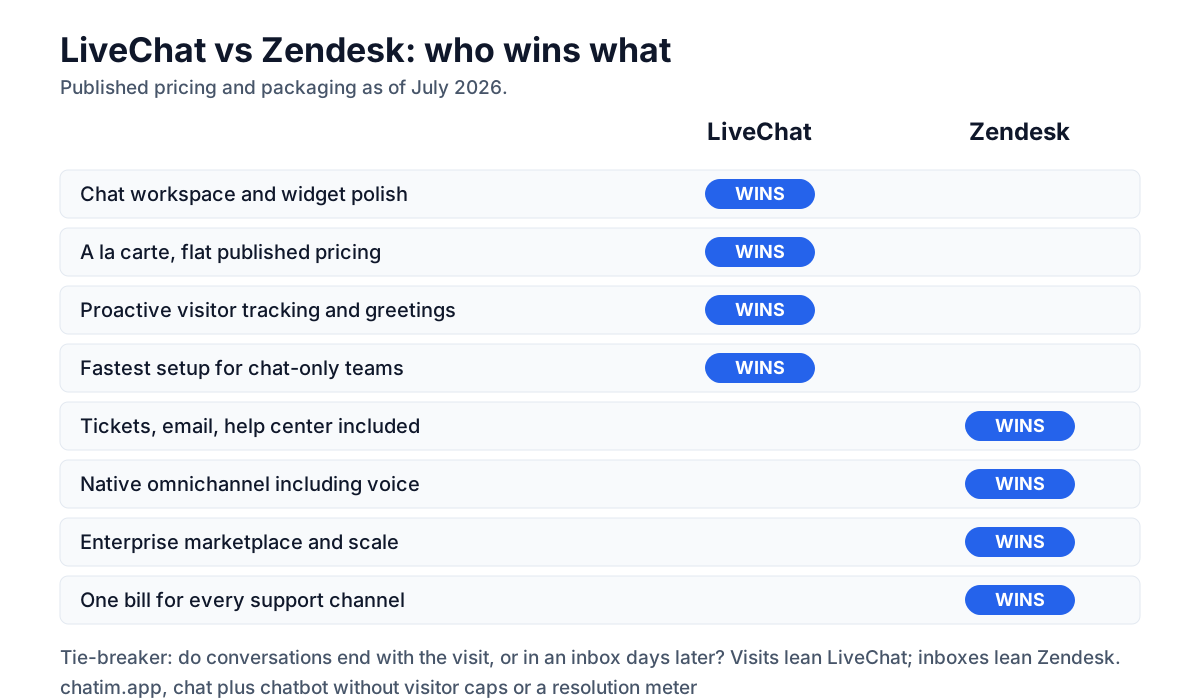
| Best fit | Chat-led teams that want the best widget and workspace | Ticket-led orgs that want one suite for every channel |
Five agents on LiveChat Team cost $245 a month; the same five on Zendesk Suite Team cost $275. Thirty dollars separates a specialist from a suite, which is why this decision is about shape, not budget.
Published annual-billing prices as of July 2026; LiveChat's monthly rates run $25, $59 and $89, and both vendors revise pricing. Check the live pages before deciding.
A chat specialist against a full suite
LiveChat: chat as the whole product
LiveChat has spent two decades making one thing excellent: the conversation between an agent and a website visitor. The agent workspace is fast and genuinely liked, the widget is deeply customizable, targeted greetings and visitor tracking drive proactive chats, and reporting is chat-native rather than adapted from tickets. Pricing is per person, billed annually: Starter at $19 caps you at one seat and 100 tracked visitors, Team at $49 opens unlimited seats with 400 tracked visitors, Business at $79 tracks 1,000, and Enterprise goes to quote. What LiveChat does not try to be is a helpdesk: serious email ticketing, a knowledge base and the AI chatbot live in sibling products from the same maker, each sold separately, with ChatBot starting at $52 per month. You assemble the stack you want, and only the stack you want.
Zendesk: tickets first, chat included
Zendesk approaches the same website from the opposite direction: the ticket is the atom, and every channel, email, messaging, social, voice, help center, feeds it. Suite Team at $55 per agent per month billed annually includes all of it; Suite Professional at $115 deepens routing and analytics; Enterprise is quote-only; and the $19 Support Team plan covers teams that only want the ticketing core. Extras are itemized: Copilot at $50 per agent, Workforce Engagement at $50, Contact Center at $83, and AI agents metered per automated resolution at a rate the pricing page does not print, commonly published around $1.50. Its chat is competent and thoroughly integrated; nobody picks Zendesk because the chat delighted them, and nobody leaves because it disappointed them either.
Pricing: seats and visitor caps vs the Suite
The seat math is close enough to ignore, $245 versus $275 for five agents at the tiers most teams buy, so the real pricing story is in the meters underneath, at July 2026 rates. LiveChat's quiet meter is visitor tracking: Starter follows 100 concurrent visitors, Team 400, Business 1,000, and a high-traffic store on the wrong tier loses exactly the proactive-greeting data it is paying for, which makes the $49-to-$79 jump a traffic decision rather than a feature one. Zendesk's quiet meter is the AI rate that is not on the page, plus the add-ons that turn $55 into $105-plus once Copilot joins. And the assembly costs differ: a LiveChat shop that later needs a real helpdesk adds a second product and a second bill, while a Zendesk shop that later needs better chat mostly just tolerates the one it has. Price the destination, not the day one: the cheaper start is LiveChat's, the cheaper third year often belongs to whoever guessed their shape right.
AI: a separate ChatBot product vs a built-in meter
LiveChat's automation story is ChatBot, a sibling product from $52 per month billed annually that you wire into the widget: visual flows, AI answering trained on your content, and quotas by plan rather than per-conversation fees. Zendesk's is built in and metered: AI agents resolve tickets across channels and bill per automated resolution, at an unprinted rate commonly published around $1.50, with Copilot for human agents at $50 per head. The structural difference matters more than the brands: ChatBot is a flat-ish line item you can budget from its pricing page but a second product to configure, while Zendesk's AI is zero-setup adjacent but variable-cost, and cheap months are indistinguishable from months where it quietly resolved nothing. Chat-led teams with predictable FAQ traffic tend to prefer ChatBot's model; ticket-led teams that want AI across email and chat in one place are the case Zendesk built its meter for. Both deserve the same test: fifty real conversations, measured resolution rate, then multiply.
The third option: Chatim for chat without the suite tax
Disclosure: Chatim is our own product. If you are drawn to LiveChat's focus but not its per-seat arithmetic, or to Zendesk's automation but not its meter, the small-team answer is simpler than both: Chatim bundles live chat and chatbot automation at predictable per-plan pricing with a free tier and native Shopify and WordPress integrations. No visitor caps deciding your tier, no resolution meter deciding your month.
Try Chatim free at chatim.app →
Tickets, email, and everything chat is not
The gap between these products is widest the moment a conversation outlives the visit. On Zendesk, the chat becomes a ticket with history, SLA clocks, routing rules and a help-center article waiting to deflect the next one; email is a first-class citizen; and reporting spans every channel in one model. On LiveChat, asynchronous work is the edge of the product: basic ticketing exists, but sustained email support, knowledge management and process tooling belong to the sibling products, each with its own subscription. Teams whose queue is mostly live conversations rarely miss any of it; teams juggling email backlogs alongside chat discover why the suite costs what it costs. Audit a week of your own conversations: if most end when the visitor leaves the site, you are a specialist's customer; if most end days later in an inbox, you are Zendesk's.
The Text ecosystem against the marketplace
LiveChat's expansion path runs through its maker's own family: ChatBot for automation, a helpdesk and knowledge-base product for the asynchronous side, each integrating tightly and billing separately, plus an app marketplace that covers the common CRMs and stores. Zendesk's expansion path is its marketplace and platform: hundreds of support-specific apps, deep API surface, and add-ons that scale to a full contact center at $83 per agent, with voice, social and WhatsApp handled natively in the Suite. Assemble-your-stack versus everything-in-one is a genuine philosophical split, and it decides operational questions too: one vendor relationship and one invoice on the Zendesk side, versus best-of-need purchases and no payment for unused machinery on LiveChat's. Neither is wrong; one of them matches how your company likes to buy software.
Sorting yourself into the right tool
Stick with LiveChat if...
- Chat is the job: live conversations, proactive greetings, and a workspace agents like.
- You want a la carte bills: pay for chat, add ChatBot only if automation earns it.
- Published flat pricing beats a usage meter for how you budget.
- Your email volume is light enough that a full helpdesk would idle.
Step up to Zendesk if...
- Conversations regularly become tickets: email, history and SLAs are the workflow.
- You want every channel, including voice, in one suite and one report.
- AI across channels matters more than chat polish in one.
- Enterprise process and marketplace depth are on your roadmap.
Leaving one for the other
Both directions are routine and neither is free. LiveChat-to-Zendesk moves contacts and transcripts with importers and gains a suite to configure, so budget the setup weeks that LiveChat never asked of you. Zendesk-to-LiveChat is lighter, install the widget, port canned responses and greetings, reconnect the CRM, but plan explicitly for where tickets and the knowledge base will live before turning anything off. Run the 14-day trials side by side on real traffic (trim Zendesk's trial down from its Suite Professional default so the invoice preview is honest), and test the automation the same way on both. For the broader field, see our guides to LiveChat alternatives, Zendesk alternatives, Tidio alternatives, Olark alternatives, and the full ranking of the best live chat software.
Still building the shortlist? Our other head-to-head guides cover Tidio vs LiveChat, Zendesk vs Freshdesk, Intercom vs Zendesk, and Help Scout vs Zendesk.
Frequently Asked Questions
Is LiveChat or Zendesk better in 2026?
They are different shapes, and the better one is whichever matches yours. LiveChat is the chat specialist: the most polished agent workspace and widget in the category, per-person pricing at $19 to $79 billed annually, with helpdesk and chatbot sold as separate sibling products. Zendesk is the suite: tickets, email, help center, voice and chat from $55 per agent, with AI metered per resolution. Chat-led teams pick LiveChat; ticket-led operations pick Zendesk.
How much does LiveChat cost in 2026?
LiveChat publishes per-person annual-billing prices of Starter $19 (one seat, 100 tracked visitors), Team $49 (unlimited seats, 400 tracked visitors), and Business $79 (1,000 tracked visitors), with Enterprise by quote. Monthly billing runs $25, $59 and $89. The AI chatbot is a separate product, ChatBot, from $52 per month billed annually. There is a 14-day trial with no card required. As of July 2026; confirm on livechat.com.
How much does Zendesk cost in 2026?
Zendesk publishes annual-billing seats of $19 for Support Team (ticketing only), $55 for Suite Team, and $115 for Suite Professional, with Suite Enterprise by quote. Add-ons are itemized: Copilot at $50 per agent, Workforce Engagement at $50, and Contact Center at $83, while AI agents bill per automated resolution at a rate the page does not print. The 14-day trial defaults to Suite Professional with Copilot enabled. As of July 2026.
Which is cheaper for a small support team?
At the popular tiers they nearly tie: five agents cost $245 a month on LiveChat Team versus $275 on Zendesk Suite Team, at July 2026 annual prices. The bill diverges with what you add. LiveChat plus ChatBot ($52-plus) stays flat and predictable; Zendesk plus Copilot ($50 per agent) plus metered AI resolutions varies with volume. And the products differ more than the invoices: one is chat only, the other includes email, tickets and a help center at that price.
What are LiveChat's visitor tracking caps?
Each LiveChat tier caps how many website visitors the product tracks for proactive features: 100 on Starter, 400 on Team, 1,000 on Business. The caps do not block chats, but past them you lose visibility into exactly the visitor traffic that targeted greetings and monitoring are for, which quietly turns tier choice into a traffic decision. High-traffic stores should size the tier to peak concurrent visitors, not to seat count, before comparing prices with anything.
Does LiveChat include a chatbot or AI agent?
Not in the base product. Automation comes from ChatBot, a sibling product from the same maker, priced separately from $52 per month billed annually with plan-based quotas, and it plugs directly into the LiveChat widget with visual flows and AI answering trained on your content. Zendesk takes the opposite approach: AI agents ship inside the Suite and bill per automated resolution at an unprinted rate. Flat add-on versus usage meter is the real choice between them.
Can LiveChat replace a helpdesk like Zendesk?
Only for teams whose conversations mostly end when the visitor leaves. LiveChat handles live chat superbly and offers basic ticketing, but sustained email support, knowledge management and SLA-driven process belong to separate products in its family or to a real helpdesk. If a meaningful share of your queue is asynchronous email with multi-day history, Zendesk's model is built for your week and LiveChat's is not. Audit a week of real conversations before deciding.
Is Zendesk's chat as good as LiveChat's?
It is competent and deeply integrated rather than best-in-class. Zendesk's messaging shares the agent workspace with every other channel, inherits routing and SLAs, and feeds the same reporting, which is its real advantage. LiveChat's workspace, widget customization, targeted greetings and chat-native analytics are stronger at the chat job itself. Teams that live in chat all day feel the difference; teams where chat is one channel among five usually do not.
How do the two ecosystems differ?
LiveChat expands through its maker's own family, ChatBot for automation plus separate helpdesk and knowledge-base products, each integrating tightly and billing separately, alongside a marketplace covering common CRMs and stores. Zendesk expands through its platform: hundreds of support-specific marketplace apps, deep APIs, and native scaling to voice and a full contact center at $83 per agent. Buy-what-you-need suits LiveChat's model; one-vendor-for-everything suits Zendesk's.
Which handles phone support?
Zendesk, by default: voice ships in the Suite and scales to the $83 per agent Contact Center add-on, all one vendor and one workspace. Phone is simply not LiveChat's product; calls would live in a separate telephony tool beside it. If voice is a real channel for your team rather than an occasional callback, this single row decides the comparison before anything else does.
How hard is it to switch between LiveChat and Zendesk?
Both directions are routine. Moving to Zendesk imports contacts and transcripts and then asks for real configuration time, since you are standing up a suite. Moving to LiveChat is a lighter install, widget, canned responses, greetings, CRM reconnection, but decide where tickets and the knowledge base will live before you switch anything off. Run both 14-day trials on live traffic, and trim Zendesk's Suite Professional trial default down to the tier you would actually buy.
Do I need either LiveChat or Zendesk for a small website?
Frequently not. LiveChat's per-seat bills and Zendesk's suite both assume a staffed support operation. If the job is answering visitors, capturing leads and automating the questions that repeat, a bundled tool covers it at small-team prices: our own Chatim pairs live chat with chatbot automation on a free tier with native Shopify and WordPress integrations (disclosure: Chatim is our product), with no visitor caps steering your tier and no per-resolution meter steering your month.
Related articles
More in Comparisons → Live Chat vs Chatbot: Which One Does Your Website Need?
Live chat vs chatbot in plain terms: what each does best, where each fails, and the bot-first, human-close handoff pattern that beats running either alone.
 Help Desk vs Service Desk: The Real Difference (2026)
Help desk vs service desk in one line: issue-fixing vs service lifecycle. The five differences that matter, why the terms blur, and which one you need.
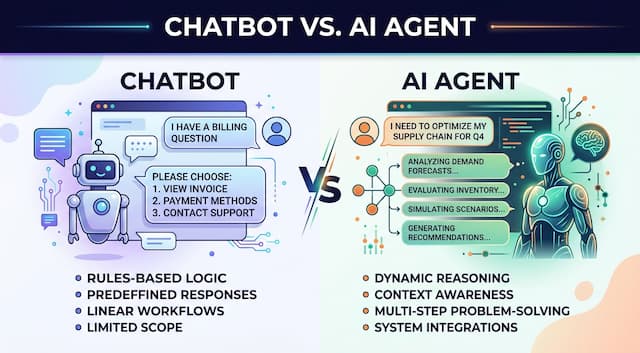 Chatbot vs AI Agent: Where the Line Actually Sits (2026)
Chatbot vs AI agent in plain terms: what each one does, where the line blurs, and how to add autonomy to support and sales without losing control.
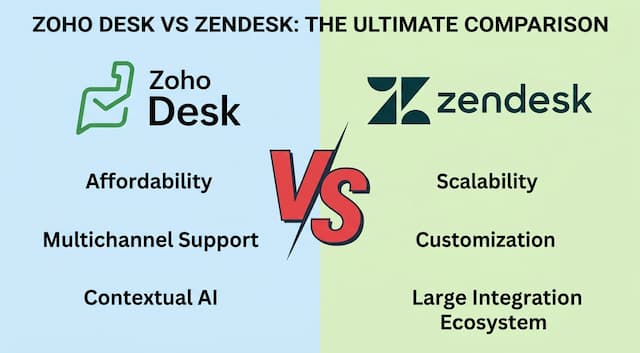 Zoho Desk vs Zendesk in 2026: The Price Gap, Examined
Zoho Desk vs Zendesk in 2026: included AI vs a quiet meter, and where Zendesk earns it